 PluginStats
Extension Pack for Java installs statistics
By Microsoft (223 listings) · VS Code Marketplace · Programming Languages
Popular extensions for Java development that provides Java IntelliSense, debugging, testing, Maven/Gradle support, project management and more
Extension Pack for Java has 47,052,515 recorded installs on VS Code Marketplace.
It ranks #28 of 2,500 tracked VS Code Marketplace listings by installs.
It is rated 3.7 out of 5 from 88 ratings.
PluginStats has 3 daily observations since Oct 16, 2026; the latest is from Oct 18, 2026.
Rating: 3.70 / 5 from 88 ratings
About Extension Pack for Java
Extension Pack for Java
Extension Pack for Java is a collection of popular extensions that can help write, test and debug Java applications in Visual Studio Code. Check out Java in VS Code to get started.
Extensions Included
By installing Extension Pack for Java, the following extensions are installed:
• 📦 Language Support for Java™ by Red Hat • Code Navigation • Auto Completion • Refactoring • Code Snippets • 📦 Debugger for Java • Debugging • 📦 Test Runner for Java • Run & Debug JUnit/TestNG Test Cases • 📦 Maven for Java • Project Scaffolding • Custom Goals • 📦 Gradle for Java • View Gradle tasks and project dependencies • Gradle file authoring • Import Gradle projects via Gradle Build Server • 📦 Project Manager for Java • Manage Java projects, referenced libraries, resource files, packages, classes, and class members
Other Recommendations
You can do more with VS Code. Here are some more recommendations that could help.
Spring
Spring Tools 4 (ST4) is also available in Visual Studio Code. It understands Spring so you can navigate Spring code at the level of beans, routes, etc. It can also show live information of the running Spring Boot applications. Check out the ST4 website to see a complete list of its features.
To use ST4, install 📦 Spring Boot Extension Pack. Please also check out the User Guide to make the most of it.
Eclipse MicroProfile
The 📦 Extension Pack for MicroProfile is a collection of extensions that can help develop your Java microservices using Eclipse MicroProfile. You can quickly generate a MicroProfile project and utilize development tools for runtimes such as Open Liberty and Quarkus.
Quarkus
📦 Quarkus Tools for Visual Studio Code is a feature-packed extension tailored for Quarkus application development within Visual Studio Code. You can quickly get started by using the extension's project generation and project debugging feature. The extension also provides amazing language features (completion, hover, validation etc.) for your project's application.properties file.
Containers and Microservices
You can use 📦 Docker extension to build docker images and work with image registries.
📦 Kubernetes extension provides an explorer view to manage clusters and the nodes inside. It also provides advanced syntax support for editing Kubernetes manifest files.
Tomcat and Jetty
Both 📦 Tomcat and 📦 Jetty extension are available. They provide dedicated views to help work with your favorite web servers.
Linting
The 📦 SonarLint extension lets you detect bugs and vulnerabilities as you write code in VS Code. The extension will simply run in the background and highlight code that poses a quality or security concern.
At the same time, 📦 CheckStyle is also available.
Questions & Issues
See the Java runtime requirements and configuration guide for JDK setup details.
Each extension mentioned above is a separate open-source project and has its own repository. To make things easier, simply 🙋 open an issue in this repository. The new issue will be triaged and redirected.
Data/Telemetry
This extension collects telemetry data to help us improve the Java development experience in VS Code. It does not collect any personal information such as names, addresses, or file paths. For more details, see our privacy statement. You can disable telemetry collection at any time by changing the telemetry.enableTelemetry setting as described in our FAQ.
License
MIT
Happy Coding!
Description from the VS Code Marketplace listing.
- debugger
- java
- junit
- keybindings
- maven
- spring
Where Extension Pack for Java sits in the listing
Each band is one page of 20. Installs on a log scale. Placement is projected from installs, so it can differ from the marketplace's own sort order. Hover a dot to see the listing.


Charts
Images: 30d · 1y · all time · 1600×900 dark


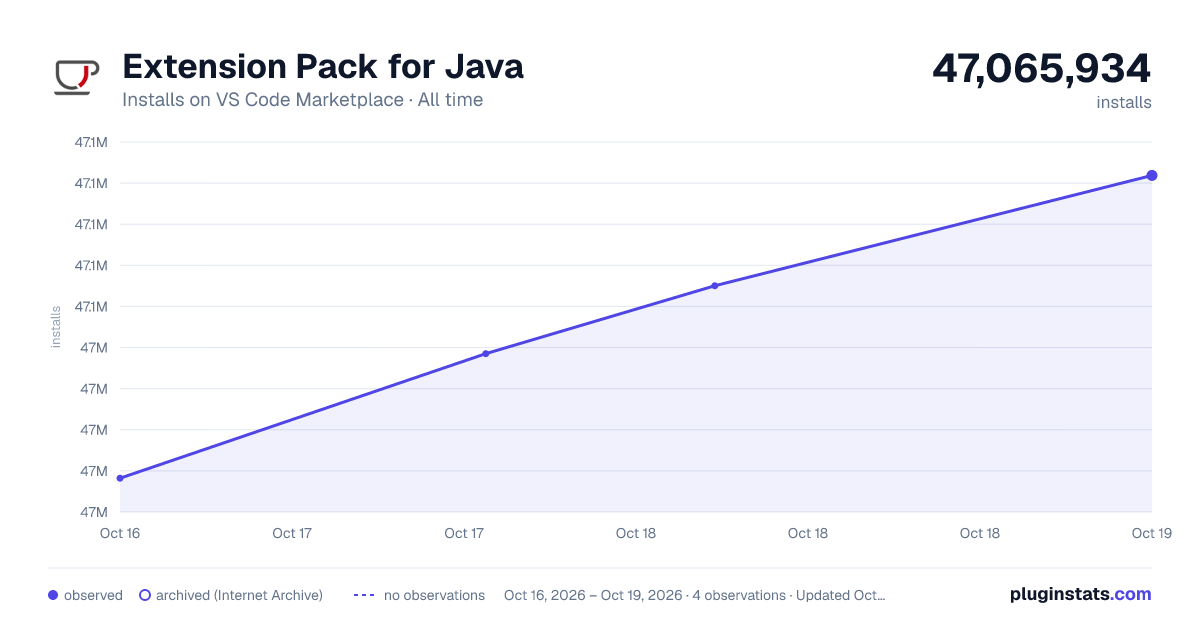

Adoption over time


7/30/90-day growth


Ranking history


Filled points are observed values; hollow points come from Internet Archive snapshots of the listing page. Dashed segments span periods with no observations — values between points are not interpolated.
Recent observations
Full history (3)Similar VS Code Marketplace Programming Languages plugins
Data source
Install counts, average rating, and rating counts come from the public Visual Studio Marketplace gallery API. Installs are cumulative and exclude updates.
Listing: https://marketplace.visualstudio.com/items?itemName=vscjava.vscode-java-pack. First seen Oct 16, 2026; last successful collection Oct 18, 2026. See the methodology.