 PluginStats
Datapack Helper Plus by Spyglass installs statistics
By SPGoding · VS Code Marketplace · Programming Languages
Heavy language features for Minecraft: Java Edition data pack files
Datapack Helper Plus by Spyglass has 360,048 recorded installs on VS Code Marketplace, ranking #1030 of 2,502 tracked listings.
Rating: 4.61 / 5 from 49 ratings
About Datapack Helper Plus by Spyglass
Datapack Helper Plus by Spyglass
<div align="center"><img src="https://raw.githubusercontent.com/SpyglassMC/logo/main/banner.png"></div>





Spyglass aims at improving users' editing experience of Minecraft data packs by providing IntelliSense features like real-time error reporting, auto-completion, semantic coloring, and code navigation tools.
Configuration
Full documentation: https://spyglassmc.com/user/config
By default, Spyglass will look for a pack.mcmeta file containing a pack_format value. The Minecraft release version matching that pack format will be used to determine the vanilla data pack, validation schemas for JSON and NBT, command-specific checks, etc.
If you wish to override the detected version, for example when working in multi-version packs, create a spyglass.json file at the workspace root containing:
{
   "env": {
      "gameVersion": "1.20.6"
   }
}
If you want resource location completions to always include the default minecraft: namespace, use the following config:
{
   "lint": {
      "idOmitDefaultNamespace": false
   }
}
Features
Semantic coloring
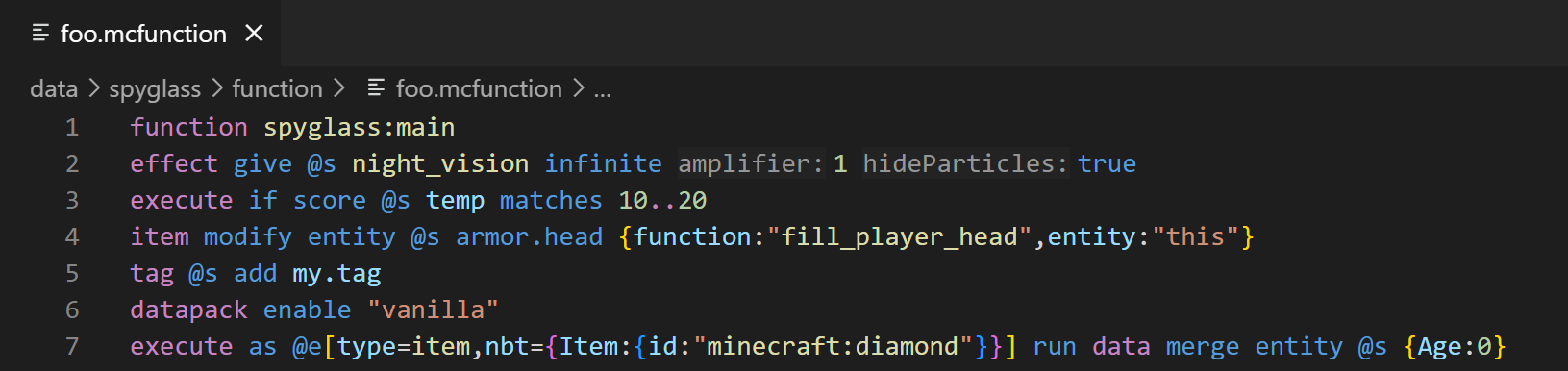
All command arguments are colored semantically. This extension includes syntax-mcfunction as a dependency to get instant coloring feedback.
Diagnostics
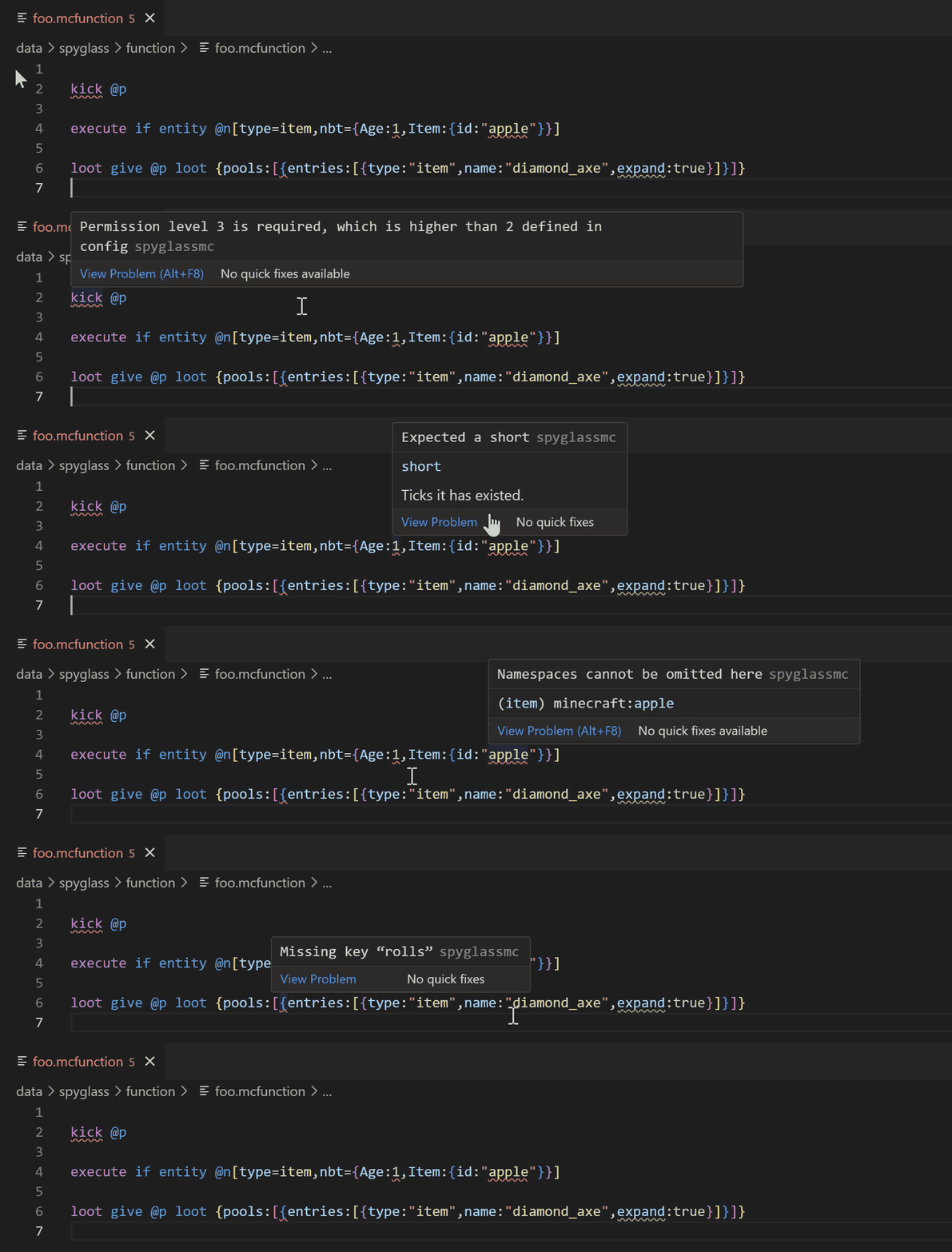
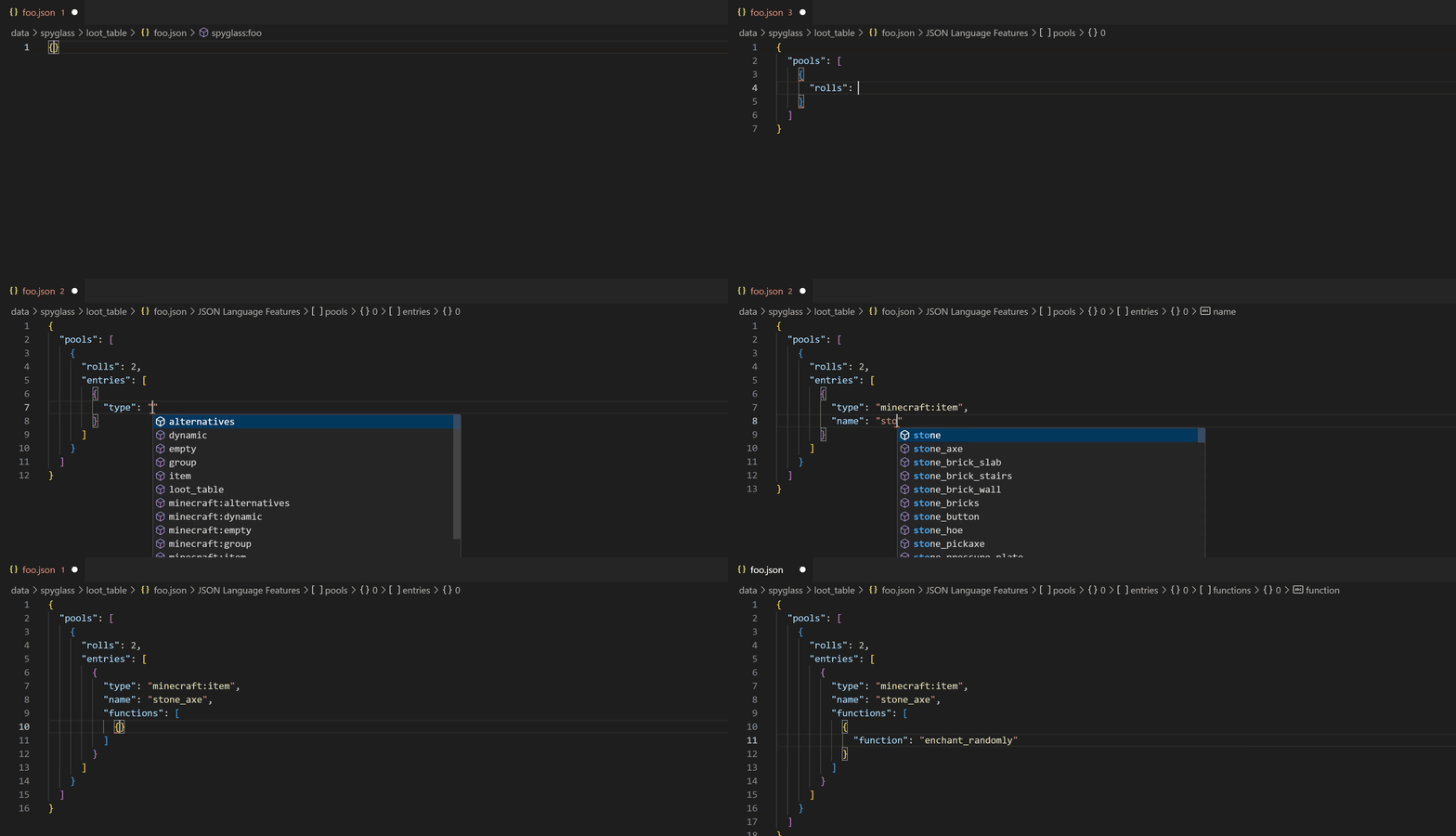
Spyglass provides real-time diagnostics about your commands and JSON files. It can show syntax errors as Minecraft does, and even give you more detailed warnings.
Code completions
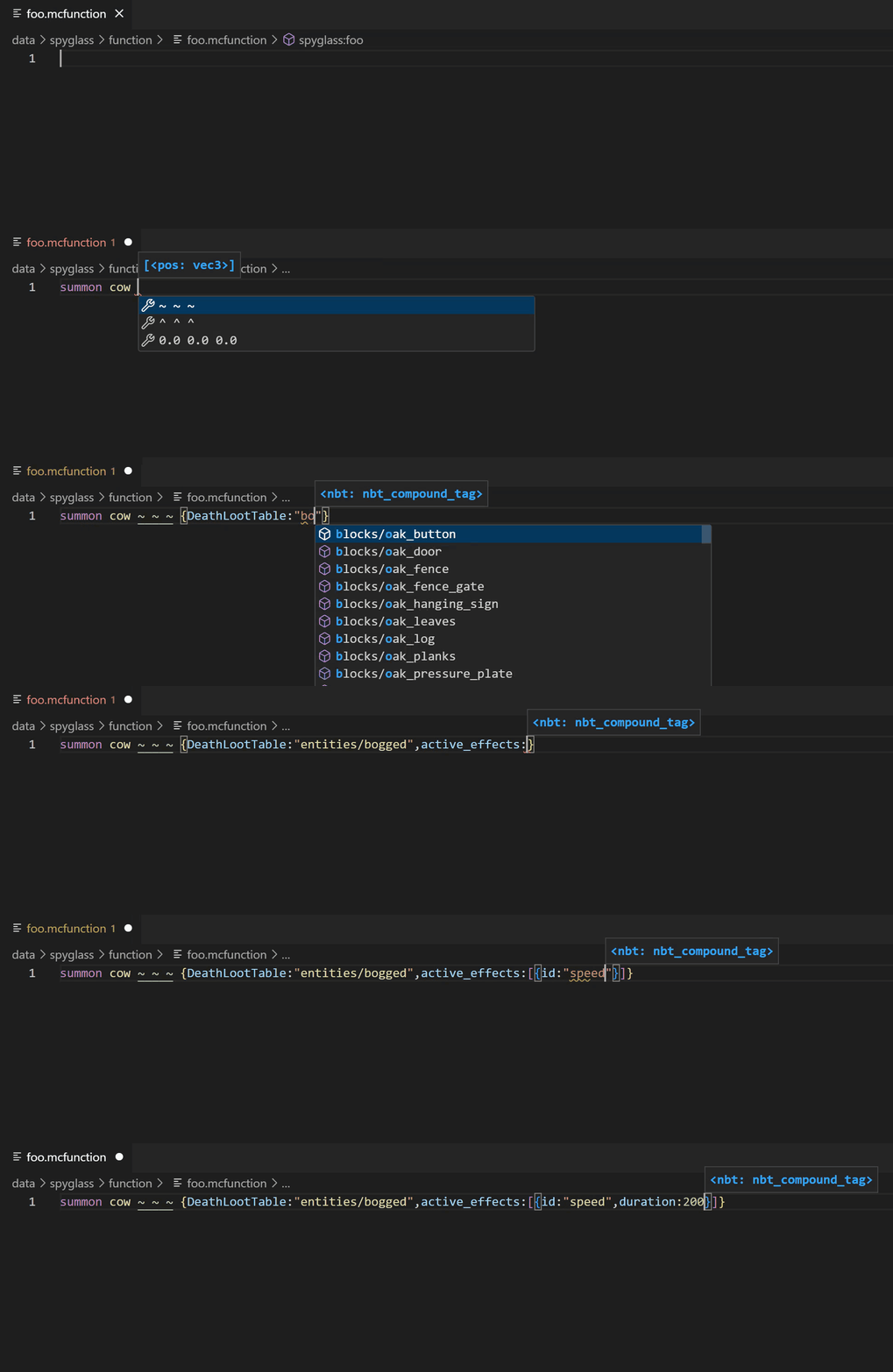
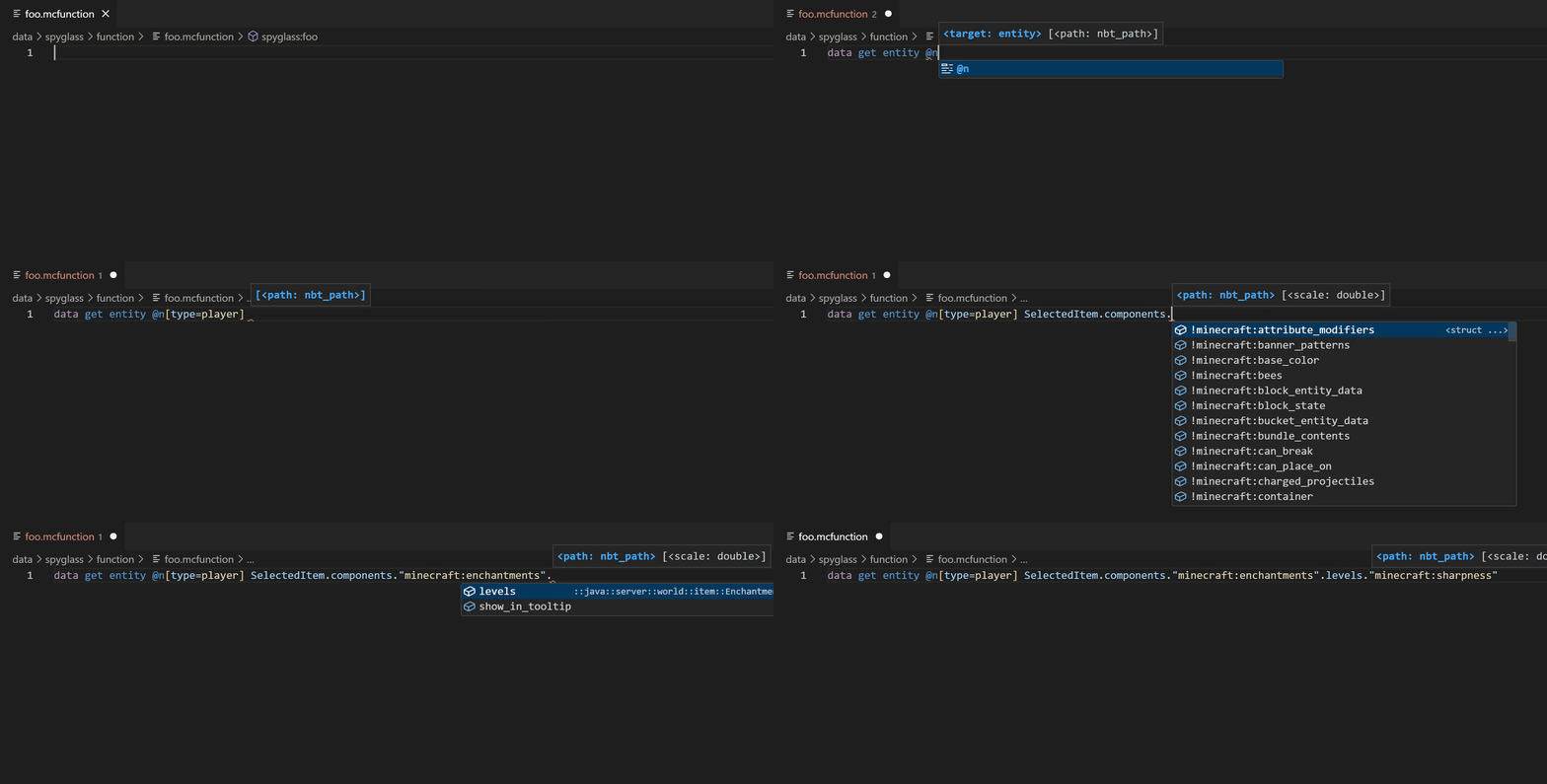
The extension can compute completions as you type commands. Completions will automatically show when typing certain characters. Alternatively you can use Ctrl + Space (or other configured hotkey) to show completions manually.
Definition links
You can navigate to functions, advancements, loot tables, and other resources by Ctrl-clicking on their namespaced IDs. This even works for vanilla resources.

Peek references
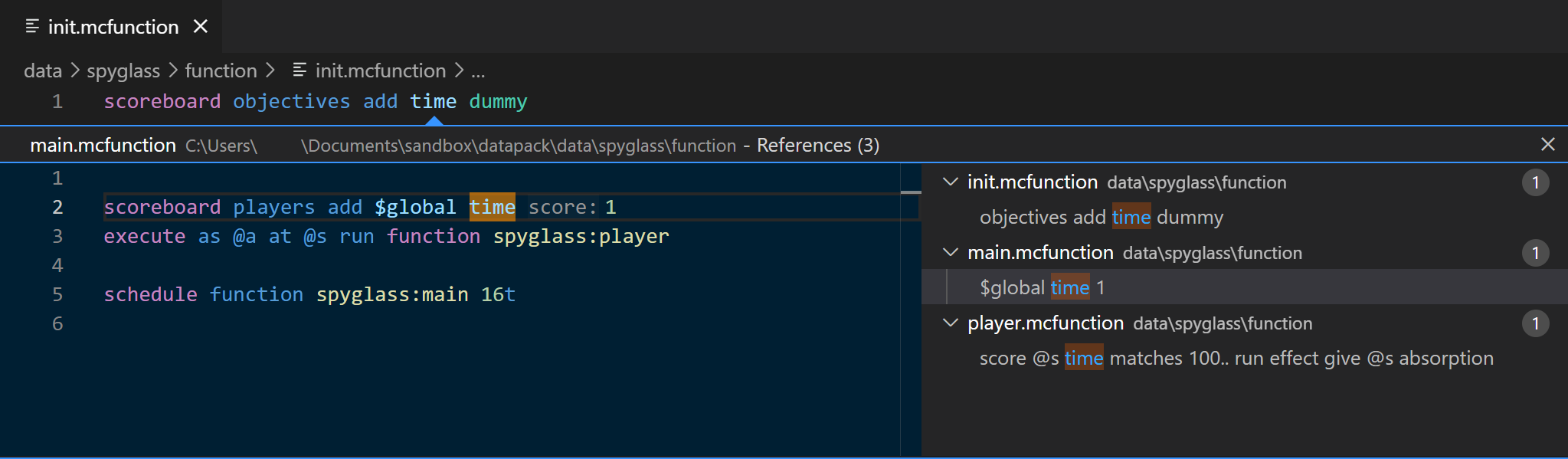
You can find all the references of objectives, tags, data storages, functions, and other resources in the workspace by pressing Shift + F12 or other configured key.
Commands
Full documentation: https://spyglassmc.com/user/commands
Reset project cache
Spyglass uses a cache to speedup the process of validating, finding references/definitions, document links, etc. However the cache may become outdated because of various reasons, which could lead to strange behaviors. You can use the Spyglass: Reset Project Cache command to regenerate the cache manually. You can open the command prompt using Ctrl+Shift+P (or other configured hotkey).
Open cache folder
If you are still experiencing problems after running the above command, you can navigate to the cache folder by using the Spyglass: Open Cache Folder command and wiping the folder. This removes the downloaded vanilla data pack, project caches, etc.
Credits
This extension is only possible thanks to all the contributors that have worked on this project!…
Description from the VS Code Marketplace listing.
- datapack
- java
- json
- mcdoc
- mcfunction
- mcmeta
- minecraft
- multi-root ready
- snbt
README badge
Show your rank in a README or on your website. The badge updates automatically.
Charts
Images: 30d · 1y · all time · 1600×900 dark
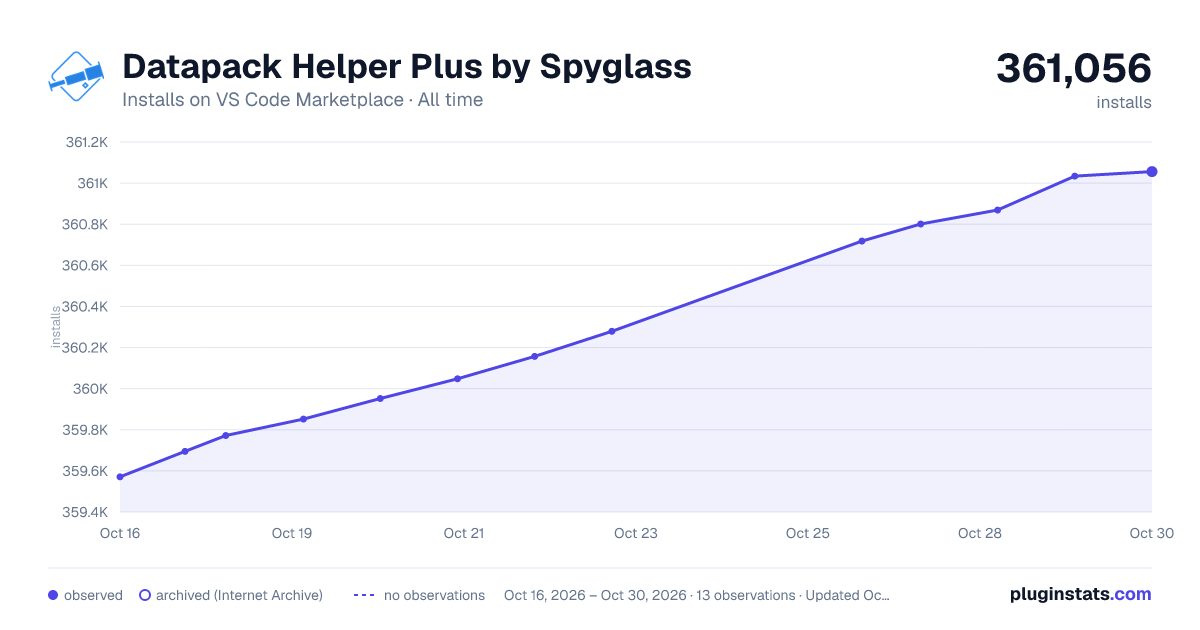
Adoption over time
7/30/90-day growth
Ranking history
Ratings over time
Listing placement
Listing placement
Listing placement
Filled points are observed values; hollow points come from Internet Archive snapshots of the listing page. Dashed segments span periods with no observations — values between points are not interpolated.
Each band is one page of 20. Installs on a linear scale. Placement is projected from installs, so it can differ from the marketplace's own sort order. Hover a dot to see the listing.
Recent observations
Full history (6)Similar VS Code Marketplace Programming Languages plugins
All 20 Datapack Helper Plus by Spyglass alternatives



Data source
Install counts, average rating, and rating counts come from the public Visual Studio Marketplace gallery API. Installs are cumulative and exclude updates.
Listing: https://marketplace.visualstudio.com/items?itemName=SPGoding.datapack-language-server. First seen Oct 16, 2026; last successful collection Oct 21, 2026. See the methodology.