 PluginStats
Ruby Solargraph installs statistics
By Castwide (2 listings) · VS Code Marketplace · Programming Languages
A Ruby language server featuring code completion, intellisense, and inline documentation
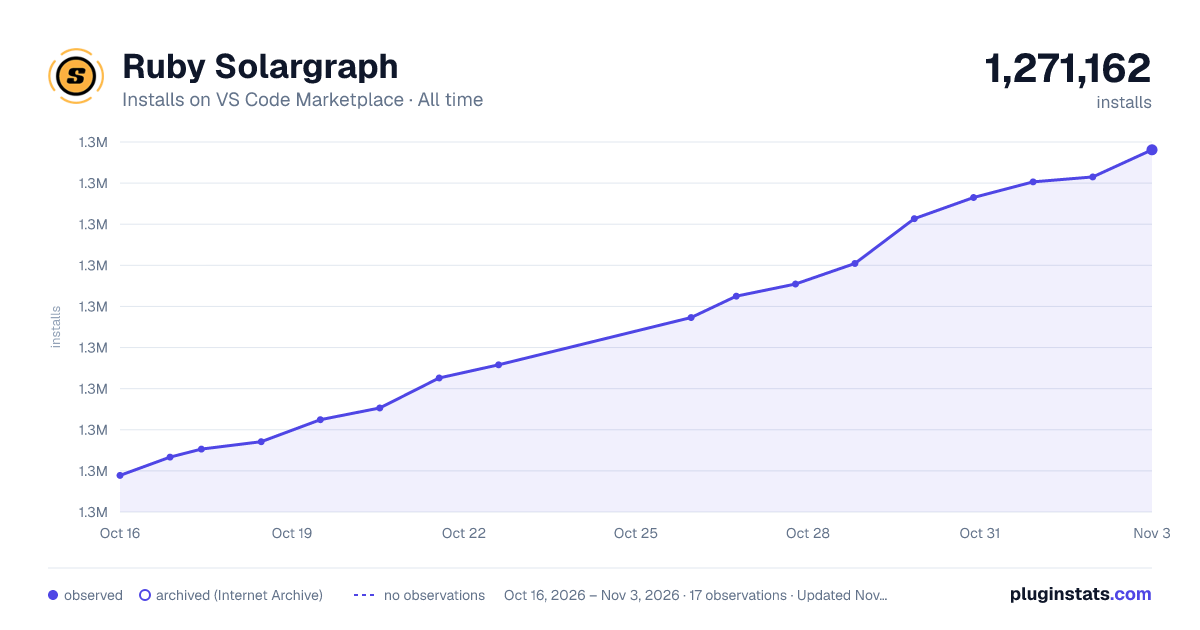
Ruby Solargraph has 1,269,849 recorded installs on VS Code Marketplace, ranking #471 of 2,501 tracked listings.
Rating: 4.73 / 5 from 44 ratings
About Ruby Solargraph
VS Code Solargraph Extension
Solargraph is a language server that provides intellisense, code completion, and inline documentation for Ruby.

Features
- Context-aware suggestions and documentation for the Ruby core
- Detection of some variable types and method return values (e.g.,
String.new.returns String instance methods) - Identification of local, class, and instance variables within the current scope
- Find references and rename symbols (experimental as of solargraph gem v0.22.0)
- Support for gems
- Near-complete support for the Ruby core and stdlib
- Partial support for Ruby on Rails
Requirements
You need to install the Ruby gem:
gem install solargraph
Usage
Code Completion
Open a Ruby file and start typing. Solargraph should start providing contextual code suggestions. To start a search manually, hit ctrl-space. Example:
Stri # <- Hitting ctrl-space here will suggest String
Method arguments and documentation can be seen by starting parentheses after the method call. Example:
String.new.casecmp( # <- Displays arguments and documentation for String#casecmp
Documentation
Solargraph provides a command to access searchable documentation directly from the IDE.
- Hit ctrl+shift+r (or hit ctrl+shift+p and find
Search Ruby Documentation). - Enter a keyword or path to search; e.g.,
StringorArray#join.
The documentation includes the Ruby core, required gems, and the current workspace. Documentation from the workspace is automatically updated when you save the corresponding file.
You can also hover over variables, constants, and method calls to see popup information with links to more documentation.
Documenting Your Code
Using YARD for inline documentation is highly recommended. Solargraph will use YARD comments to provide the best code completion and API reference it can.
In addition to the standard YARD tags, Solargraph defines a @type tag for documenting variable types. It works with both
local and instance variables. Example:
# @type [String]
my_variable = some_method_call
my_variable. # <= Hitting crtl-space here will suggest String instance methods
Intellisense
Solargraph also provides hovers and go to definition.
Hover your mouse over code to see method definitions, return values, and links to documentation.
To go to a method or variable's definition, right-click and select "Go to Definition" from the context menu, or press F12 for the definition at the cursor.
Gem Support
Solargraph is capable of providing code completion and documentation for gems. When your code uses require to include a gem, its classes and methods become available in completion and intellisense.
The language server will automatically cache documentation for your gems in the background. You can also build the caches with the commands Build new gem documentation or Rebuild all gem documentation in the command palette.
Solargraph and Bundler
If your project uses Bundler, the most comprehensive way to use your bundled gems is to bundle Solargraph.
In the Gemfile:
gem 'solargraph', group: :development
Start the language server with Bundler by setting the solargraph.useBundler option to true. The language server will automatically map your bundle's gems.
Note: solargraph.bundlerPath should be an absolute path to bundler executable.
Diagnostics (Linting)
To enable diagnostics, set the solargraph.diagnostics configuration to true.
Solargraph uses RuboCop for diagnostics by default. If your project has a .solargraph.yml file, you can configure the diagnostics in its reporters section. Example:
reporters:
- rubocop
See the configuration guide for more information about the .solargraph.yml file.
Use a .rubocop.yml file in your project's root folder to customize the linting rules.
Restarting Solargraph
Some changes you make to a project, such as updating the Gemfile, might require you to restart the Solargraph server. Instead of reloading the VS Code window, you can run Restart Solargraph from the Command Palette.
Project Configuration
Solargraph will use the .solargraph.yml file for configuration if it exists in the workspace root. The extension provides
a command to Create a Solargraph config file, or you can do it from the command line:
$ solargraph config .
The default file should look something like this:
include:
  - ./**/*.rb
exclude:
  - spec/**/*
This configuration tells Solargraph to parse all .rb files in the workspace excluding the spec folder.
Extension Settings
This extension contributes the following settings:…
Description from the VS Code Marketplace listing.
- autocomplete
- intellisense
- keybindings
- language server
- ruby
- YARD
README badge
Show your rank in a README or on your website. The badge updates automatically.
Charts
Images: 30d · 1y · all time · 1600×900 dark



Adoption over time
7/30/90-day growth
Ranking history
Ratings over time
Listing placement
Listing placement
Listing placement
Listing placement
Filled points are observed values; hollow points come from Internet Archive snapshots of the listing page. Dashed segments span periods with no observations — values between points are not interpolated.
Each band is one page of 20. Installs on a linear scale. Placement is projected from installs, so it can differ from the marketplace's own sort order. Hover a dot to see the listing.
Recent observations
Full history (5)Similar VS Code Marketplace Programming Languages plugins
All 20 Ruby Solargraph alternativesData source
Install counts, average rating, and rating counts come from the public Visual Studio Marketplace gallery API. Installs are cumulative and exclude updates.
Listing: https://marketplace.visualstudio.com/items?itemName=castwide.solargraph. First seen Oct 16, 2026; last successful collection Oct 20, 2026. See the methodology.