 PluginStats
RapidAPI Client installs statistics
By RapidAPI (2 listings) · VS Code Marketplace · Programming Languages
RapidAPI Client is a full-featured HTTP client that lets you test and describes the APIs you build or consume. Designed to work with your VS Code themes, RapidAPI Client makes composing requests, inspecting responses, generating code, and types for application development simple and intuitive.
RapidAPI Client has 534,272 recorded installs on VS Code Marketplace, ranking #816 of 2,501 tracked listings.
Rating: 3.97 / 5 from 35 ratings
About RapidAPI Client
RapidAPI Client for Visual Studio Code
RapidAPI Client is a full-featured HTTP client that lets you test and describes the APIs you build or consume. Designed to work with your VS Code themes, RapidAPI Client makes composing requests, inspecting server responses, generating client code for API calls, and typesafe objects for application development simple and intuitive. Our client provides a great alternative to: Postman, Rest Client, and other HTTP clients.
Why RapidAPI Client for Visual Studio Code?
The RapidAPI Client for VS Code brings API testing to your favorite code editor, so you can test APIs no matter where you are in the development cycle. You can compose requests, inspect server responses, generate client code, and export API definitions from our interface without ever switching context to another application. Beyond being a fantastic stand-alone client in VS Code, this extension establishes a bidirectional link between VS Code and RapidAPI so that users with an existing RapidAPI.com or Paw user account can log in and sync existing projects automatically.
Features
Call your APIs from VS Code
Test your APIs with an easy-to-use and intuitive UI
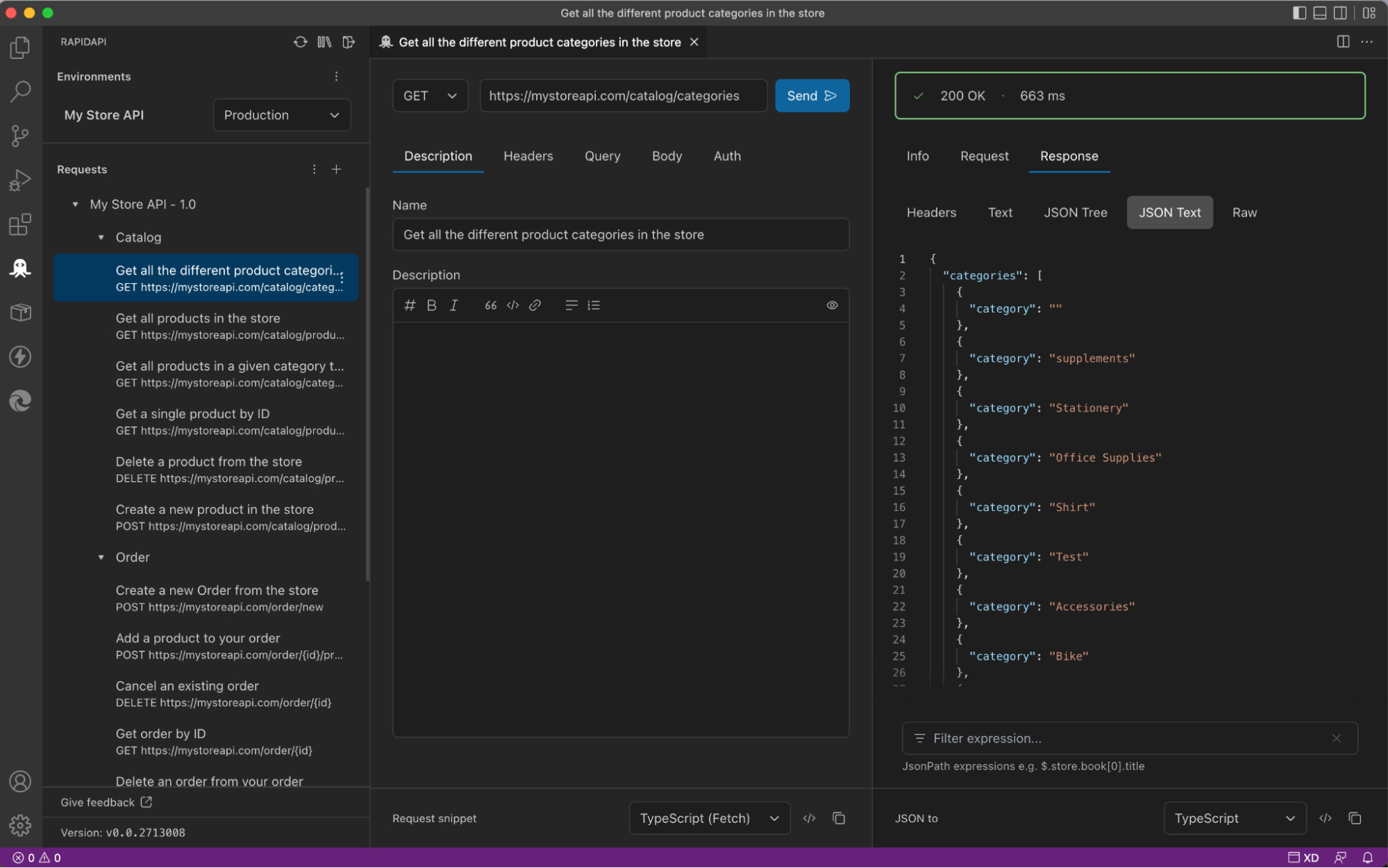
TIP: Right-Click a link to generate API requests
Test your APIs with a new API Developer Experience
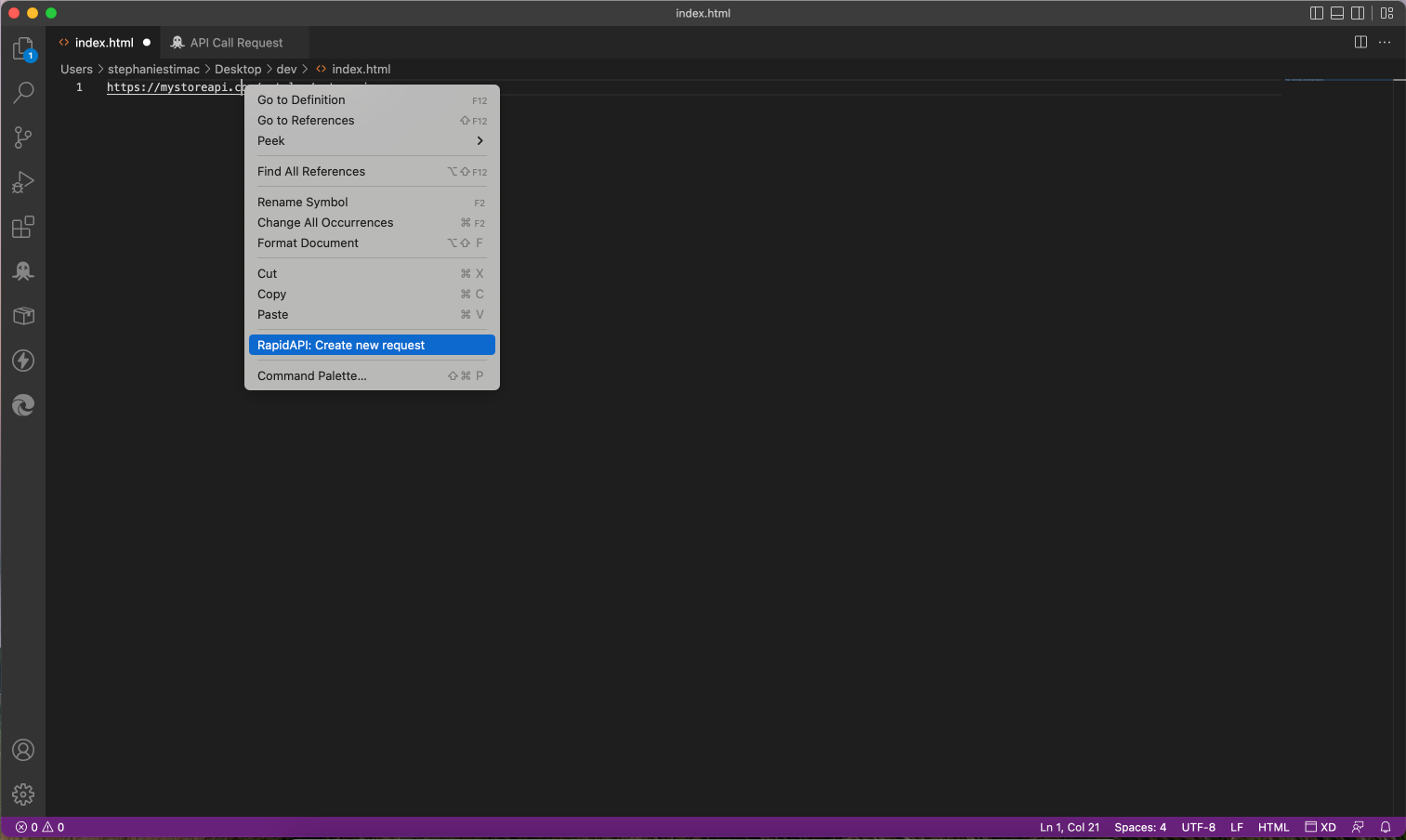
TIP: Use the create from clipboard command
Got a URL in your clipboard or a cURL command? Then you can use the RapidAPI: Create new request from clipboard command to create the request for you automatically.
If you use a cURL command, the method, headers, and body will automatically be populated.
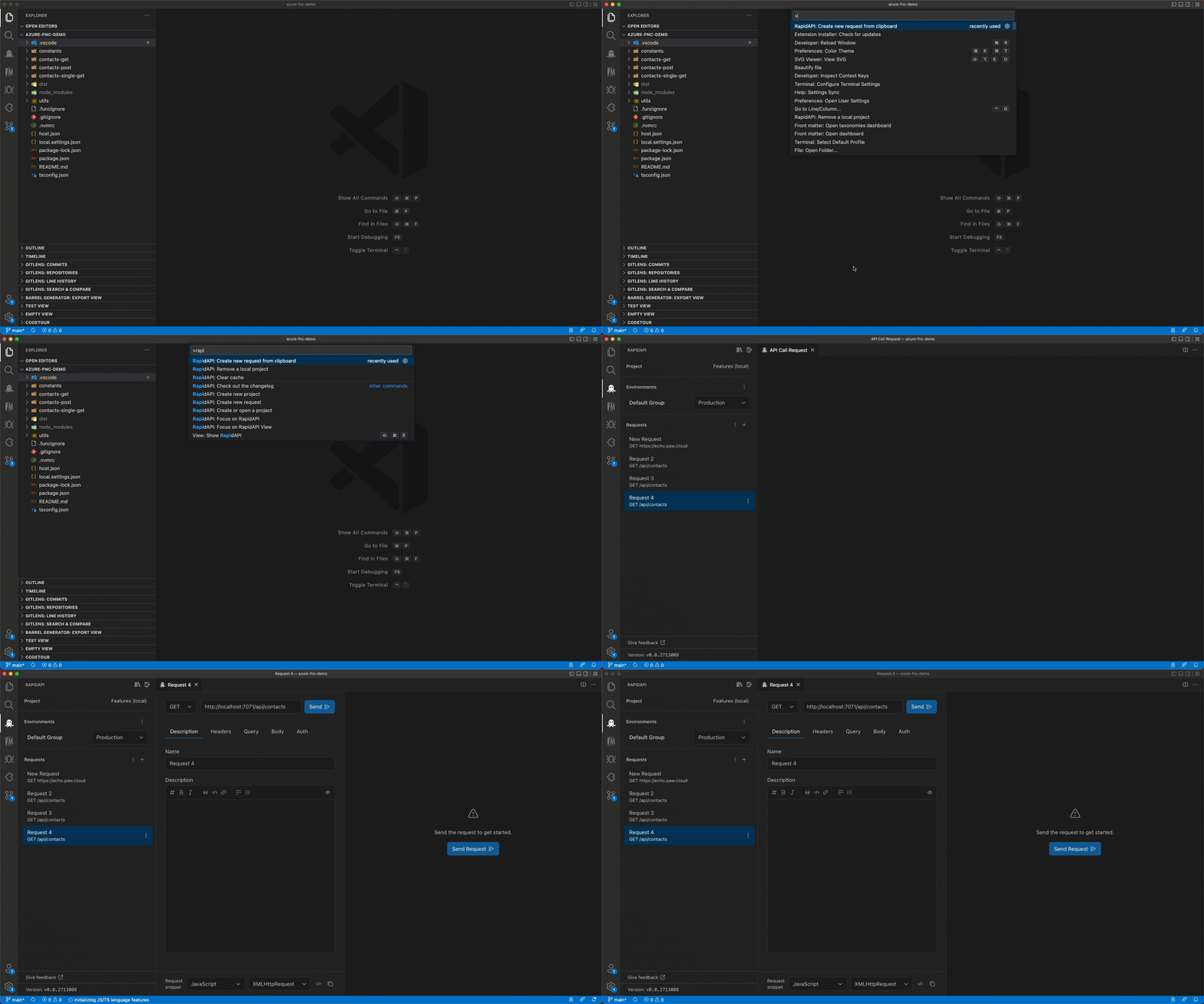
Environment variables
Use parameters or variables during API testing
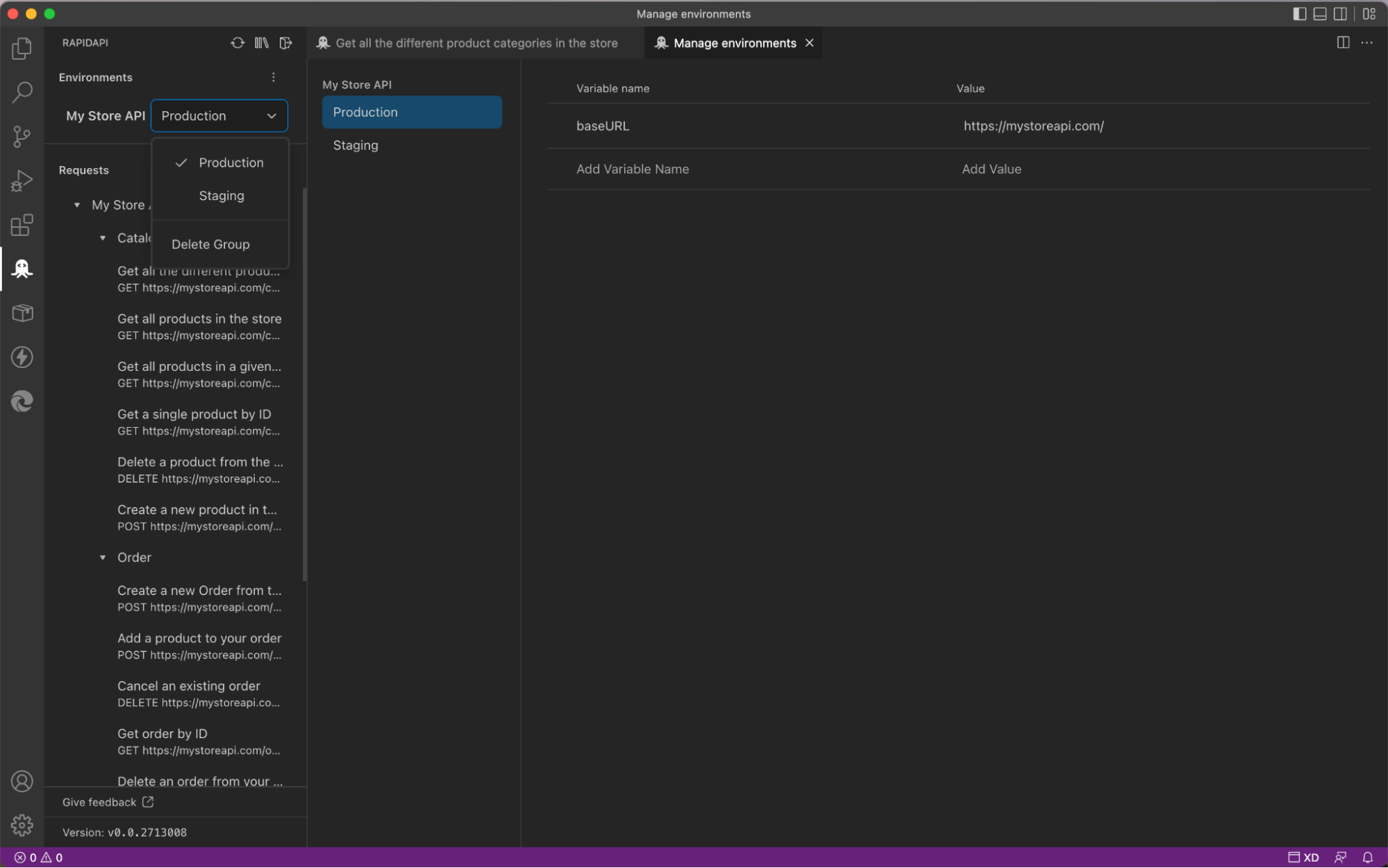
Sync team and personal projects to the cloud
Sync team and personal projects between your RapidAPI or Paw account online and the VS Code extension so your code is always up to date
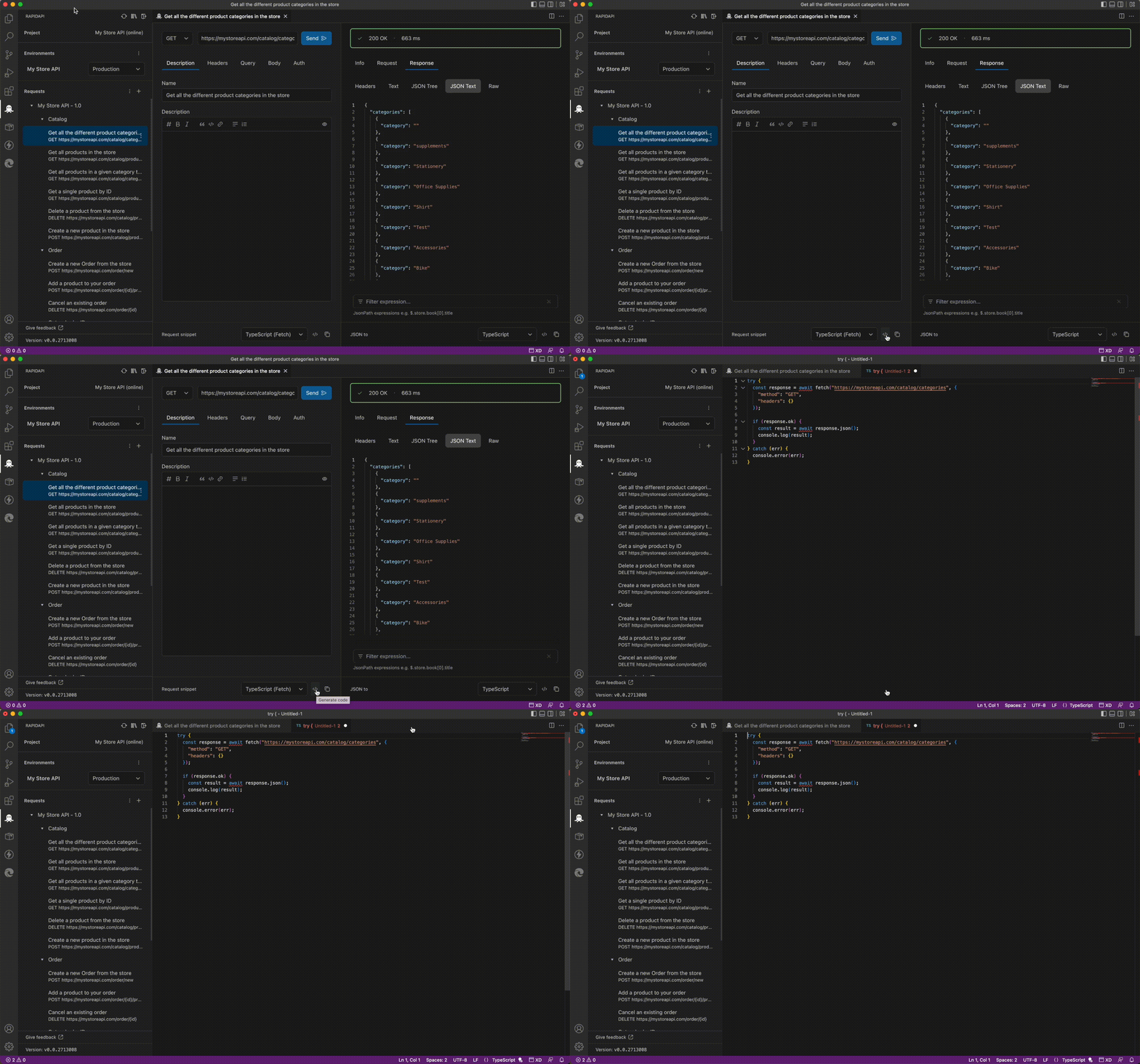
Code and type generation
Immediately generate the type or interface when you call your API
Terminal link handler
When building or using tools which return API URLs in the terminal? Great, we have you covered with our optional terminal link handling. Our terminal link handler lets you generate new requests from the links logged in the console. As this overrides the default VS Code behavior, you must enable it with the rapidapi.terminalLink.enabled setting.
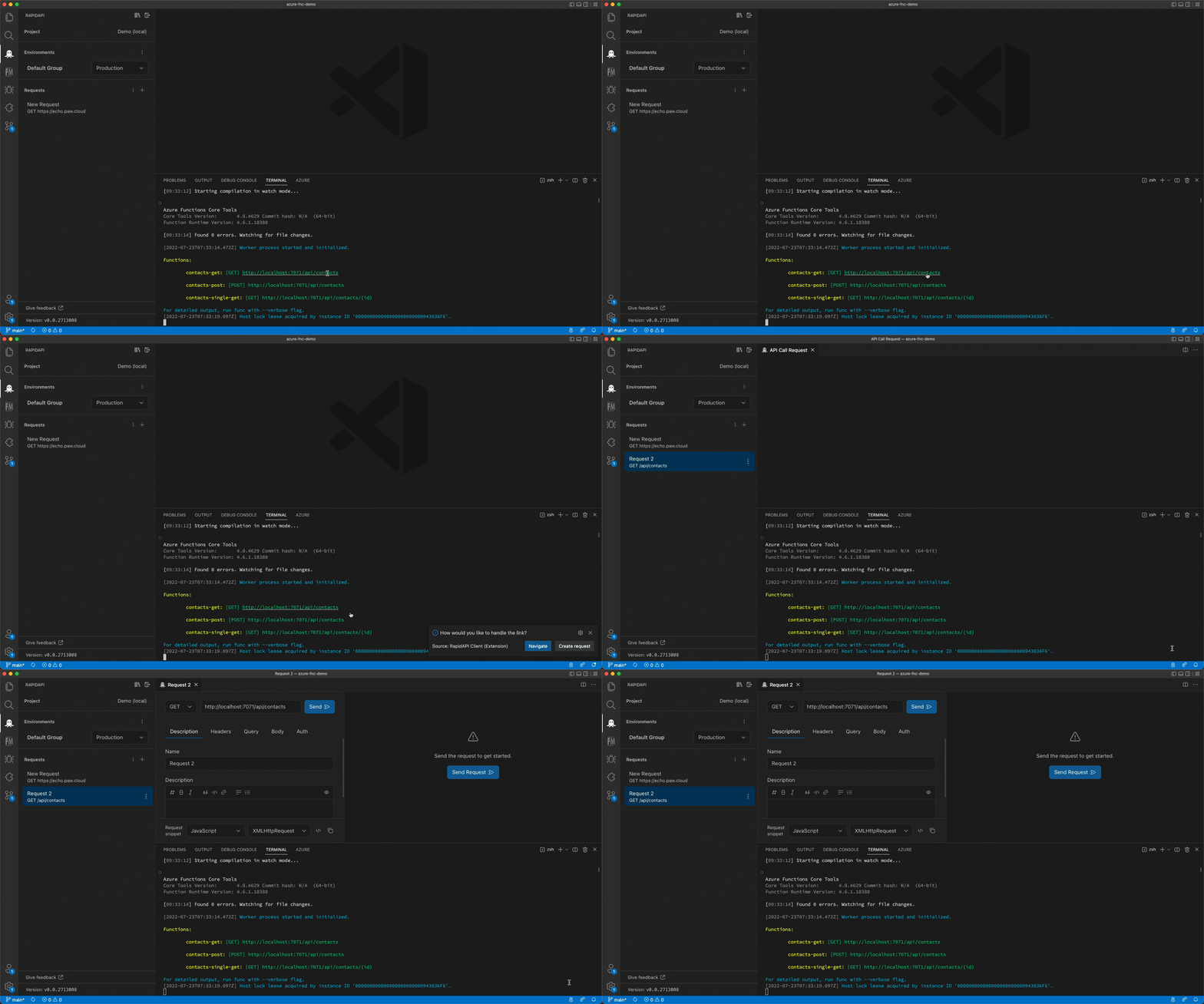
Important: This feature requires you to set the
rapidapi.terminalLink.enabledsetting totruein your VS Code user or global settings.
VS Code Theme Support
Use your favorite VS Code theme with the RapidAPI extension
Keyboard shortcuts
Linux
General
Ctrl+Shift+R: Open the RapidAPI Client panel
Request view
Ctrl+Enter: Send the request
macOS
General
Cmd+Shift+R: Open the RapidAPI Client panel
Request view
Cmd+Enter: Send the request
Windows
General
Ctrl+Shift+R: Open the RapidAPI Client panel
Request view
Ctrl+Enter: Send the request
Settings
The extension uses the following settings:
| Setting | Type | Default | Description |
|---|---|---|---|
rapidapi.codegen.default | string | typescript | The default code generator language. The extension will first try to use the most used language from your project, then fall back to this value. |
rapidapi.requests.timeout | number | 15000 | The request timeout in milliseconds. |
rapidapi.terminalLink.enabled | boolean | null | Enable or disable the terminal link handler of RapidAPI. |
rapidapi.logging.level | string | info | The logging level for the extension, all logs are shown in the VS Code extension output view. |
rapidapi.ssl.verification | boolean | true | Enable or disable SSL verification for requests. By default SSL verification is disabled for self-signed certificates. |
Tutorials
- A deep dive into RapidAPI Client for VS Code
- How to use RapidAPI Client for VS Code to test APIs
- Generate API call snippets using the RapidAPI Client for VS Code extension
- Replace API Clients with VS Code using the Rapid API Extension
- API development in TypeScript using RapidAPI VSCode Client
- Auto generate interfaces from API Response using RapidAPI VSCode Client
Telemetry…
Description from the VS Code Marketplace listing.
- API
- API Client
- API Testing
- GraphQL
- keybindings
- OpenAPI
- REST
README badge
Show your rank in a README or on your website. The badge updates automatically.
Charts
Images: 30d · 1y · all time · 1600×900 dark


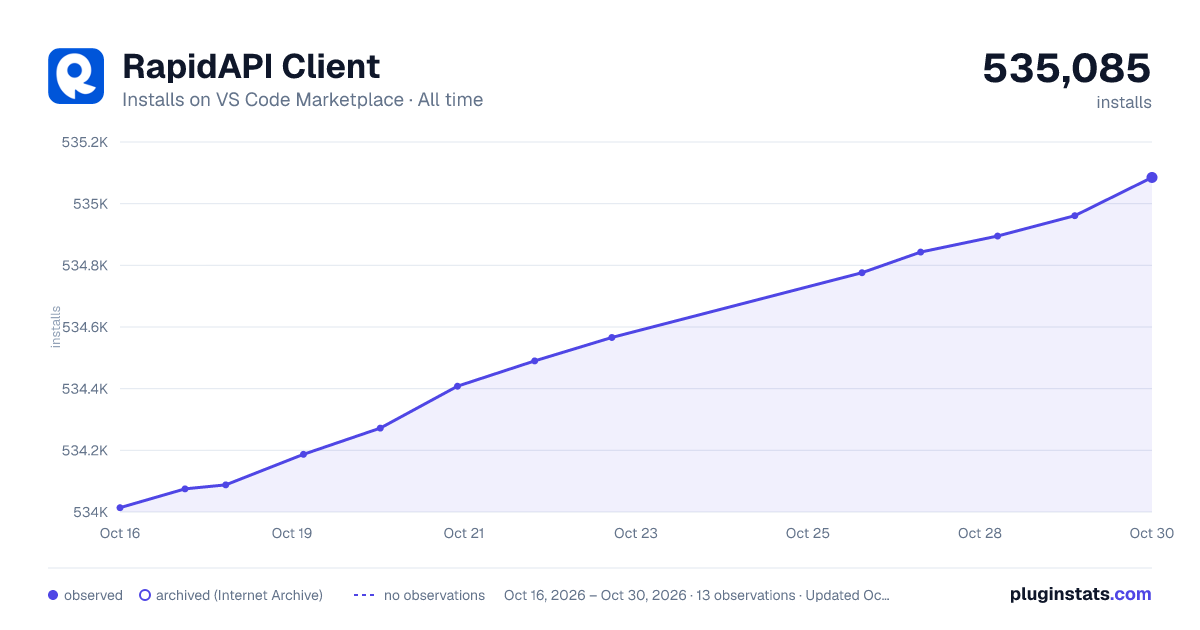

Adoption over time
7/30/90-day growth
Ranking history
Ratings over time
Listing placement
Listing placement
Listing placement
Filled points are observed values; hollow points come from Internet Archive snapshots of the listing page. Dashed segments span periods with no observations — values between points are not interpolated.
Each band is one page of 20. Installs on a linear scale. Placement is projected from installs, so it can differ from the marketplace's own sort order. Hover a dot to see the listing.
Recent observations
Full history (5)Similar VS Code Marketplace Programming Languages plugins
All 20 RapidAPI Client alternativesData source
Install counts, average rating, and rating counts come from the public Visual Studio Marketplace gallery API. Installs are cumulative and exclude updates.
Listing: https://marketplace.visualstudio.com/items?itemName=RapidAPI.vscode-rapidapi-client. First seen Oct 16, 2026; last successful collection Oct 20, 2026. See the methodology.