 PluginStats
Gremlins tracker for Visual Studio Code installs statistics
By Nicolas Hoizey · VS Code Marketplace · Linters
Reveals some characters that can be harmful because they are invisible or looking like legitimate ones. Inspired by Sublime Gremlins.
Gremlins tracker for Visual Studio Code has 1,006,250 recorded installs on VS Code Marketplace.
It ranks #537 of 2,501 tracked VS Code Marketplace listings by installs.
It is rated 5.0 out of 5 from 39 ratings.
PluginStats has 4 daily observations since Oct 16, 2026; the latest is from Oct 19, 2026.
Rating: 4.95 / 5 from 39 ratings
About Gremlins tracker for Visual Studio Code
Gremlins tracker for Visual Studio Code
This Visual Studio Code extension reveals some characters that can be harmful because they are invisible or looking like legitimate ones.
Features
• When there is a zero-width space in the code, the extension shows a red bar • When there is a zero-width non-joiner in the code, the extension shows a red bar • A few characters that can be harmful have a light red or orange background • Non-breaking spaces • Left and right double quotation marks • Etc. • Some other characters are less harmful, but you might be interested in knowing they're here, so they're also shown, in blue • Move the cursor over the character to have a hint of the potential issue • A gremlin icon is shown in the gutter for every line that contains at least one of these characters
You can also use the “Unicode code point of current character” extension to show information about the character under cursor in the status bar.
Adding new gremlins characters
You can configure the list of additional characters and how they are shown under user settings key gremlins.characters.
As an example, the following snippet adds the "U+000C" FORM FEED character:
Please help enhance the extension by suggesting new default characters, through Pull Requests or Issues.
You can find all characters in Unicode Table.
Language-specific gremlins characters
You can override the characters for a specific language by configuring them in the gremlins.characters property of the language-specific settings key (e.g. [markdown] for Markdown files).
More information about language specific settings can be found in the Language specific editor settings VSCode documentation page.
As an example, the following snippet adds the "U+000C" (form feed) character and disables the "U+00A0" (non-breaking space) character for markdown files:
Hiding the gremlin icon in the gutter for a character
You can chose to hide the gremlin icon in the gutter for some characters.
Still under user settings key gremlins.characters, you can add the hideGutterIcon property to a character (even one from default settings) and set it to true.
For example, this removes the gremlin icon in the gutter for non breakable spaces:
Displaying gremlins in the Problems pane
By default, gremlins will be highligted in the text editor and an icon will be displayed in the gutter for each line with at least one gremlin. You can toggle whether gremlins also show in the Problems pane with user settings key gremlins.showInProblemPane.
Displaying end-of-line characters
If you want to display end-of-line characters, you can use the Render Line Endings plugin.
Standing on the shoulders of giants
VS Code Gremlins was initialy heavily inspired by Sublime Gremlins, a Sublime Text 3 plugin to help identify invisible and ambiguous Unicode whitespace characters (zero width spaces, no-break spaces, and similar.).
I later discovered the “Gremlins” name had already been used a long time before, in some editors:
Bare Bones Software's famous BBEdit HTML and text editor for macOS has a “Zap Gremlins” feature since its first public release April 12th, 1992!
Here's how it looks in recent versions:
It looks like people liked this feature so much that they made a dedicated website, unfortunately not anymore. Thanks Archive.org for the cached version:
License
MIT
Description from the VS Code Marketplace listing.
Where Gremlins tracker for Visual Studio Code sits in the listing
Each band is one page of 20. Installs on a log scale. Placement is projected from installs, so it can differ from the marketplace's own sort order. Hover a dot to see the listing.


Charts
Images: 30d · 1y · all time · 1600×900 dark


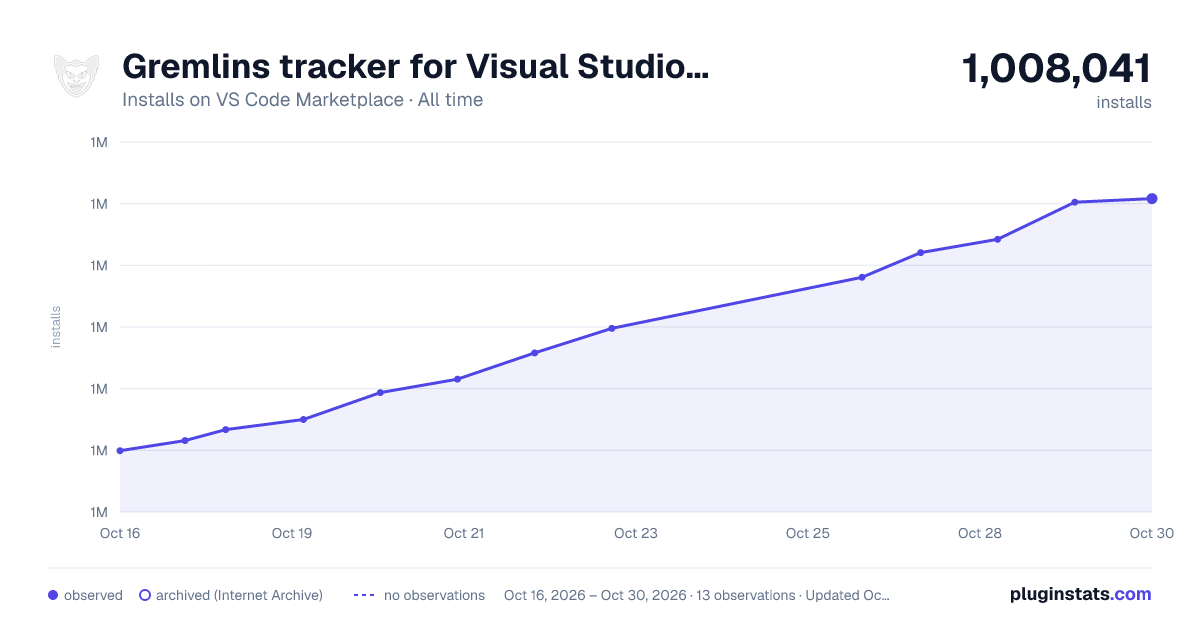

Adoption over time


7/30/90-day growth


Ranking history


Filled points are observed values; hollow points come from Internet Archive snapshots of the listing page. Dashed segments span periods with no observations — values between points are not interpolated.
Recent observations
Full history (4)Similar VS Code Marketplace Linters plugins
Data source
Install counts, average rating, and rating counts come from the public Visual Studio Marketplace gallery API. Installs are cumulative and exclude updates.
Listing: https://marketplace.visualstudio.com/items?itemName=nhoizey.gremlins. First seen Oct 16, 2026; last successful collection Oct 19, 2026. See the methodology.