 PluginStats
ANTLR4 grammar syntax support installs statistics
By Mike Lischke · VS Code Marketplace · Programming Languages
Language support for ANTLR4 grammar files
ANTLR4 grammar syntax support has 206,031 recorded installs on VS Code Marketplace, ranking #1475 of 2,501 tracked listings.
Rating: 4.72 / 5 from 40 ratings
About ANTLR4 grammar syntax support



<img src="https://raw.githubusercontent.com/mike-lischke/vscode-antlr4/master/misc/antlr-logo.png" alt="logo" width="48"> VS Code Extension for ANTLR4 Grammars
The extension for ANTLR4 support in Visual Studio Code.
What's New
Externalized the formatter into an own Node.js package for broader use.
How To Contribute
If you want to create your own version of this extension or plan to contribute to its development then follow the steps outlined in the contribute.md document.
Features
Syntax Coloring
- Syntax coloring for ANTLR grammars (.g and .g4 files)
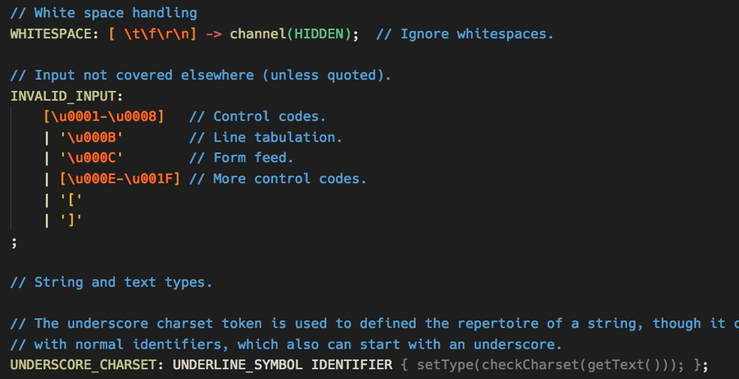
- Comes with an own beautiful color theme, which not only includes all the recommended groups, but also some special rules for grammar elements that you won't find in other themes (e.g. alt labels and options). They are, immodestly, named
Complete DarkandComplete Light.
Code Completion + Symbol Information
- Code suggestions for all rule + token names, channels, modes etc. (including built-in ones).
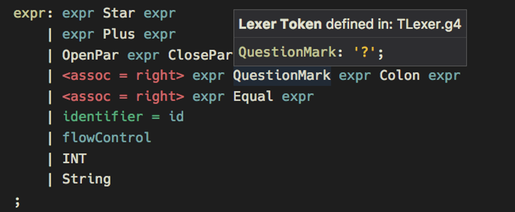
- Symbol type + location are shown on mouse hover. Navigate to any symbol with Ctrl/Cmd + Click. This works even for nested grammars (token vocabulary + imports).
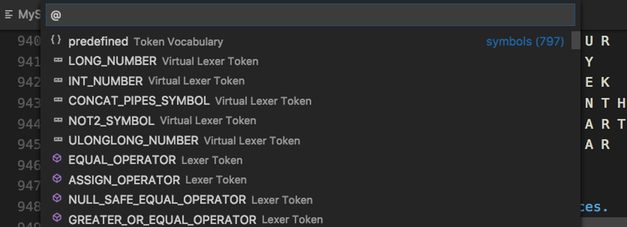
- Symbol list for quick navigation (via Shift + Ctrl/Cmd + O).
Grammar Validations
- In the background syntax checking takes place, while typing. Also some semantic checks are done, e.g. for duplicate or unknown symbols.
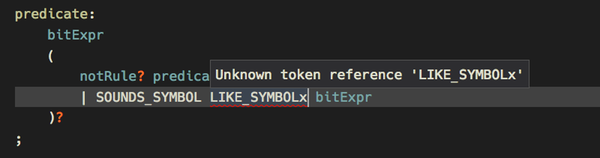
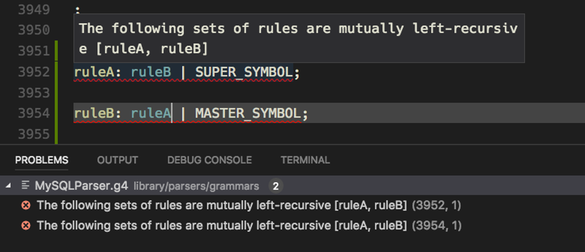
- When parser generation is enabled (at least for internal use) ANTLR4 itself is used to check for errors and warnings. These are then reported instead of the internally found problems and give you so the full validation power of ANTLR4.
More Information
There are a number of documentation files for specific topics:
- Extension Settings
- Parser generation
- Grammar Debugging
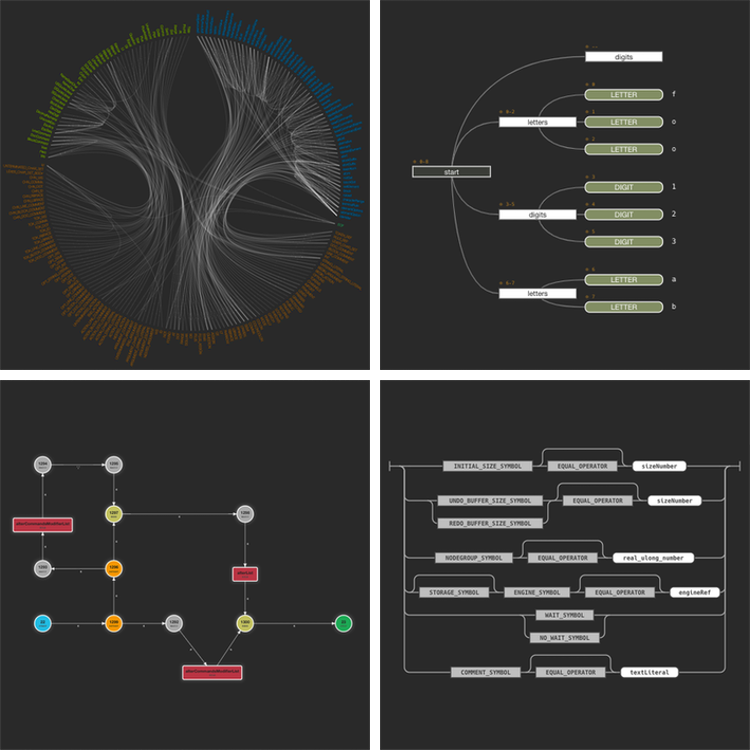
- Graphical Visualizations
- Grammar Formatting
- Sentence Generation
Miscellaneous
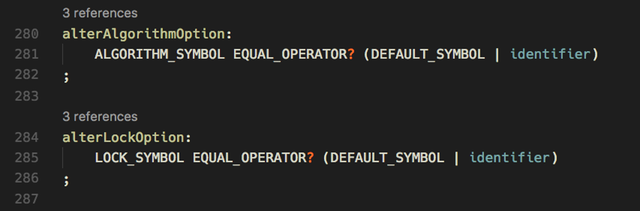
- There is an option to switch on rule reference counts via Code Lens. This feature is switchable independent of the vscode Code Lens setting.
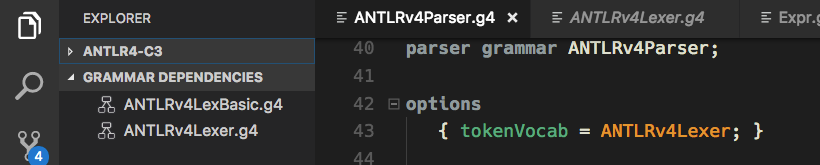
- For each grammar its dependencies are shown in a sidebar view (i.e. token vocabulary and imports).
Known Issues
See the Git issue tracker.
What's planned next?
Bug fixing and what feels appealing to hack on.
Release Notes
See release-notes.
Other Notes
The dependencies view icons have been taken from the vscode tree view example.
Description from the VS Code Marketplace listing.
- antlr
- antlr-injection
- color-theme
- debuggers
- theme
README badge
Show your rank in a README or on your website. The badge updates automatically.
Charts
Images: 30d · 1y · all time · 1600×900 dark


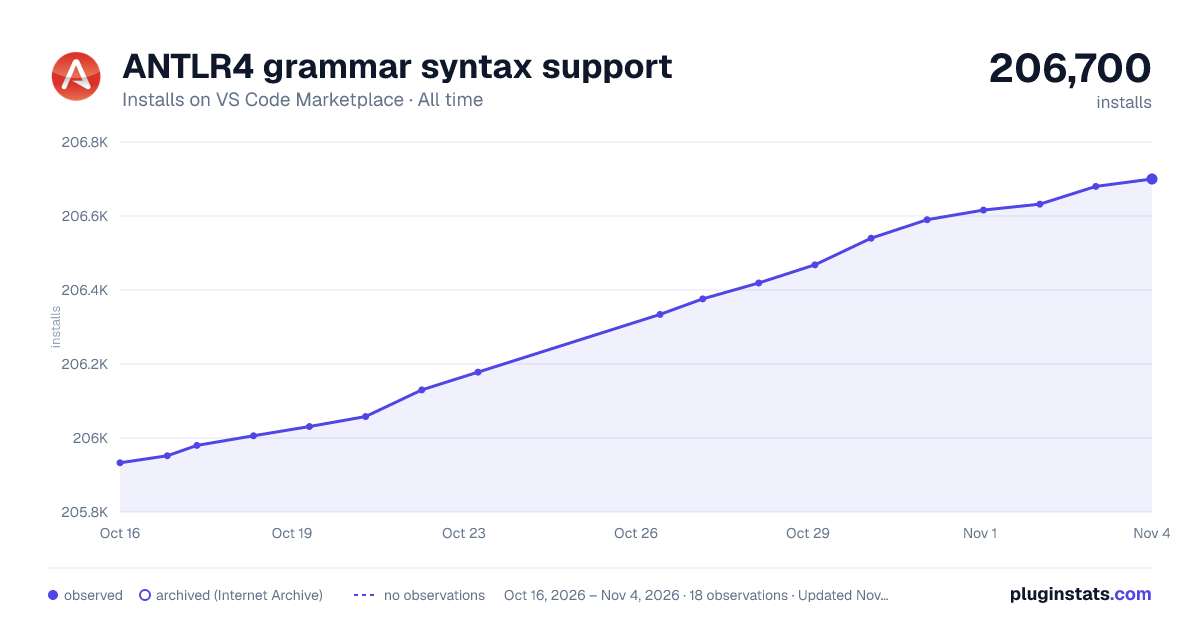

Adoption over time
7/30/90-day growth
Ranking history
Ratings over time
Listing placement
Listing placement
Listing placement
Filled points are observed values; hollow points come from Internet Archive snapshots of the listing page. Dashed segments span periods with no observations — values between points are not interpolated.
Each band is one page of 20. Installs on a linear scale. Placement is projected from installs, so it can differ from the marketplace's own sort order. Hover a dot to see the listing.
Recent observations
Full history (5)Similar VS Code Marketplace Programming Languages plugins
All 20 ANTLR4 grammar syntax support alternativesData source
Install counts, average rating, and rating counts come from the public Visual Studio Marketplace gallery API. Installs are cumulative and exclude updates.
Listing: https://marketplace.visualstudio.com/items?itemName=mike-lischke.vscode-antlr4. First seen Oct 16, 2026; last successful collection Oct 20, 2026. See the methodology.