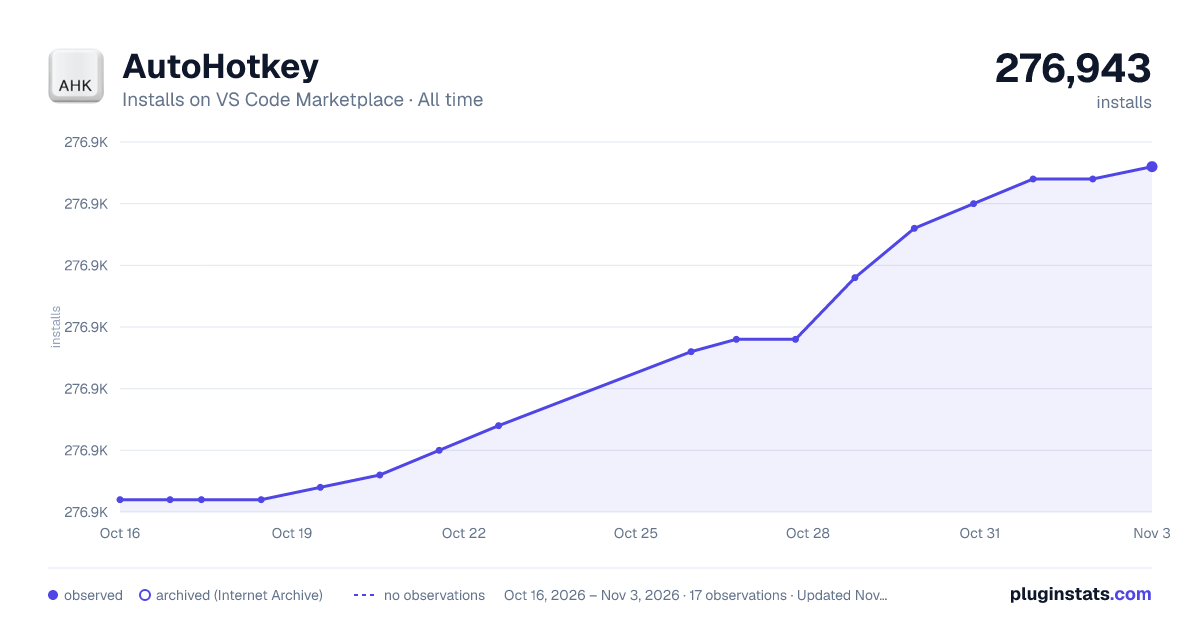
AutoHotkey has 276,916 recorded installs on VS Code Marketplace, ranking #1218 of 2,501 tracked listings.
Rating: 4.17 / 5 from 23 ratings
About AutoHotkey
vscode-autohotkey
AutoHotKey language support for VS Code
• Color Syntax
• Comment blocks
• Snippets (thanks @denolfe)
Installation
Install Visual Studio Code (1.0.0 or higher) 2. Launch Code 3. From the command palette Ctrl-Shift-P (Windows, Linux) or Cmd-Shift-P (OSX) 4. Select Install Extension 5. Choose the extension AutoHotkey 6. Reload Visual Studio Code
Contributing
Fork it! 2. Create your feature branch: git checkout -b my-new-feature 3. Commit your changes: git commit -am 'Add some feature' 4. Push to the branch: git push origin my-new-feature 5. Submit a pull request :D
Requirements
Visual Studio Code v1.0.0
Credits
• Visual Studio Code
• vscode-docs on GitHub
• SublimeAutoHotkey
License
MIT
Description from the VS Code Marketplace listing.
ahk
autohotkey
snippet
vscode
README badge
Show your rank in a README or on your website. The badge updates automatically.
Filled points are observed values; hollow points come from Internet Archive snapshots of the listing page. Dashed segments span periods with no observations — values between points are not interpolated.
Each band is one page of 20. Installs on a linear scale. Placement is projected from installs, so it can differ from the marketplace's own sort order. Hover a dot to see the listing.
Install counts, average rating, and rating counts come from the public Visual Studio Marketplace gallery API. Installs are cumulative and exclude updates.
 PluginStats