 PluginStats
CodeRabbit installs statistics
By CodeRabbit Inc. (4 listings) · VS Code Marketplace · Programming Languages
Free AI code reviews that run directly in VS Code. Review each commit immediately without waiting for PR to be raised. Catch more bugs and ship code faster.
CodeRabbit has 195,488 recorded installs on VS Code Marketplace, ranking #1549 of 2,502 tracked listings.
Rating: 3.68 / 5 from 28 ratings
About CodeRabbit
CodeRabbit: AI code reviews in your editor
AI coding tools let you write code 10x faster. But reviews still happen days later in PRs. CodeRabbit reviews your code instantly in VS Code, Cursor, and Windsurf – catching bugs before you even commit.
✨ Why CodeRabbit
- Reviews in the IDE: No waiting for PR reviews. Get feedback on uncommitted changes as you code.
- Works with your AI agent: One-click hand-off to Claude Code, Copilot, Cursor, or any coding agent to apply fixes.
- Senior dev quality: Catches race conditions, security holes, and architectural issues – not just syntax errors.
- Fix with AI: Review with CodeRabbit and pass to your coding agent in the same IDE, in one single click.
- Full context with git integration: Connect your repository to access 40+ contextual sources, linters, security checks, and sandbox testing.
- Language agnostic: Works with every programming language your team uses.
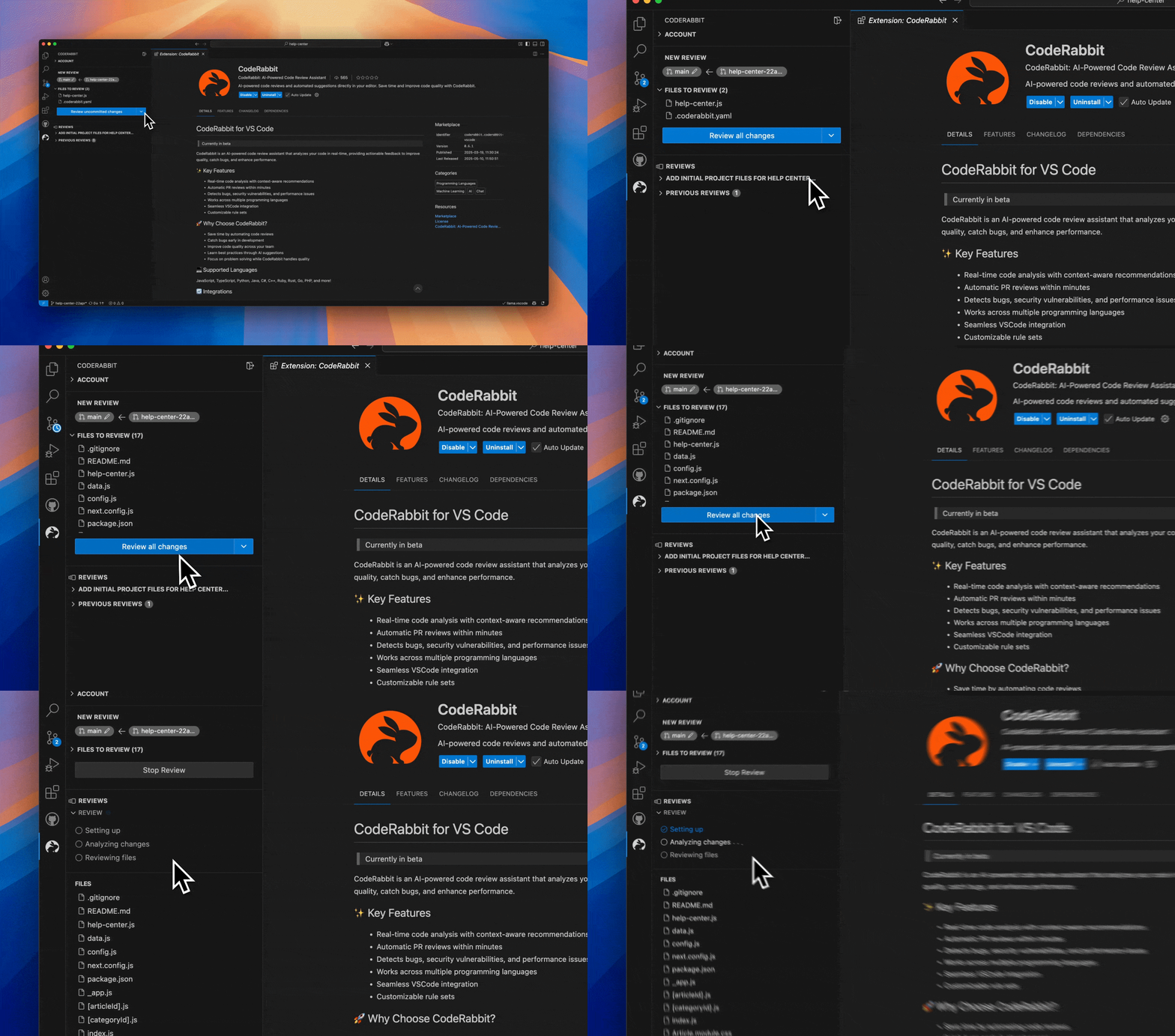
🚀 Key Features
- Line-by-line reviews: Every line gets reviewed with context from your entire codebase.
- Review uncommitted changes: Catch issues before committing. Reduce PR comment noise by 80%.
- One-click fixes: Apply simple fixes instantly. Complex fixes hand off to your AI agent.
- Fix all: New feature – click once to send all review comments and context to your coding agent.
- AI agent integration: Works with Copilot, Cursor, Claude Code, Codex CLI, Cline, Roo, Kilo Code, Augment Code, or clipboard fallback.
- Follows your coding guides: Automatically detects claude.md, Cursor rules, and other coding agent files. Applies them to every review.
- PR reviews too: Upgrade to get comprehensive PR reviews with even more context and integrations.
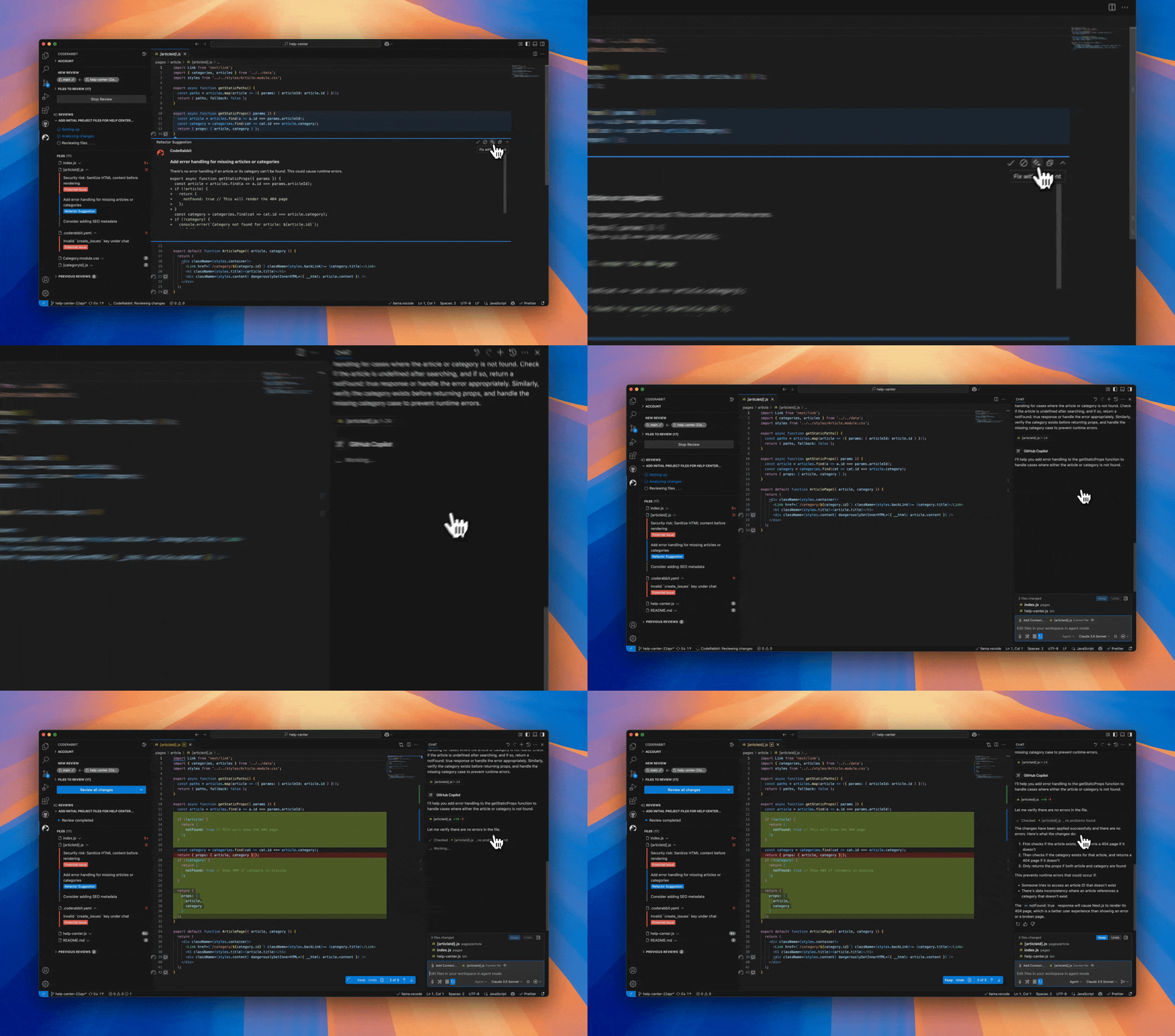
🤖Supported coding agents
- Native (default): Direct integration with GitHub Copilot in VS Code or Cursor
- Claude Code: Terminal-based fixes using
claudecommand - Codex CLI: Terminal integration with
codexcommand - Cline: Opens Cline sidebar for automated fixes
- Roo: Integrates with Roo Code's task runner
- Kilo Code: Works with Kilo Code's AI assistant
- Augment Code: Compatible with Augment's coding agent
- opencode: Terminal integration with
opencodecommand - Clipboard: Universal fallback – copies fix instructions for any AI agent
Works in VS Code, Cursor, and Windsurf editors
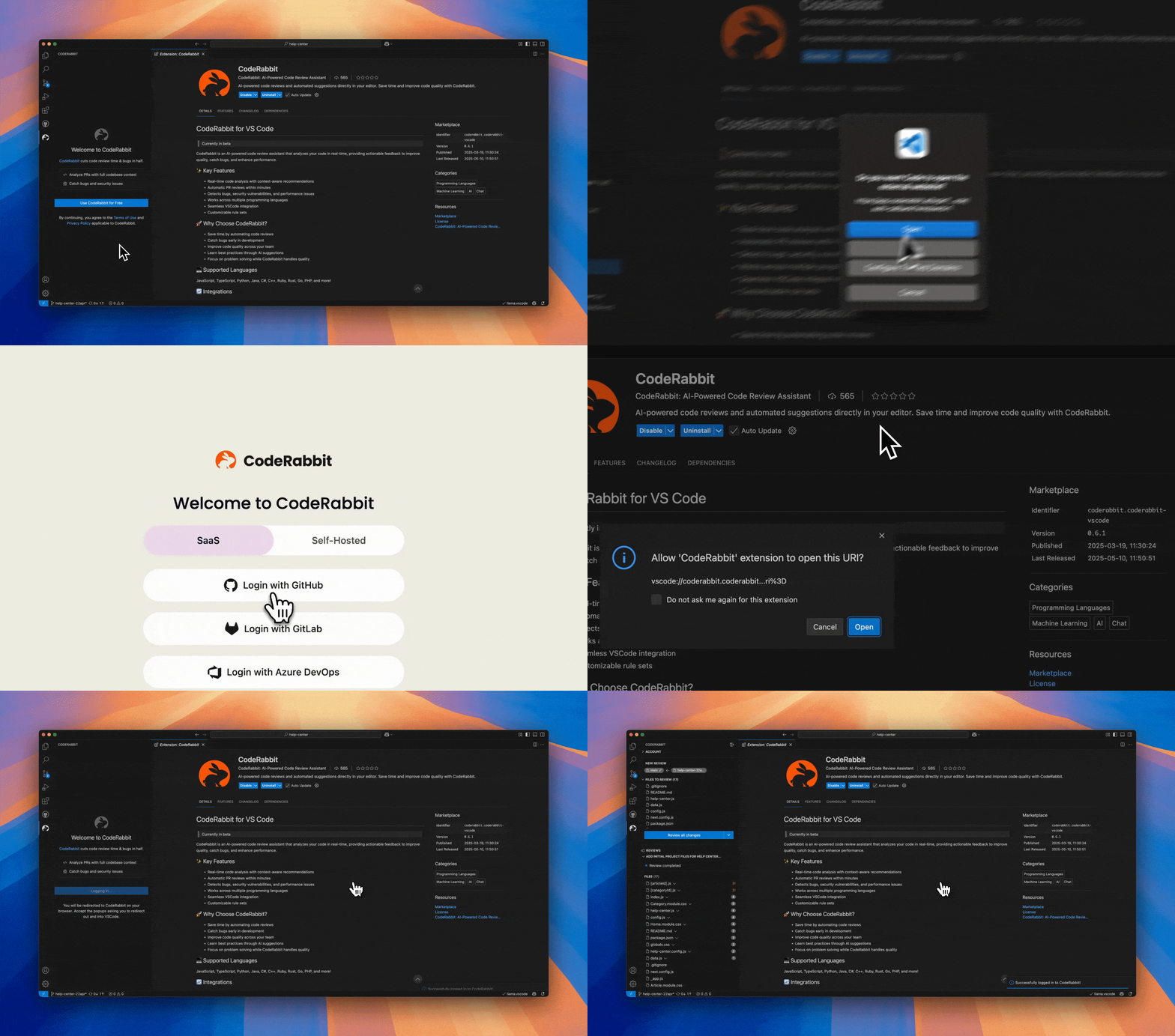
🏁 Getting Started
- Install the extension
- Connect your CodeRabbit account
- Connect your git repository for smarter, context-aware reviews
- Start getting reviews on every change
Review completion notifications
Enable CodeRabbit: Completion Notifications in your editor's user settings
(coderabbit.completionNotifications) to receive a macOS Notification Center
alert when a review completes or fails in a local desktop session. It is off by
default. Notifications show only the review status: completed, completed with
warnings, or failed. Issue counts, findings, and failure details remain in the
review surface. Successful reviews also offer Show Review in the IDE.
Cancelled and skipped reviews do not trigger a completion notification. Failed
reviews retain the IDE failure status alert and never emit the successful
completion hook or optional completion sound.
The macOS alert uses the system AppleScript notification transport, which macOS may attribute to Script Editor. Allow notifications for that sender in System Settings → Notifications; macOS Focus settings still apply. The OS alert has no review-specific click action: use Show Review in the IDE. OS delivery is best effort and does not request a sound. Windows, Linux, remote SSH/WSL/container extension hosts, and web sessions currently receive only the IDE notification, subject to editor notification settings.
Review completion sound
Enable CodeRabbit: Review Completion Sound in your editor's user settings
(coderabbit.reviewCompletionSound) to hear a short chime after a successful
review, including reviews completed with warnings. It is off by default and
independent of completion notifications. Failed, cancelled, and skipped reviews
do not play the chime.
Open the CodeRabbit panel once in each window to make playback available; it can then play while the panel is hidden. Playback uses the editor's webview audio and depends on audio permissions and system volume. Unavailable or blocked sounds are skipped without queued playback or retries.
Local review file selection
coderabbit.respectGitIgnore defaults to true and can be changed in VS Code
user or workspace settings. It excludes ignored untracked files from the changes
Git supplies for review. Tracked files, including staged and committed changes,
remain eligible even when their paths match ignore rules, following Git semantics.
Setting it to false allows ignored files only when Git supplies them in its
change lists. The extension does not scan for ignored files that Git omits, so
disabling the setting may leave the file list unchanged. Built-in exclusions
(such as generated files and lockfiles), size limits, workspace containment,
selected-file scope, and incremental review behavior still apply.
🔄 Integrations
GitHub, GitLab, Bitbucket, and Azure DevOps
❓ Frequently Asked Questions…
Description from the VS Code Marketplace listing.
- ai assistant
- bug detection
- code quality
- code rabbit
- code review
- coderabbit
- productivity
- pull request
- static analysis
README badge
Show your rank in a README or on your website. The badge updates automatically.
Charts
Images: 30d · 1y · all time · 1600×900 dark


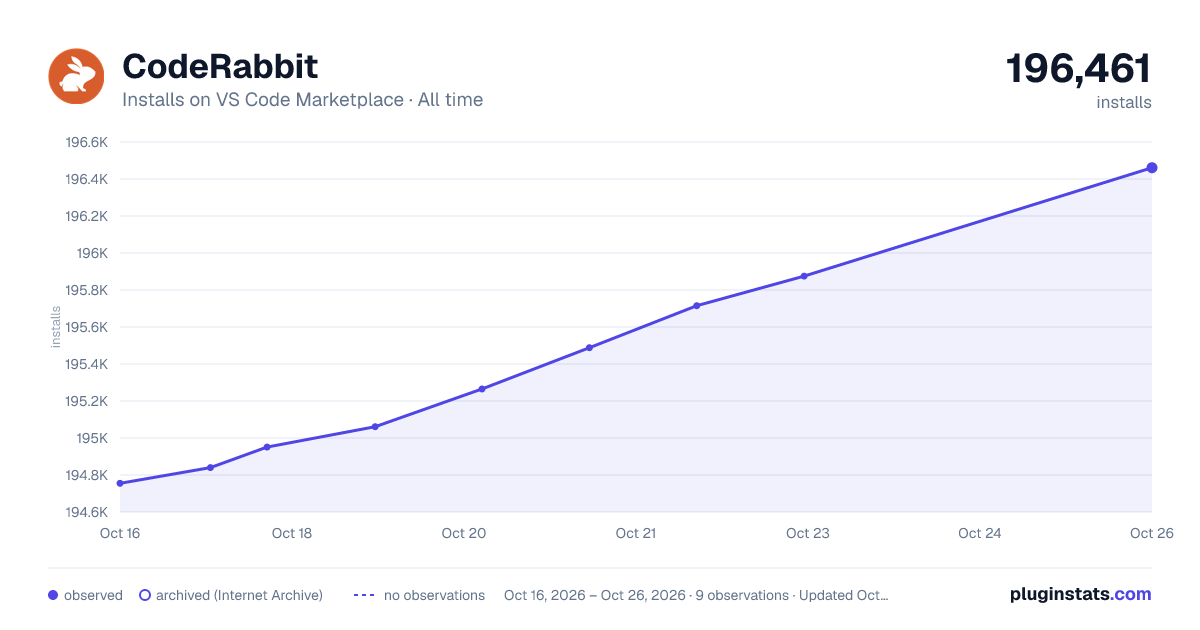

Adoption over time
7/30/90-day growth
Ranking history
Ratings over time
Listing placement
Listing placement
Listing placement
Listing placement
Filled points are observed values; hollow points come from Internet Archive snapshots of the listing page. Dashed segments span periods with no observations — values between points are not interpolated.
Each band is one page of 20. Installs on a linear scale. Placement is projected from installs, so it can differ from the marketplace's own sort order. Hover a dot to see the listing.
Recent observations
Full history (6)Similar VS Code Marketplace Programming Languages plugins
All 20 CodeRabbit alternativesCodeRabbit on other marketplaces
- CodeRabbit on Vercel Marketplace · Compare VS Code Marketplace vs Vercel Marketplace →
- CodeRabbit on ChatGPT Plugins · Compare VS Code Marketplace vs ChatGPT Plugins →
- CodeRabbit on Claude Plugins · Compare VS Code Marketplace vs Claude Plugins →
- CodeRabbit on GitHub Marketplace · Compare VS Code Marketplace vs GitHub Marketplace →
Data source
Install counts, average rating, and rating counts come from the public Visual Studio Marketplace gallery API. Installs are cumulative and exclude updates.
Listing: https://marketplace.visualstudio.com/items?itemName=CodeRabbit.coderabbit-vscode. First seen Oct 16, 2026; last successful collection Oct 21, 2026. See the methodology.