 PluginStats
Explorer Exclude installs statistics
By Peter Schmalfeldt · VS Code Marketplace · Other
Explorer Exclude lets you easily Hide Files & Folders with Dynamic Filter Options. Add a New 'Hidden Items' Explorer Pane for you to Manage and Quickly Toggle Visibility of Hidden Items.
Explorer Exclude has 190,721 recorded installs on VS Code Marketplace, ranking #1575 of 2,501 tracked listings.
Rating: 3.50 / 5 from 10 ratings
About Explorer Exclude

Explorer Exclude - VS Code Extension
Context Menu and Explorer Panel to Manage Showing & Hiding Excluded Files & Folders ( for VS Code version 1.60 or newer )
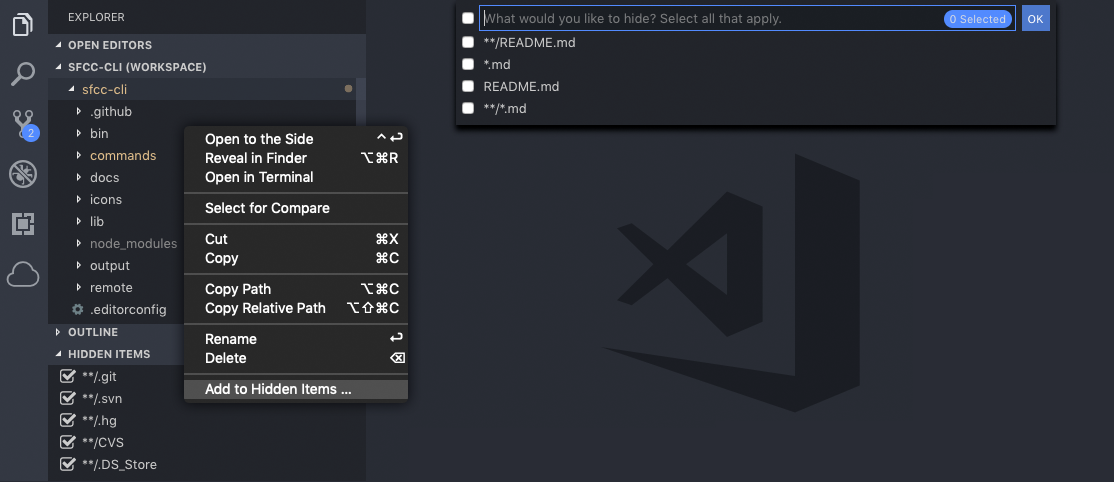
- Easily Hide Files & Folders from Explorer, Search Results & Quick Open
- New Hidden Items Explorer Pane to Manage Hidden Items
- Works with Multiple Workspaces
- Quickly Toggle Visibility of Hidden Items
- Translations for VS Code Supported Locales: ( English, Simplified Chinese, Traditional Chinese, French, German, Italian, Spanish, Japanese, Korean, Russian, Bulgarian, Hungarian, Portuguese & Turkish )
Usage
Hiding Files & Folders
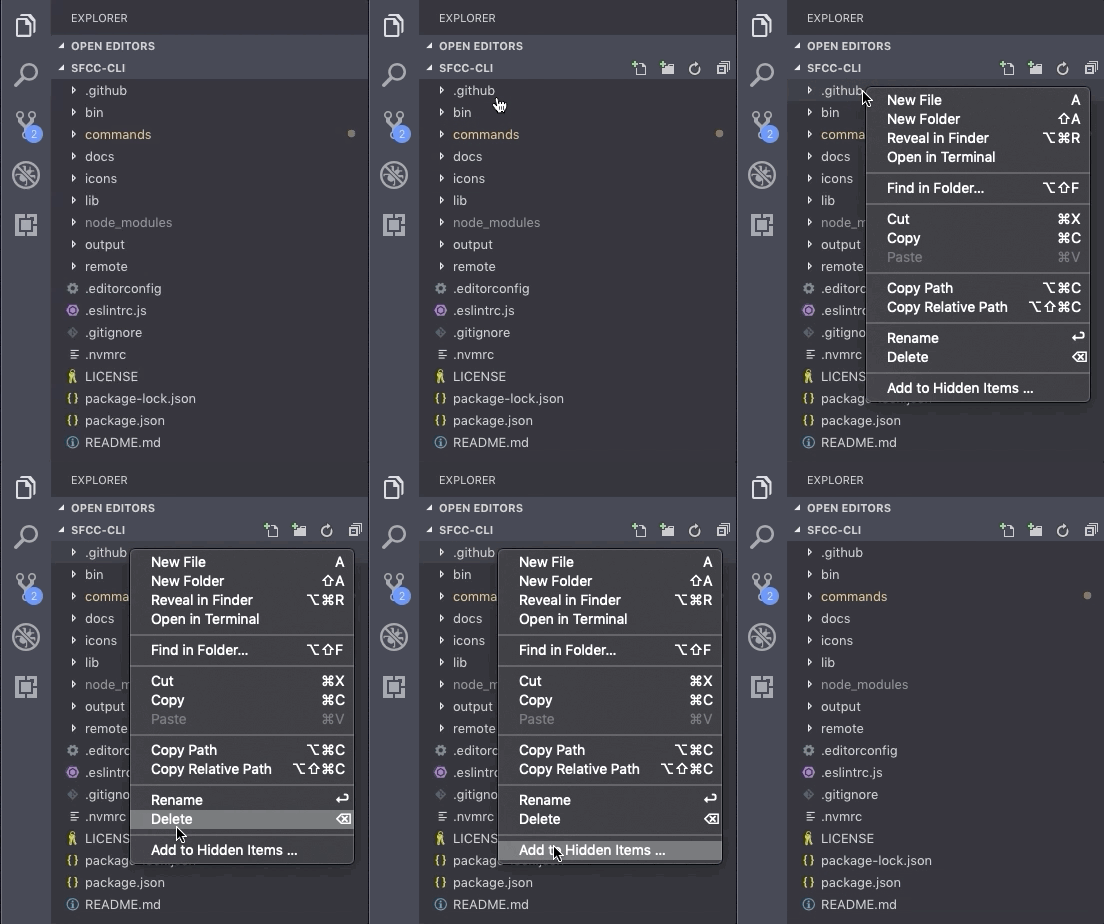
Right-click on any File or Folder in Explorer List to Hide Items
Select Filter Options you wish to Hide Files & Folders
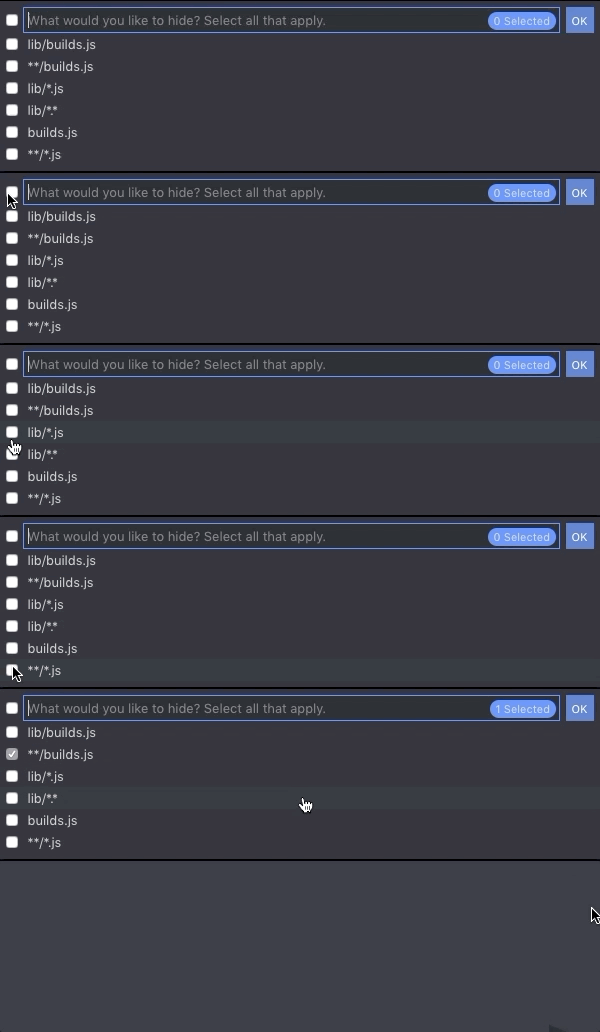
You can disable the filter option popup, and by default only allow the selected item to be hidden, by adding this setting in VSCode:
"explorerExclude.showPicker": false
Managing Hidden Files & Folders
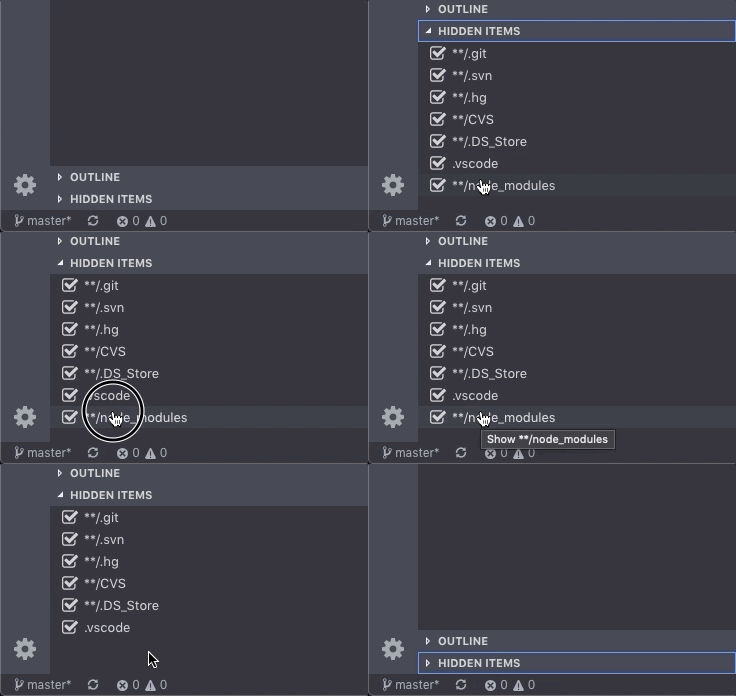
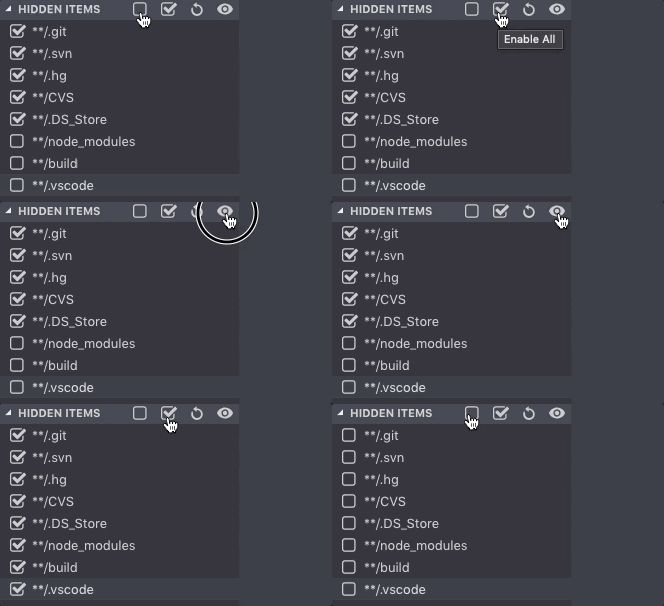
New HIDDEN ITEMS Explorer Pane to Manage Hidden Files:
- Click an item in the Hidden Items pane to quickly toggle its visibility
- Right-click an item to view Context Menu where you can Permanently Remove item
- Use Hidden Items Menu to manage multiple items at once
Need Help?
Check out or Troubleshooting Page for help with any known issues or report new ones.

About the Author
Peter Schmalfeldt is a Certified Senior Salesforce Commerce Cloud Developer with over 20 years of experience building eCommerce websites, providing everything you need to design, develop & deploy eCommerce applications for Web, Mobile & Desktop platforms.
Disclaimer
The trademarks and product names of Salesforce®, including the mark Salesforce®, are the property of Salesforce.com. SFCC DevOps is not affiliated with Salesforce.com, nor does Salesforce.com sponsor or endorse the SFCC DevOps products or website. The use of the Salesforce® trademark on this project does not indicate an endorsement, recommendation, or business relationship between Salesforce.com and SFCC DevOps.
Description from the VS Code Marketplace listing.
- context-menu
- exclude
- explorer
- files
- folders
- hidden
- hide
- ignore
- pane
- show
- toggle
- workspace
README badge
Show your rank in a README or on your website. The badge updates automatically.
Charts
Images: 30d · 1y · all time · 1600×900 dark


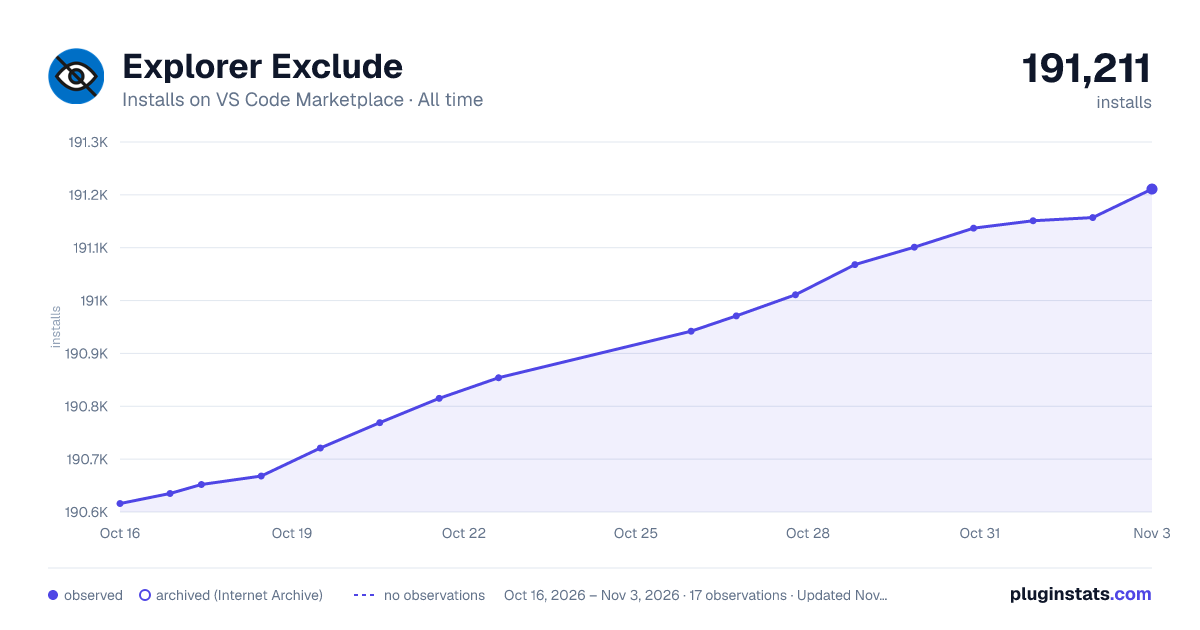

Adoption over time
7/30/90-day growth
Ranking history
Ratings over time
Listing placement
Listing placement
Filled points are observed values; hollow points come from Internet Archive snapshots of the listing page. Dashed segments span periods with no observations — values between points are not interpolated.
Each band is one page of 20. Installs on a linear scale. Placement is projected from installs, so it can differ from the marketplace's own sort order. Hover a dot to see the listing.
Recent observations
Full history (5)Similar VS Code Marketplace Other plugins
All 20 Explorer Exclude alternativesData source
Install counts, average rating, and rating counts come from the public Visual Studio Marketplace gallery API. Installs are cumulative and exclude updates.
Listing: https://marketplace.visualstudio.com/items?itemName=PeterSchmalfeldt.explorer-exclude. First seen Oct 16, 2026; last successful collection Oct 20, 2026. See the methodology.