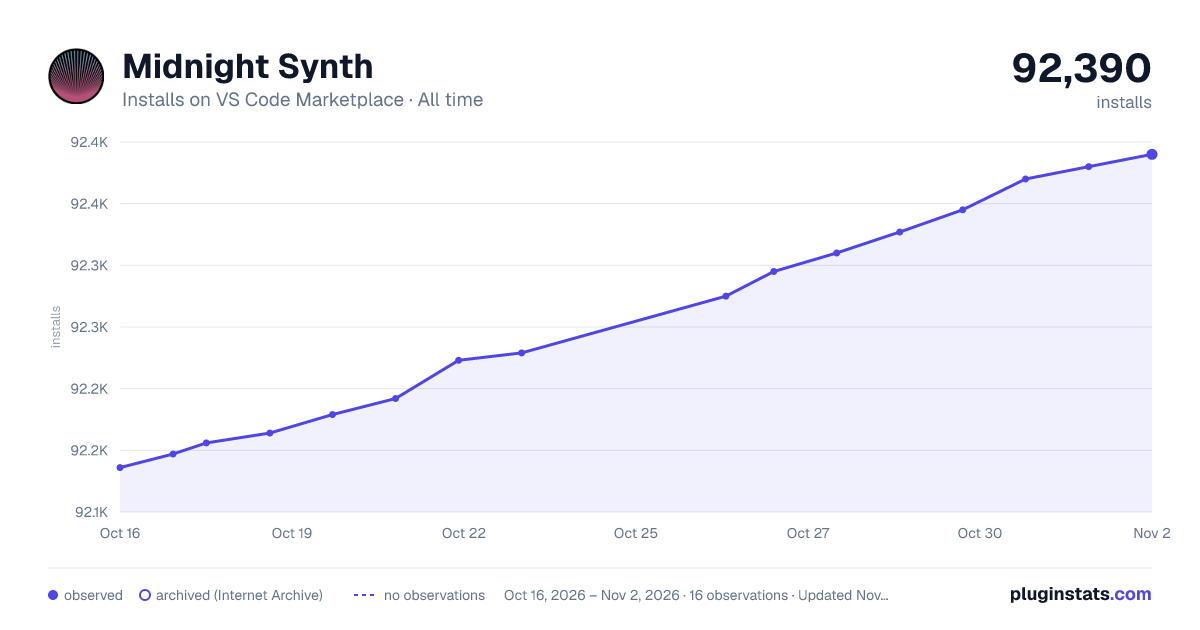
Midnight Synth has 92,164 recorded installs on VS Code Marketplace, ranking #2483 of 2,501 tracked listings.
Rating: 5.00 / 5 from 8 ratings
About Midnight Synth
Midnight Synth - VSCode Theme
My personal dark theme. A mix of some of my favorite themes: Tokyo Night, Synthwave '84, and Celestial. Best used in conjunction with the Bracket Pair Colorizer 2 extension.
Installation
Install Visual Studio Code 2. Launch Visual Studio Code 3. Choose Extensions from menu 4. Search for midnight synth 5. Click Install to install it 6. Click Reload to finish installing 7. File > Preferences > Color Theme > Midnight Synth 8. ??? 9. Profit
Description from the VS Code Marketplace listing.
color-theme
theme
README badge
Show your rank in a README or on your website. The badge updates automatically.
Filled points are observed values; hollow points come from Internet Archive snapshots of the listing page. Dashed segments span periods with no observations — values between points are not interpolated.
Each band is one page of 20. Installs on a linear scale. Placement is projected from installs, so it can differ from the marketplace's own sort order. Hover a dot to see the listing.
Install counts, average rating, and rating counts come from the public Visual Studio Marketplace gallery API. Installs are cumulative and exclude updates.
 PluginStats