 PluginStats
advanced-new-file installs statistics
By advanced-new-file · VS Code Marketplace · Other
Create files anywhere in your workspace from the keyboard
advanced-new-file has 497,654 recorded installs on VS Code Marketplace, ranking #851 of 2,501 tracked listings.
Rating: 4.30 / 5 from 30 ratings
About advanced-new-file
VSCode Advanced New File

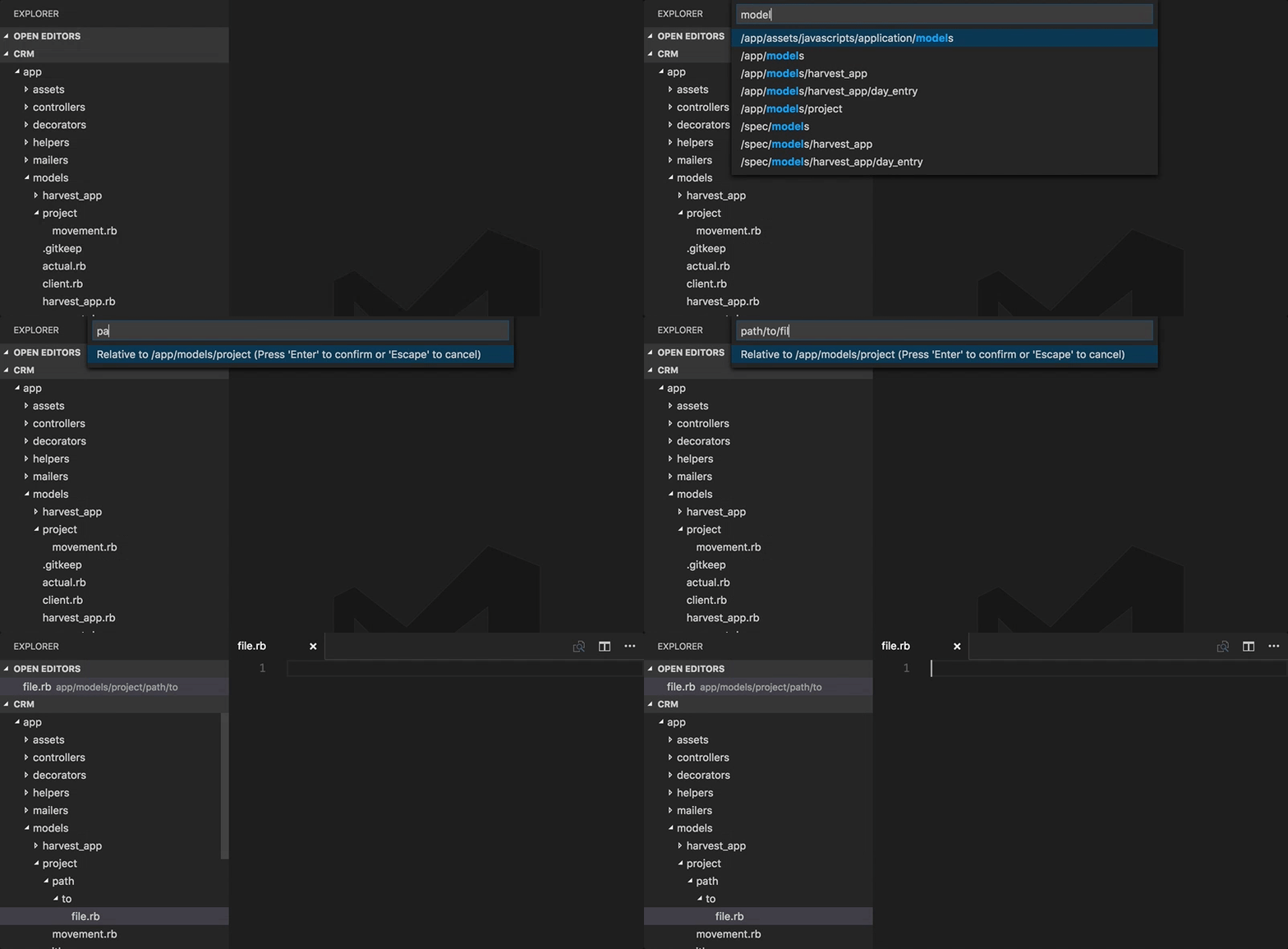
Inspired by Sublime's AdvancedNewFile plugin, this adds the ability to create files anywhere in your workspace.
Features
- Fuzzy-matching autocomplete to create new file relative to existing path (thanks to JoeNg93 for making it faster)
- Create new directories while creating a new file
- Create a directory instead of a file by suffixing the file path with
/as insomedirectory/to create the directory (thanks to maximilianschmitt) - Ignores gitignored and workspace
files.excludesettings. - Additional option of adding
advancedNewFile.excludesettings to workspace settings just like nativefiles.exludeexcept it explicitly effects AdvancedNewFile plugin only. (thanks to Kaffiend) - Control the order of top convenient options ("last selection", "current file",
etc) via config setting
advancedNewFile.convenienceOptions
Configuration Example
"advancedNewFile.exclude": {
  "node_modules": true,
  "node_modules_electron": true,
  "dev": true,
  "dist": true
},
"advancedNewFile.showInformationMessages": true,
"advancedNewFile.convenienceOptions": ["last", "current", "root"]
Usage
- Command palette: "Advanced New File"
- Keyboard shortcut: cmd+alt+n (Mac), ctrl+alt+n (Win, Linux)
Keybindings
You can add your own keybinding in your keybindings.json
{
  "key": "ctrl+n", // "cmd+n" on mac
  "command": "extension.advancedNewFile",
}
Notes
Because VSCode extensions don't yet have the ability to do type-ahead autocomplete within the text input box (See https://github.com/Microsoft/vscode/issues/426), we work around this limitation and provide autocomplete using a two-step workflow of selecting existing path, then providing new filename/path relative to the selection.
Contributing
- Clone the repo
$ npm install- Add your feature or fix (in
src/) with test coverage (intest/) - Launch the extension and do some manual QA (via Debug > Launch Extension)
- Run the tests (via Debug > Launch Tests)
- Run the linter:
npm run lint - Open a PR
Description from the VS Code Marketplace listing.
- keybindings
README badge
Show your rank in a README or on your website. The badge updates automatically.
Charts
Images: 30d · 1y · all time · 1600×900 dark


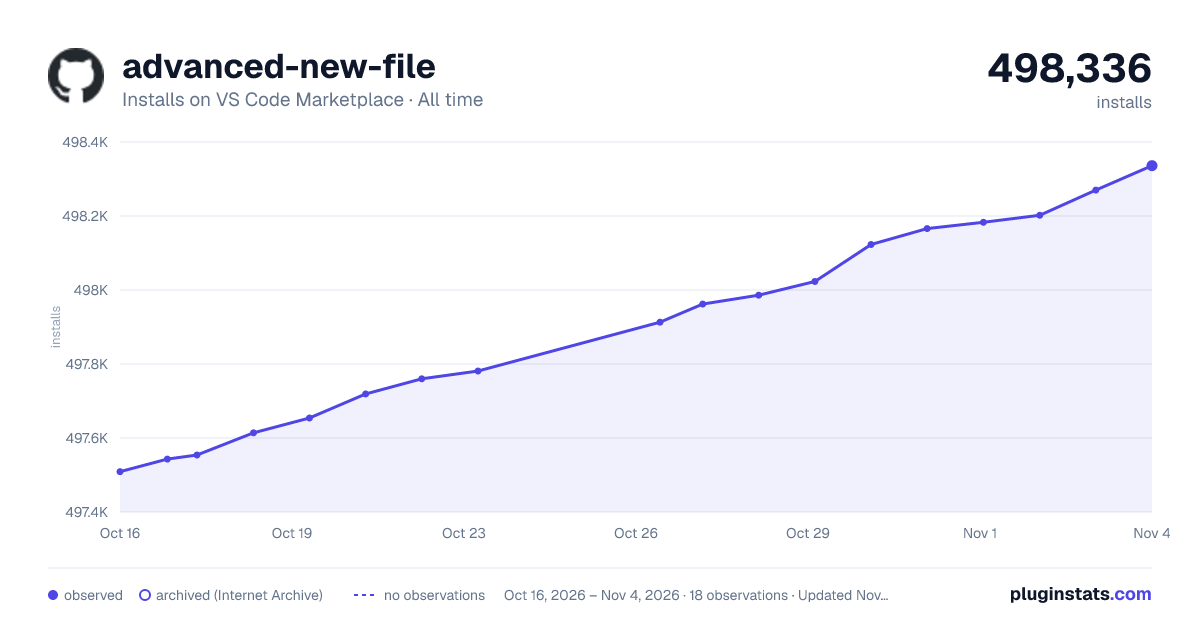

Adoption over time
7/30/90-day growth
Ranking history
Ratings over time
Listing placement
Listing placement
Filled points are observed values; hollow points come from Internet Archive snapshots of the listing page. Dashed segments span periods with no observations — values between points are not interpolated.
Each band is one page of 20. Installs on a linear scale. Placement is projected from installs, so it can differ from the marketplace's own sort order. Hover a dot to see the listing.
Recent observations
Full history (5)Similar VS Code Marketplace Other plugins
All 20 advanced-new-file alternativesData source
Install counts, average rating, and rating counts come from the public Visual Studio Marketplace gallery API. Installs are cumulative and exclude updates.
Listing: https://marketplace.visualstudio.com/items?itemName=patbenatar.advanced-new-file. First seen Oct 16, 2026; last successful collection Oct 20, 2026. See the methodology.