 PluginStats
vscode-pandoc installs statistics
By DougFinke · VS Code Marketplace · Other
Renders markdown through pandoc
vscode-pandoc has 114,833 recorded installs on VS Code Marketplace, ranking #2184 of 2,501 tracked listings.
Rating: 5.00 / 5 from 7 ratings
About vscode-pandoc
vscode-pandoc
The vscode-pandoc Visual Studio Code extension lets you quickly render markdown files as a pdf, word document or html file.
Prerequisites
You need to install Pandoc - a universal document converter.
Usage
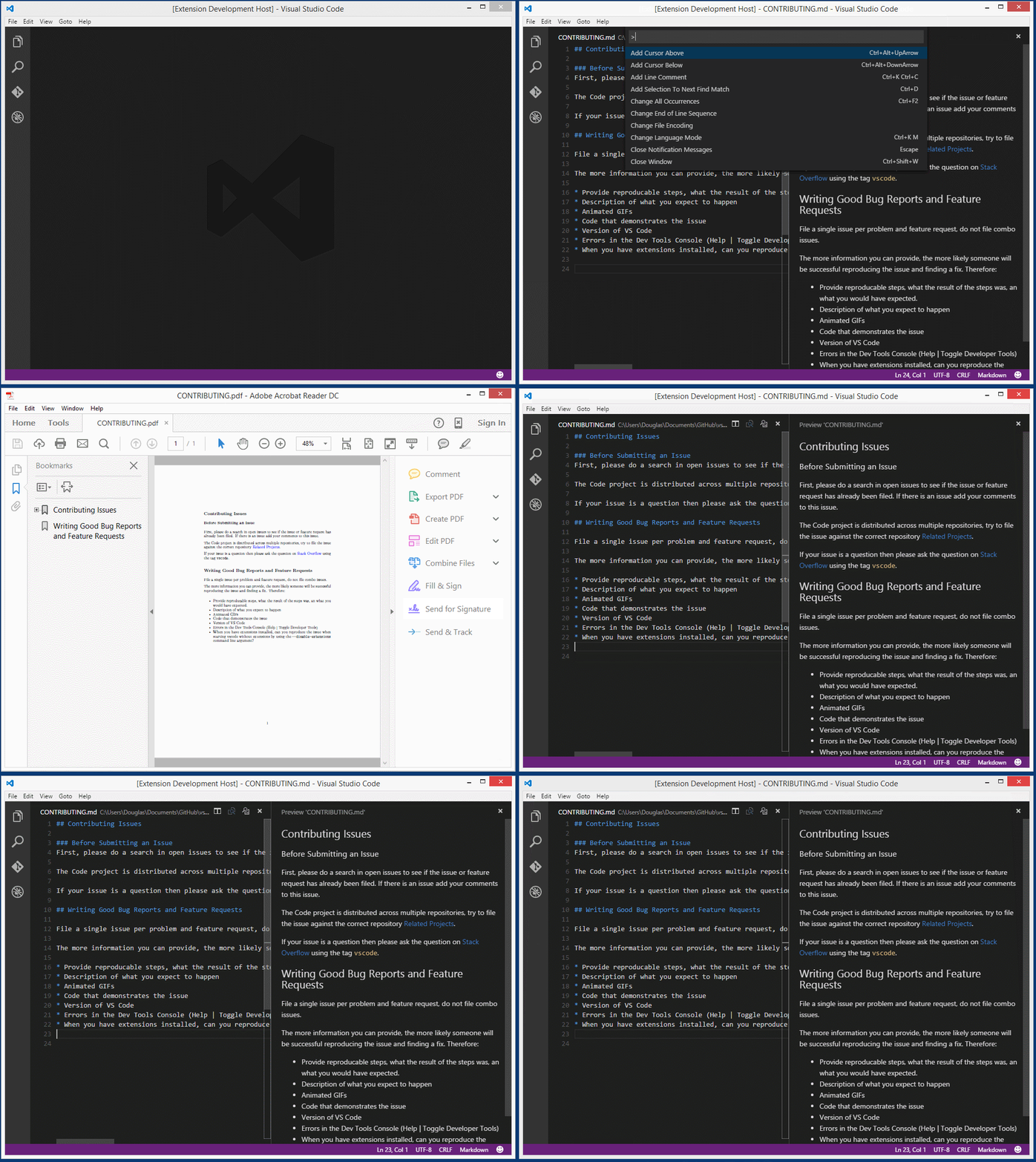
Two ways to run the extension. You need to have a markdown file open.
- press
F1on Windows (shift+cmd+Pon Mac), typepandoc, pressEnter - Or - press the key chord
ctrl+KthenP(cmd+KthenPon Mac)
Then choose from the list what document type you want to render and press enter (you can also type in the box rather than cursor around).
Enlarged version of the video.
Releases
-
July 9, 2016
- Update package.json and launch.json
- Add PR #11
- Add output of the error (use OutputChannel and showErrorMessage)
-
January 17, 2016
- Set pandoc options for document types
-
January 16, 2016
- Handling of the path that contains spaces
- Add the open command (xdg-open) in linux
Setting additional pandoc options
- choose 'Preference -> UserSettings'
- Find: pandoc in Default Settings
- Copy and paste
- to settings.json
example:
//-------- Pandoc Option Configuration --------

// pandoc .pdf output option template that you would like to use
"pandoc.pdfOptString": "",

// pandoc .docx output option template that you would like to use
"pandoc.docxOptString": "",

// pandoc .html output option template that you would like to use
"pandoc.htmlOptString": ""
- if necessary to set options for each output format.
- default:
$ pandoc inFile.md -o outFile.{pdf|word|html}
- default:
Example: Setting for Japanese document
-
PDF
"pandoc.pdfOptString": "--latex-engine=lualatex -V documentclass=ltjarticle -V geometry:a4paper -V geometry:margin=2.5cm -V geometry:nohead",--latex-engine=lualatex: need to create a Japanese PDF-V documentclass=ltjarticle: need to create a Japanese PDF-V geometry:a4paper -V geometry:margin=2.5cm -V geometry:nohead": geometory options
-
Word(docx)
pandoc.docxOptString": "",- It will work even if you do not set the options.
-
HTML5
"pandoc.htmlOptString": "-s -t html5"-s: produce a standalone document-t html5: HTML5 output format
For more information please refer to the Pandoc User's Guide.
Description from the VS Code Marketplace listing.
- markdown
README badge
Show your rank in a README or on your website. The badge updates automatically.
Charts
Images: 30d · 1y · all time · 1600×900 dark


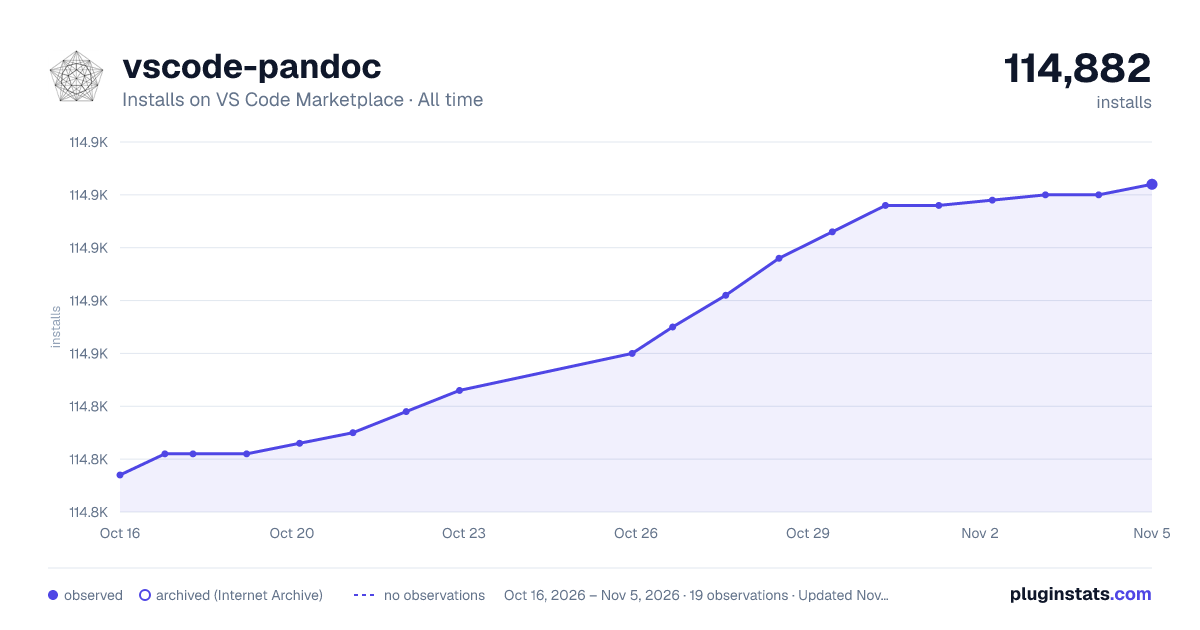

Adoption over time
7/30/90-day growth
Ranking history
Ratings over time
Listing placement
Listing placement
Filled points are observed values; hollow points come from Internet Archive snapshots of the listing page. Dashed segments span periods with no observations — values between points are not interpolated.
Each band is one page of 20. Installs on a linear scale. Placement is projected from installs, so it can differ from the marketplace's own sort order. Hover a dot to see the listing.
Recent observations
Full history (5)Similar VS Code Marketplace Other plugins
All 20 vscode-pandoc alternativesData source
Install counts, average rating, and rating counts come from the public Visual Studio Marketplace gallery API. Installs are cumulative and exclude updates.
Listing: https://marketplace.visualstudio.com/items?itemName=DougFinke.vscode-pandoc. First seen Oct 16, 2026; last successful collection Oct 20, 2026. See the methodology.