 PluginStats
Angular Schematics installs statistics
By Cyrille Tuzi · VS Code Marketplace · Other
Ultimate Angular code generation in Visual Studio Code.
Angular Schematics has 1,523,164 recorded installs on VS Code Marketplace.
It ranks #414 of 2,501 tracked VS Code Marketplace listings by installs.
It is rated 4.2 out of 5 from 42 ratings.
PluginStats has 4 daily observations since Oct 16, 2026; the latest is from Oct 19, 2026.
Rating: 4.19 / 5 from 42 ratings
About Angular Schematics
Angular Schematics
VS Code extension to generate Angular files. Installed 1.5 million times.
[!NOTE] Find this tool useful? I’m open to freelance & full-time opportunities. Feel free to reach out on LinkedIn or Bluesky.
Why this extension?
Productivity!
Angular is a framework to build applications: it is a lot more work than just a few bits of jQuery. You have to create hundred of components and services. There are 4 ways to do this (from the slowest to the quickest): • manually from scratch, rewriting all the boilerplate code everytime • via snippets: as they are static, there is still a lot to do manually • via Angular CLI: more powerful, but still tedious: you have to type a long and error-prone command line • via this extension: just right-click the destination folder, and start coding (no command line!)
Team work and good practices
Also, inside a team, you can either decide that: • everyone do things the way they want, resulting in a big mess over time • decide the better way to do things, and share the same good practices accross the team
Documentation
The documentation is directly included in the extension via the VS Code walkthrough feature. The walkthrough will appear automatically the first time you install the extension, and covers the basics: • first generation • troubleshooting • configuration
Please take a few minutes to read it. You can access it at any time from the Angular logo on the left sidebar, or in the VS Code menu: 1. View 2. Command Palette 3. search "Documentation" 4. choose "Angular Schematics: Documentation and tutorial"
Requirements
The extension: • is tested with the last 2 versions of Visual Studio Code • should work in the same versions of editors based on VS Code like VSCodium • should work in the last version of Cursor
It may work with previous versions but it is not guaranteed.
Note that alternative editors may not support all the features of VS Code (for example, Cursor does not support walkthroughs, which serve as documentation in this extension).
💎 Pro edition
While this extension is very popular, with 1.5 million installations, it is *not* a tool developed by the Angular team or affiliated to Google in any way.
It is months of *unpaid* work by a single contributor.
So you will see some new features marked with a diamond 💎. It means they are only available in the Pro edition.
Feel free to enjoy advanced features and support a contributor at the same time! 💖
• additional schematics (page, routes, reactive services, Material, unit tests,...) • advanced options (imports for standalone components, entry files exports,...) • legacy schematics (components with NgModules, class guards,...) • custom schematics in a much simpler way than with the Angular CLI • predefined paths to enforce an architecture
You will find details about all these features directly in the extension documention.
💎 Try the Pro edition for free 💎
⚡️ To celebrate 1 million installations, the Pro edition is currently 50% off for a limited time.
Release Notes
Changelog available here.
Description from the VS Code Marketplace listing.
- angular
- angular cli
- angular schematics
- javascript
- multi-root ready
- schematics
Where Angular Schematics sits in the listing
Each band is one page of 20. Installs on a log scale. Placement is projected from installs, so it can differ from the marketplace's own sort order. Hover a dot to see the listing.


Charts
Images: 30d · 1y · all time · 1600×900 dark


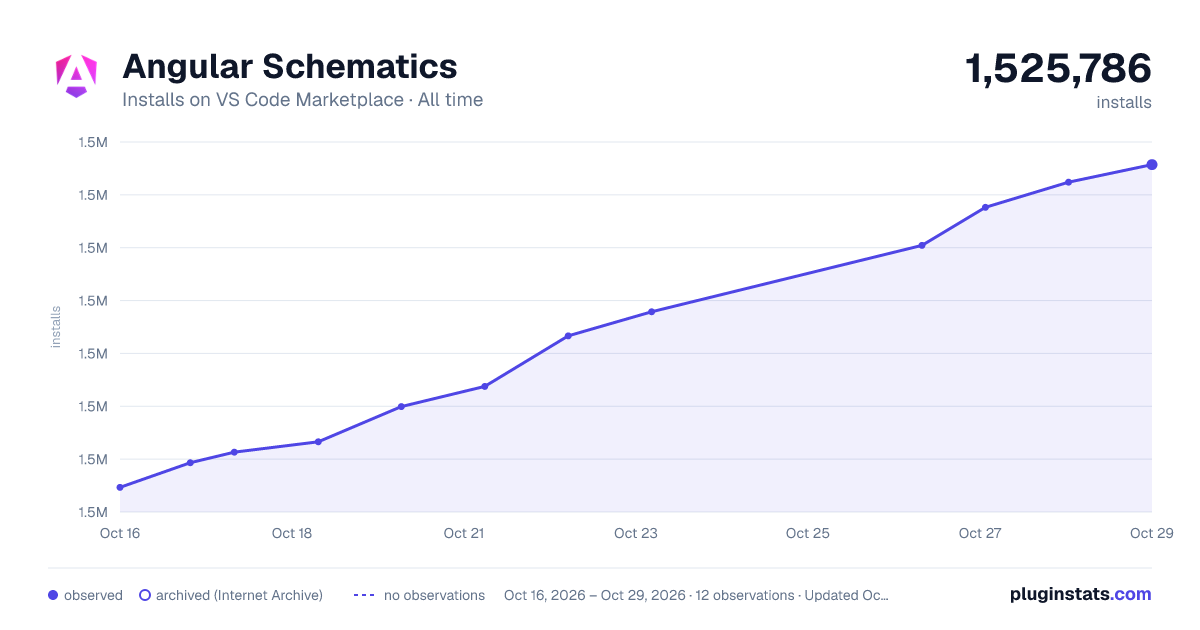

Adoption over time


7/30/90-day growth


Ranking history


Filled points are observed values; hollow points come from Internet Archive snapshots of the listing page. Dashed segments span periods with no observations — values between points are not interpolated.
Recent observations
Full history (4)Similar VS Code Marketplace Other plugins
Data source
Install counts, average rating, and rating counts come from the public Visual Studio Marketplace gallery API. Installs are cumulative and exclude updates.
Listing: https://marketplace.visualstudio.com/items?itemName=cyrilletuzi.angular-schematics. First seen Oct 16, 2026; last successful collection Oct 19, 2026. See the methodology.