 PluginStats
colorize installs statistics
By kamikillerto · VS Code Marketplace · Other
A vscode extension to help visualize css colors in files.
colorize has 1,508,957 recorded installs on VS Code Marketplace, ranking #418 of 2,501 tracked listings.
Rating: 4.32 / 5 from 47 ratings
About colorize
Colorize



Instantly visualize css colors in your css/sass/less/postcss/stylus/XML... files.
This extension your styles files looking for colors and generate a colored background (using the color) for each of them.
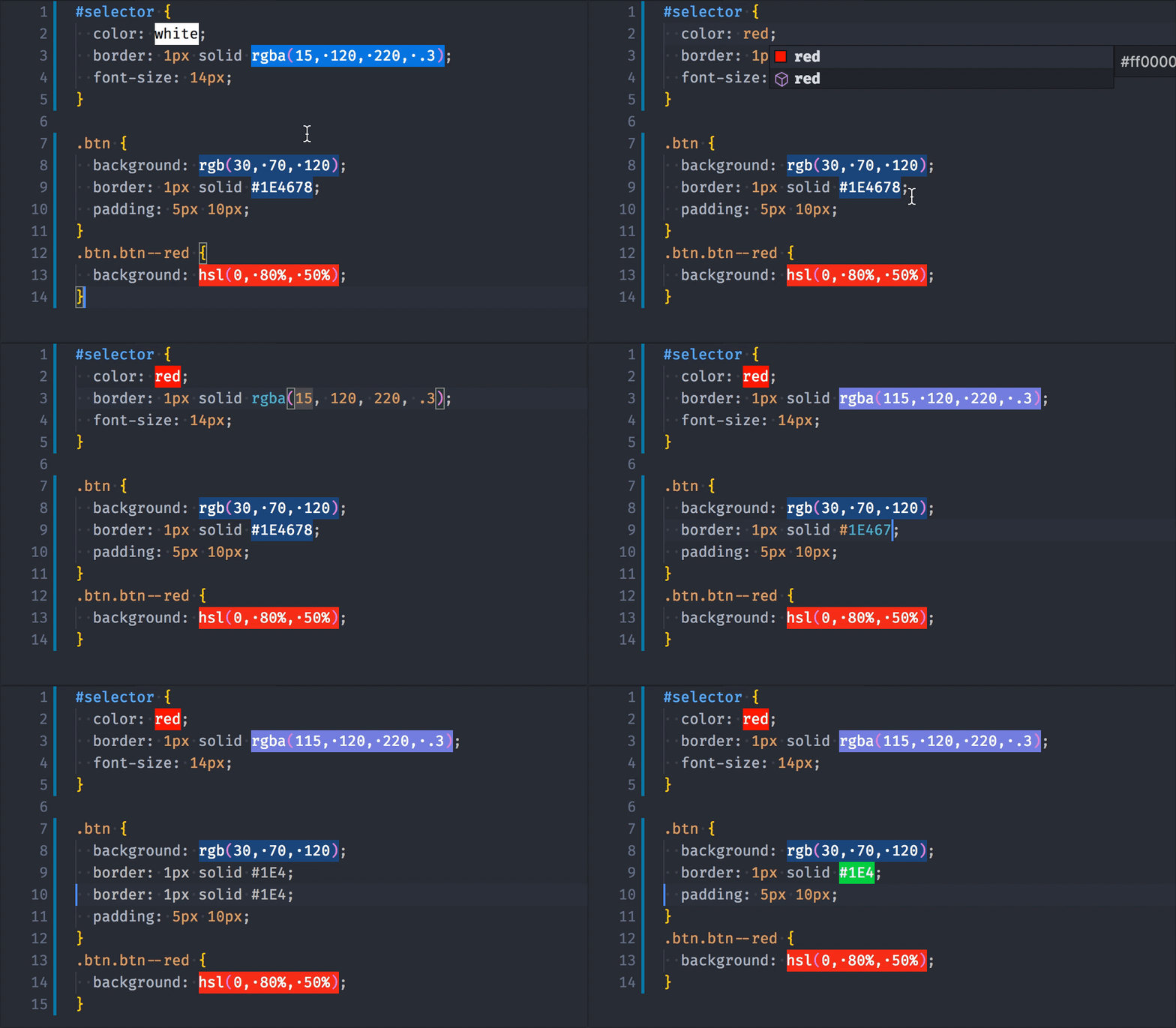
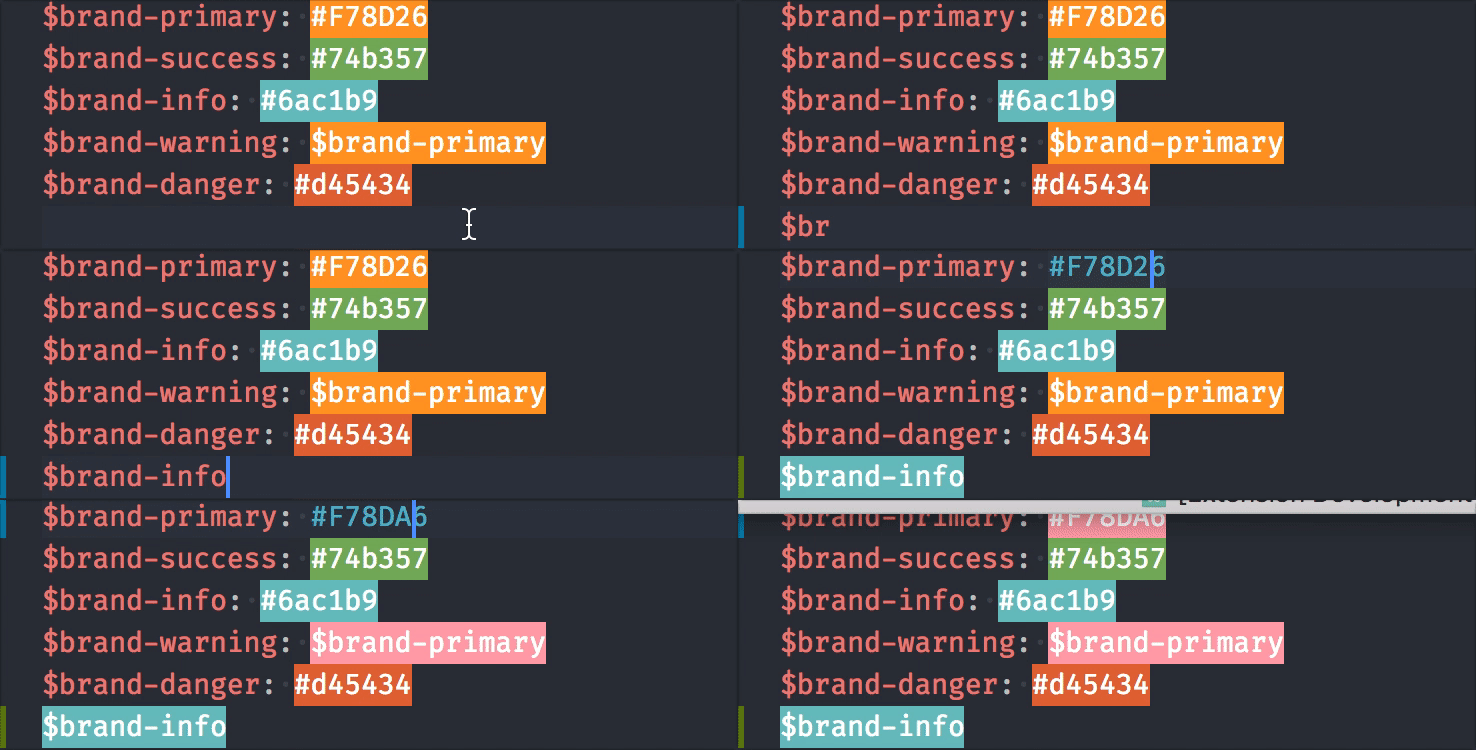
💡 How to enable variables support
Features
- Generate colored background for
- css variables
- preprocessor variables
- hsl/hsla colors
- cross browsers colors (red, blue, green...)
- css hexa color
- rgb/rgba color
- argb color
- Color background live update
Options (settings)
The following Visual Studio Code settings are available for the Colorize extension.
These can be set in user preferences (cmd+,) or workspace settings (.vscode/settings.json).
colorize.languages ARRAY
Configure a list of languages that should be colorized. You can learn about languages at https://code.visualstudio.com/docs/languages/overview.
For example, if you want to colorize colors in javascript files, you just need to include it:
  "colorize.languages": [
    "javascript",
    // ...
  ]
colorize.enable_search_variables BOOLEAN default: true
By default colorize read and parse all files, in your workspace, that are targeted by the settings colorize.languages, colorize.include, and colorize.exlude to extract extract all variables. Thanks to this behavior all variables will have colored background even if you never open the file containing the declaration. ⚠️ This setting can slown down vscode at opening
colorize.include
Configure glob patterns for including files and folders. By default Colorize is enable for files matching one the languages defined in the colorize.languages config, with this config you can enable colorize for other files or folders. Read more about glob patterns here.
colorize.exclude
Configure glob patterns for excluding files and folders. Colorize will not colorized colors in these files and folders and it'll also not search for variables inside. Read more about glob patterns here.
colorize.hide_current_line_decorations BOOLEAN default: true
By default, decorations for the current line are hidden. Set this setting to false if you want to deactivate this behavior.
colorize.decoration_type STRING default: "background"
Defines the type of decoration to use. The possible values are:
<table> <tr> <th>background</th> <th>underline</th> <th>outline</th> </tr> <tr> <td> <img src='https://raw.githubusercontent.com/kamikillerto/vscode-colorize/master/assets/decoration_background.png'/> </td> <td> <img src='https://raw.githubusercontent.com/kamikillerto/vscode-colorize/master/assets/decoration_underline.png'/> </td> <td> <img src='https://raw.githubusercontent.com/kamikillerto/vscode-colorize/master/assets/decoration_outline.png'/> </td> </tr> <tr> <th>dot</th> <th>square-dot</th> </tr> <tr> <td> <img src='https://raw.githubusercontent.com/kamikillerto/vscode-colorize/master/assets/decoration_dot.png'/> </td> <td> <img src='https://raw.githubusercontent.com/kamikillerto/vscode-colorize/master/assets/decoration_square-dot.png'/> </td> </tr> </table>colorize.colorized_colors ARRAY
This options allow you to enable/disable colorization for a type of colors.
Available colors are :
HEXA: for hexadecimal colors:#RGB,#RGBA,#RRGGBB,#RRGGBBAA,0xRGB,0xRGBA,0xRRGGBBor0xRRGGBBAAARGB: for argb colors:#RGB,#ARGB,#RRGGBBor#AARRGGBBRGB: for rgb colors:rgb(r,g,b)orrgba(r,g,b,a)HSL: for HSL colorsBROWSERS_COLORS: for native browser's colors likewhite,red,blue...OKLAB: for oklab colorsOKLCH: for oklch colors
For example, if you want to only colorize hexa colors (#fff, #ffffff, 0xFFF) in your files you can update the option like this :
  "colorize.colorized_colors": [
    "HEXA"
  ]
colorize.colorized_variables
This options allow you to enable/disable colorization for a type of variables.…
Description from the VS Code Marketplace listing.
- color
- css
- hexa
- hsl
- preprocessor
- rgb
README badge
Show your rank in a README or on your website. The badge updates automatically.
Charts
Images: 30d · 1y · all time · 1600×900 dark
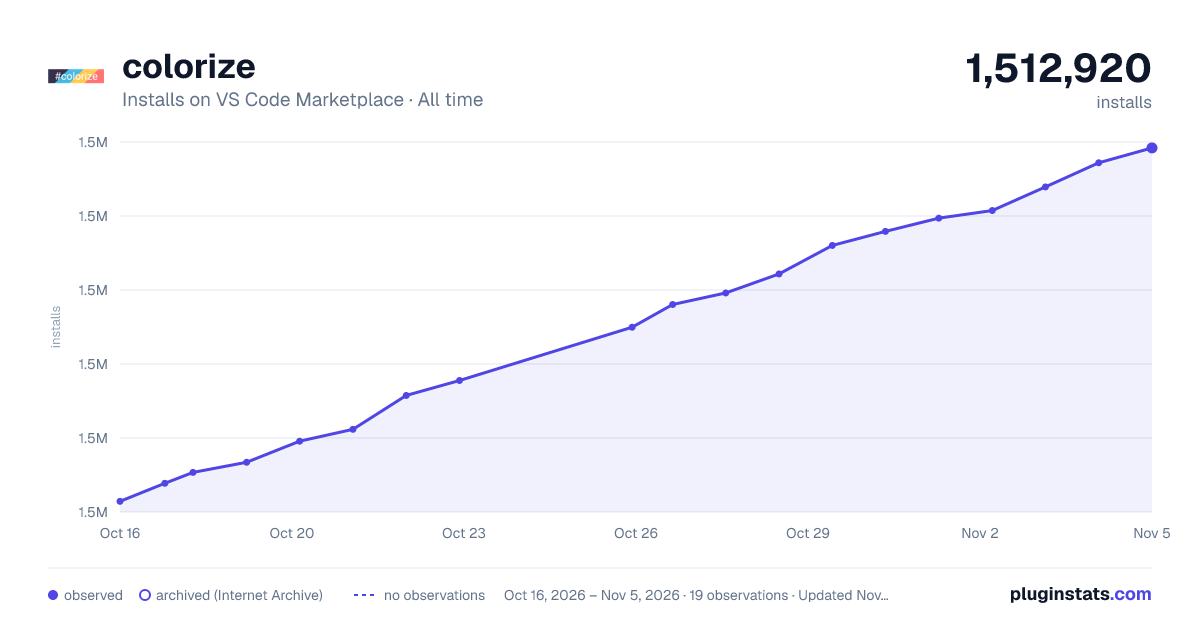
Adoption over time
7/30/90-day growth
Ranking history
Ratings over time
Listing placement
Listing placement
Filled points are observed values; hollow points come from Internet Archive snapshots of the listing page. Dashed segments span periods with no observations — values between points are not interpolated.
Each band is one page of 20. Installs on a linear scale. Placement is projected from installs, so it can differ from the marketplace's own sort order. Hover a dot to see the listing.
Recent observations
Full history (5)Similar VS Code Marketplace Other plugins
All 20 colorize alternatives




Data source
Install counts, average rating, and rating counts come from the public Visual Studio Marketplace gallery API. Installs are cumulative and exclude updates.
Listing: https://marketplace.visualstudio.com/items?itemName=kamikillerto.vscode-colorize. First seen Oct 16, 2026; last successful collection Oct 20, 2026. See the methodology.