 PluginStats
OCaml and Reason IDE installs statistics
By Darin Morrison · VS Code Marketplace · Programming Languages
OCaml and Reason language support
OCaml and Reason IDE has 129,609 recorded installs on VS Code Marketplace, ranking #2030 of 2,501 tracked listings.
Rating: 4.67 / 5 from 6 ratings
About OCaml and Reason IDE
vscode-reasonml
Reason support for Visual Studio Code
Discussion
There is an #editorsupport channel on the Reason discord server. If you would like to discuss an idea or need help or have other feedback you can usually find me (@freebroccolo) idling there.
Features
• highlighting • [x] advanced syntax highlighting for reason • [x] basic highlighting for merlin, ocamlbuild, and opam files • editing • [x] document formatting (enable on save with editor.formatOnSave) • [x] completion and snippets • [x] rename symbol (F2 or right click) • [x] case splitting • navigation • [x] symbol outline for buffers (⇧⌘O) (type : in list to sort items) • [x] symbol outline for project (⌘T) (supports regular expressions) • [x] jump-to-definition (⌃+click) and code preview (⌘+hover) • [x] find references (⇧F12 or right click) • static analysis • [x] merlin integration with incremental edit synchronization • [x] display types over definitions (disable with editor.codeLens setting) • [x] display types and markdown-rendered docs on hover • [x] online linting and compiler diagnostics with suggested fixes • ⇧⌘M to toggle diagnostics panel • F8 to loop through diagnostics for current file • Click on lightbulb icon for suggested fixes • [x] built-in support for showing BuckleScript's bsb errors inline, as a companion to merlin's diagnosis.
Getting Started
Recommended Syntax Themes
Although syntax highlighting should display well in most themes we recommend and test with the following:
Default Themes
• Dark+ (recommended; this theme is the most thoroughly tested)
Other Themes
• Atom One Dark • Dracula • Flatland Monokai • Oceanic Next
Configurations
Reason
• Reason
The Reason installation steps also installs Merlin for you, so you can skip the Merlin installation in the next section.
Merlin
Configured for you already if you've installed Reason above & plan to use it for JS compilation. Skip this step.
This extension relies heavily on merlin so you will need to have your project set up for that in order to enable completion and hover info. See the Merlin wiki for details on how to do that. Basically you need to have a .merlin file in your project root which lists the source directories, libraries, and extensions used.
Bsb
You can optionally start bsb from the editor itself, and have the command-line errors appear inside the editor. Add the following to Code > Preferences > Settings:
Merlin's diagnosis is best-effort and can sometimes be wrong; bsb's diagnosis is 100% correct. bsb diagnosis also works on Windows.
Installation
Note: due to an existing problem, make sure that you're opening vscode from the command-line, at the root of your project!
Install this Visual Studio Code extension just like any other extension.
Search for reason and install OCaml and Reason IDE by Darin Morrison.
To enable formatting on save, add the following to Code > Preferences > Settings:
If you want to enable codelens, add the following to Code > Preferences > Settings:
Advanced Features
Case splitting
For the examples below, represents the position of the current VS Code editor cursor.
Introducing a switch
In order to introduce a switch, execute the following steps:
- select an identifier or move the cursor anywhere within its word range (as below) 2. open the palette (⇧⌘P) and run Reason: case split (typing case should pull it up)
Before
After
Nesting switch expressions
The switch introduction functionality works with nested switch expressions:
Before
After
Splitting a pattern without introducing a switch
The case split feature can be used to split an existing pattern further:
Before
After
Description from the VS Code Marketplace listing.
- bucklescript
- Merlin
- OCaml
- ocaml.hover.info
- ocaml.hover.type
- ocaml.merlin
- ocaml.ocamlbuild
- ocaml.opam
- OCamlbuild
- OPAM
- reason
- reason.hover.info
- reason.hover.signature
- reason.hover.type
- reasonml
- snippet
README badge
Show your rank in a README or on your website. The badge updates automatically.
Charts
Images: 30d · 1y · all time · 1600×900 dark


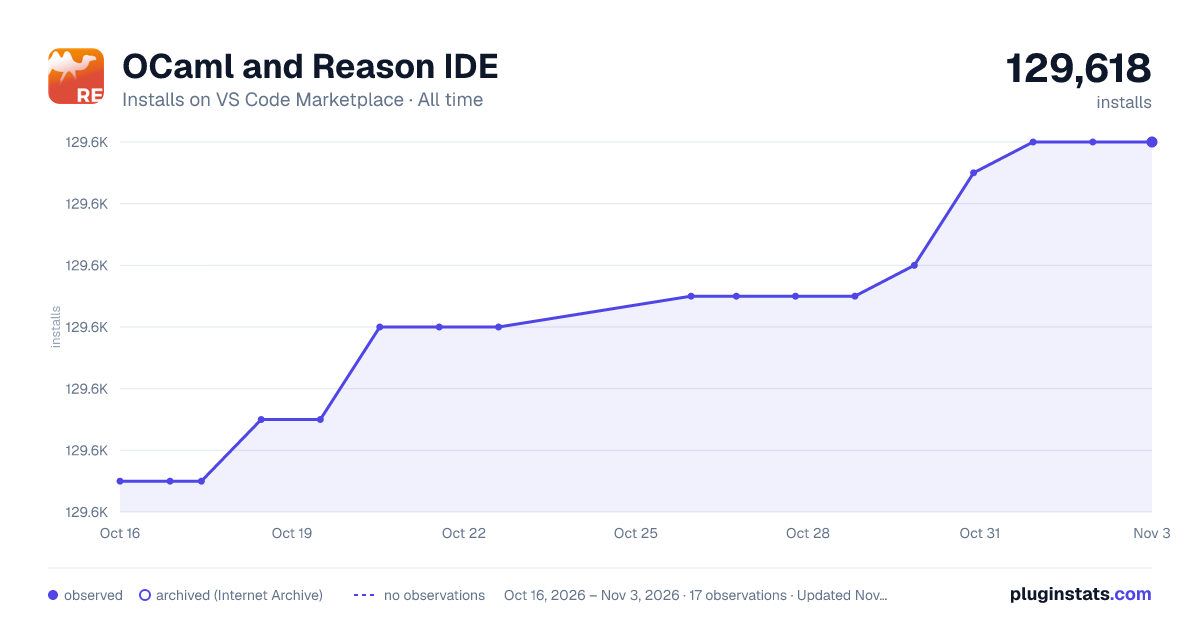

Adoption over time
7/30/90-day growth
Ranking history
Ratings over time
Listing placement
Listing placement
Listing placement
Listing placement
Filled points are observed values; hollow points come from Internet Archive snapshots of the listing page. Dashed segments span periods with no observations — values between points are not interpolated.
Each band is one page of 20. Installs on a linear scale. Placement is projected from installs, so it can differ from the marketplace's own sort order. Hover a dot to see the listing.
Recent observations
Full history (4)Similar VS Code Marketplace Programming Languages plugins
All 20 OCaml and Reason IDE alternativesData source
Install counts, average rating, and rating counts come from the public Visual Studio Marketplace gallery API. Installs are cumulative and exclude updates.
Listing: https://marketplace.visualstudio.com/items?itemName=freebroccolo.reasonml. First seen Oct 16, 2026; last successful collection Oct 19, 2026. See the methodology.