 PluginStats
LiveCode for python installs statistics
By xirider · VS Code Marketplace · Debuggers
Real-time python variable evaluation
LiveCode for python has 1,395,720 recorded installs on VS Code Marketplace, ranking #445 of 2,501 tracked listings.
Rating: 4.33 / 5 from 3 ratings
About LiveCode for python
LiveCode
LiveCode evaluates your python code while you type and displays variable values for each line.
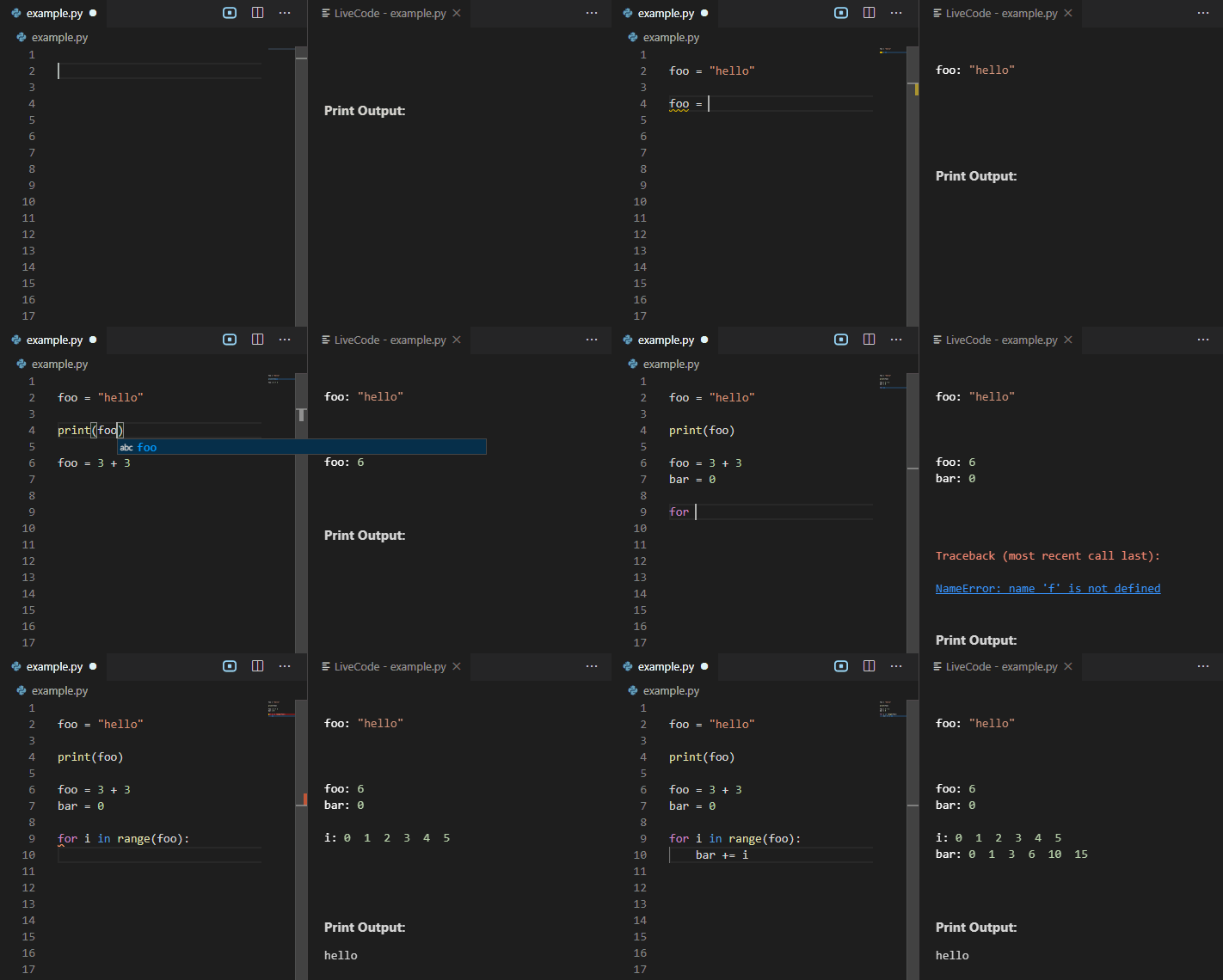
LiveCode is available for free on the vscode marketplace.
Usage
First, make sure you have python 3.5 or greater installed.
Open a python file and click on icon in the top bar to the right to open LiveCode. Click on the icon again to close LiveCode.
Or run LiveCode through the command search: control-shift-p
or use the shortcuts: control-shift-a (current doc) / control-shift-q (new doc)
Features
-
Real-time evaluation: You don't need to run your python file, just keep typing
-
Variable display: Whenever a variable is declared or changed, its new value is displayed in the same line
-
Loop display: For each iteration of a loop all intermediate values are displayed
-
Error display: The instant you make a mistake an error with stack trace is shown.
#$save
If you want to avoid a section of code being executed in real-time (due to it being slow or calling external resources) you can use #$save. For example:
def largest_prime_factor(n):
    i = 2
    while i * i <= n:
        if n % i:
            i += 1
        else:
            n //= i
    return n

# this takes a looonnggg time to execute
result = largest_prime_factor(8008514751439999)

#$save
print("but now that i saved i am back to real-time execution")
import random
x = random.random()
#$save
print(x) # this number will not change when editing below the #$save line
Please note that #$save does not work with certain types, like generators.
#$end
Use the #$end comment to indicate the end of the real-time code. Code after #$end will not be executed in real-time.
This is useful if you have something specific you want to run without running the entire file along with it. For example:
x = calculate_all_digits_of_pi()

#$end

# I can inspect variables without rerunning calculate_all_digits_of_pi
# the shortcut is control-enter - the code block should flash yellow.
print(x) # 3.14......

# I can also temporarily change the state of variables
# note that control-enter will run all adjacent lines of code
x = math.floor(x)
print(x) # 3

# i only want to do this once I've determined that x is correct
upload_results_to_s3(x)
You can also use control-enter to run a block of code outside #$end.
Credits
This extension is based on the awesome AREPL VSCode extension from Almenon.
Description from the VS Code Marketplace listing.
- display
- explorer
- keybindings
- python
- real-time
- variable
README badge
Show your rank in a README or on your website. The badge updates automatically.
Charts
Images: 30d · 1y · all time · 1600×900 dark


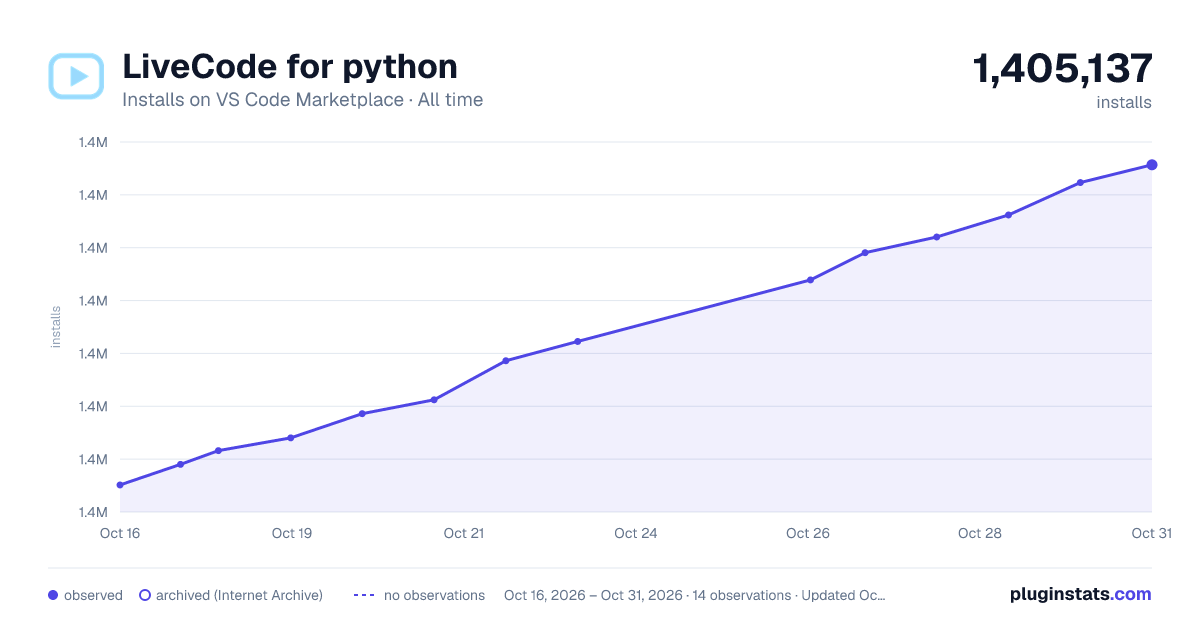

Adoption over time
7/30/90-day growth
Ranking history
Ratings over time
Listing placement
Listing placement
Filled points are observed values; hollow points come from Internet Archive snapshots of the listing page. Dashed segments span periods with no observations — values between points are not interpolated.
Each band is one page of 20. Installs on a linear scale. Placement is projected from installs, so it can differ from the marketplace's own sort order. Hover a dot to see the listing.
Recent observations
Full history (5)Similar VS Code Marketplace Debuggers plugins
All 20 LiveCode for python alternativesData source
Install counts, average rating, and rating counts come from the public Visual Studio Marketplace gallery API. Installs are cumulative and exclude updates.
Listing: https://marketplace.visualstudio.com/items?itemName=xirider.livecode. First seen Oct 16, 2026; last successful collection Oct 20, 2026. See the methodology.