 PluginStats
Azure MCP Server installs statistics
By Microsoft (224 listings) · VS Code Marketplace · Extension Packs
Provides Model Context Protocol (MCP) integration and tooling for Azure in Visual Studio Code.
Azure MCP Server has 1,616,032 recorded installs on VS Code Marketplace, ranking #396 of 2,502 tracked listings.
Rating: 4.00 / 5 from 8 ratings
About Azure MCP Server
Azure MCP Server Extension for Visual Studio Code
All Azure MCP tools in a single server. The Azure MCP Server implements the MCP specification to create a seamless connection between AI agents and Azure services. Azure MCP Server can be used alone or with the GitHub Copilot for Azure extension in VS Code.
Table of Contents
Overview
Azure MCP Server supercharges your agents with Azure context across numerous Azure services.
Local Setup
- Install the Azure MCP Server Visual Studio Code extension
- Start (or Auto-Start) the MCP Server
VS Code (version 1.103 or above): You can now configure MCP servers to start automatically using the
chat.mcp.autostartsetting, instead of manually restarting them after configuration changes.Enable Autostart
- Open Settings in VS Code.
- Search for
chat.mcp.autostart. - Select newAndOutdated to automatically start MCP servers without manual refresh.
- You can also set this from the refresh icon tooltip in the Chat view, which also shows which servers will auto-start.
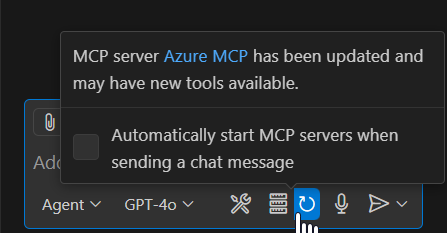
Manual Start (if autostart is off)
- Open Command Palette (
Ctrl+Shift+P/Cmd+Shift+P). - Run
MCP: List Servers.
- Select
Azure MCP Server ext, then click Start Server.

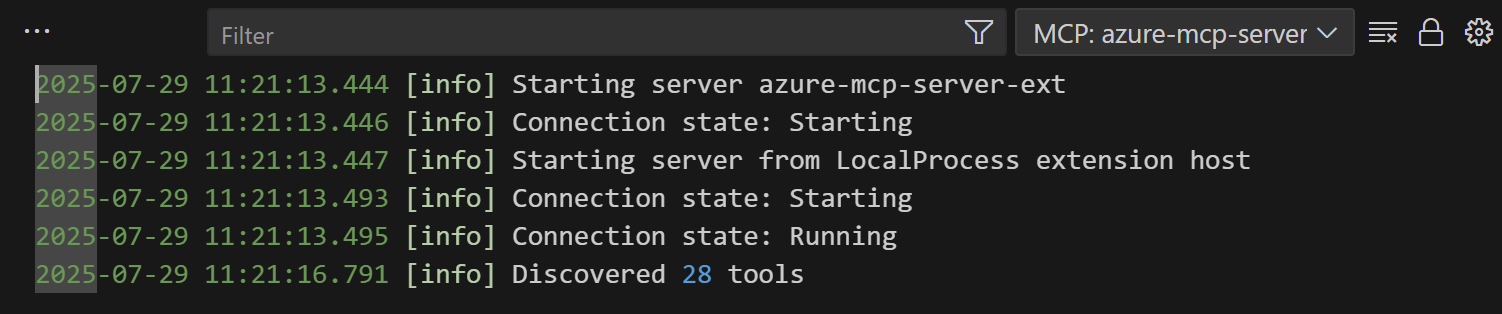
- Check That It's Running
- Go to the Output tab in VS Code.
- Look for log messages confirming the server started successfully.
- (Optional) Configure tools and behavior
- Full options: control how tools are exposed and whether mutations are allowed:
// Server Mode: collapse per service (default), single tool, or expose every tool "azureMcp.serverMode": "namespace", // one of: "single" | "namespace" (default) | "all" // Filter which namespaces to expose "azureMcp.enabledServices": ["storage", "keyvault"], // Run the server in read-only mode (prevents write operations) "azureMcp.readOnly": false, // ⚠️ DANGEROUS: Disable SSRF protections for specific namespaces. // Only use this if you understand the security implications. // Forwards to --dangerously-disable-ssrf-protections-by-namespace. "azureMcp.dangerouslyDisableSsrfProtectionsByNamespace": ["storage"] - Changes take effect after restarting the Azure MCP server from the MCP: List Servers view. (Step 2) You’re all set! Azure MCP Server is now ready to help you work smarter with Azure resources in VS Code.
- Full options: control how tools are exposed and whether mutations are allowed:
Remote Setup
Host the Azure MCP Server as a remote endpoint when your client requires HTTP-based MCP servers (for example, Microsoft Foundry and Microsoft Copilot Studio) or when you want to share a single deployment across users and environments. The server can be self-hosted on Azure Container Apps.
See the remote hosting azd templates for deployment options.
Usage
Getting Started
- Open GitHub Copilot in VS Code and switch to Agent mode.
- Click
refreshon the tools list- You should see the Azure MCP Server in the list of tools
- Try a prompt that tells the agent to use the Azure MCP Server, such as
List my Azure Storage containers- The agent should be able to use the Azure MCP Server tools to complete your query
- Check out the documentation and review the troubleshooting guide for commonly asked questions
- We're building this in the open. Your feedback is much appreciated, and will help us shape the future of the Azure MCP server
Sovereign Cloud Support
Azure MCP Server supports connecting to Azure sovereign clouds. By default, it authenticates against the Azure Public Cloud.…
Description from the VS Code Marketplace listing.
- agent
- ai
- azure
- chat
- copilot
- language-model-tools
- mcp
- model context protocol
README badge
Show your rank in a README or on your website. The badge updates automatically.
Charts
Images: 30d · 1y · all time · 1600×900 dark


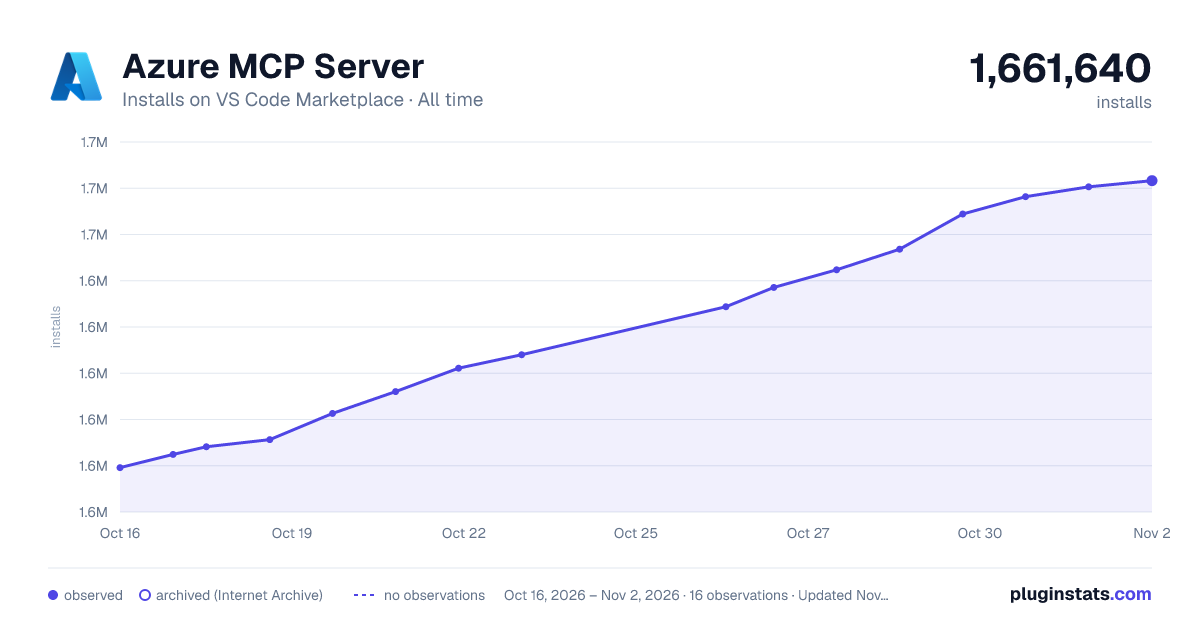

Adoption over time
7/30/90-day growth
Ranking history
Ratings over time
Listing placement
Listing placement
Listing placement
Listing placement
Filled points are observed values; hollow points come from Internet Archive snapshots of the listing page. Dashed segments span periods with no observations — values between points are not interpolated.
Each band is one page of 20. Installs on a linear scale. Placement is projected from installs, so it can differ from the marketplace's own sort order. Hover a dot to see the listing.
Recent observations
Full history (6)Similar VS Code Marketplace Extension Packs plugins
All 20 Azure MCP Server alternativesAzure MCP Server on other marketplaces
Data source
Install counts, average rating, and rating counts come from the public Visual Studio Marketplace gallery API. Installs are cumulative and exclude updates.
Listing: https://marketplace.visualstudio.com/items?itemName=ms-azuretools.vscode-azure-mcp-server. First seen Oct 16, 2026; last successful collection Oct 21, 2026. See the methodology.