 PluginStats
Flash Debugger installs statistics
By Haxe Foundation (3 listings) · VS Code Marketplace · Debuggers
Debugger for Haxe/Flash applications
Flash Debugger has 111,021 recorded installs on VS Code Marketplace, ranking #2229 of 2,501 tracked listings.
About Flash Debugger
Flash Debugger


This is an extension for debugging Haxe applications on the Flash target via FDB. It is best used with the vshaxe extension.

Usage
There's three prerequisites:
-
Download the "Flash Player projector content debugger" from here and associate it with
.swffiles.On Linux, make sure the player's executable is accessible globally (for example, in the
/usr/bin/directory or in thePATH) and its name is no other thanflashplayer(you could rename the original file or make a symlink to it). -
Make sure
JAVA_HOMEis defined or you havejavain yourPATH(to runfdb.jar). Please refer to these links for instructions: -
Compile the
.swffile you want to debug with the-D fdbdefine.
After this, you need a launch configuration. The launch.json should look something like this:
{
    "version": "0.2.0",
    "configurations": [
        {
            "name": "Flash",
            "type": "fdb",
            "request": "launch",
            "program": "${workspaceFolder}/bin/application.swf"
        }
    ]
}
Replace /bin/application.swf with the path to your swf file.
You can also generate a config via Add Configuration... -> Haxe (Flash):

Installing from source
-
Navigate to the extensions folder (
C:\Users\<username>\.vscode\extensionson Windows,~/.vscode/extensionsotherwise) -
Clone this repo:
git clone https://github.com/vshaxe/flash-debugger -
Change current directory to the cloned one:
cd flash-debugger. -
Install dependencies:
npm install haxelib install utest haxelib install vscode haxelib install vscode-debugadapter -
Do
haxe build.hxml
Description from the VS Code Marketplace listing.
- debuggers
- flash
- haxe
- swf
README badge
Show your rank in a README or on your website. The badge updates automatically.
Charts
Images: 30d · 1y · all time · 1600×900 dark


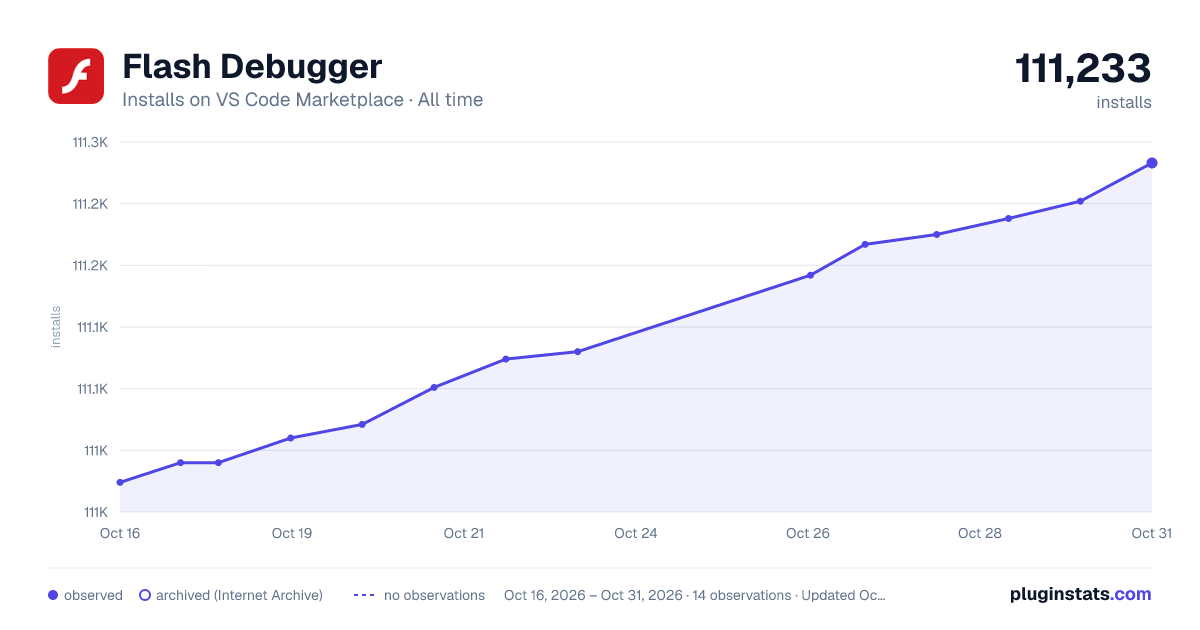

Adoption over time
7/30/90-day growth
Ranking history
Ratings over time
Listing placement
Listing placement
Filled points are observed values; hollow points come from Internet Archive snapshots of the listing page. Dashed segments span periods with no observations — values between points are not interpolated.
Each band is one page of 20. Installs on a linear scale. Placement is projected from installs, so it can differ from the marketplace's own sort order. Hover a dot to see the listing.
Recent observations
Full history (5)Similar VS Code Marketplace Debuggers plugins
All 20 Flash Debugger alternativesData source
Install counts, average rating, and rating counts come from the public Visual Studio Marketplace gallery API. Installs are cumulative and exclude updates.
Listing: https://marketplace.visualstudio.com/items?itemName=vshaxe.haxe-debug. First seen Oct 16, 2026; last successful collection Oct 20, 2026. See the methodology.