 PluginStats
Debugger for Unity installs statistics
By Unity Technologies (3 listings) · VS Code Marketplace · Debuggers
Unity debugger extension
Debugger for Unity has 2,055,256 recorded installs on VS Code Marketplace.
It ranks #338 of 2,500 tracked VS Code Marketplace listings by installs.
It is rated 3.1 out of 5 from 52 ratings.
PluginStats has 3 daily observations since Oct 16, 2026; the latest is from Oct 18, 2026.
Rating: 3.10 / 5 from 52 ratings
About Debugger for Unity
Unity Debugger Extension for Visual Studio Code
This extension is not officially supported by Unity Technologies.
Use Visual Studio Code to debug your Unity C# projects.
Setup
• Open your Unity project folder in the Visual Studio Code. • Select the debug view on the left and click the cogwheel. • In the drop down list select “Unity Debugger”. If you do not have Unity Debugger in the list, then you already have a .vscode/Launch.json file in your project that you must delete first. • You will now have a .vscode/Launch.json file in your Unity project folder and can select which Unity target you wish to debug. • All done. You can now debug your C# scripts in VS Code by setting a breakpoint in a C# script from your project, switching to the debug view and clicking the green triangle button to attach to Unity. Enter play mode in Unity and the breakpoint should hit in VS code.
Attach to Process Picker
New in version 1.1.0 it is now possible to select which Unity process you want to attach to from a quick pick menu.
• In the command palette type "Unity Attach Debugger" • Wait a bit for the Unity processes list to appear at the top of the VS Code window. • Select the Unity process you wish to attach the debugger to.
Usage
Strings in the variable view is truncated to 100 characters, with appended ellipsis. "Example wor...". To view the entire value of this string add it to the watch fields. In addition, evaluating the variable using the debugger console will reveal the same result.
Building
To build this repository, clone it then get all submodules:
Then open VSCode-UnityDebug.sln in Visual Studio.
Description from the VS Code Marketplace listing.
- debug
- debugger
- debuggers
- unity
- unity3d
Where Debugger for Unity sits in the listing
Each band is one page of 20. Installs on a log scale. Placement is projected from installs, so it can differ from the marketplace's own sort order. Hover a dot to see the listing.


Charts
Images: 30d · 1y · all time · 1600×900 dark


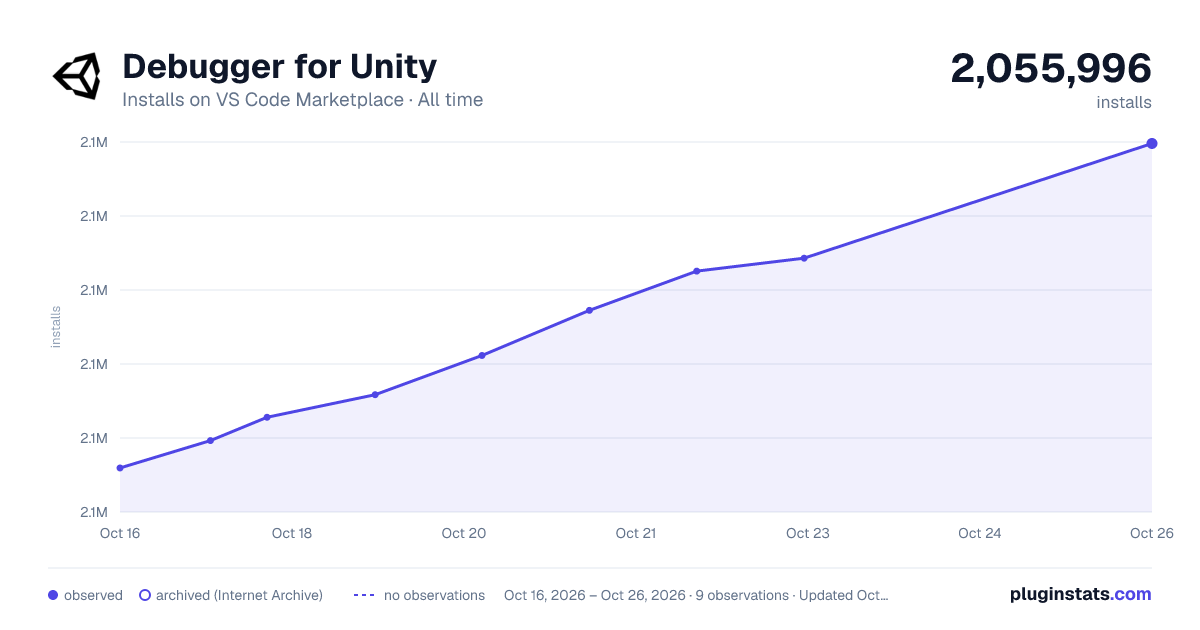

Adoption over time


7/30/90-day growth


Ranking history


Filled points are observed values; hollow points come from Internet Archive snapshots of the listing page. Dashed segments span periods with no observations — values between points are not interpolated.
Recent observations
Full history (3)Similar VS Code Marketplace Debuggers plugins
Data source
Install counts, average rating, and rating counts come from the public Visual Studio Marketplace gallery API. Installs are cumulative and exclude updates.
Listing: https://marketplace.visualstudio.com/items?itemName=Unity.unity-debug. First seen Oct 16, 2026; last successful collection Oct 18, 2026. See the methodology.