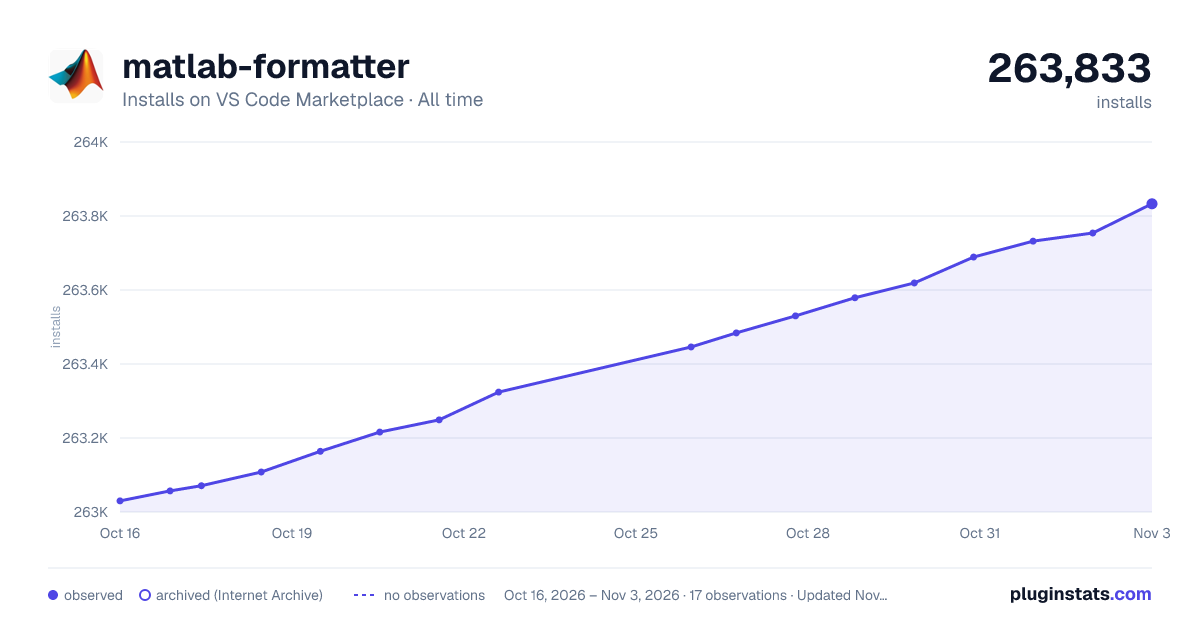
matlab-formatter has 263,164 recorded installs on VS Code Marketplace, ranking #1261 of 2,501 tracked listings.
Rating: 3.50 / 5 from 12 ratings
About matlab-formatter
matlab-formatter README
Indent and format MATLAB code.
Also usable as standalone without VScode.
Requirements
python 3.6
Extension Settings
matlab-formatter.indentwidth: Number of spaces used for indentation.
matlab-formatter.separateBlocks: Control whether newlines should be added before and after blocks such as for, if, while and so on.
matlab-formatter.indentMode: Chose smart indentation mode: indent all functions, indent only nested functions, or don't indent inside any function.
matlab-formatter.addSpaces: Chose which operators should be wrapped with spaces: all operators, all but power (^, .^) or don't wrap any operators.
matlab-formatter.matrixIndent: Chose how matrices should be indented. Either keep all rows aligned or use only one level of indentation.
Additional Options
The formatter can be switched off for selected lines by adding the comment formatter ignore N. For the next N lines, only the indentation will be fixed. Other than that, they will not be altered.
Description from the VS Code Marketplace listing.
matlab
README badge
Show your rank in a README or on your website. The badge updates automatically.
Filled points are observed values; hollow points come from Internet Archive snapshots of the listing page. Dashed segments span periods with no observations — values between points are not interpolated.
Each band is one page of 20. Installs on a linear scale. Placement is projected from installs, so it can differ from the marketplace's own sort order. Hover a dot to see the listing.
Install counts, average rating, and rating counts come from the public Visual Studio Marketplace gallery API. Installs are cumulative and exclude updates.
 PluginStats