 PluginStats
vscode-icons installs statistics
By VSCode Icons Team · VS Code Marketplace · Themes
Icons for Visual Studio Code
vscode-icons has 24,724,848 recorded installs on VS Code Marketplace, ranking #47 of 2,502 tracked listings.
Rating: 4.77 / 5 from 465 ratings
About vscode-icons
Installation
To install the extension just execute the following command in the Command Palette of Visual Studio Code:
ext install vscode-icons
Some people have reported that they cannot find the extension when they insert the installation command.
If you find yourself in the same position, try:
ext install icons
# or
ext install "vscode-icons"
Usage
Once installed and after reloading vscode, you will be presented with a message to Activate the icons.
In case this doesn't happen, navigate to:
Linux&Windows=>File > Preferences > Theme > File Icon Theme > VSCode Icons.MacOS=>Code > Preferences > File Icon Theme > VSCode Icons.
Features
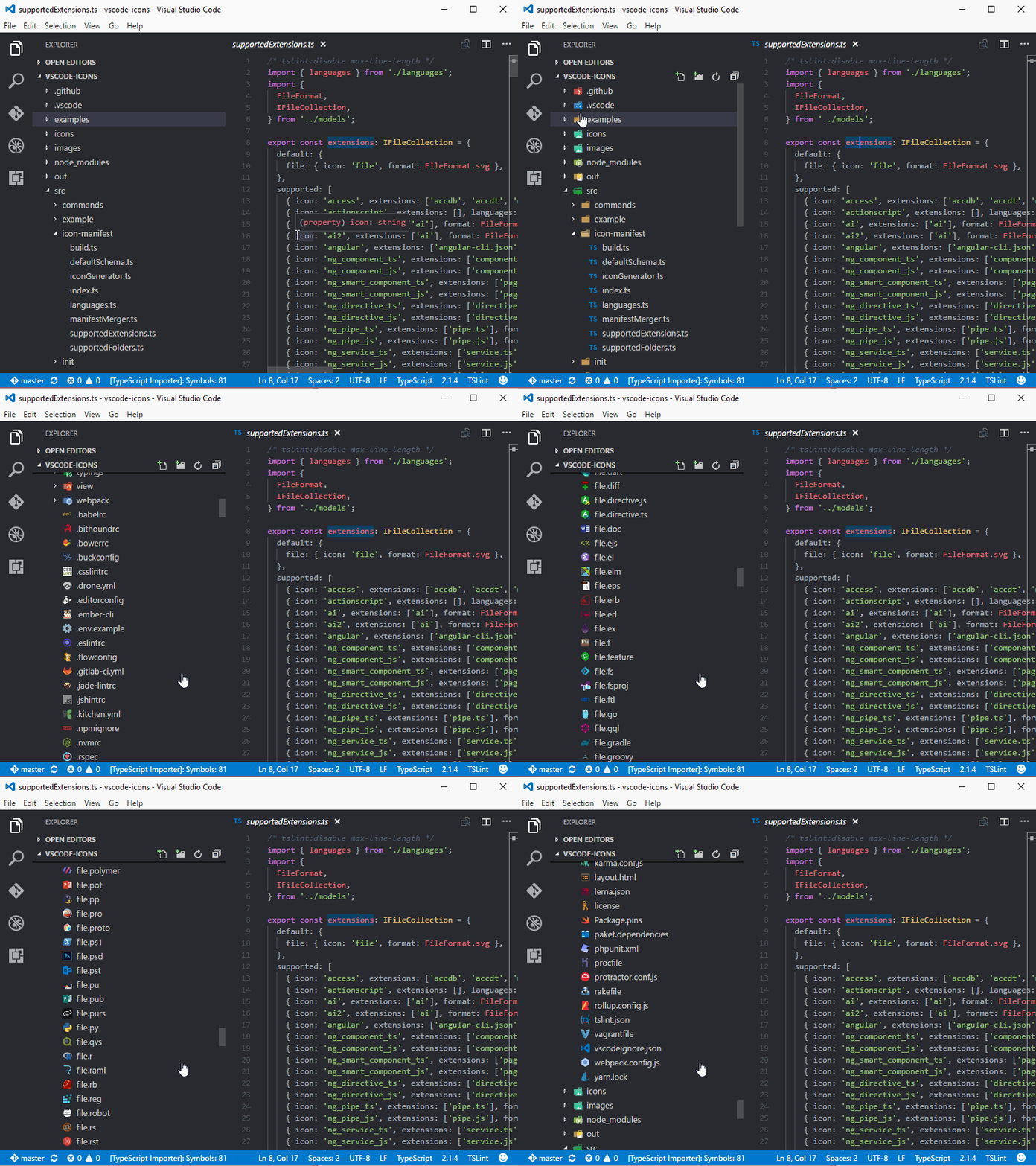
vscode-icons is being shipped with a lot of features, like:
Icons Customization
Choose the icon you prefer for any particular file extension.
Bring your own icons
You don't see the icon you like...? No worries, we got you covered. This link will show you how you can use your own custom icon!
Project Auto Detection
Are you using Angular? This feature will detect it and enable the icons for you. It also works with other frameworks.
Documentation
In our wiki you can find more information about the extension features and more.
Some examples:
Globalization
vscode-icons uses Crowdin to provide translations for vscode supported languages.
We are looking for translators and proofreaders for all vscode supported languages.
If you'd like to contribute, checkout the translation section.
Contributing
If you like to get involved with the source code, checkout the build section.
For those using Docker checkout the docker section.
On the other hand, if you want to show the world your artistic side, checkout the contributing section.
In any case, please follow our contribution guidelines.
Credits
Kudos to all contributors that made this extension what it is.
License
The source code is licensed under the MIT license.
The icons are licensed under the Creative Commons - ShareAlike (CC BY-SA) license.
Branded icons are licensed under their copyright license.
Versioning
vscode-icons follows Semantic Versioning 2.0.0.
Change Log
You can check out all our changes in our change log.
Acknowledgements
We like to express our "Special Thanks" to:
- All users that made us their favorite Icons theme. We wouldn't be where we are without you.
Related extensions
- vscode-icons for GitHub by @dderevjanik will allow you to see all
GitHub's files withvscode-iconsicons. - vscode-icons-js by @dderevjanik get file/folder specific icon from
vscode-iconsicons.
Enjoy!
Description from the VS Code Marketplace listing.
- icons
- icon-theme
- multi-root ready
- portable mode ready
- theme
README badge
Show your rank in a README or on your website. The badge updates automatically.
Charts
Images: 30d · 1y · all time · 1600×900 dark


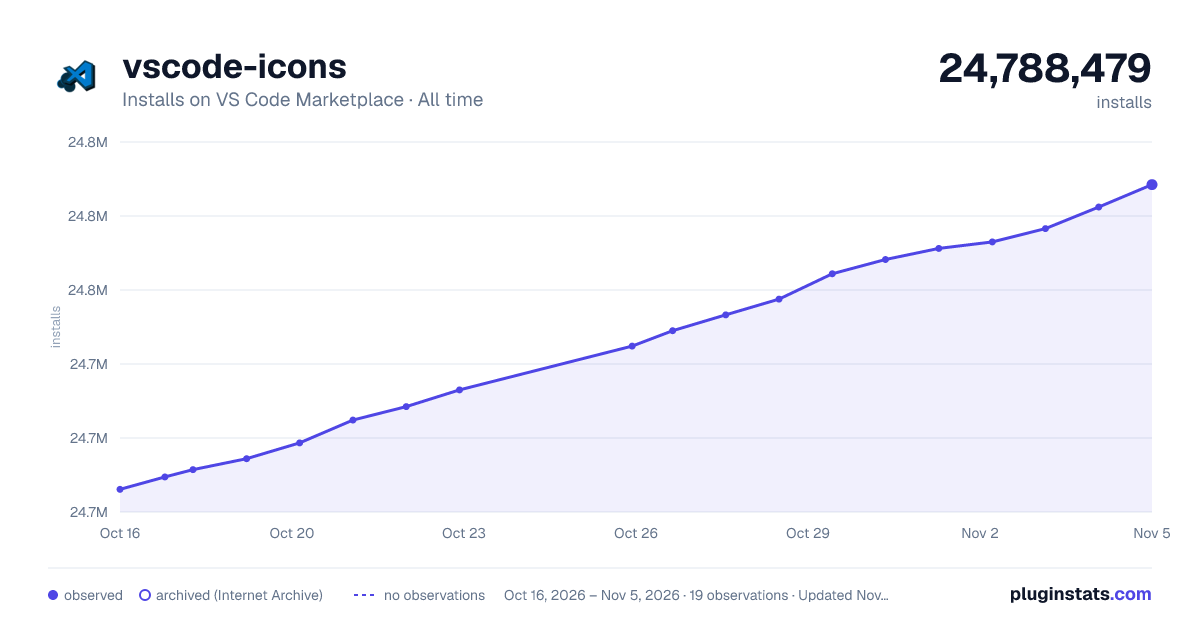

Adoption over time
7/30/90-day growth
Ranking history
Ratings over time
Listing placement
Listing placement
Filled points are observed values; hollow points come from Internet Archive snapshots of the listing page. Dashed segments span periods with no observations — values between points are not interpolated.
Each band is one page of 20. Installs on a linear scale. Placement is projected from installs, so it can differ from the marketplace's own sort order. Hover a dot to see the listing.
Recent observations
Full history (6)Similar VS Code Marketplace Themes plugins
All 20 vscode-icons alternativesData source
Install counts, average rating, and rating counts come from the public Visual Studio Marketplace gallery API. Installs are cumulative and exclude updates.
Listing: https://marketplace.visualstudio.com/items?itemName=vscode-icons-team.vscode-icons. First seen Oct 16, 2026; last successful collection Oct 21, 2026. See the methodology.