 PluginStats
webpack installs statistics
By Jeremy Rajan (2 listings) · VS Code Marketplace · Programming Languages
Create Webpack Config with ES6 transpiling using babel
webpack has 244,837 recorded installs on VS Code Marketplace.
It ranks #1322 of 2,501 tracked VS Code Marketplace listings by installs.
It is rated 4.0 out of 5 from 4 ratings.
PluginStats has 4 daily observations since Oct 16, 2026; the latest is from Oct 19, 2026.
Rating: 4.00 / 5 from 4 ratings
About webpack
Webpack
Creates a minimal webpack config file with babel transpiling (ES6).
Usage
Launch the command pallete and look for Webpack Create. This will:
• Create a webpack.config.js file with babel transpiling. The ext looks for app or src folder to set the entry point. And dist or out for bundle path. • Updates project package.json with babel and es2015 libs.
By default, app and dist folder is used, if it can't find the folders.
Development
1. Clone the repo and open the individual ext folder in VSCODE. 2. Run npm i 3. Start debugging via VSCODE debug.
Description from the VS Code Marketplace listing.
Charts
Images: 30d · 1y · all time · 1600×900 dark


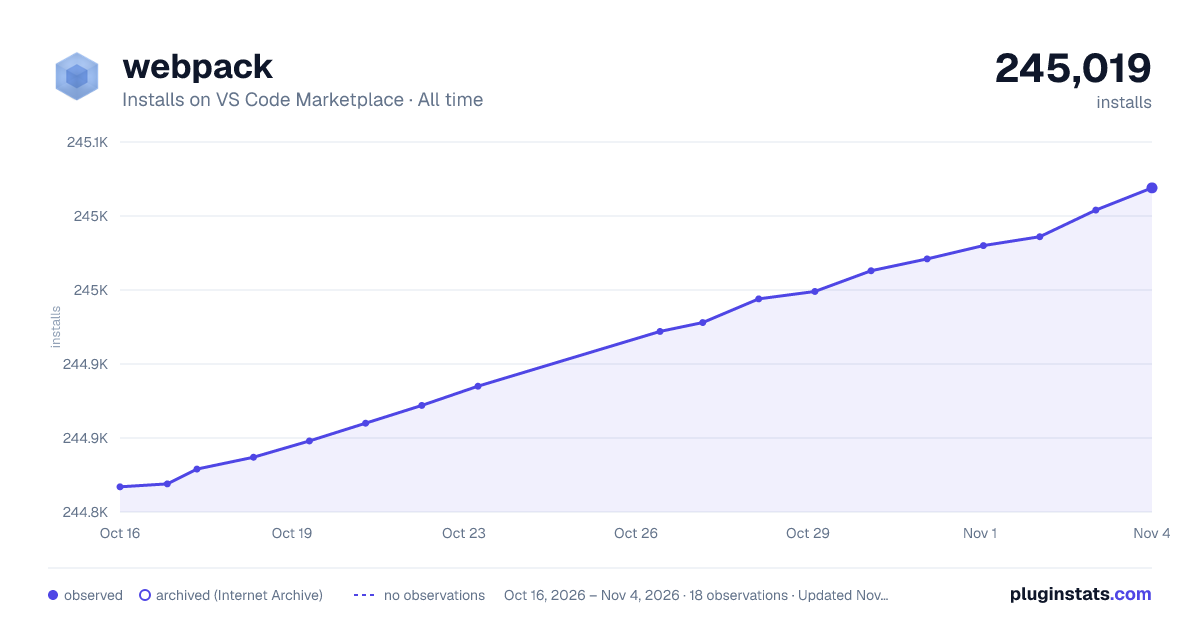

Adoption over time


7/30/90-day growth


Ratings over time


Listing placement


Filled points are observed values; hollow points come from Internet Archive snapshots of the listing page. Dashed segments span periods with no observations — values between points are not interpolated.
Each band is one page of 20. Installs on a log scale. Placement is projected from installs, so it can differ from the marketplace's own sort order. Hover a dot to see the listing.
Recent observations
Full history (4)Similar VS Code Marketplace Programming Languages plugins
All 20 webpack alternativeswebpack on other marketplaces
Data source
Install counts, average rating, and rating counts come from the public Visual Studio Marketplace gallery API. Installs are cumulative and exclude updates.
Listing: https://marketplace.visualstudio.com/items?itemName=jeremyrajan.webpack. First seen Oct 16, 2026; last successful collection Oct 19, 2026. See the methodology.