 PluginStats
Mocha sidebar installs statistics
By maty · VS Code Marketplace · Other
Mocha side bar is the most complete extension for mocha testing, based on not maintained mocha extension , have fun :)
Mocha sidebar has 169,010 recorded installs on VS Code Marketplace, ranking #1711 of 2,501 tracked listings.
Rating: 3.32 / 5 from 60 ratings
About Mocha sidebar
Mocha Side Bar


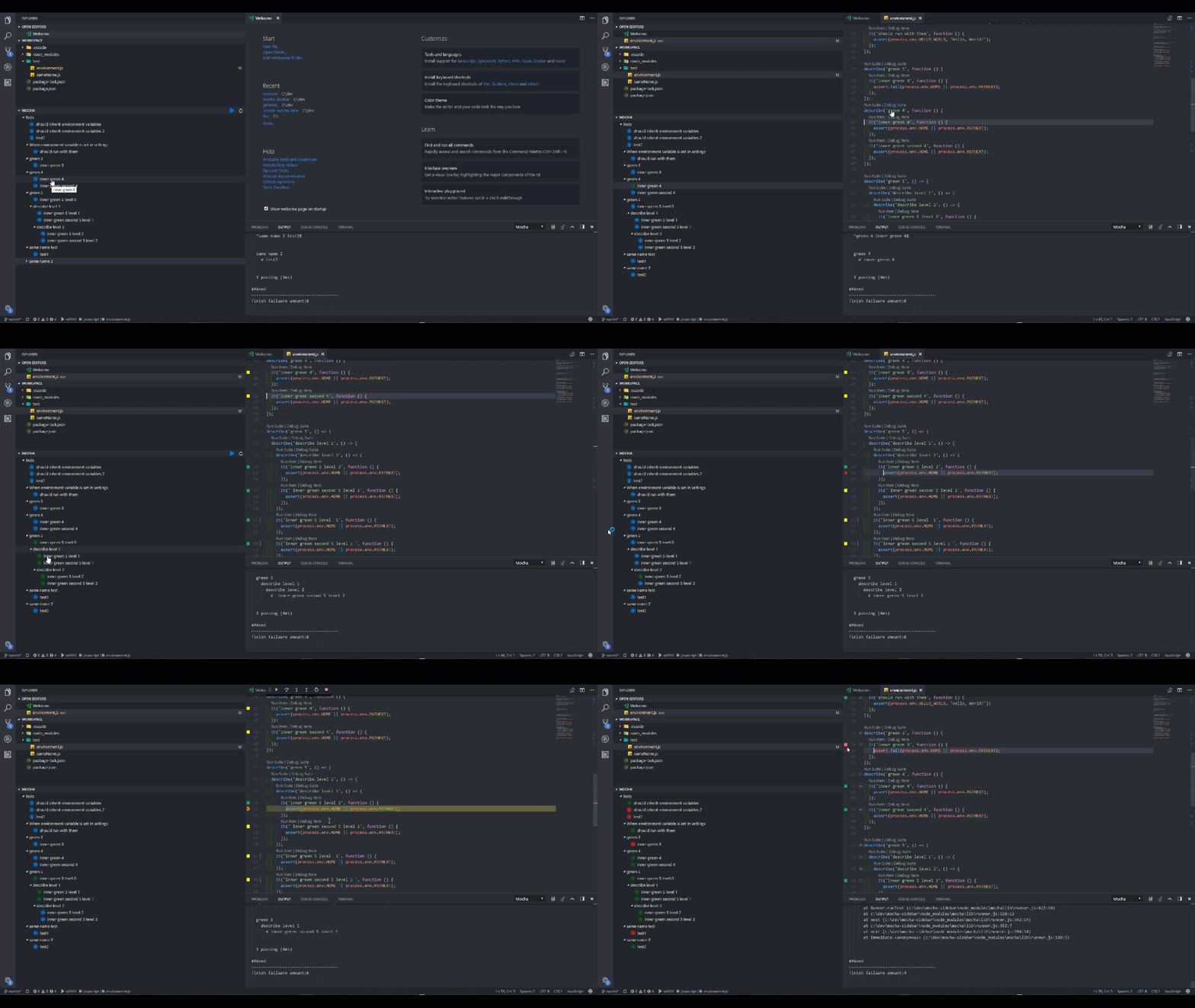
Sidebar (new running in the new test view by default)
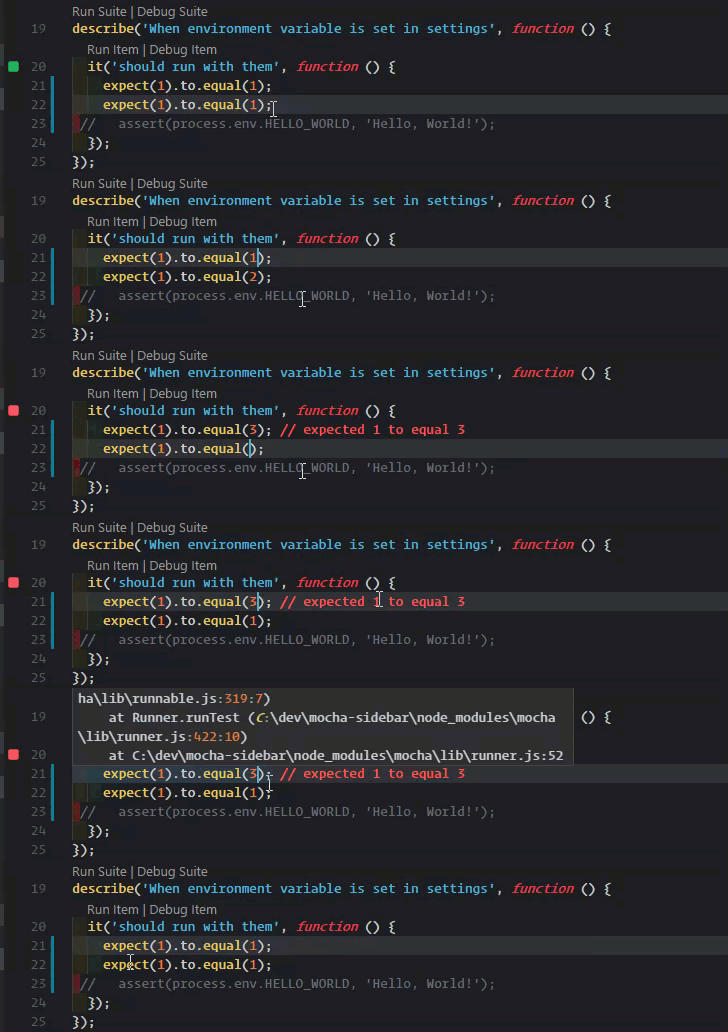
Expect error messages (similar to wallaby implementation)
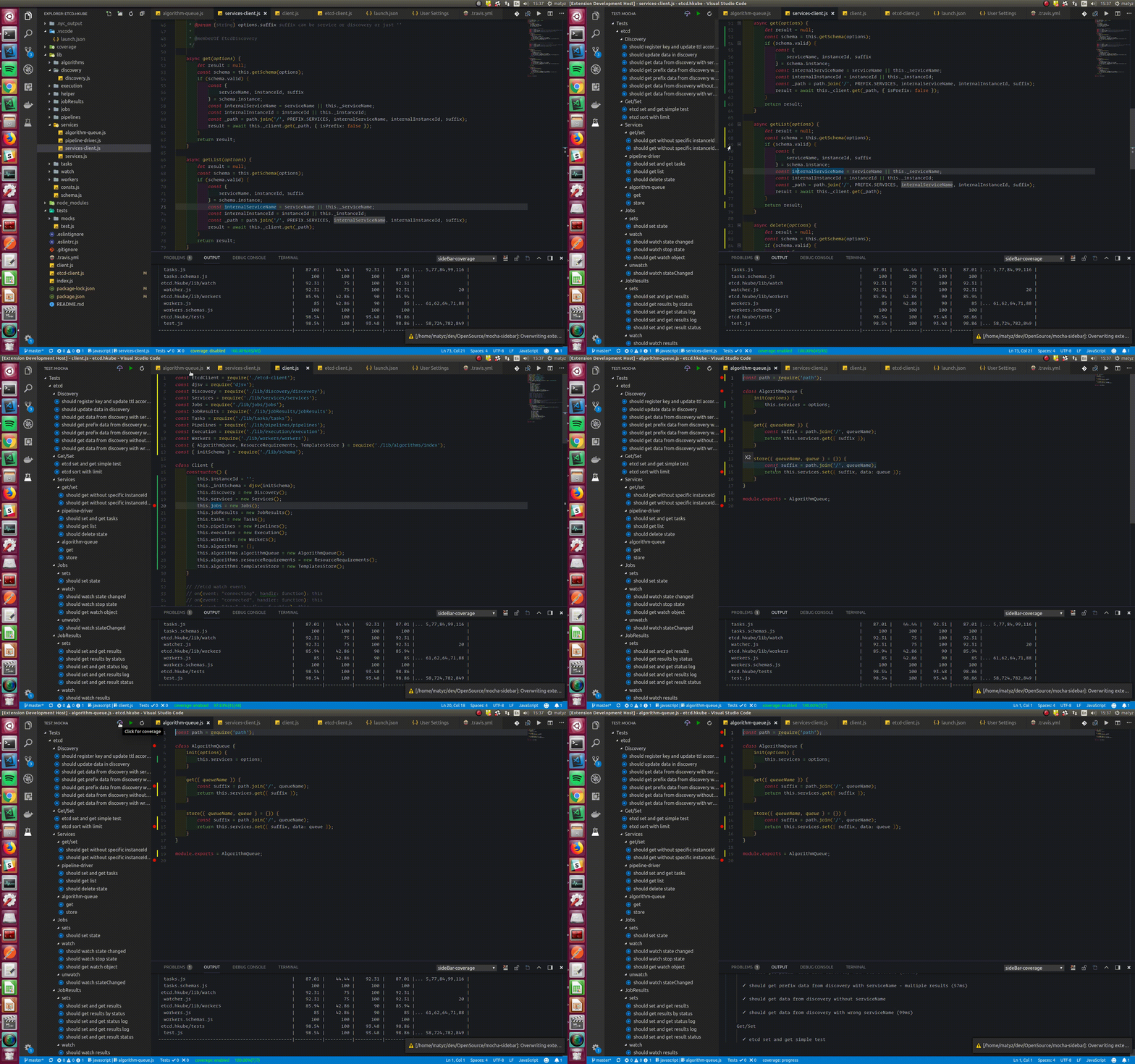
coverage (via istanbul) soon as independent extension also
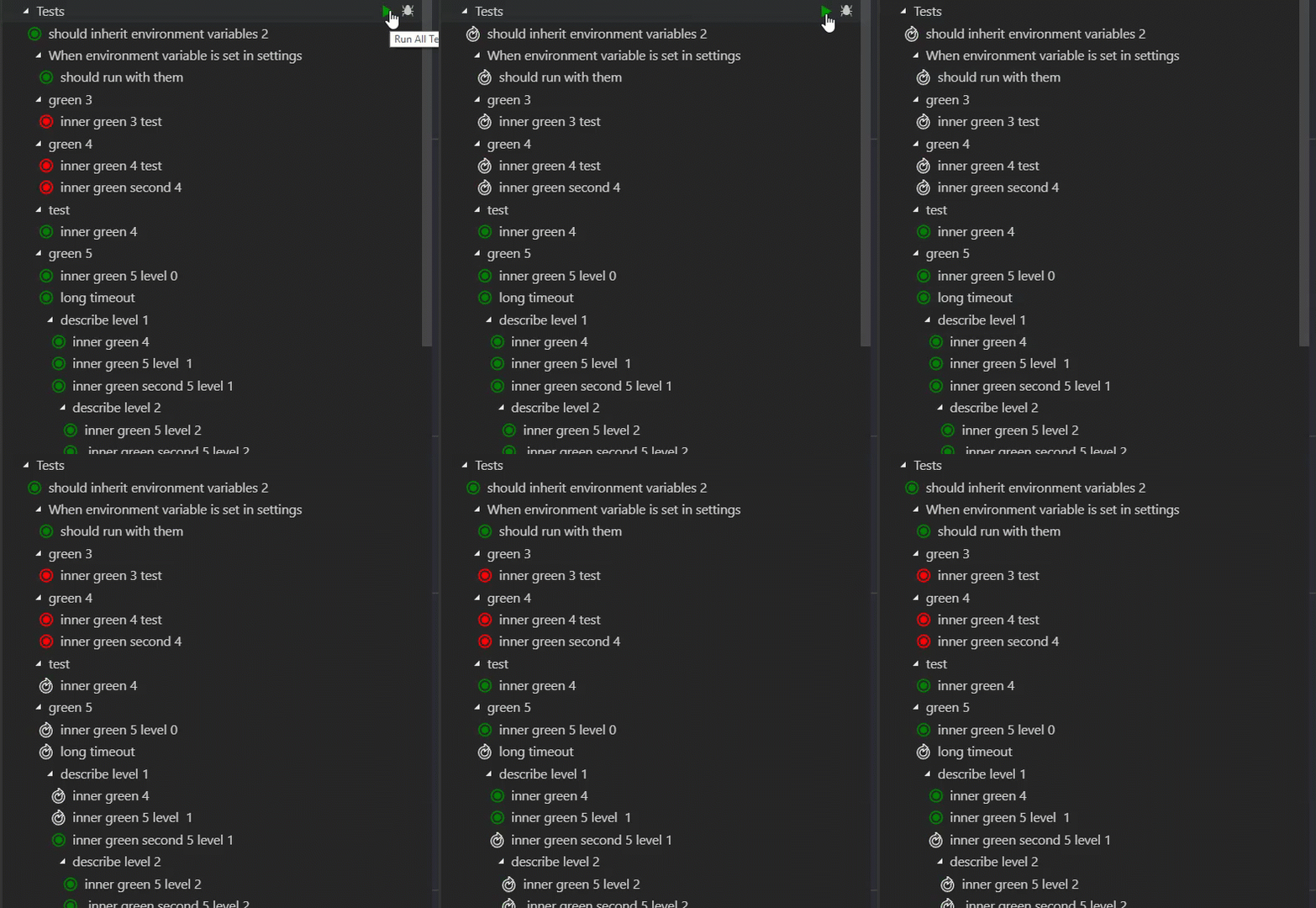
NEW run test in parallel
* Important Note for coverage feature - there is an open issue in vscode that its not able to select via mouse / render two different decorations at the same line. as a workaround try F9/ or hide show decoration by clicking on the status bar
Mocha side bar is the most complete extension for mocha testing based on not maintained mocha extension and supports all of its features and much more
Love this extension? Star us and rate us!
Mocha Side Bar already supports these features (feel free to propose new features)
- New code coverage support
- see all tests in vscode side bar menu
- git lens for running/debugging directly form the code
- decorations which shows test status(pass/fail/not run) from code
- run tests for each level hierarchy from all tests to a single test(and each describer of course)
- debug tests for each level hierarchy from all tests to a single test(and each describer of course)
- auto run tests on file save
- see tests results directly on the code
- run/debug results directly from the code
- see test errors as decoration
- add context menu on folders in explorer to set subdirectory (#2).
- NEW run test in parallel (#162)
Not supported yet
- tree view files separation hierarchy for the top level hierarchy
Known issues
- Coverage- there is an open issue in vscode that its not able to select via mouse / render two different decorations at the same line. as a workaround try F9/ or hide show decoration by clicking on the status bar
- Workspace - Currently not supported there is a workaround for solving it for more details #107
Collaborators:
- Maty Zisserman
- Yehiyam Livneh
Contributors
- townbully
Contributions
Love this extension? Star us and rate us!
Want to make this extension even more awesome? Send us your wish.
Hate how it is working? File an issue and let us know.
FAQ
Q: Mocha Side Bar won't run?
A: Try the following:
- Verify that there is no other mocha runner extension on your machine.
- In case you're using test view option verify that the test view is already selected
- Make sure that
mocha.logVerboseis set totrueand Check logs in the output menu. - Verify that the glob pattern is OK. The default is
test/**/*.js - Verify that you're not running with an old node version. 6.* should work.
- Try reinstall your VC Code instance
- Ask for our support on gitter
Q: I can't run TypeScript (ts-node compiler)
A: Try the following
- Try installing
typescriptandts-nodepackage locally (not with -g option) - Verify that you're using
ts-nodethat supportimport. Version7.0.0should work. - Verify that your configuration is correct
"mocha.requires": [
    "ts-node/register"
],
- If you're still having problems you can try running TypeScript test typeScript-test on your machine.
Q: I can't run babel-register compiler
A: Verify that your configuration is correct
"mocha.requires": [
    "babel-register"
]
Q: I can't check breakpoints when coverage is running.
A: Try the following:
- Try F9 - That is an vscode issue that its not able to select/render two different decoration in the same place.
- You can enable disable coverage decoration by clicking on the status bar so you can open it only if its matter.
Q: Run all tests not working.
A: Verify that there is no describe or test with the name "test" (should be fix soon)
Q: Mocha Sidebar is not working on Windows with WSL (Error: Cannot find Node.js installation from environment variable)
A: Update your PATH in ~/.profile to PATH="$HOME/bin:$HOME/.local/bin:/usr/bin:$PATH" + restart VS Code (read more about this here: https://stackoverflow.com/a/44450219/1782659)
Q: im getting permision denied for coverage feature…
Description from the VS Code Marketplace listing.
- bdd
- mocha
- tdd
- test
- testing
README badge
Show your rank in a README or on your website. The badge updates automatically.
Charts
Images: 30d · 1y · all time · 1600×900 dark


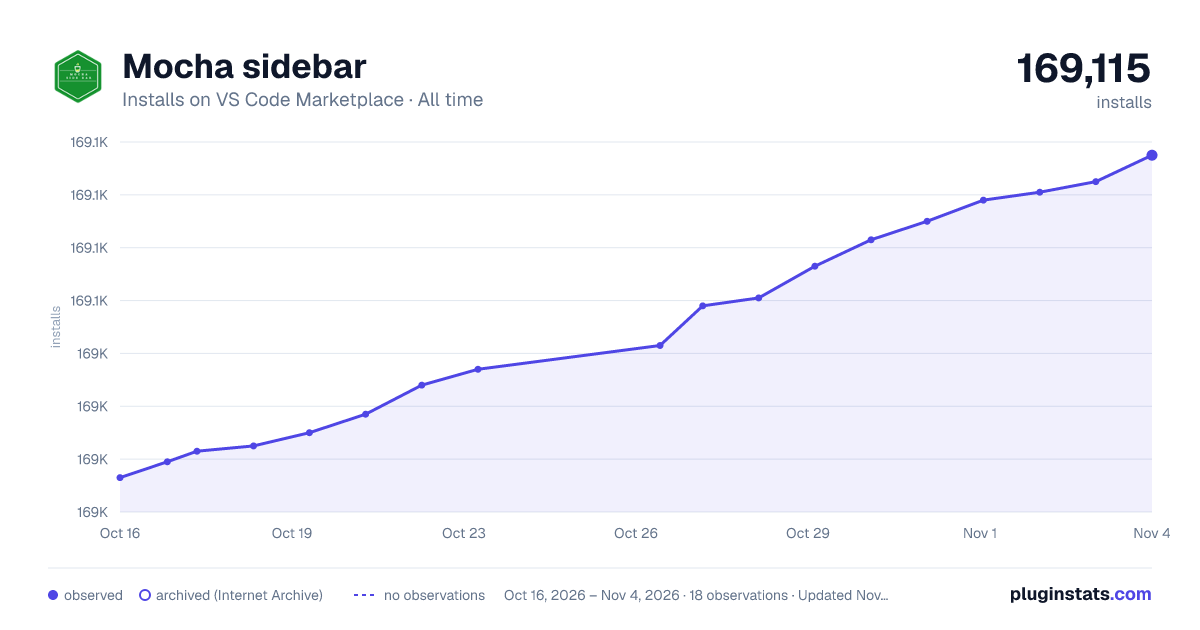

Adoption over time
7/30/90-day growth
Ranking history
Ratings over time
Listing placement
Listing placement
Filled points are observed values; hollow points come from Internet Archive snapshots of the listing page. Dashed segments span periods with no observations — values between points are not interpolated.
Each band is one page of 20. Installs on a linear scale. Placement is projected from installs, so it can differ from the marketplace's own sort order. Hover a dot to see the listing.
Recent observations
Full history (5)Similar VS Code Marketplace Other plugins
All 20 Mocha sidebar alternativesData source
Install counts, average rating, and rating counts come from the public Visual Studio Marketplace gallery API. Installs are cumulative and exclude updates.
Listing: https://marketplace.visualstudio.com/items?itemName=maty.vscode-mocha-sidebar. First seen Oct 16, 2026; last successful collection Oct 20, 2026. See the methodology.