 PluginStats
Rojo - Roblox Studio Sync installs statistics
By evaera · VS Code Marketplace · Other
Rojo for VS Code
Rojo - Roblox Studio Sync has 280,259 recorded installs on VS Code Marketplace, ranking #1206 of 2,502 tracked listings.
Rating: 4.73 / 5 from 11 ratings
About Rojo - Roblox Studio Sync
Rojo for VS Code
Integrates Rojo natively with VS Code.
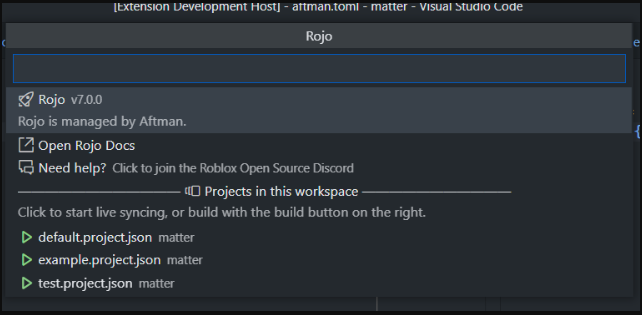
All actions are performed via the Rojo menu, as seen above. To open the Rojo menu, either:
- Open the Command Pallette (
Ctrl+Shift+P) and type "Rojo: Open menu" - Use the Rojo button in the bottom right corner:
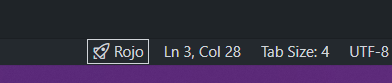
Note: The Rojo button only appears if a folder in your workspace contains a
*.project.jsonfile.
Automatic installation
If you do not have Rojo installed, the extension will ask you if you want it to be automatically installed for you. If you do, it will be installed via Aftman, a toolchain manager. This will create an aftman.toml file in your project directory, which will pin the current version of Rojo in your project.
You must click "Install Roblox Studio plugin" at least once if you want to live-sync from Studio!
Aftman bin on Non-Windows platforms
On macOS and Linux, after aftman is installed, you need to add the Aftman bin to your user PATH: ~/.aftman/bin. On windows, this is done automatically, but otherwise you must do it yourself for the extension to work properly.
System rojo
This extension uses the rojo.exe from your system path. If you already installed Rojo manually to use it from the command line, or with another toolchain manager, this extension will use that version of Rojo automatically. However, we recommend upgrading to Aftman-managed Rojo for the best experience.
Foreman
If you are already using Foreman to manage your system Rojo, we recommend switching to Aftman. Aftman is a more robust, spiritual successor to Foreman, created by the same original author. (Who is also the creator of Rojo! 🙂)
If you want to learn more, see the Differences from Foreman section of the Aftman README.
Warning: Stopping Rojo does not work with Foreman
All currently-released versions of Foreman (as of v1.0.4) have a bug that makes killing the launched Rojo process leave a Rojo process running forever. There is an open issue on the Foreman repo for this problem, but for now you must either not use Rojo managed with Foreman, or kill the process yourself. Aftman does not have this problem.
Migrating from a globally-installed or Foreman-managed Rojo
When you open the extension for the first time, if you are not using Aftman, a message will appear in the bottom-right. If you click "Switch to Aftman" on that message, your old rojo.exe will automatically be removed from your system PATH, and you will see another prompt that will install Aftman and Rojo for you.
Coming from V1 of this extension
The release of V2 of this extension has changed how it works drastically, both internally and how you interact with it. However, we hope that these changes do not negatively affect your workflow.
- All sub-commands have been removed in favor of a single menu.
- The extension no longer uses its own bespoke installation of Rojo. It shares whatever version of Rojo you have installed on your system.
- When the extension installs Rojo for you, it is installed in a way so that you can use it from the command line.
- Versions of Rojo before Rojo 6 are no longer supported.
- The extension will not automatically update Rojo for you. When Rojo is installed via Aftman, you can change your installed Rojo version by editing the
aftman.tomlfile in your project.
If something about this new extension breaks your workflow, please tell us about it!
- Join the Roblox Open Source Discord Server
- Open an issue on the project repo
You can always temporarily revert to V1 by clicking the cog on the extension page and choosing "Install another version".
Help me!
- Read the Rojo docs
- Join the Roblox Open Source Discord Server
Supported platforms
- Windows
- macOS
- Linux
License
Rojo for VS Code is available under the terms of The Mozilla Public License Version 2. See LICENSE for details.
Description from the VS Code Marketplace listing.
- json
README badge
Show your rank in a README or on your website. The badge updates automatically.
Charts
Images: 30d · 1y · all time · 1600×900 dark


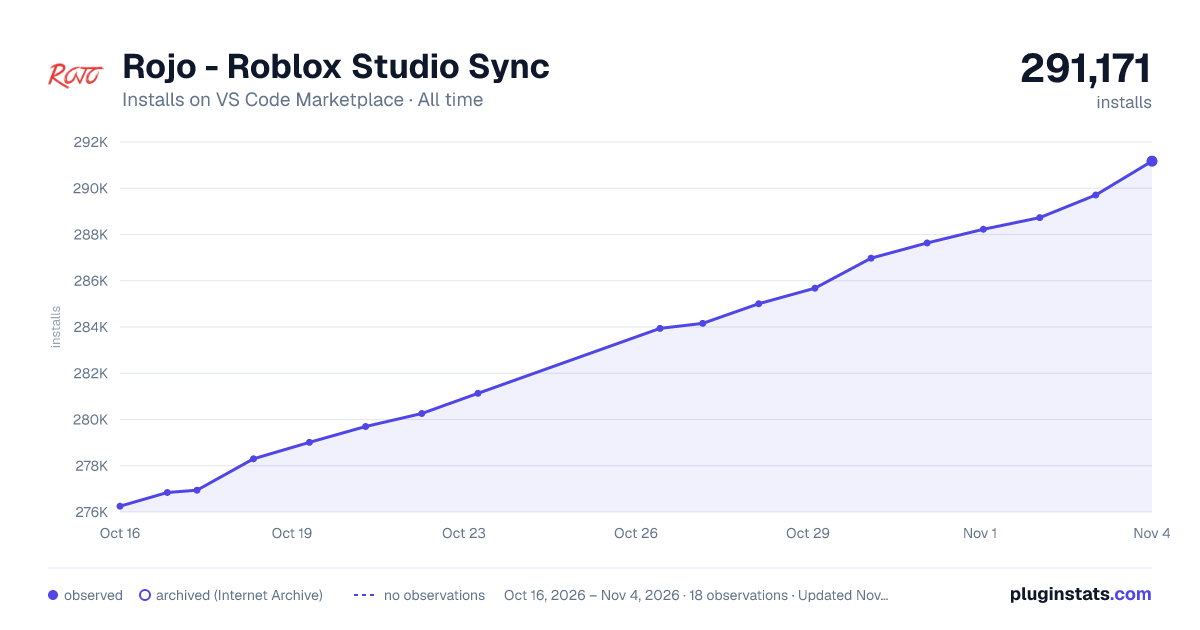

Adoption over time
7/30/90-day growth
Ranking history
Ratings over time
Listing placement
Listing placement
Filled points are observed values; hollow points come from Internet Archive snapshots of the listing page. Dashed segments span periods with no observations — values between points are not interpolated.
Each band is one page of 20. Installs on a linear scale. Placement is projected from installs, so it can differ from the marketplace's own sort order. Hover a dot to see the listing.
Recent observations
Full history (7)Similar VS Code Marketplace Other plugins
All 20 Rojo - Roblox Studio Sync alternativesData source
Install counts, average rating, and rating counts come from the public Visual Studio Marketplace gallery API. Installs are cumulative and exclude updates.
Listing: https://marketplace.visualstudio.com/items?itemName=evaera.vscode-rojo. First seen Oct 16, 2026; last successful collection Oct 22, 2026. See the methodology.