 PluginStats
Hex Editor installs statistics
By Microsoft (224 listings) · VS Code Marketplace · Other
Allows viewing and editing files in a hex editor
Hex Editor has 7,457,072 recorded installs on VS Code Marketplace.
It ranks #126 of 2,501 tracked VS Code Marketplace listings by installs.
It is rated 3.5 out of 5 from 61 ratings.
PluginStats has 4 daily observations since Oct 16, 2026; the latest is from Oct 19, 2026.
Rating: 3.51 / 5 from 61 ratings
About Hex Editor
A custom editor extension for Visual Studio Code which provides a hex editor for viewing and manipulating files in their raw hexadecimal representation.
Features
• Opening files as hex • A data inspector for viewing the hex values as various different data types • Editing with undo, redo, copy, and paste support • Find and replace
How to Use
There are three ways to open a file in the hex editor:
1. Right click a file -> Open With -> Hex Editor 2. Trigger the command palette (F1) -> Open File using Hex Editor 3. Trigger the command palette (F1) -> Reopen With -> Hex Editor
The hex editor can be set as the default editor for certain file types by using the workbench.editorAssociations setting. For example, this would associate all files with extensions .hex and .ini to use the hex editor by default:
Configuring the Data Inspector
By default, the data inspector is shown just to the right of the data grid (or decoded text if enabled), but it can be configured (via the hexeditor.inspectorType setting) to instead show up while hovering over a data cell.
Another option is to give the data inspector a dedicated activity bar entry on the left (by setting hexeditor.inspectorType to sidebar) that appears when the hex editor is opened, causing the explorer or whatever sidebar you had opened to be hidden. If preferred, the hex editor view can be dragged into another view by dragging the ⬡ icon onto one of the other views. This can be used in combination with the hexeditor.dataInspector.autoReveal setting to avoid revealing the sidebar containing the data inspector altogether.
Known Issues
To track existing issues or report a new one, please visit the GitHub Issues page at https://github.com/microsoft/vscode-hexeditor/issues
Description from the VS Code Marketplace listing.
- keybindings
Charts
Images: 30d · 1y · all time · 1600×900 dark


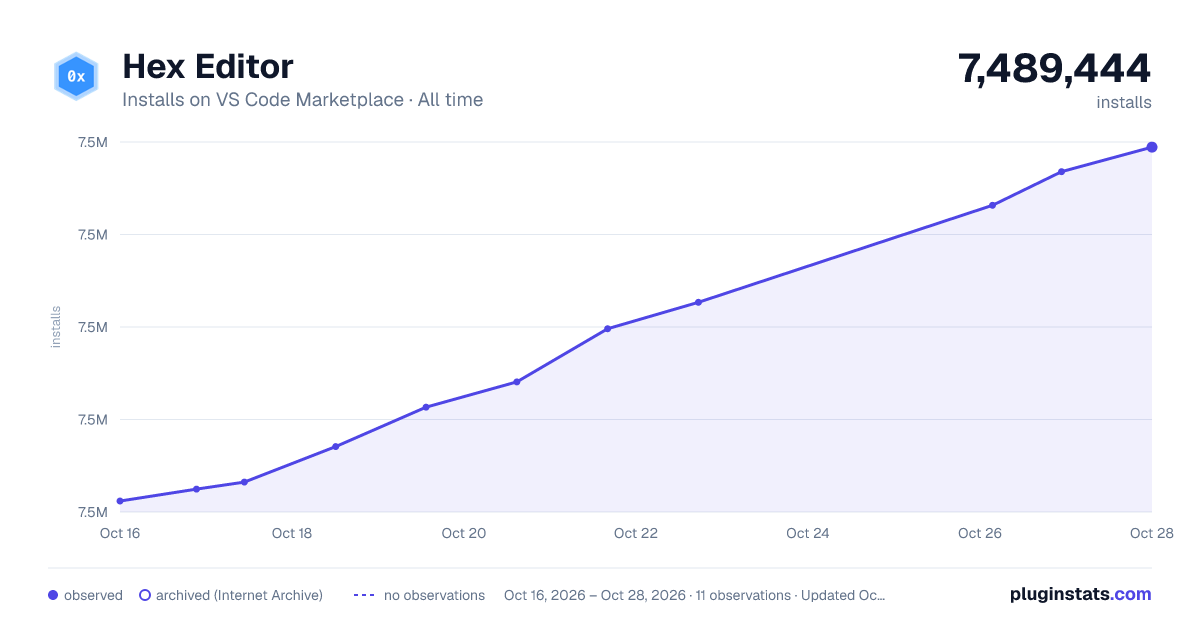

Adoption over time


7/30/90-day growth


Ranking history


Ratings over time


Listing placement


Filled points are observed values; hollow points come from Internet Archive snapshots of the listing page. Dashed segments span periods with no observations — values between points are not interpolated.
Each band is one page of 20. Installs on a log scale. Placement is projected from installs, so it can differ from the marketplace's own sort order. Hover a dot to see the listing.
Recent observations
Full history (4)Similar VS Code Marketplace Other plugins
All 20 Hex Editor alternativesHex Editor on other marketplaces
Data source
Install counts, average rating, and rating counts come from the public Visual Studio Marketplace gallery API. Installs are cumulative and exclude updates.
Listing: https://marketplace.visualstudio.com/items?itemName=ms-vscode.hexeditor. First seen Oct 16, 2026; last successful collection Oct 19, 2026. See the methodology.