 PluginStats
驼峰翻译助手 installs statistics
By svenzhao · VS Code Marketplace · Other
快速将中文变量翻译名转换为多种常用驼峰命名格式(如 camelCase、PascalCase、snake_case 等)。同时,支持 腾讯 百度 OpenAI API 自定义翻译模型提升开发效率。
驼峰翻译助手 has 93,079 recorded installs on VS Code Marketplace, ranking #2473 of 2,501 tracked listings.
Rating: 4.56 / 5 from 9 ratings
About 驼峰翻译助手
驼峰翻译助手 Var Translation
选中文本,一键翻译并转换为 camelCase、PascalCase、snake_case 等多种命名格式。支持 8 种翻译引擎,多语言互译。

✨ 功能特性
- 智能翻译:选中中文自动翻译为英文变量名,选中英文变量名翻译为中文释义
- 11 种命名格式:camelCase、PascalCase、snake_case、CONSTANT_CASE、param-case、Header-Case、dot.case、path/case、Capital Case、no case
- 8 种翻译引擎:Copilot、ChatGPT、Google、Bing、DeepLX、百度、腾讯、LibreTranslate
- 多语言支持:不仅限于中英互译,支持日文、韩文、法文、德文等多种目标语言
- 引导式配置:通过命令面板快速配置引擎,自动测试连通性
- 多行选择:支持同时翻译多个选中的文本
- 右键菜单:在编辑器右键菜单中快速访问所有转换命令
- 文件名翻译:在资源管理器中右键文件/目录,一键翻译文件名并转换为驼峰命名格式(支持
Cmd+Z撤销) - 快捷键:
Cmd + Shift + T— 编辑器选中文本时翻译文本,资源管理器选中文件时翻译文件名
⌨️ 快捷键
| 平台 | 快捷键 | 说明 |
|---|---|---|
| macOS | Cmd + Shift + T | 编辑器:翻译选中文本;资源管理器:翻译文件名 |
| Windows / Linux | Alt + Shift + T | 同上 |
📁 文件名翻译
在资源管理器中右键文件或目录,选择「驼峰命名转换」或「驼峰翻译」子菜单中的具体格式:
- 中文文件名 → 自动翻译为英文 → 应用命名格式 → 重命名
- 英文文件名 → 直接应用命名格式 → 重命名(也可翻译成中文)
- 支持
.eslintrc、.npmignore等 dotfile - 支持目录重命名
- 支持
Cmd+Z撤销重命名
🔧 翻译引擎
| 引擎 | 需要 Key | 说明 |
|---|---|---|
| ⭐ Copilot | 否 | 零配置,需安装 GitHub Copilot 扩展 |
| ⭐ ChatGPT | 是 | OpenAI / 兼容 API,支持自定义模型和 Base URL |
| 否 | 免费,无需配置 | |
| Bing | 是 | Azure Translator,每月 200 万字符免费额度 |
| DeepLX | 否 | DeepL 免费代理,需自建服务 |
| 百度翻译 | 是 | 申请 API Key |
| 腾讯翻译君 | 是 | 申请 API Key |
| LibreTranslate | 否 | 开源自建翻译服务 |
快速配置
打开命令面板(Cmd/Ctrl + Shift + P),输入 "配置翻译引擎",按引导完成配置并自动测试连通性。
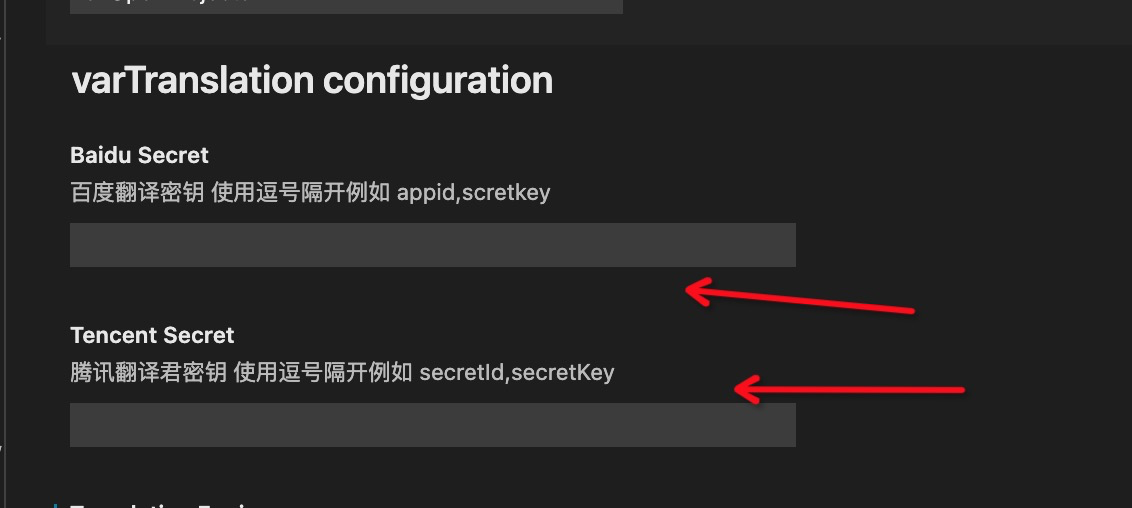
📋 命名格式
| 命令 | 输入示例 | 输出示例 |
|---|---|---|
| camelCase | 用户名称 | userName |
| PascalCase | 用户名称 | UserName |
| snake_case | 用户名称 | user_name |
| CONSTANT_CASE | 用户名称 | USER_NAME |
| param-case | 用户名称 | user-name |
| Header-Case | 用户名称 | User-Name |
| dot.case | 用户名称 | user.name |
| path/case | 用户名称 | user/name |
| Capital Case | 用户名称 | User Name |
| no case | 用户名称 | user name |
也可以通过右键菜单或命令面板直接选择指定格式:
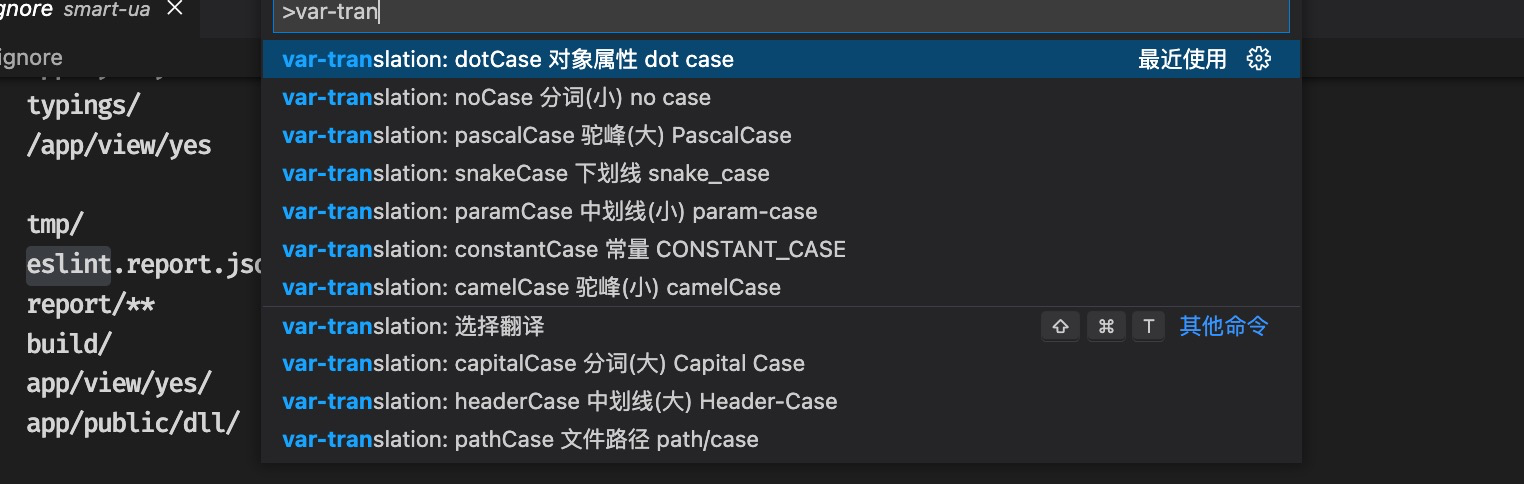
每种格式都可以单独设置快捷键:
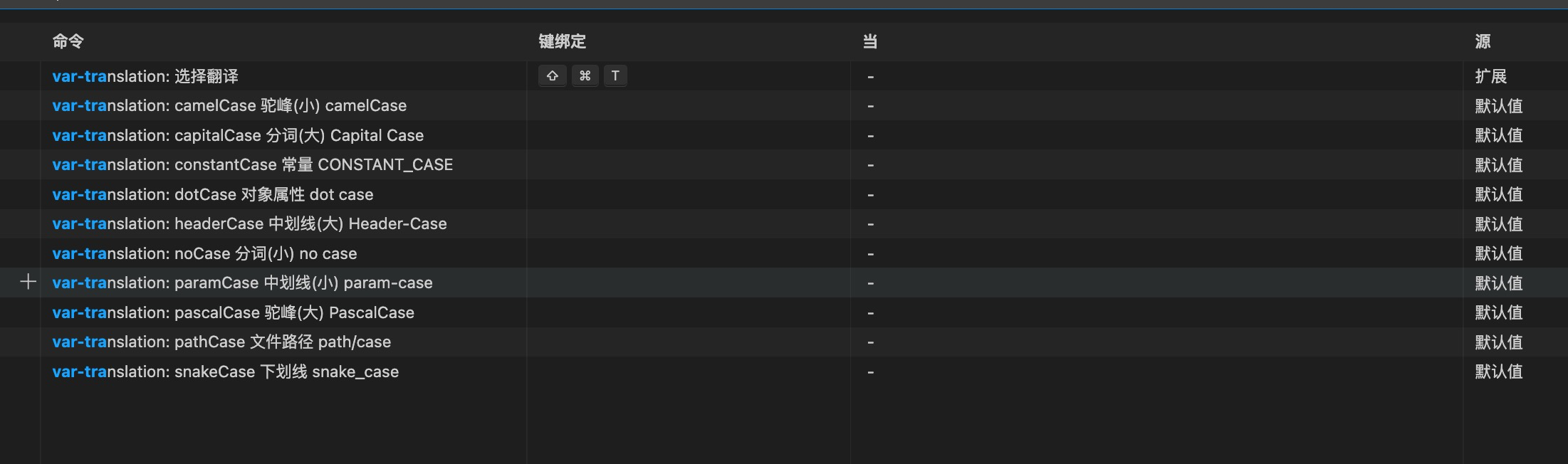
🐳 自建 LibreTranslate
如果你想使用完全私有的翻译服务,可以通过 Docker 快速部署 LibreTranslate:
version: '3.9'
services:
  libretranslate:
    command: '--load-only zh,en'
    image: libretranslate/libretranslate
    restart: unless-stopped
    ports:
      - '5000:5000'
    volumes:
      - './lt-local:/home/libretranslate/.local'
部署后在插件设置中将 LibreTranslate API 地址指向 http://localhost:5000/translate 即可。
🤝 致谢
感谢以下贡献者:
- ChatGPT 引擎 — @iarjian
- LibreTranslate 引擎 — @kongxiangyiren
- DeepLX 引擎 — @没用的小废鼠
📝 反馈
遇到问题或有建议?欢迎 提交 Issue。
📄 License
Description from the VS Code Marketplace listing.
- camel
- keybindings
- translate
- var
- variable
- var-translation
- 变量
- 翻译
- 驼峰
README badge
Show your rank in a README or on your website. The badge updates automatically.
Charts
Images: 30d · 1y · all time · 1600×900 dark


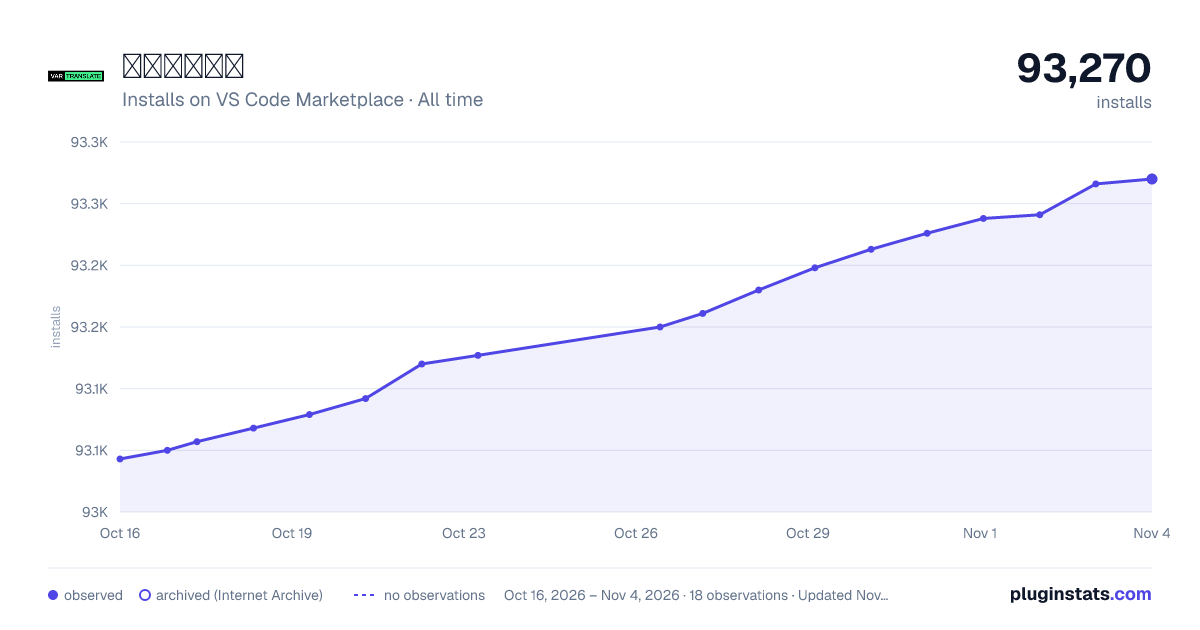

Adoption over time
7/30/90-day growth
Ranking history
Ratings over time
Listing placement
Listing placement
Filled points are observed values; hollow points come from Internet Archive snapshots of the listing page. Dashed segments span periods with no observations — values between points are not interpolated.
Each band is one page of 20. Installs on a linear scale. Placement is projected from installs, so it can differ from the marketplace's own sort order. Hover a dot to see the listing.
Recent observations
Full history (5)Similar VS Code Marketplace Other plugins
All 20 驼峰翻译助手 alternativesData source
Install counts, average rating, and rating counts come from the public Visual Studio Marketplace gallery API. Installs are cumulative and exclude updates.
Listing: https://marketplace.visualstudio.com/items?itemName=svenzhao.var-translation. First seen Oct 16, 2026; last successful collection Oct 20, 2026. See the methodology.