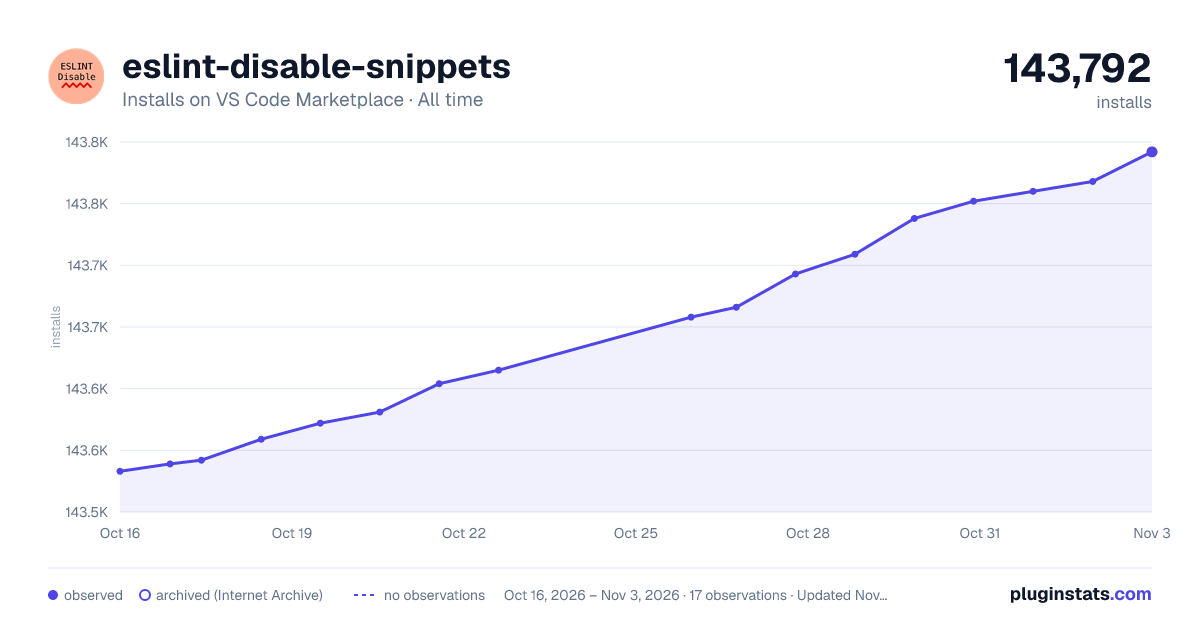
eslint-disable-snippets has 143,572 recorded installs on VS Code Marketplace, ranking #1906 of 2,501 tracked listings.
Rating: 5.00 / 5 from 4 ratings
About eslint-disable-snippets
eslint-disable-snippets
Includes snippets for ignoring; a block, the current line, or the next line.
Start typing eslint-disable in a file to trigger the snippet autocomplete.
Supported Languages:
javascript/typescript
javascriptreact / typescriptreact
vue
Type the rule you want to disable or leave empty to disable all rules.
Press tab to drop your cursor at a helpful position.
Press ctrl+↓(win) option+↓(mac) to move the current line down. This is useful if you are wrapping a block of
code.
Contributing
PRs are welcome, issues are not. This is open source software in the extent that you can read the source and install, not in the sense that I owe you anything.
Description from the VS Code Marketplace listing.
linters
snippet
README badge
Show your rank in a README or on your website. The badge updates automatically.
Filled points are observed values; hollow points come from Internet Archive snapshots of the listing page. Dashed segments span periods with no observations — values between points are not interpolated.
Each band is one page of 20. Installs on a linear scale. Placement is projected from installs, so it can differ from the marketplace's own sort order. Hover a dot to see the listing.
Install counts, average rating, and rating counts come from the public Visual Studio Marketplace gallery API. Installs are cumulative and exclude updates.
 PluginStats