 PluginStats
CWTools - Paradox Language Services installs statistics
By Thomas Boby (2 listings) · VS Code Marketplace · Programming Languages
Paradox Interactive scripting file support using CWTools
CWTools - Paradox Language Services has 144,286 recorded installs on VS Code Marketplace, ranking #1898 of 2,501 tracked listings.
Rating: 4.50 / 5 from 20 ratings
About CWTools - Paradox Language Services
CWTools: Paradox Language Services
Paradox Language Features for Visual Studio Code
Disclaimer
This extension is still in preview, it may not work, it may stop working at any time. Make backups of your mod files.
Supported games
- Stellaris
- Hearts of Iron IV
- Europa Universalis IV
- Imperator: Rome - outdated, help needed
- Crusader Kings II - partial
- Crusader Kings III - in progress, help needed
- Victoria 3 - in progress, help needed
Features
- Immediate highlighting of syntax errors
- Autocomplete while you type, providing descriptions when available
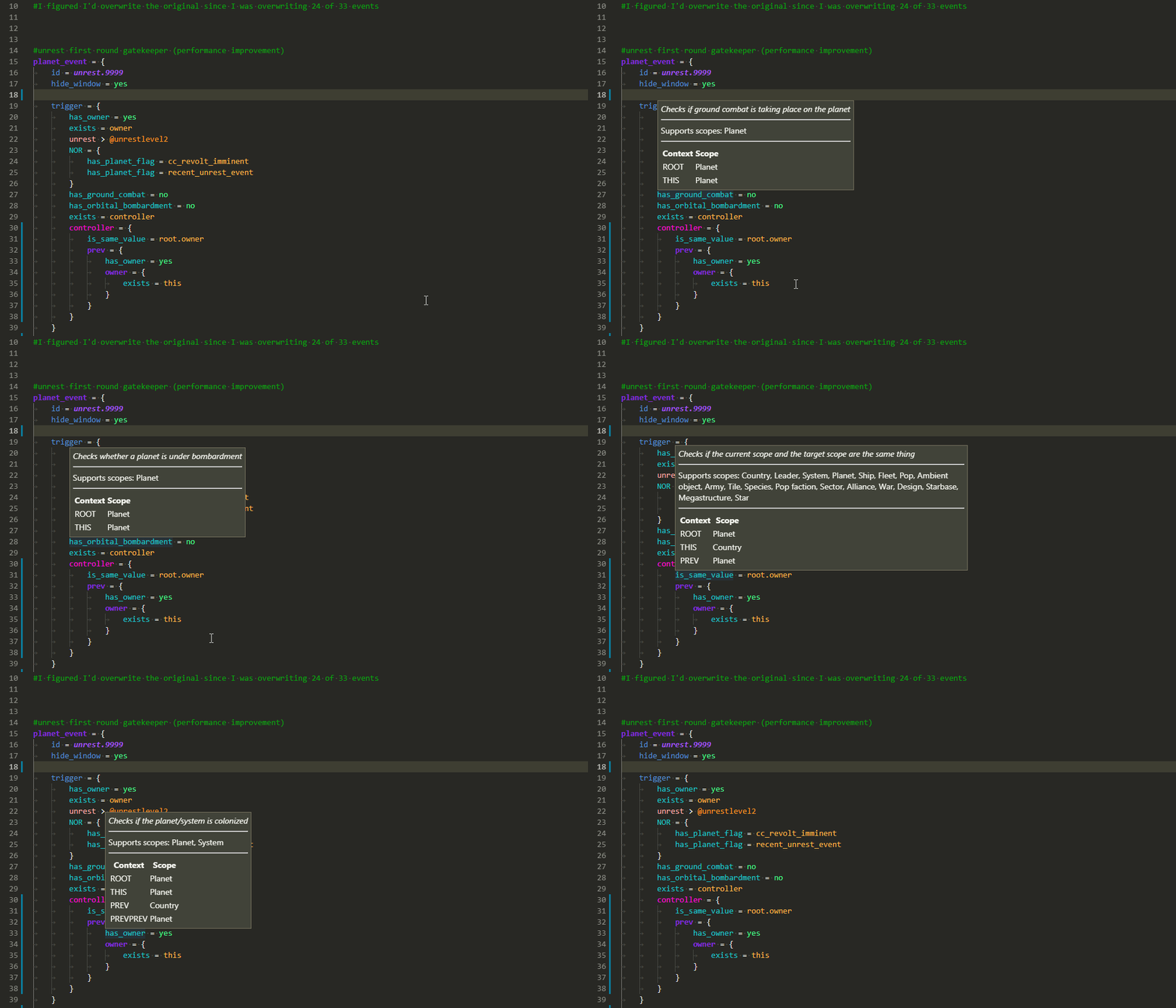
- Tooltips on hover showing:
- Related localisation
- Documentation for that element
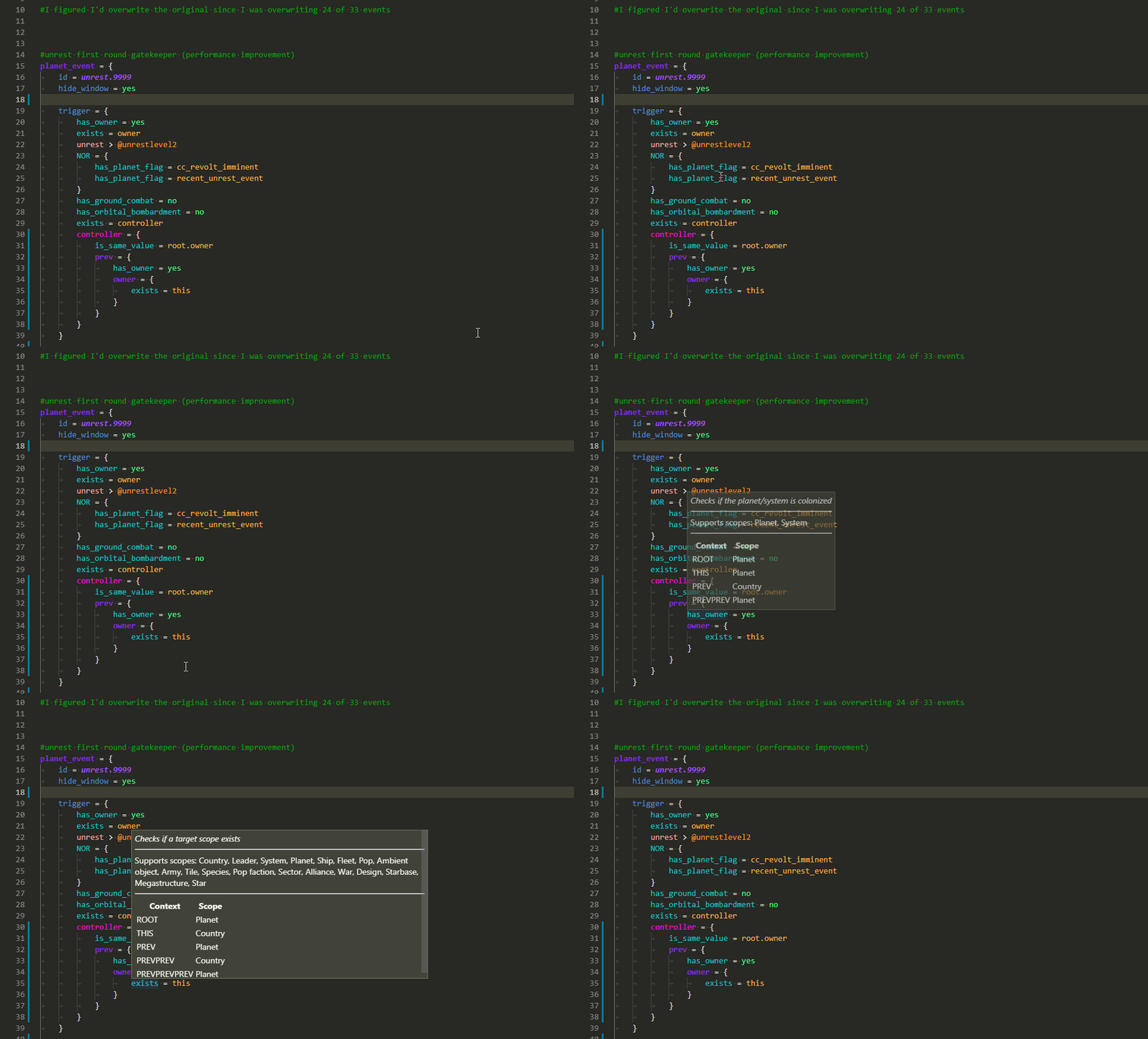
- Scope context at that position
- A wide range of validators for common, interface, and events, checking
- That required localisation keys are defined
- Existence of effects/triggers/modifiers
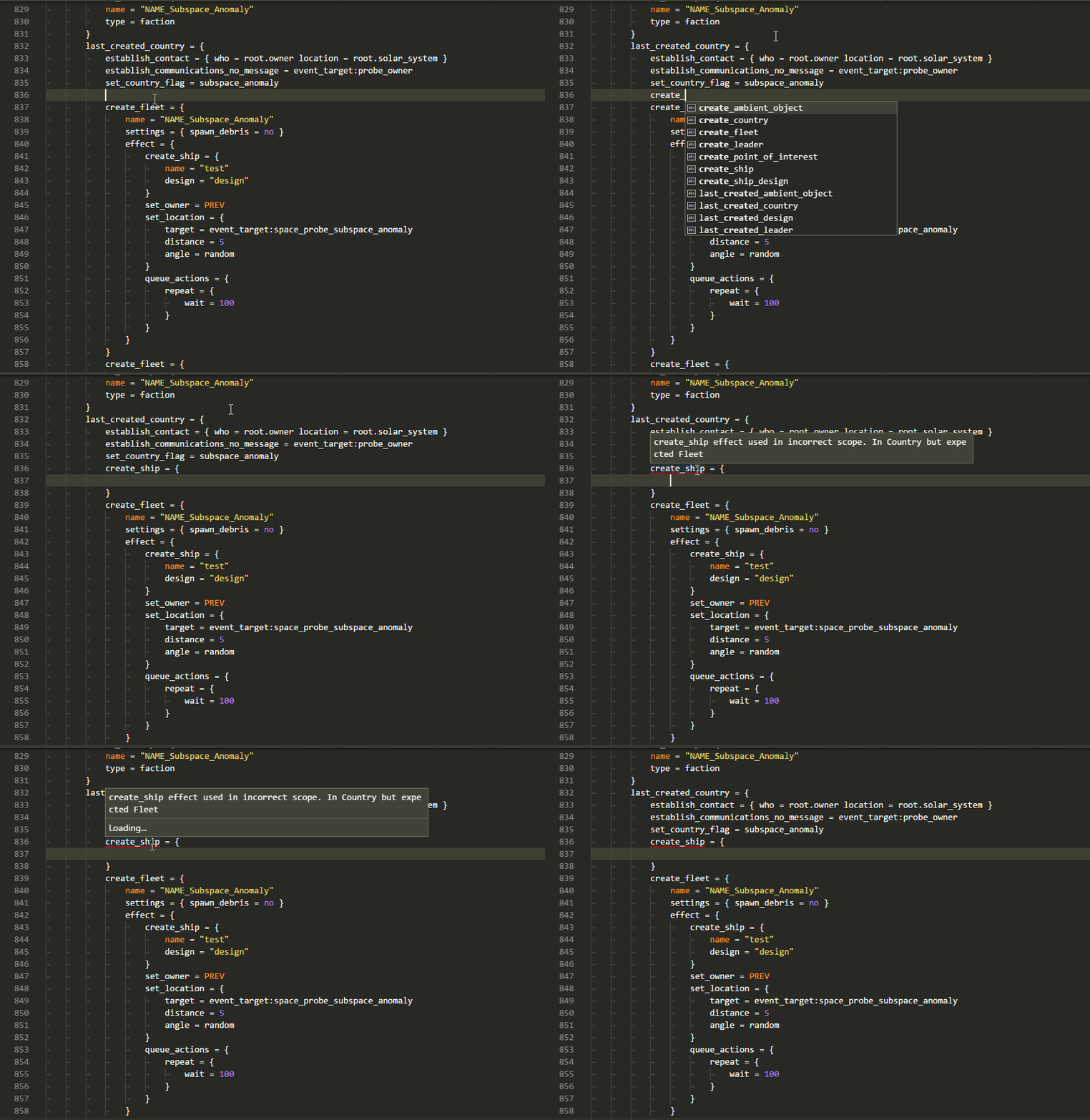
- Scope context for used effects/triggers/modifiers
- Usage of scripted effects/triggers
- Correct entries for weights/AI_chance/etc
- That event_targets are saved before they're used
- That referenced sprites and graphics files exist
- and a number of other specific validators
- "Code actions" to generate .yml for missing localisation
Usage
- Install this extension
- Open your mod folder directly, which should be within a folder containing the game name:
C:\Users\name\Documents\Paradox Interactive\Stellaris\mod\your_mod
- Follow the prompts to select your vanilla folder
- Edit files and watch syntax errors show up when you make mistakes
- Wait up to a minute for the extension to scan your mod and find errors
Multiple mods - workspace
If you have multiple mods that need to be loaded at once, use VS Code's multi-root workspace feature.
- Open your first mod
- Use "File", "Add folder to workspace" to add your next mod
- cwtools should reload including both mods and vanilla in context using correct mod load order
If you want to browse vanilla files, you can use the "CWTOOLS LOADED FILES" section in the Explorer tab.
Completion
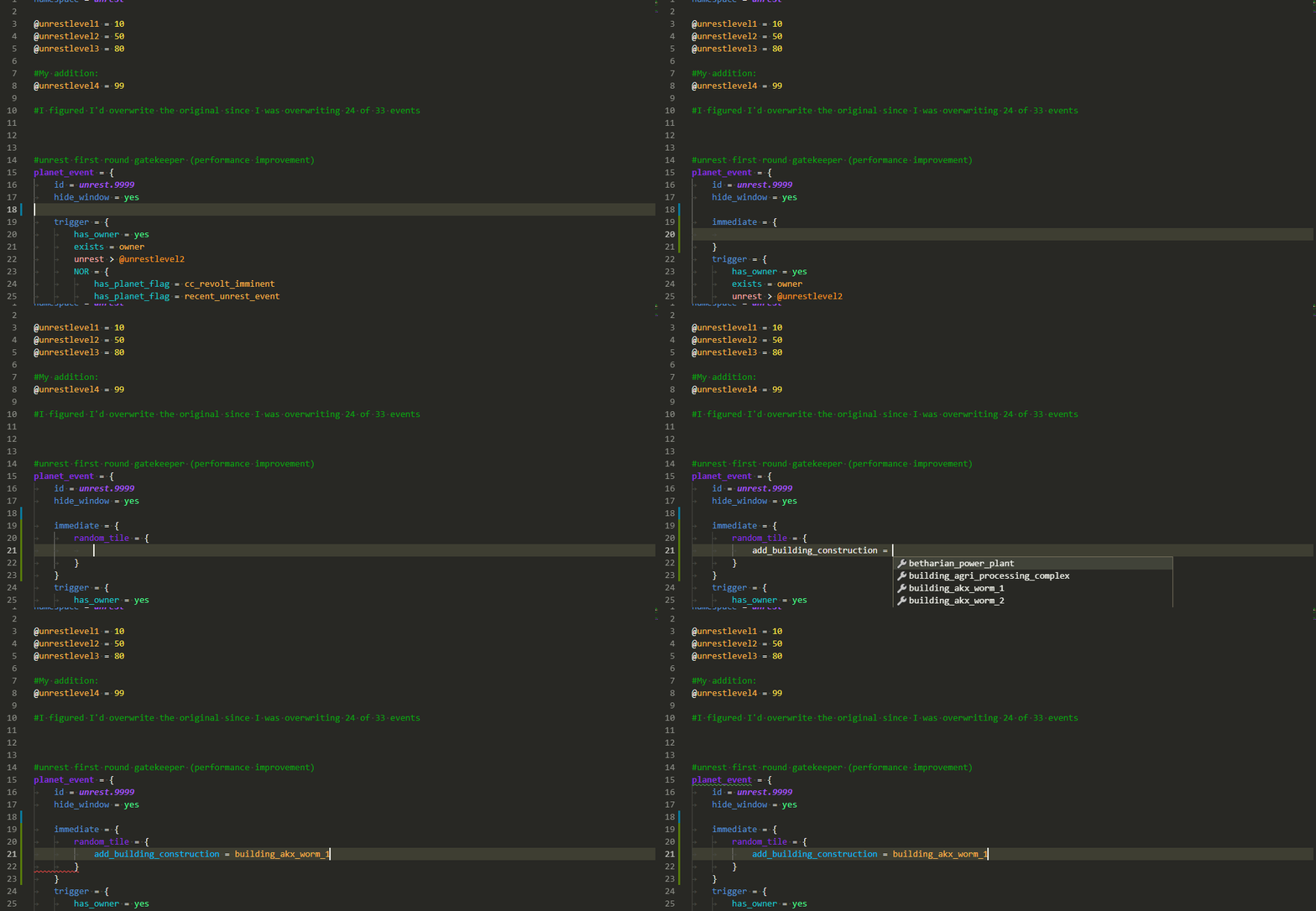
Tooltips
Scope tooltips
Scope errors
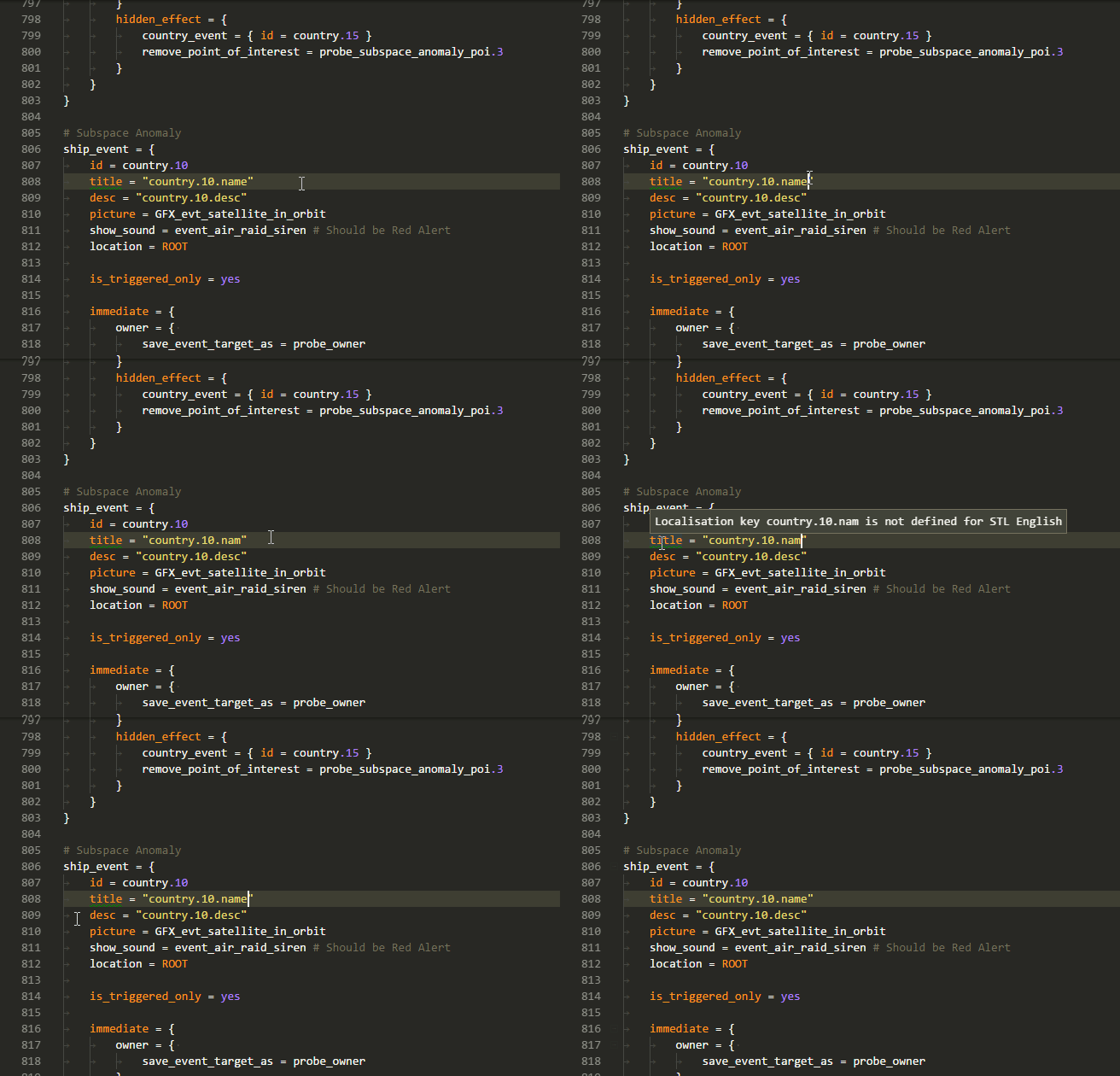
Localisation error
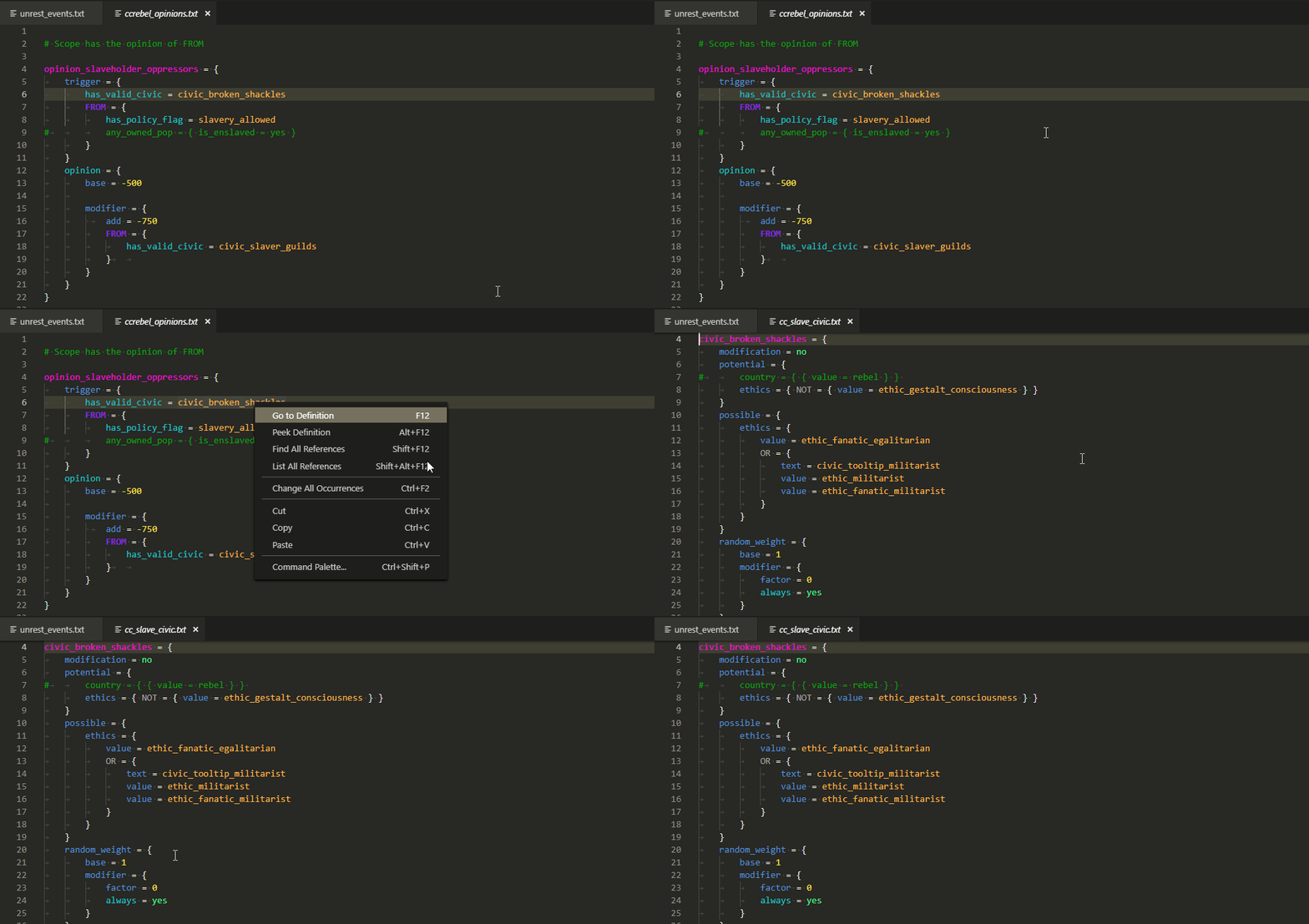
Go to definition
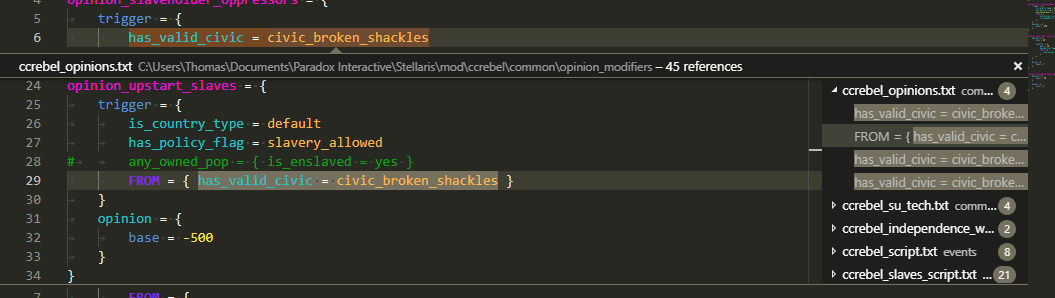
Find all references
Links
Description from the VS Code Marketplace listing.
- ck2
- ck3
- crusader kings
- eu4
- eu5
- hearts of iron
- hoi4
- imperator
- paradox
- pdxscript
- snippet
- stellaris
- vic2
- vic3
- victoria
README badge
Show your rank in a README or on your website. The badge updates automatically.
Charts
Images: 30d · 1y · all time · 1600×900 dark


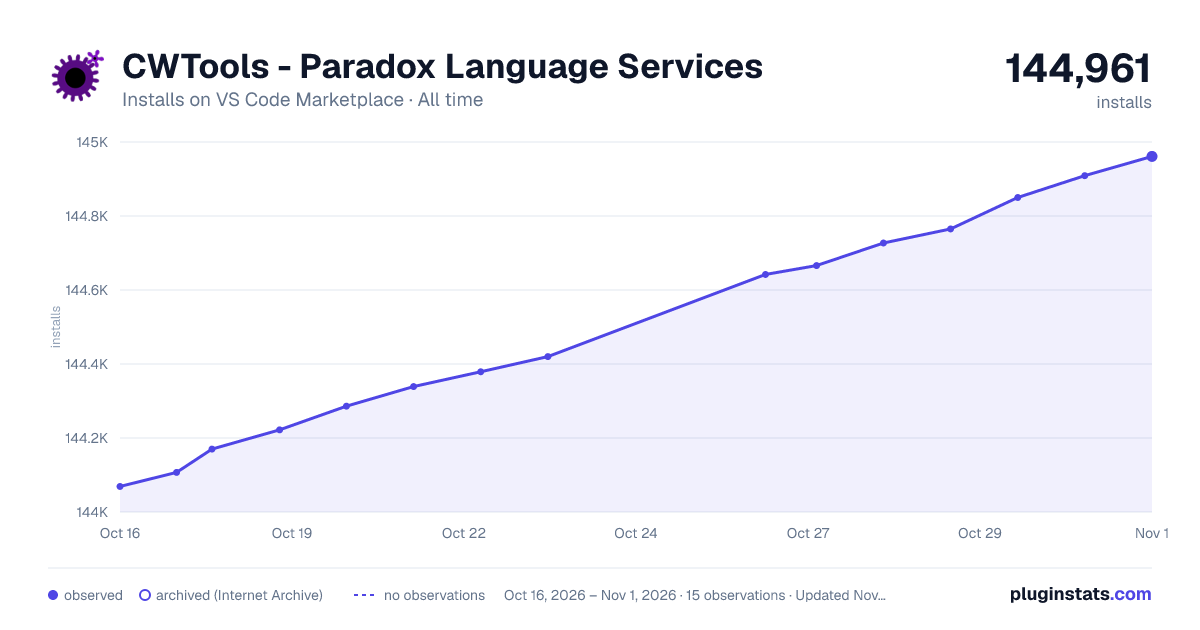

Adoption over time
7/30/90-day growth
Ranking history
Ratings over time
Listing placement
Listing placement
Listing placement
Filled points are observed values; hollow points come from Internet Archive snapshots of the listing page. Dashed segments span periods with no observations — values between points are not interpolated.
Each band is one page of 20. Installs on a linear scale. Placement is projected from installs, so it can differ from the marketplace's own sort order. Hover a dot to see the listing.
Recent observations
Full history (5)Similar VS Code Marketplace Programming Languages plugins
All 20 CWTools - Paradox Language Services alternativesData source
Install counts, average rating, and rating counts come from the public Visual Studio Marketplace gallery API. Installs are cumulative and exclude updates.
Listing: https://marketplace.visualstudio.com/items?itemName=tboby.cwtools-vscode. First seen Oct 16, 2026; last successful collection Oct 20, 2026. See the methodology.