 PluginStats
Salesforce Package.xml Generator Extension for VS Code installs statistics
By Vignaesh Ram A · VS Code Marketplace · Extension Packs
Extension for generating Package.xml on the Salesforce Platform
Salesforce Package.xml Generator Extension for VS Code has 394,657 recorded installs on VS Code Marketplace, ranking #976 of 2,501 tracked listings.
Rating: 4.13 / 5 from 39 ratings
About Salesforce Package.xml Generator Extension for VS Code
Salesforce Package.xml Generator Extension for VS Code
This extension provides a User Interface to choose metadata components for Package.xml file for development against sandboxes or DE orgs (Org Development Model with VS Code). This is similar to Eclipse Force.com IDE Add/Remove Metadata Components option.
Prerequisites
Before you set up Salesforce Package.xml Generator Extension for VS Code, make sure that you have these essentials.
- Salesforce Extensions for Visual Studio Code
- Visual Studio Code v1.26 or later
Screenshots


How to use?
Click to view the Youtube Video

- Setup your project using SFDX: Create Project with Manifest command and authorize it using SFDX: Authorize an Org command. Skip this step if already done. For more details refer [Org Development Model with VS Code] (https://forcedotcom.github.io/salesforcedx-vscode/articles/user-guide/org-development-model).
- Open the command palette (press Ctrl+Shift+P on Windows or Linux, or Cmd+Shift+P on macOS) and run SFDX Package.xml Generator: Choose Metadata Components command.
- In Choose Metadata Components for Package.xml page, select the Metadata you need and click on Update Package.xml button.
- Package.xml file opens up with the selected metadata components.
- Open the command palette (press Ctrl+Shift+P on Windows or Linux, or Cmd+Shift+P on macOS) and run SFDX: Retrieve Source in Manifest from Org
- Select All button selects all the metadata components except Reports, Dashboards, Email Templates and Documents.
- If you don't want to modify the existing package.xml file & only want the generated xml content, click on Copy to Clipboard button. This copies the formatted package.xml contents to clipboard which can be pasted somewhere else.
Description from the VS Code Marketplace listing.
- salesforce
- salesforce package xml generator
- salesforcedx
- sfdx
- sfdx package xml
- xml
README badge
Show your rank in a README or on your website. The badge updates automatically.
Charts
Images: 30d · 1y · all time · 1600×900 dark


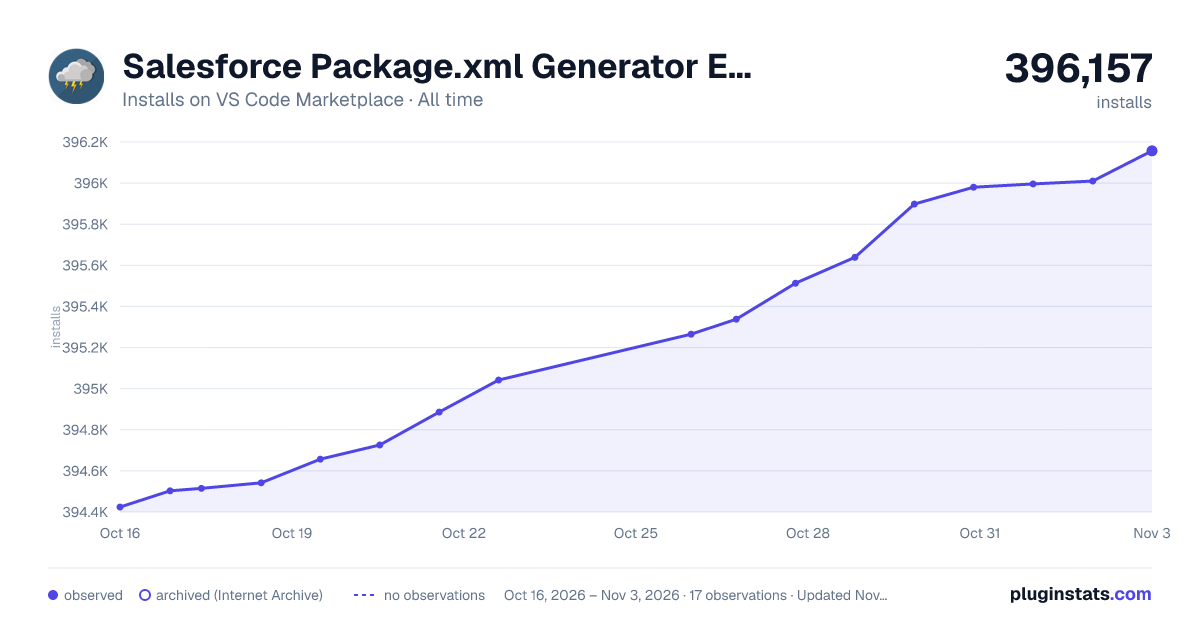

Adoption over time
7/30/90-day growth
Ranking history
Ratings over time
Listing placement
Listing placement
Filled points are observed values; hollow points come from Internet Archive snapshots of the listing page. Dashed segments span periods with no observations — values between points are not interpolated.
Each band is one page of 20. Installs on a linear scale. Placement is projected from installs, so it can differ from the marketplace's own sort order. Hover a dot to see the listing.
Recent observations
Full history (5)Similar VS Code Marketplace Extension Packs plugins
All 20 Salesforce Package.xml Generator Extension for VS Code alternativesData source
Install counts, average rating, and rating counts come from the public Visual Studio Marketplace gallery API. Installs are cumulative and exclude updates.
Listing: https://marketplace.visualstudio.com/items?itemName=VignaeshRamA.sfdx-package-xml-generator. First seen Oct 16, 2026; last successful collection Oct 20, 2026. See the methodology.