 PluginStats
Snippet installs statistics
By vscode-snippet · VS Code Marketplace · Programming Languages
Insert a snippet from cht.sh for Python, JavaScript, Ruby, C#, Go, Rust (and any other language)
Snippet has 176,339 recorded installs on VS Code Marketplace, ranking #1668 of 2,501 tracked listings.
Rating: 4.11 / 5 from 9 ratings
About Snippet
vscode-snippet



A Visual Studio Code extension for cht.sh. Watch this lightning talk to learn more.
Features
- Zero configuration: works out of the box.
- Automatically detects programming language from current editor window.
Config options
openInNewEditor: open snippets or in new editor window (default) in line with current document.verbose: add comments around code snippets.baseUrl: base url of the cheat server (see cheat.sh documentation)http.proxy: VS Code proxy setting. If set, requests made by vscode-snippet will be sent through provided proxy (see Visual Studio Code network settings)defaultLanguage: Programming language name in lower case to use as default language when there is no open editor window.title: Template string of a snippet title. You can use the following variables:- ${language} - the programming language
- ${query} - the snippet query (search text)
- ${index} - the index of the snippet (e.g. 2 for the third answer)
insertWithDoubleClick: insert snippet with double click.showCopySuccessNotification: Whether to show a notification after the snippet is copied to the clipboard.saveBackups: Whether to create backups of the snippets.
Installation
Install this extension from the VSCode Marketplace
Usage
Search for a snippet
- Hit <kbd>⌘ Command</kbd> + <kbd>⇧ Shift</kbd> + <kbd>p</kbd>
- Run
Snippet: Find. - Type your query and hit enter.
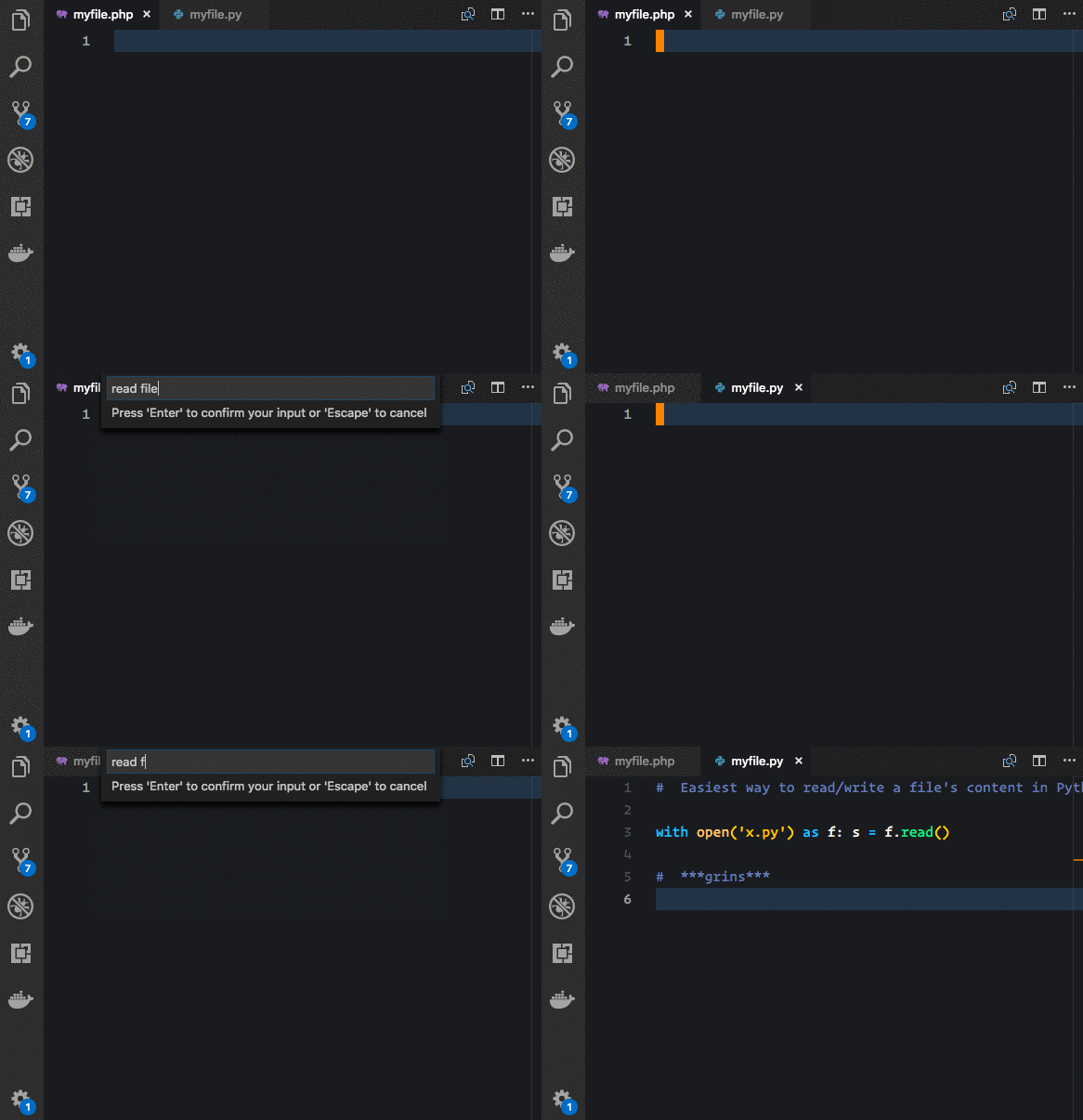
Moving between answers
Sometimes the first answer is not what you're looking for.
In that case, use Snippet: Show next answer and Snippet: Show previous answer to show alternative snippets.
Search for snippet based on selected text
- Select some text in an editor window.
- Right click and choose "Find snippet from selected text"
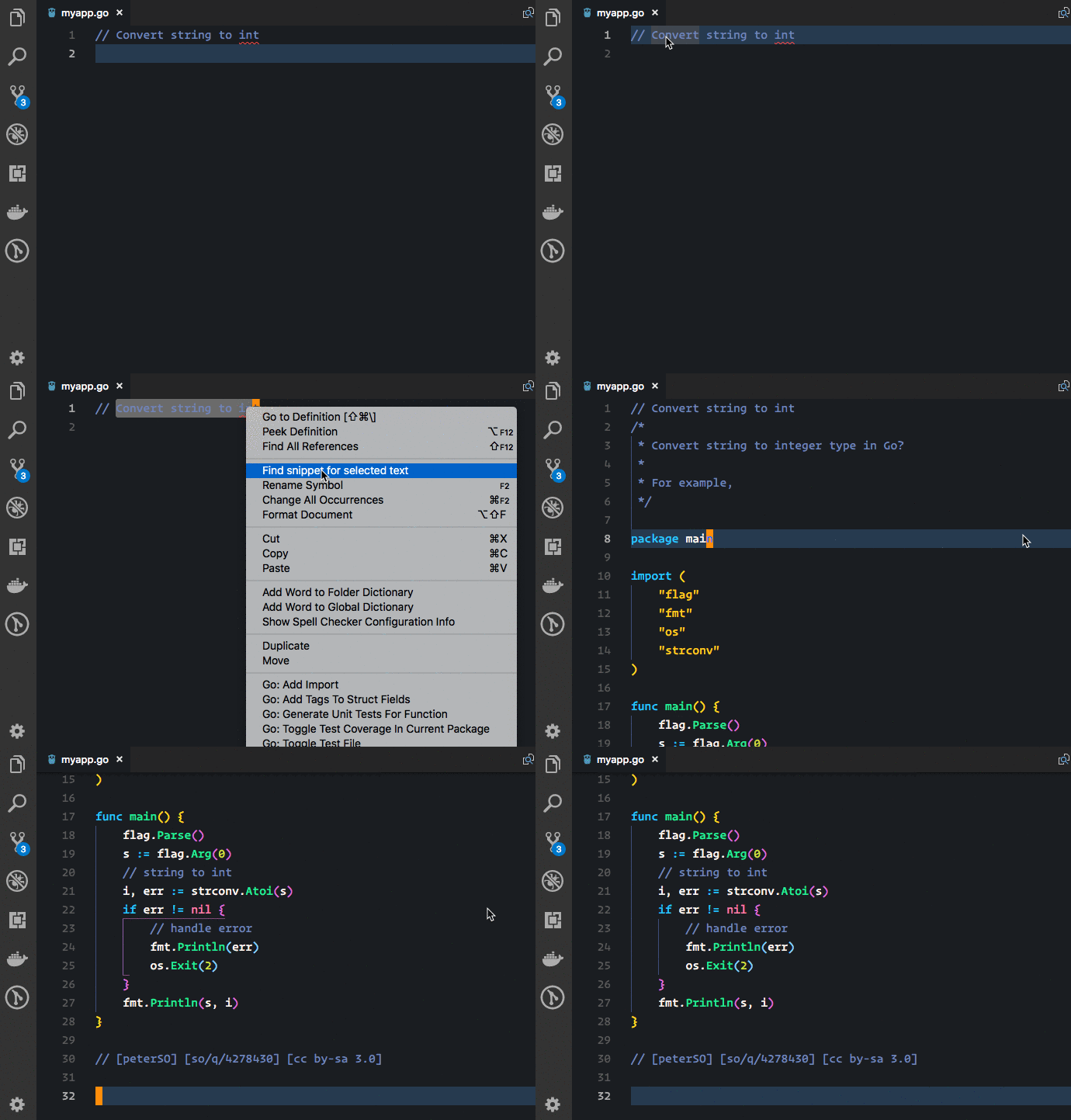
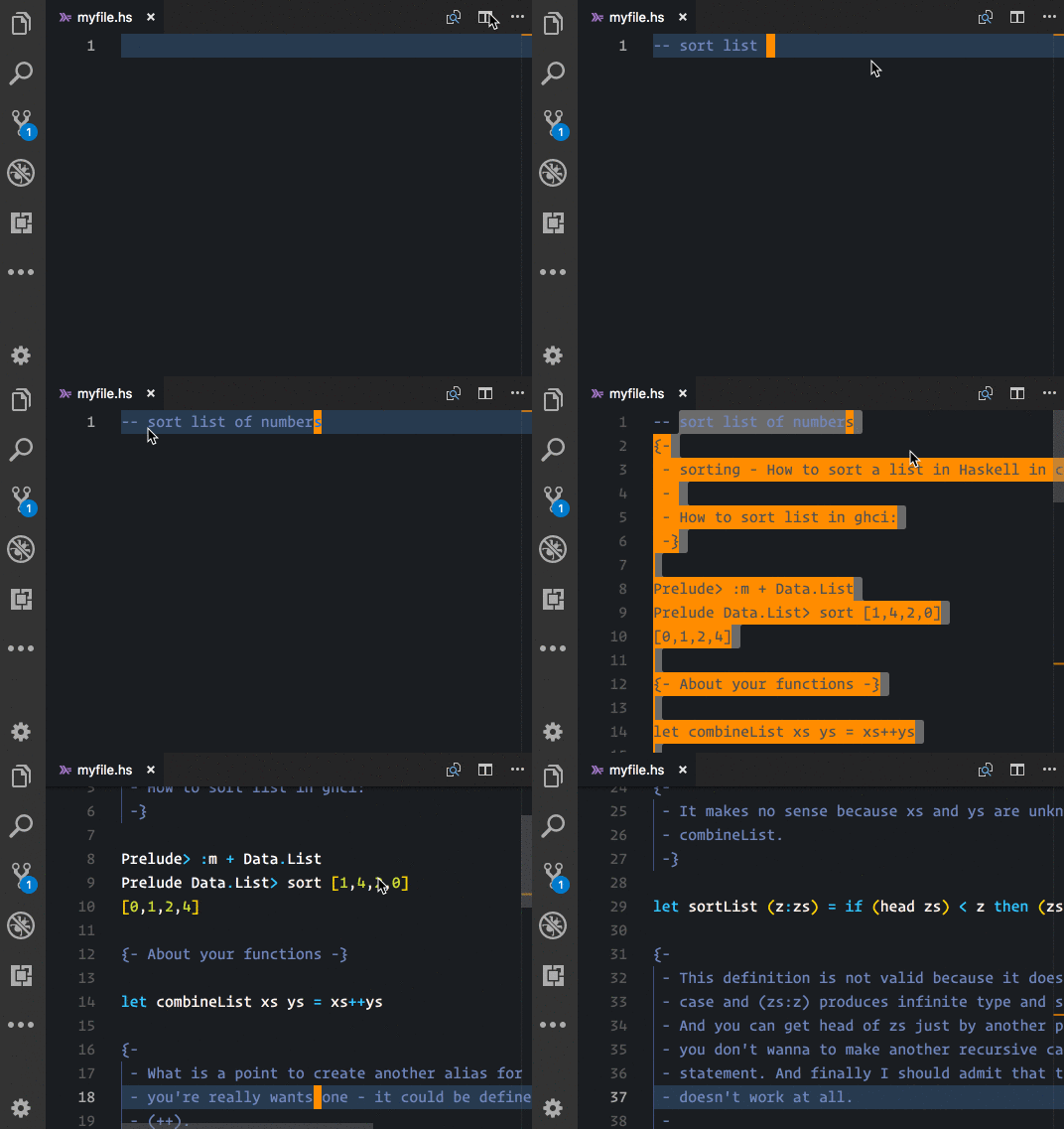
Alternatively, you can also run the Snippet: Find Selected Text from the
command menu:
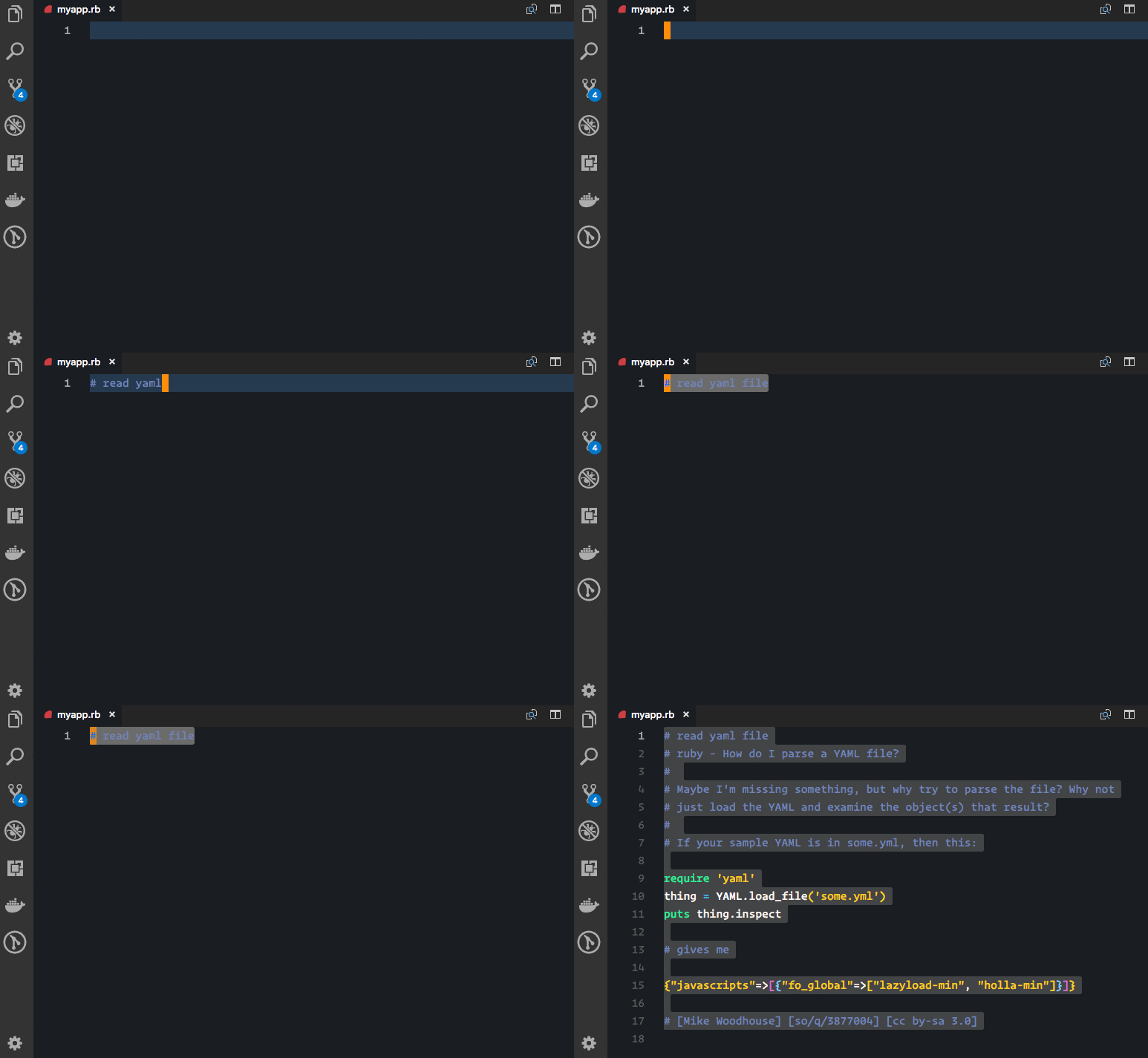
You can configure a keyboard shortcut. By default this is <kbd>⌘ Command</kbd> + <kbd>⇧ Shift</kbd> + <kbd>s</kbd>:
Saving a snippet
- Select some text in an editor window.
- Right click and choose "Save snippet"
- Select a folder for the snippet
- Enter a name of the snippet
- Press <kbd>Enter</kbd>
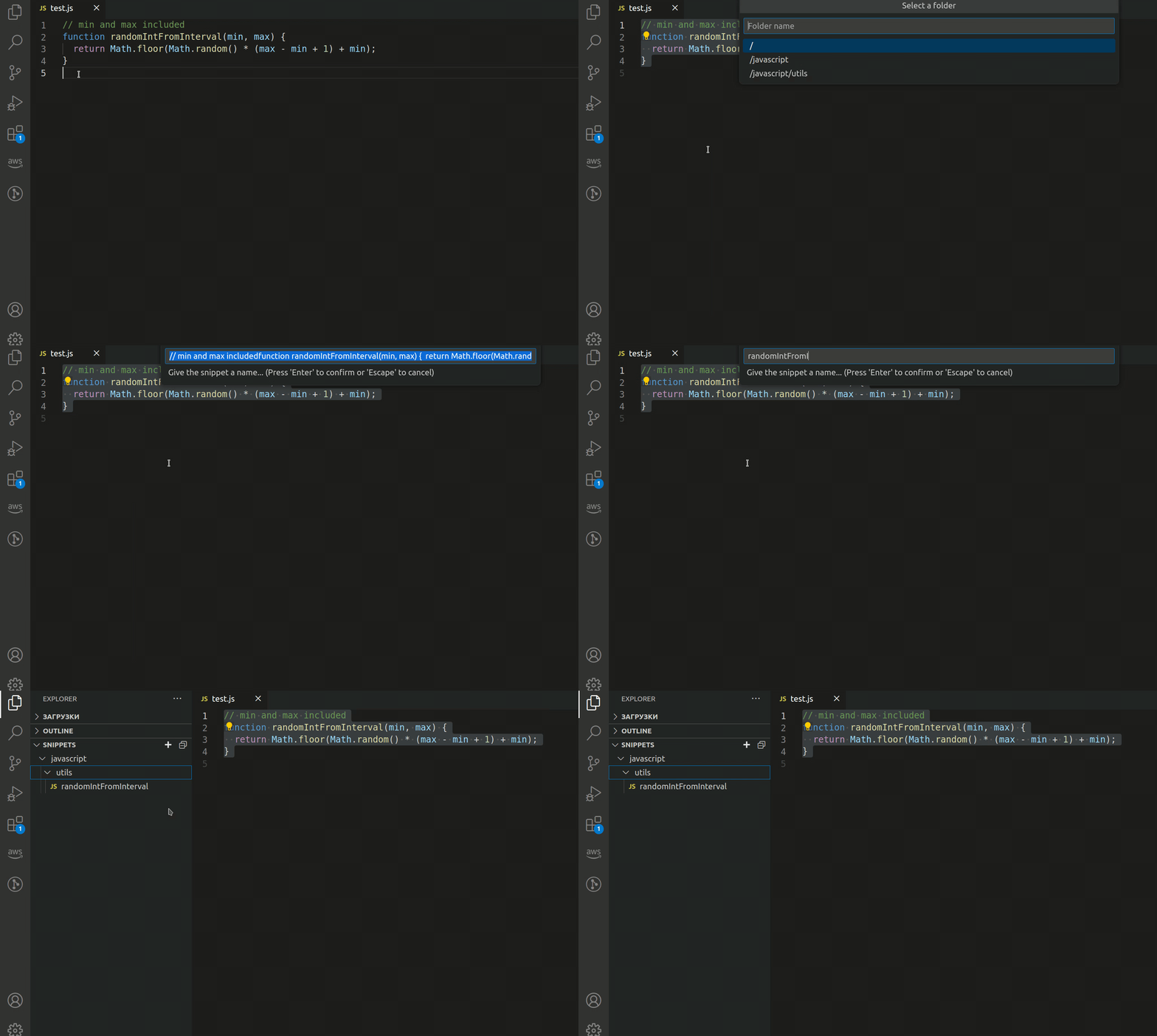
Inserting a snippet
- Open the Explorer by clicking <kbd>Ctrl</kbd> + <kbd>Shift</kbd> + <kbd>E</kdb>
- Open the Snippets section
- Click on the snippet that you want to insert
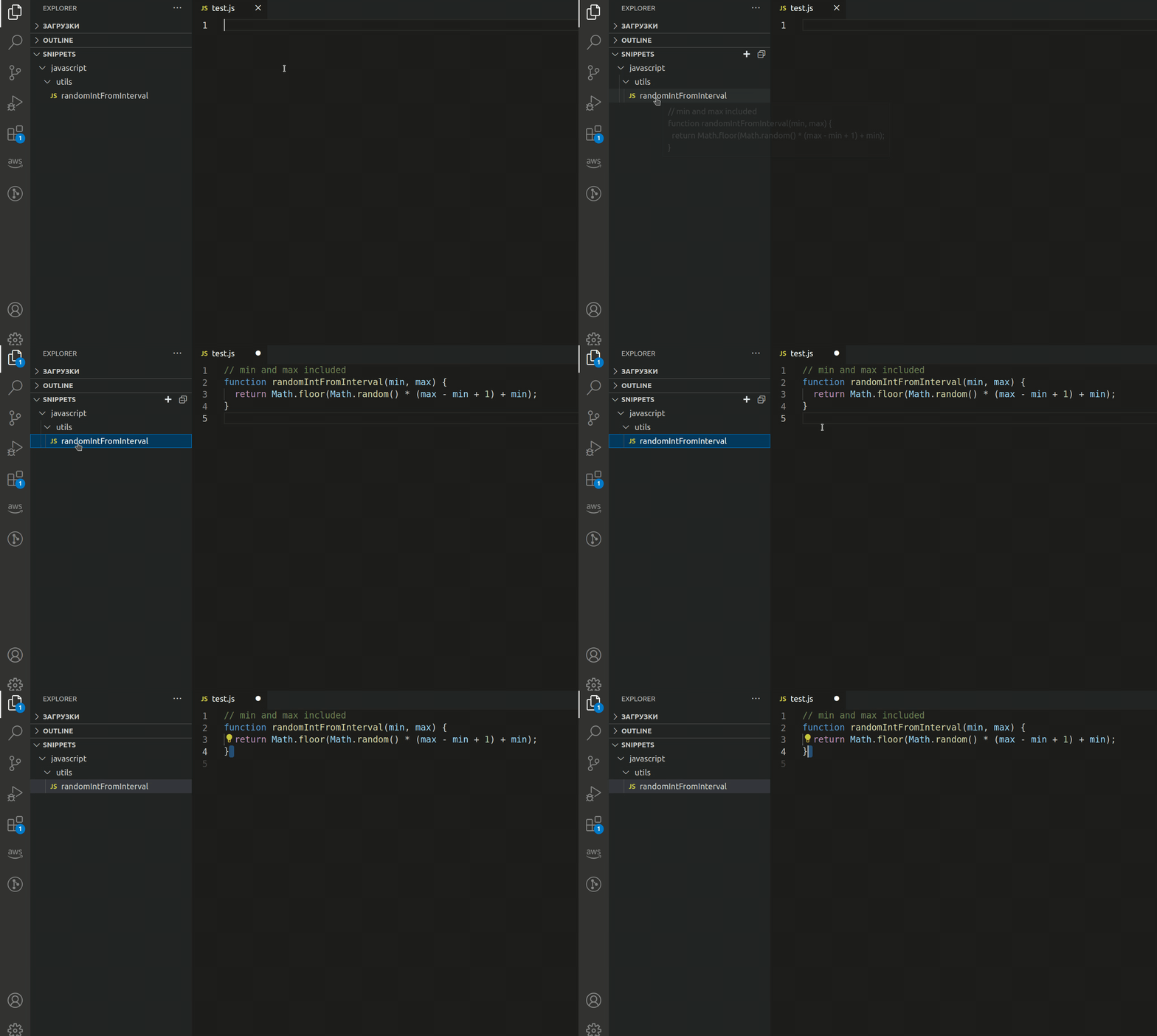
Creating a folder for the snippets
- Open the Snippets section
- Click on the <kbd>+</kbd> icon (alternatively, you can right click on any snippet or a folder and select "New Folder")
- Enter a name of the folder
- Press <kbd>Enter</kbd>
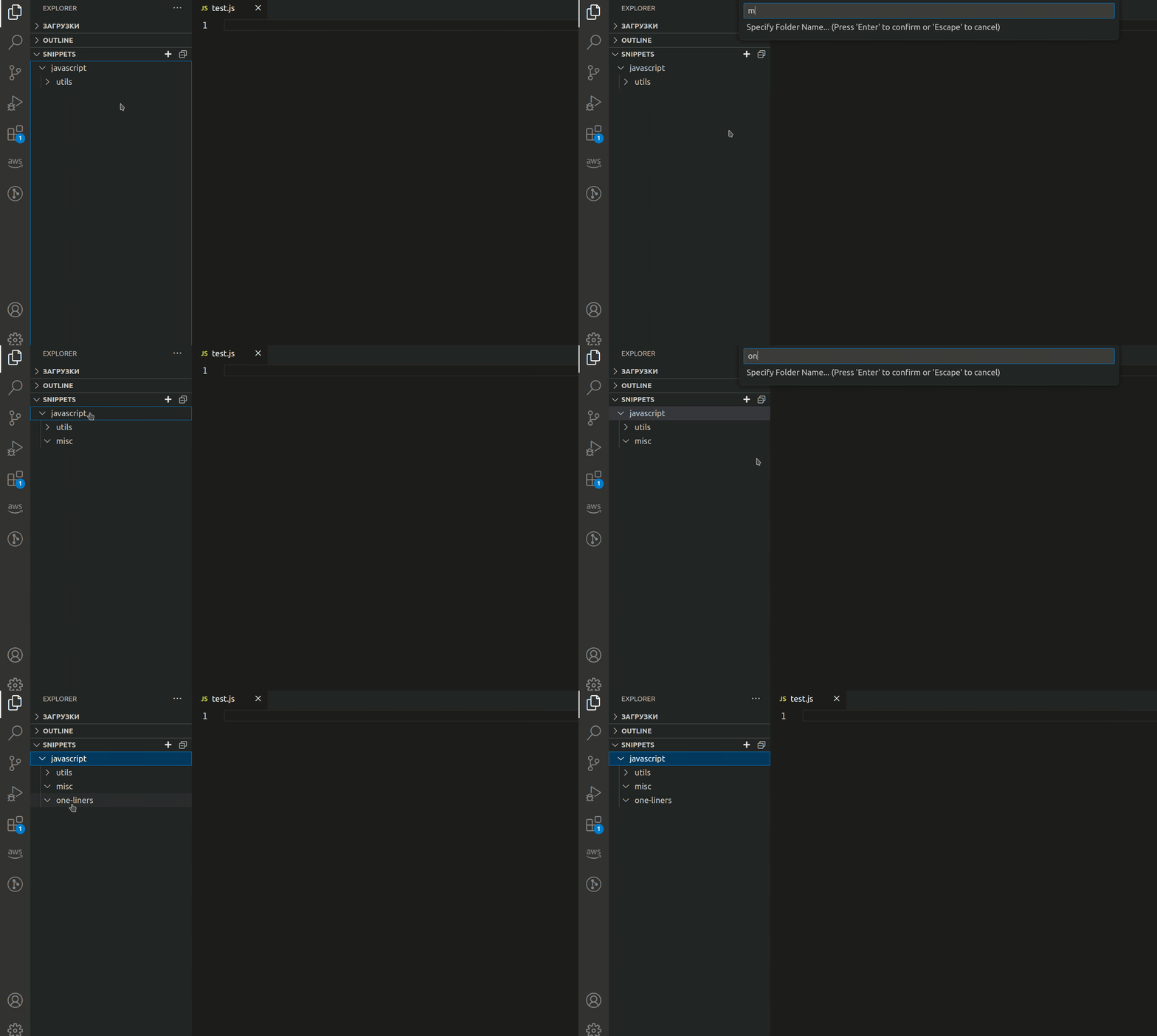
Renaming a snippet or a folder
- Open the Snippets section
- Right click on the snippet or a folder that you want to rename
- Select "Rename"
- Enter a new name
- Press <kbd>Enter</kbd>
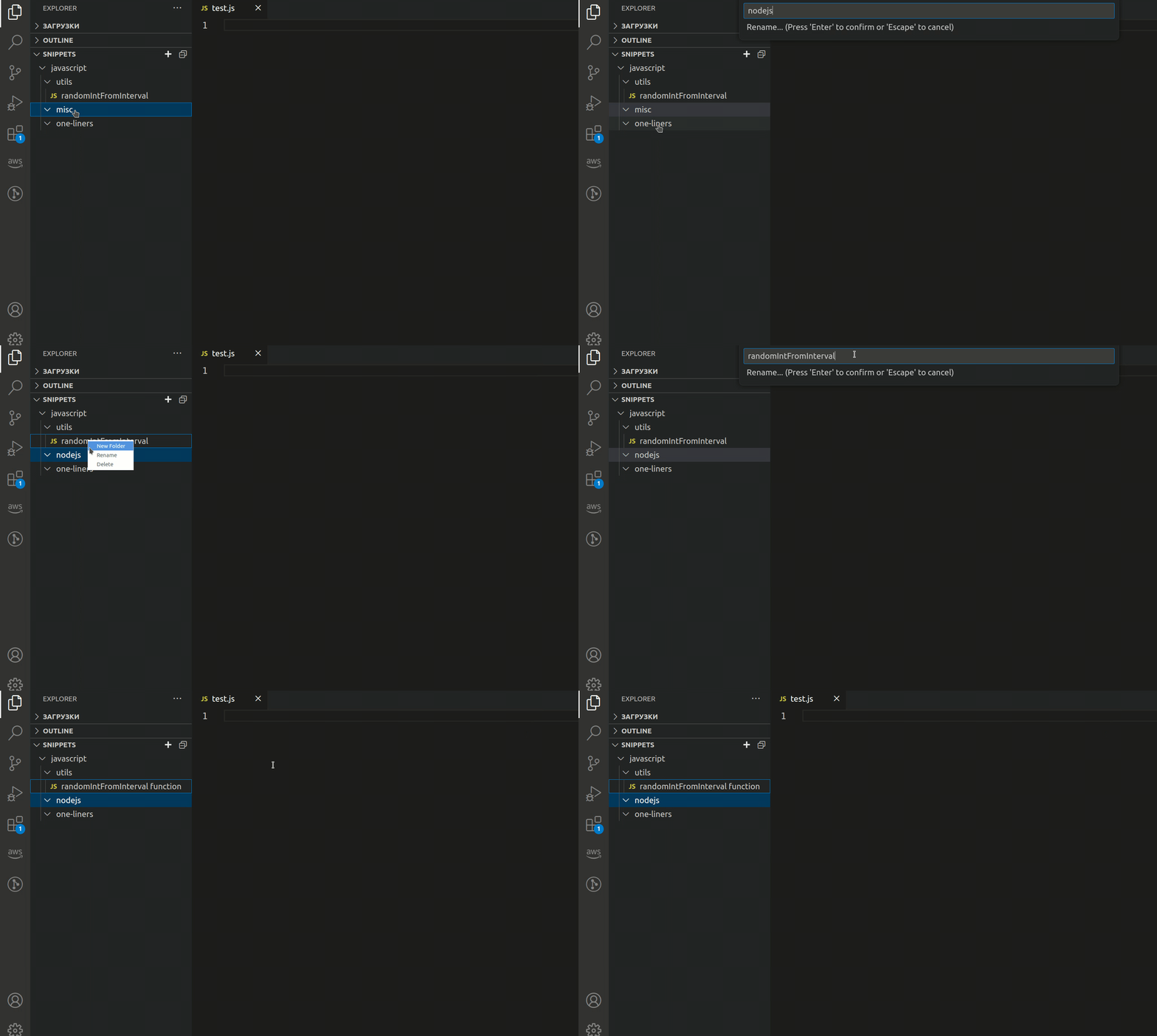
Deleting a snippet or a folder
- Open the Snippets section
- Right click on the snippet or a folder that you want to delete
- Select "Delete"
- Confirm your choice
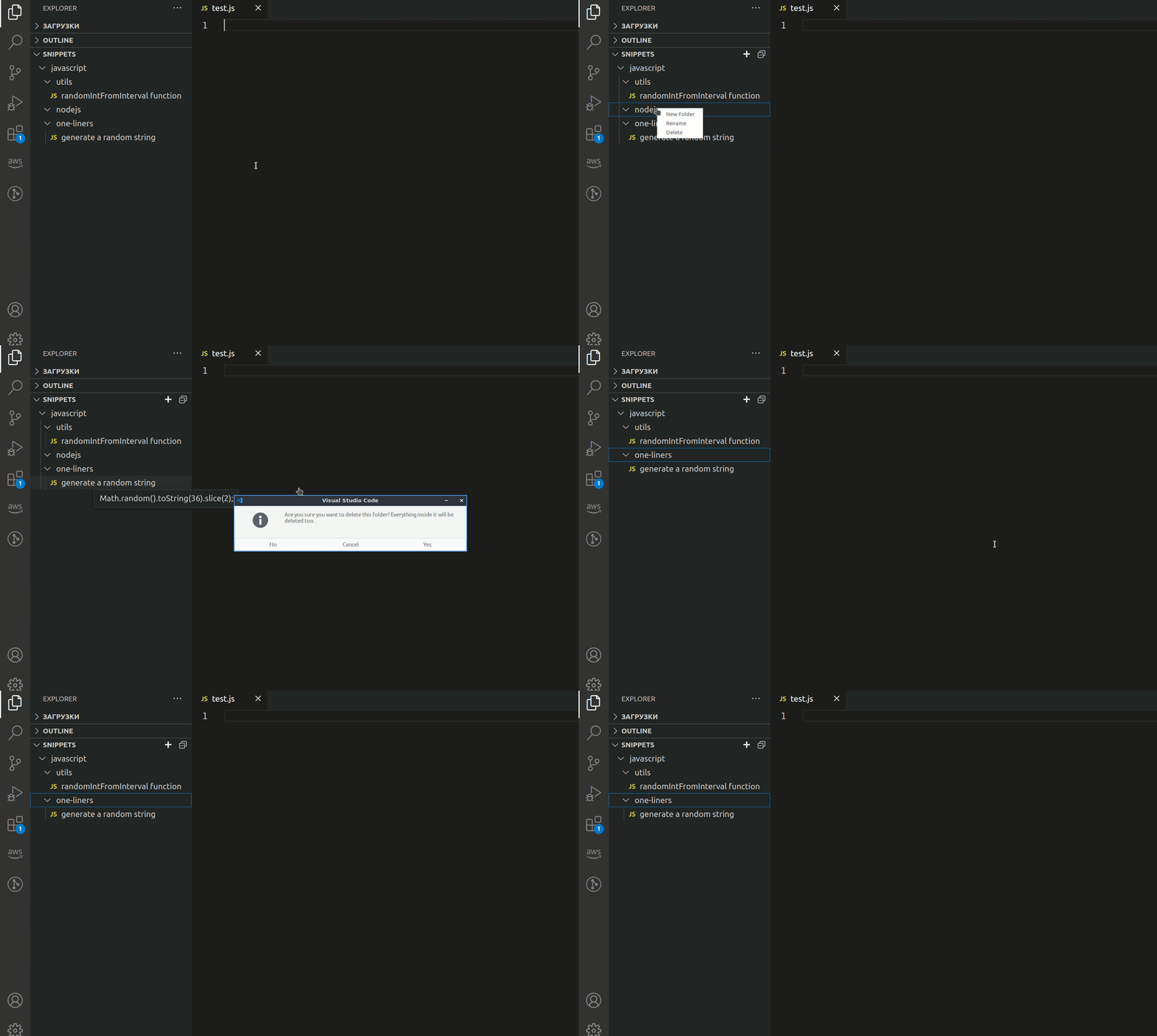
Copying a snippet to the clipboard
- Open the Snippets section
- Right click on the snippet that you want to copy
- Select "Copy"
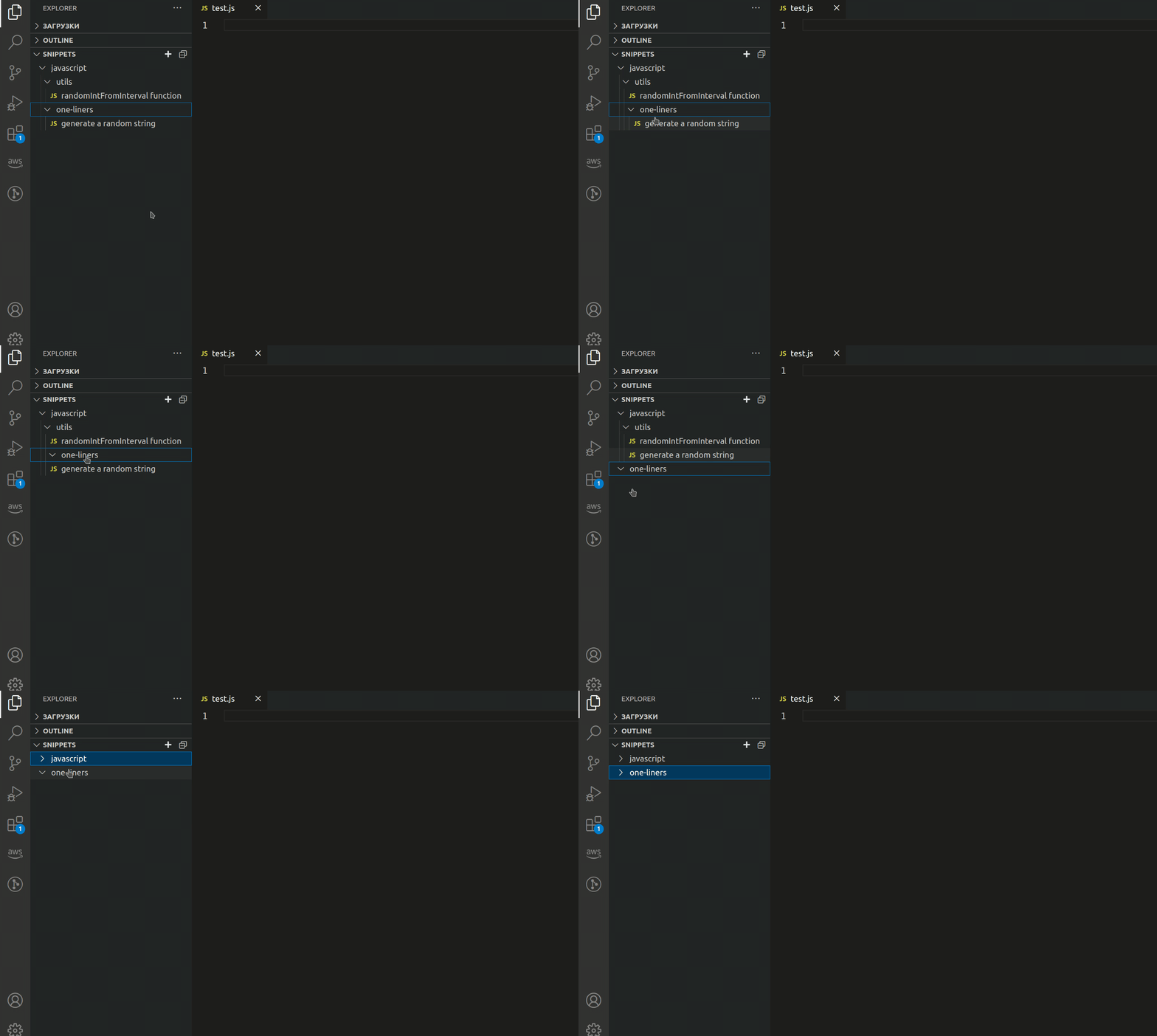
Moving a snippet or a folder
You can move snippets or folders in the Snippets view by dragging and dropping them
IntelliSense
Saved snippets are displayed in IntelliSense
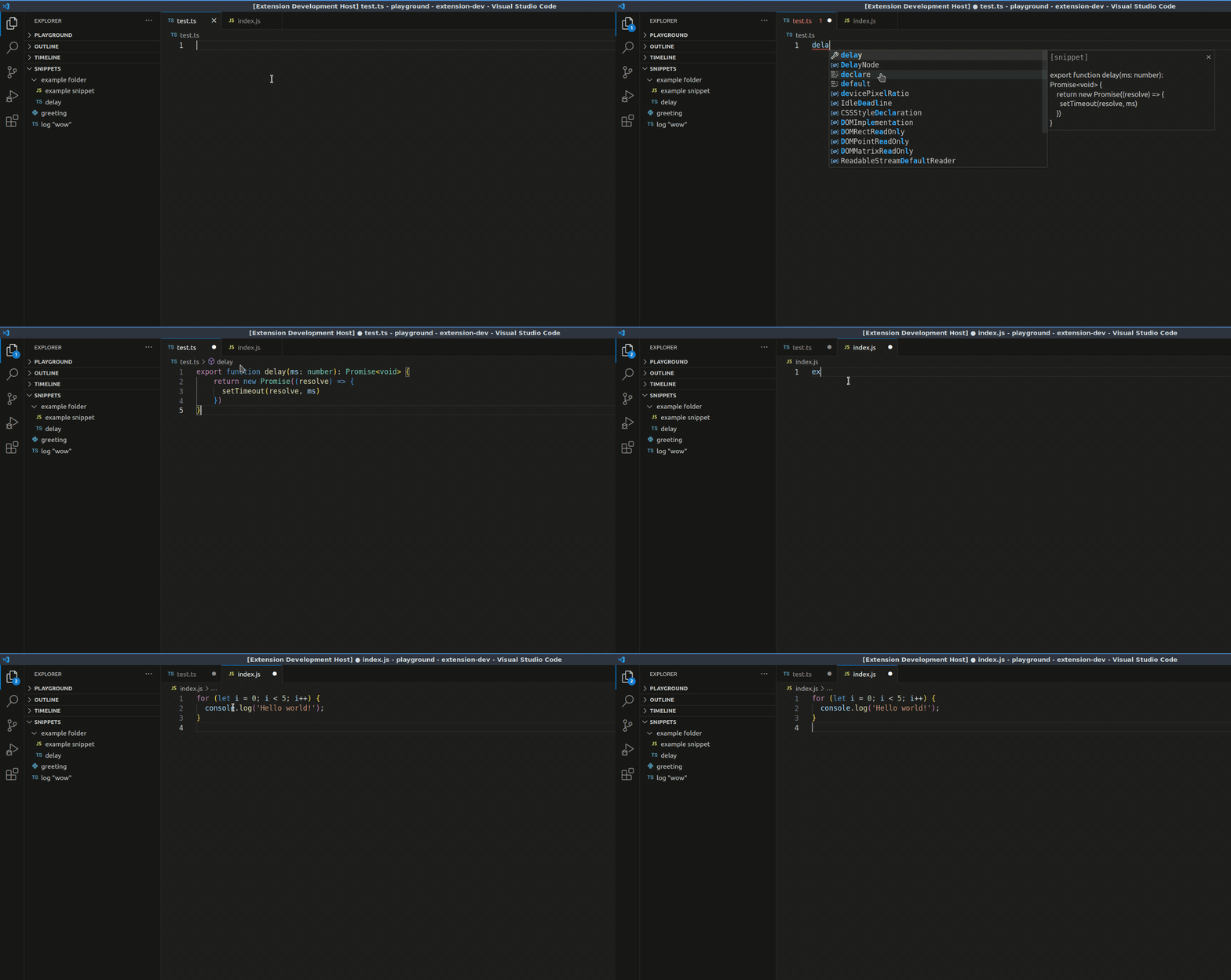
Searching for saved snippets…
Description from the VS Code Marketplace listing.
- c#
- javascript
- keybindings
- python
- ruby
- rust
README badge
Show your rank in a README or on your website. The badge updates automatically.
Charts
Images: 30d · 1y · all time · 1600×900 dark


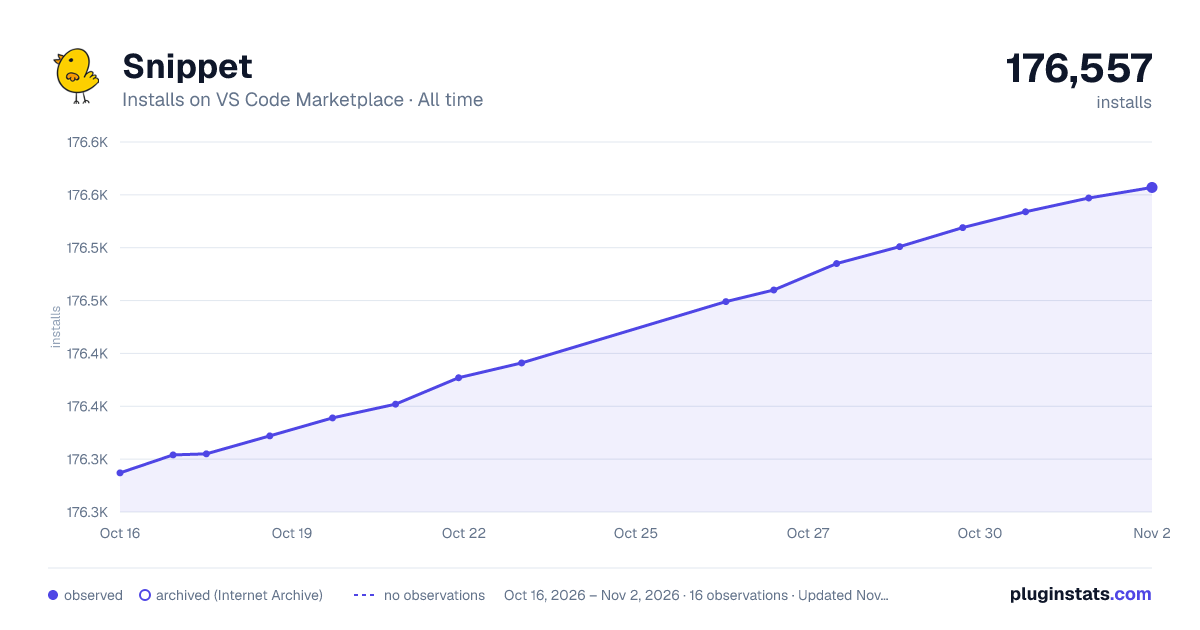

Adoption over time
7/30/90-day growth
Ranking history
Ratings over time
Listing placement
Listing placement
Listing placement
Filled points are observed values; hollow points come from Internet Archive snapshots of the listing page. Dashed segments span periods with no observations — values between points are not interpolated.
Each band is one page of 20. Installs on a linear scale. Placement is projected from installs, so it can differ from the marketplace's own sort order. Hover a dot to see the listing.
Recent observations
Full history (5)Similar VS Code Marketplace Programming Languages plugins
All 20 Snippet alternativesData source
Install counts, average rating, and rating counts come from the public Visual Studio Marketplace gallery API. Installs are cumulative and exclude updates.
Listing: https://marketplace.visualstudio.com/items?itemName=vscode-snippet.Snippet. First seen Oct 16, 2026; last successful collection Oct 20, 2026. See the methodology.