 PluginStats
Pitch Black Theme installs statistics
By Viktor Qvarfordt · VS Code Marketplace · Themes
Pitch Black Theme
Pitch Black Theme has 176,357 recorded installs on VS Code Marketplace, a change of +0.2% over the past 7 days, ranking #1671 of 2,502 tracked listings.
Rating: 4.91 / 5 from 22 ratings
About Pitch Black Theme
VS Code Pitch Black Color Theme



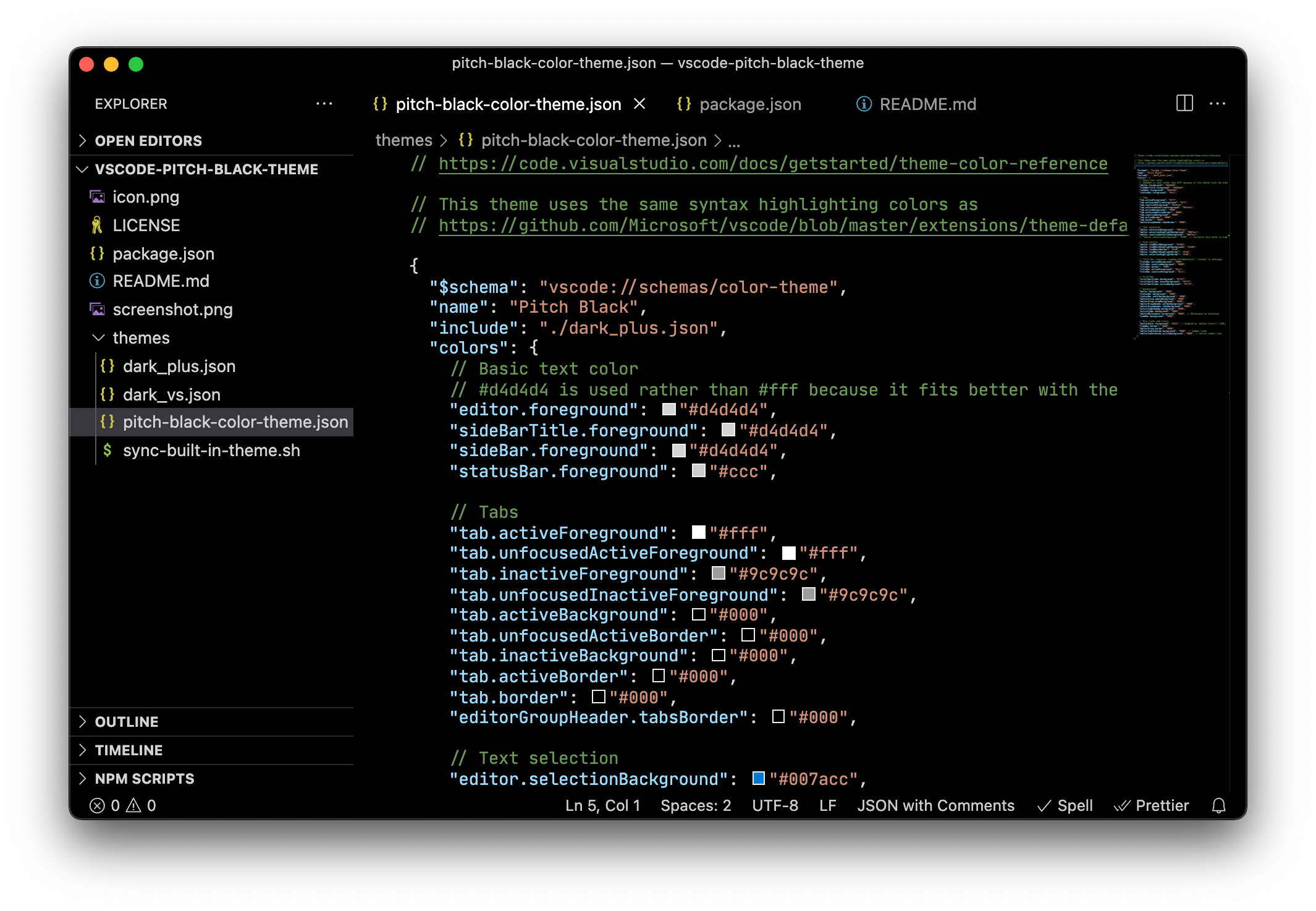
All backgrounds and unnecessary borders are black. Syntax highlighting colors are taken from the Dark+ (default) theme.
Install
Follow the instructions at the marketplace or install directly from the editor:
Press Ctrl+Shift+P (or Cmd+Shift+P), select Extensions: Install Extensions, search for Pitch Black Theme.
Activate
Press Ctrl+Shift+P (or Cmd+Shift+P), select Preferences: Color Theme, select Pitch Black.
Enable additional darkness
Some features cannot be enabled automatically by a color them. So you should configure it manually in the user settings.
Open the user settings: Press Ctrl+Shift+P (or Cmd+Shift+P), select Preferences: Open Settings (JSON). Add this into the settings file:
{
  // Pitch black - Title bar (Allow the title bar to be styled by the color theme)
  "window.titleBarStyle": "custom",
  // Pitch plack - Hide border next to scroll bar that separates panes
  "editor.overviewRulerBorder": false,
}
Optional settings - Configure some colors manually
If you like the theme as it is, you don't need to read this.
This color theme removes many lines and borders by default, if you want you can add them back:
{
  // Optional - Bring back some lines and borders
  "workbench.colorCustomizations": {
    "sideBar.border": "#222",
    "editorGroup.border": "#222",
    "editorIndentGuide.background": "#222", // Indent lines
    "editorIndentGuide.activeBackground": "#333", // Active indent line
  }
}
If you don't like the text selection and search highlight colors you can configure them:
{
  "workbench.colorCustomizations": {
    // Text selection
    "editor.selectionBackground": "#007acc",
    "editor.selectionHighlightBackground": "#007acc",
    "editor.inactiveSelectionBackground": "#007acc",

    // Find results
    "editor.findMatchBackground": "#fa05",
    "editor.findMatchHighlightBackground": "#fa05",
    "editor.findMatchBorder": "#fe0",
    "editor.findMatchHighlightBorder": "#fe0",
    "editor.selectionHighlightBorder": "#fe0",
  }
}
Advanced: Manual Install: Useful for developing and testing the theme
cd ~/.vscode/extensions
git clone https://github.com/ViktorQvarfordt/vscode-pitch-black-theme.git
Description from the VS Code Marketplace listing.
- color-theme
- theme
README badge
Show your rank in a README or on your website. The badge updates automatically.
Charts
Images: 30d · 1y · all time · 1600×900 dark


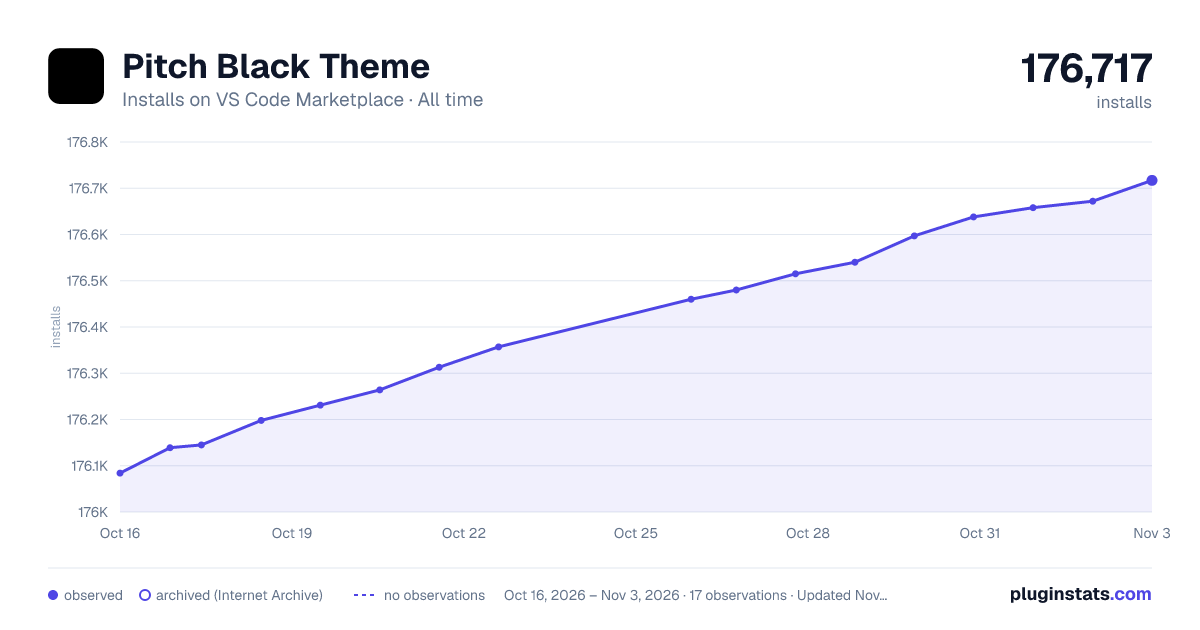

Adoption over time
7/30/90-day growth
Ranking history
Ratings over time
Listing placement
Listing placement
Filled points are observed values; hollow points come from Internet Archive snapshots of the listing page. Dashed segments span periods with no observations — values between points are not interpolated.
Each band is one page of 20. Installs on a linear scale. Placement is projected from installs, so it can differ from the marketplace's own sort order. Hover a dot to see the listing.
Recent observations
Full history (8)Similar VS Code Marketplace Themes plugins
All 20 Pitch Black Theme alternativesData source
Install counts, average rating, and rating counts come from the public Visual Studio Marketplace gallery API. Installs are cumulative and exclude updates.
Listing: https://marketplace.visualstudio.com/items?itemName=viktorqvarfordt.vscode-pitch-black-theme. First seen Oct 16, 2026; last successful collection Oct 23, 2026. See the methodology.