 PluginStats
W3C Validation installs statistics
By Umoxfo · VS Code Marketplace · Linters
Adds W3C validation support to Visual Studio Code.
W3C Validation has 137,054 recorded installs on VS Code Marketplace, ranking #1958 of 2,501 tracked listings.
Rating: 4.10 / 5 from 10 ratings
About W3C Validation
VS Code W3C Validation extention
The extension to enable W3C validation support by the Nu Html Checker library.
Getting Started
This extention works using Java applications. You must have Java 8 or later on your local environment. If you don't have them installed, download and install a latest Java Development Kit (latest Java 8 is the minimum requirement).
After installing (or installed) the JDK, you would need to configure the Java execution path for your environment. Please restart the VS Code in order to load reliably the changed environment variables.
Then open your HTML document(s).
Setting the JDK
The path to the JDK requires to be set in the environment.
Set the JAVA_HOME environment variable:
For Windows:
- Select Control Panel and then System. 1. Click Advanced and then Environment Variables. 1. Click New in the section System Variables 1. Enter the Variable name as JAVA_HOME and the Variable value as the installation path for the Java (e.g. C:\Program Files\Java\jdk-13). 1. Click OK 1. Find the PATH environment variable in the System Variables section and select it, click Edit. 1. Append ;%JAVA_HOME%\bin for the PATH variable 1. Click OK and also click OK
Disclaimer
After launching the VC code, it will take some time for the results to be displayed if the HTML is invalid.
Description from the VS Code Marketplace listing.
- html
README badge
Show your rank in a README or on your website. The badge updates automatically.
Charts
Images: 30d · 1y · all time · 1600×900 dark


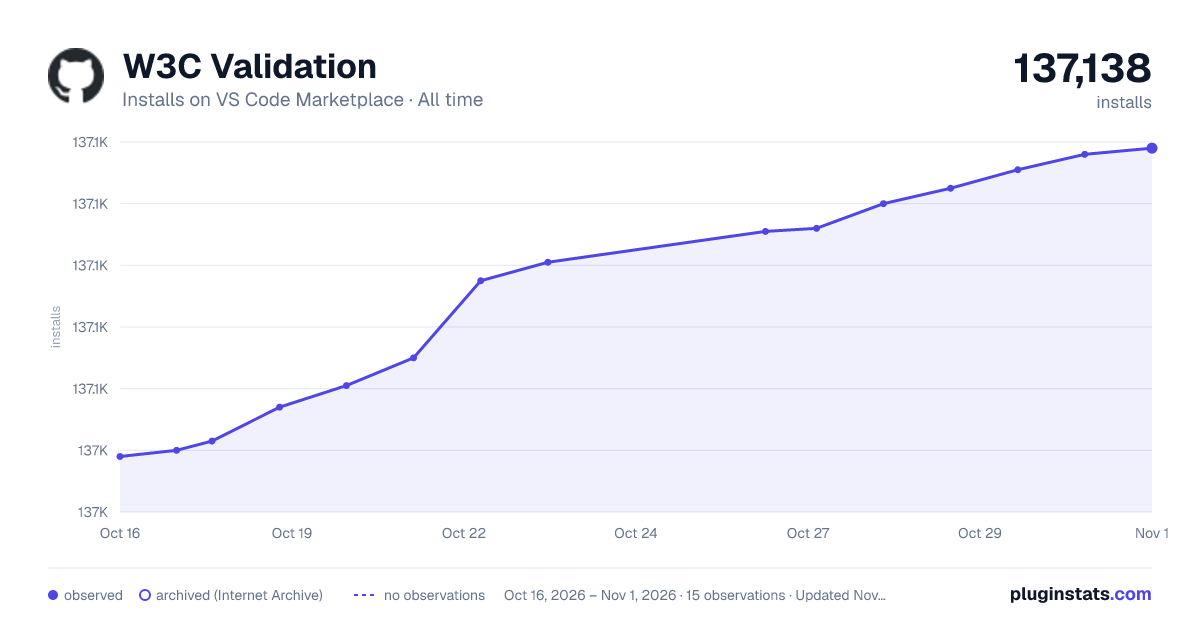

Adoption over time
7/30/90-day growth
Ranking history
Ratings over time
Listing placement
Listing placement
Filled points are observed values; hollow points come from Internet Archive snapshots of the listing page. Dashed segments span periods with no observations — values between points are not interpolated.
Each band is one page of 20. Installs on a linear scale. Placement is projected from installs, so it can differ from the marketplace's own sort order. Hover a dot to see the listing.
Recent observations
Full history (4)Similar VS Code Marketplace Linters plugins
All 20 W3C Validation alternativesData source
Install counts, average rating, and rating counts come from the public Visual Studio Marketplace gallery API. Installs are cumulative and exclude updates.
Listing: https://marketplace.visualstudio.com/items?itemName=Umoxfo.vscode-w3cvalidation. First seen Oct 16, 2026; last successful collection Oct 19, 2026. See the methodology.