 PluginStats
Mayukai Theme installs statistics
By GulajavaMinistudio · VS Code Marketplace · Themes
Dark theme based on mixing swatch of Ayu Theme, Andromeda Theme, Monokai, Material Colors, Original Gruvbox Darktooth Colors, and Dracula Colors.
Mayukai Theme has 380,415 recorded installs on VS Code Marketplace, a change of +0.1% over the past 7 days, ranking #995 of 2,504 tracked listings.
Rating: 4.96 / 5 from 24 ratings
About Mayukai Theme
README
Mayukai Theme
<div align="center">

Mayukai Theme is dark and yellow bluish mirage theme with bright colors for easy readibility syntax. This theme is inspired from mixed color swatch in Ayu Theme, Material Theme, Monokai, Andromeda, and Gruvbox Darktooth Original Colors. These color are adjusted in Mayukai theme so it suitable for all day long programming work. This theme also included with built-in File Icon Theme called Mayukai Ayu.
Install in VS Code/VS Codium
Open Visual Studio Code Market Place in your Visual Studio Code or VS Codium text editor, and search Mayukai. Hit install button, and after finishing install, go to Preferences > Color Theme > Mayukai Dark or Mayukai Mirage. If you want to use built-in File Icon Theme, go to Preferences > File Icon Theme > Mayukai Ayu.
List of Color Scheme
This Mayukai Theme includes some color scheme for syntax coloring. There are :
- Mayukai Mirage.
- Mayukai Semantic Mirage (specially designed for VS Code Semantic Highlighting feature).
- Mayukai Dark.
- Mayukai Mirage Gruvbox Darktooth.
- Mayukai Mono.
- Mayukai Alucard.
- Mayukai Sunset.
- Mayukai Reversal.
- Mayukai Midnight.
Preview and Screenshot
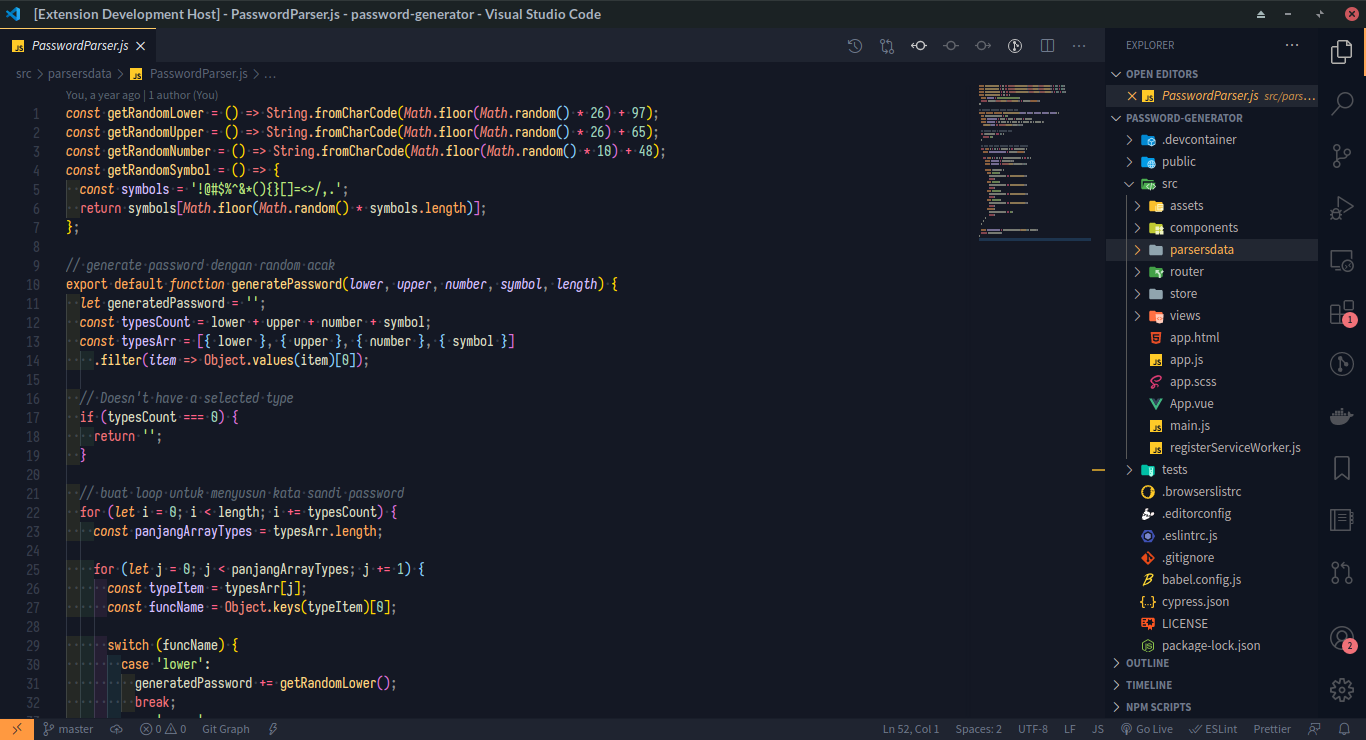
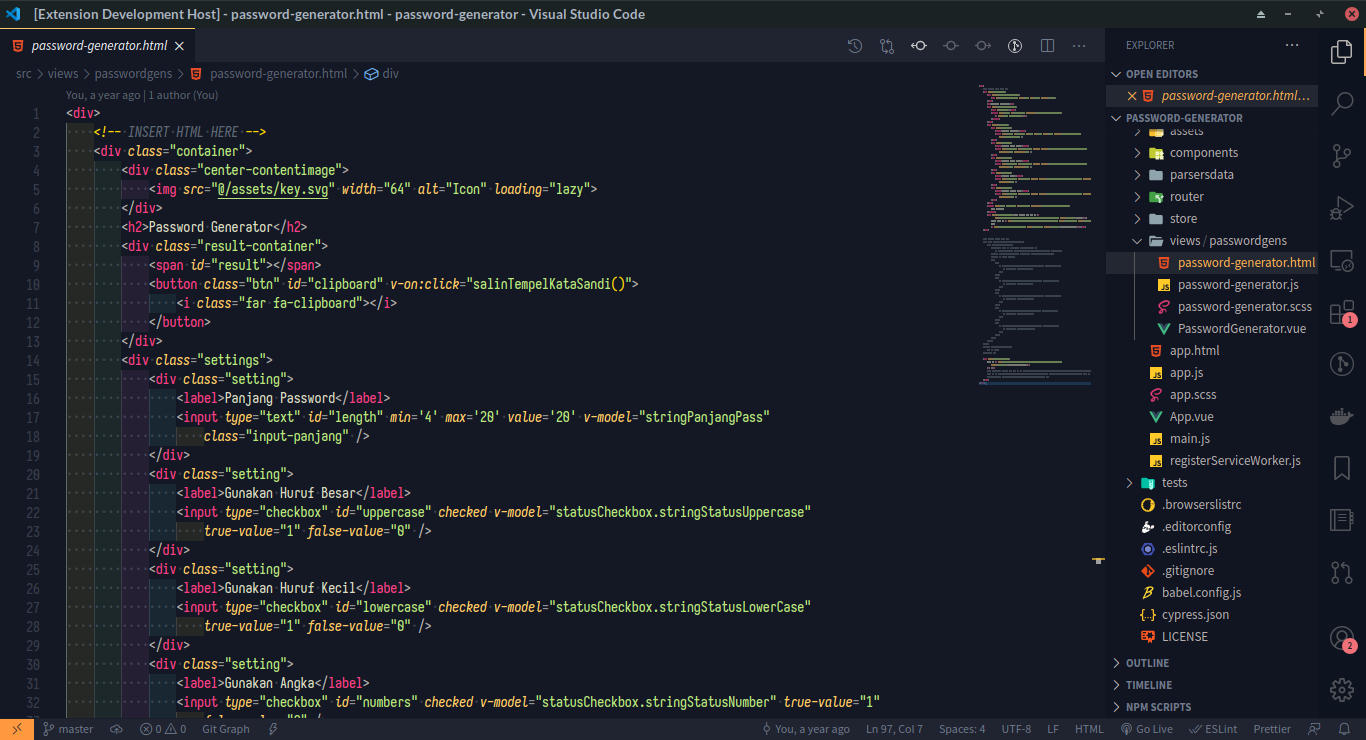
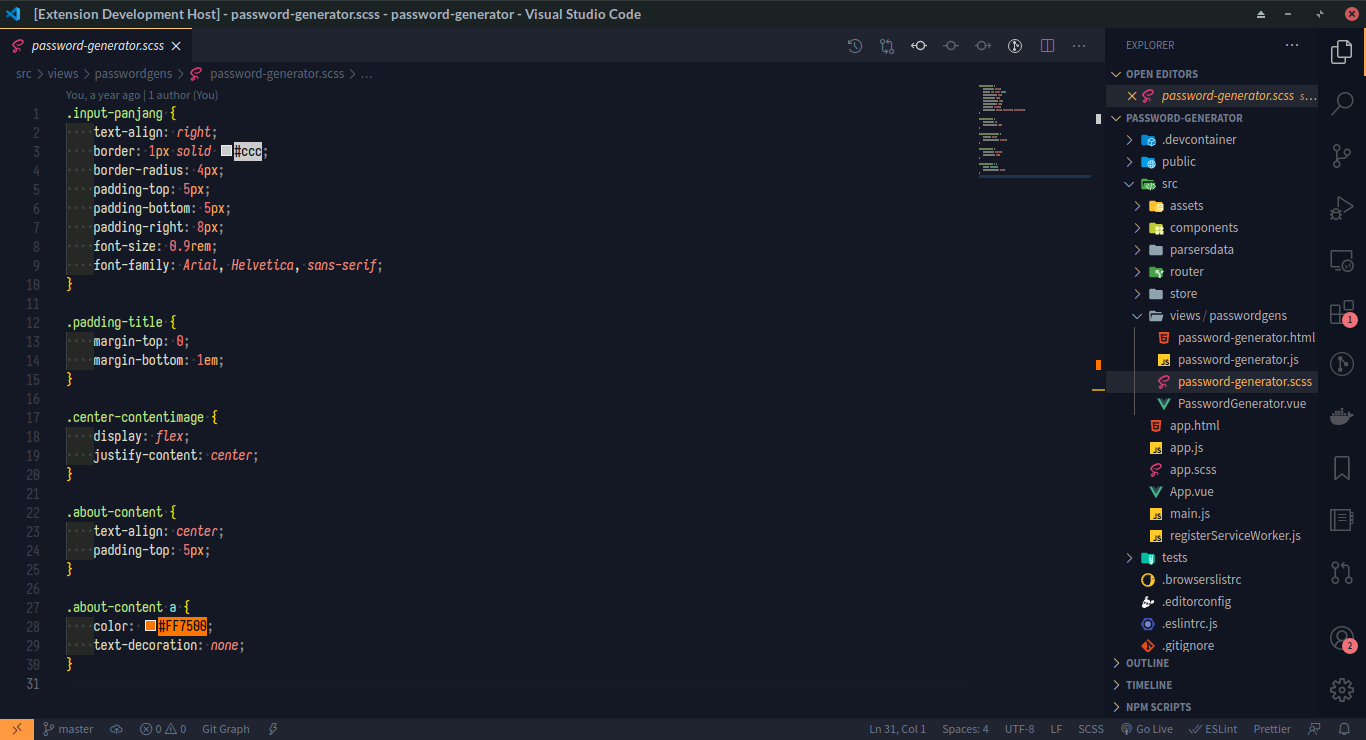
Some demo for syntax highlighting in JavaScript, CSS, HTML, and JSON file. The recommended font for use with this theme is Iosevka Font or using our custom build font named Iosevka Mayukai.
Mayukai Mirage JavaScript Syntax
Mayukai Mirage HTML Syntax
Mayukai Mirage CSS SCSS Syntax
Mayukai Mirage JSON Syntax
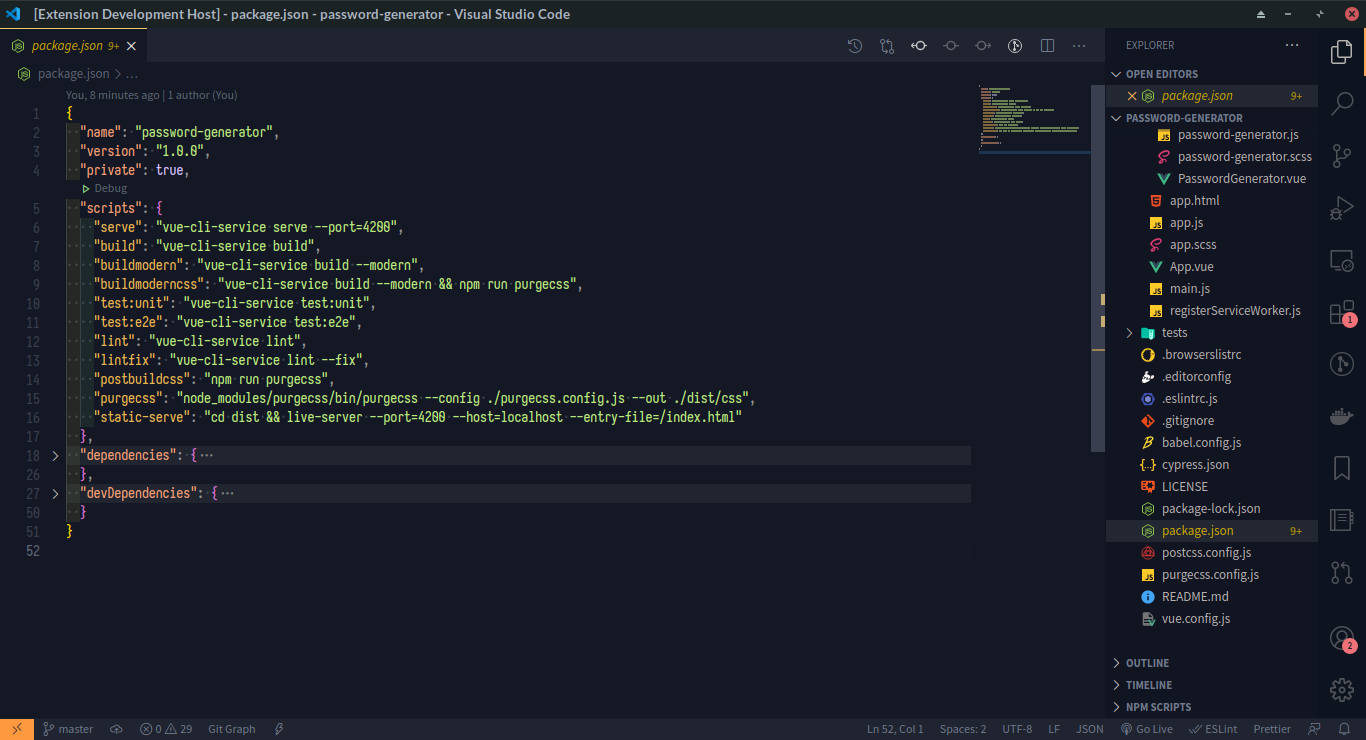
Mayukai Dark
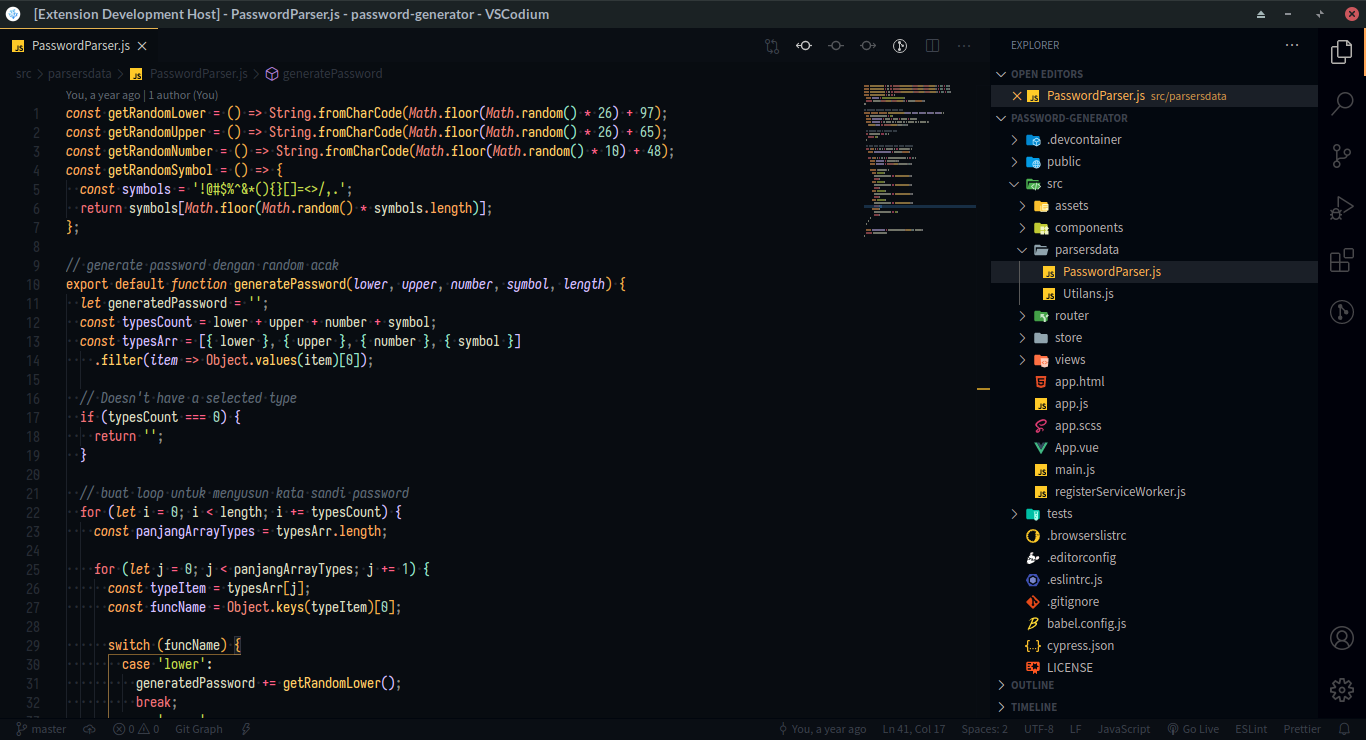
Mayukai Gruvbox Darktooth
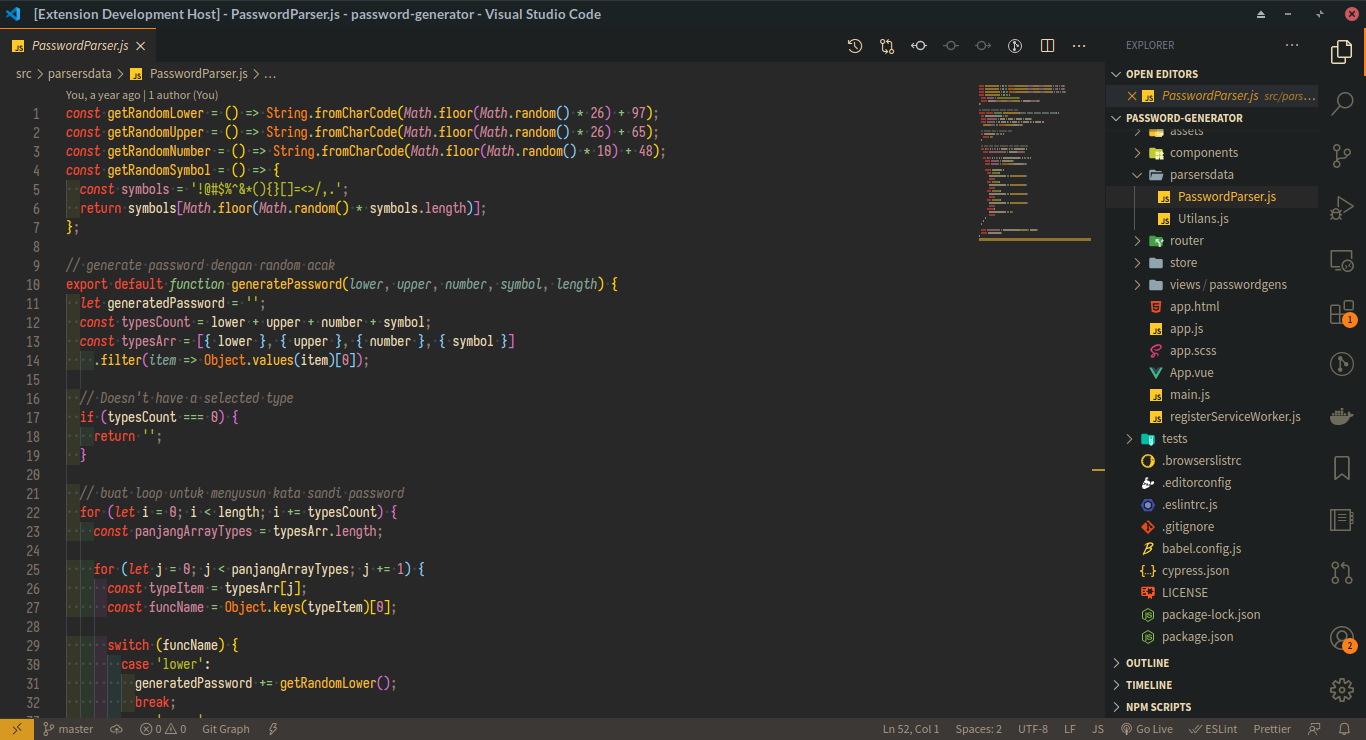
Mayukai Mono
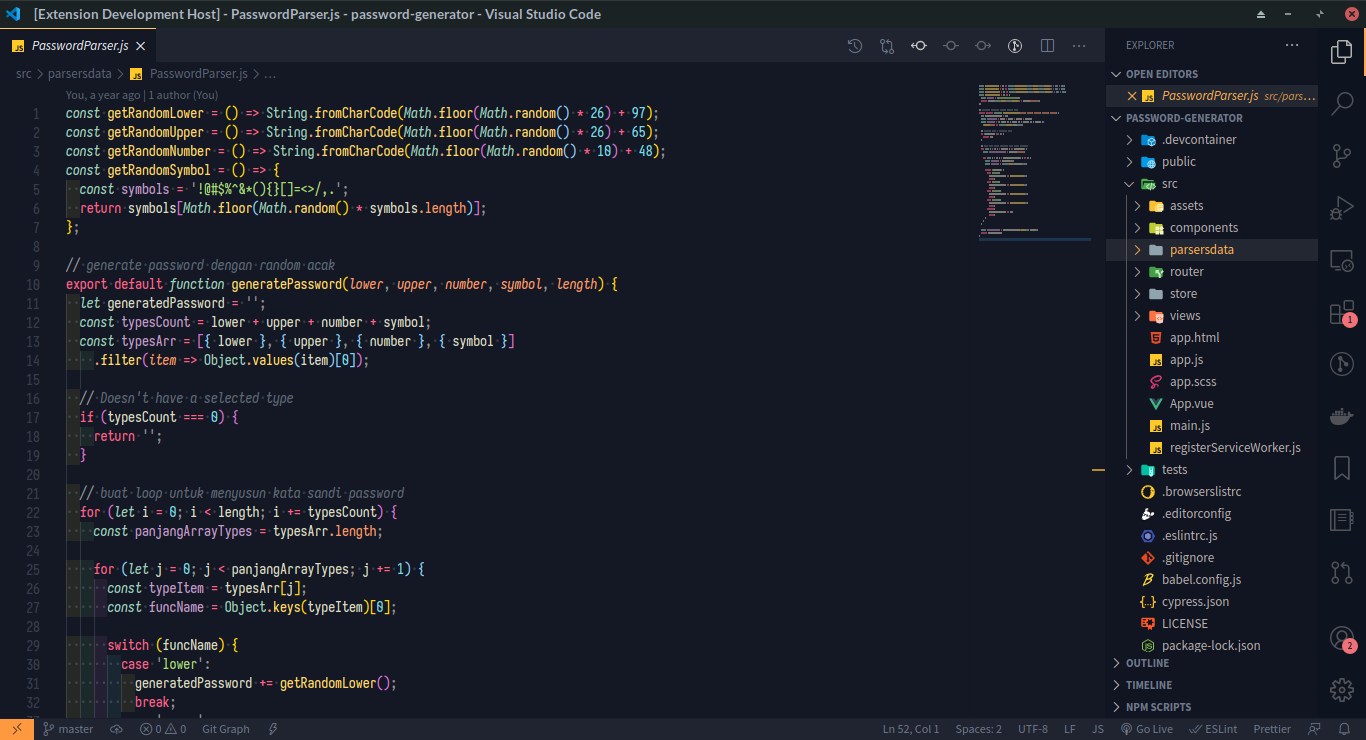
Mayukai Alucard
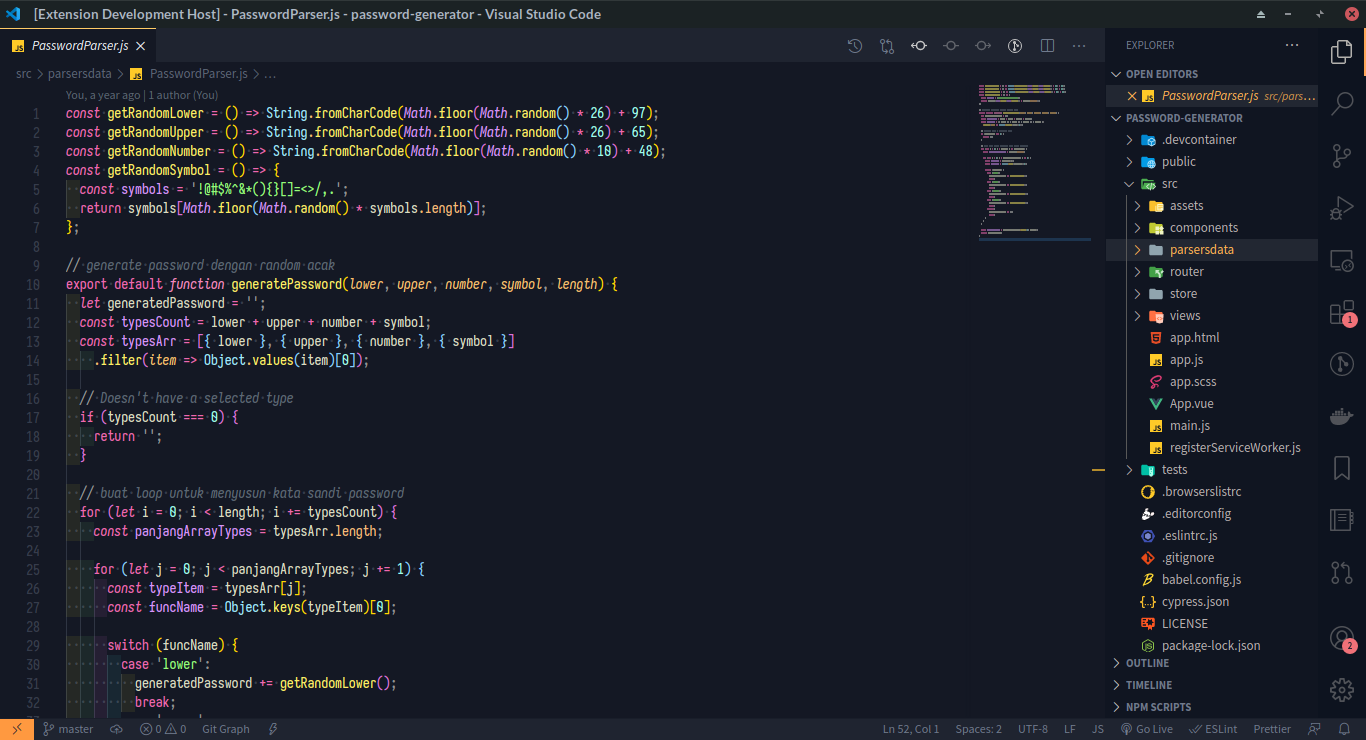
Mayukai Sunset
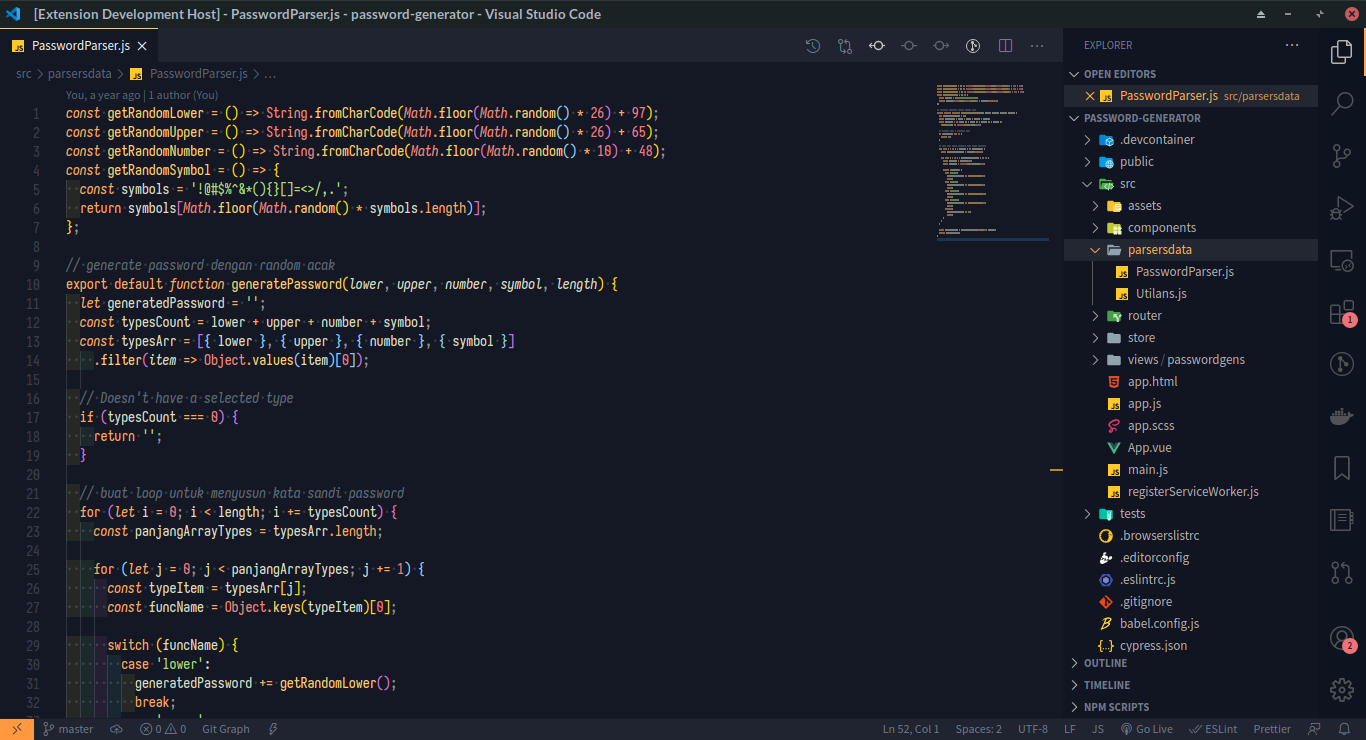
Mayukai Reversal
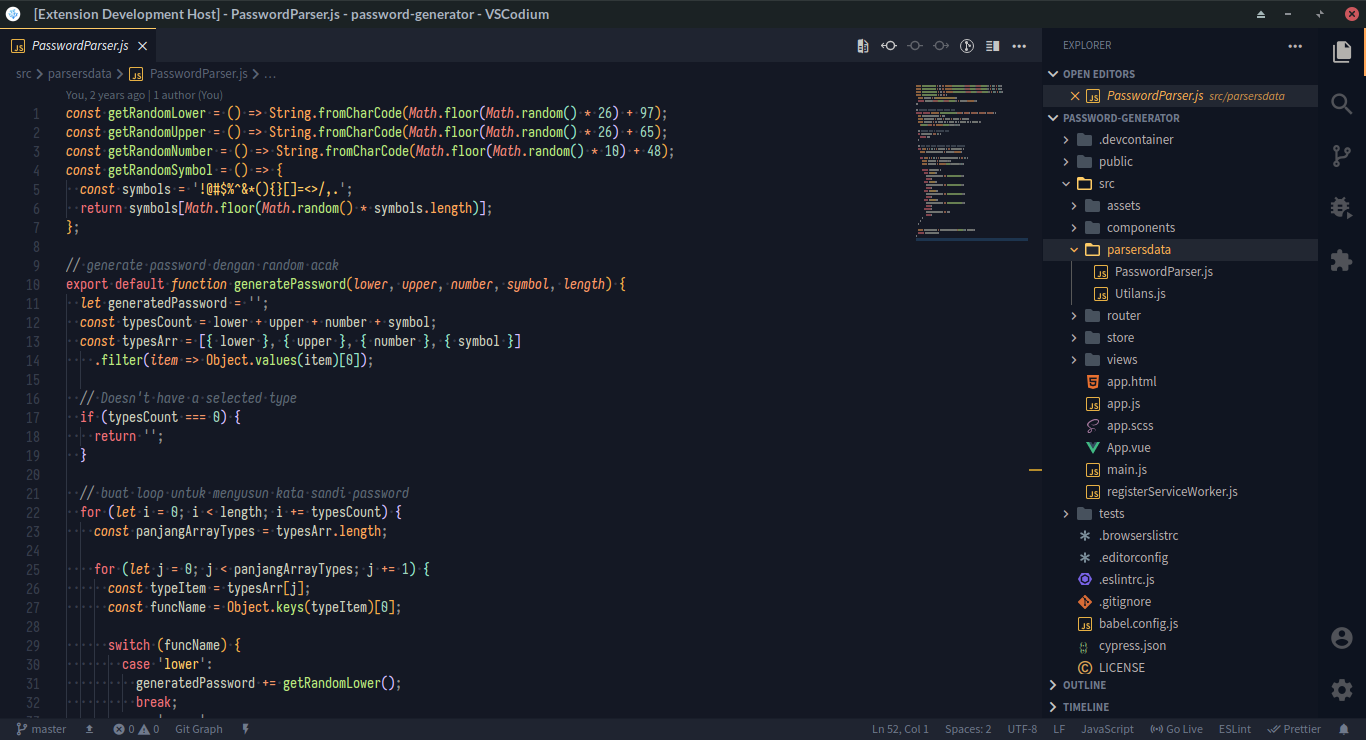
Mayukai Midnight
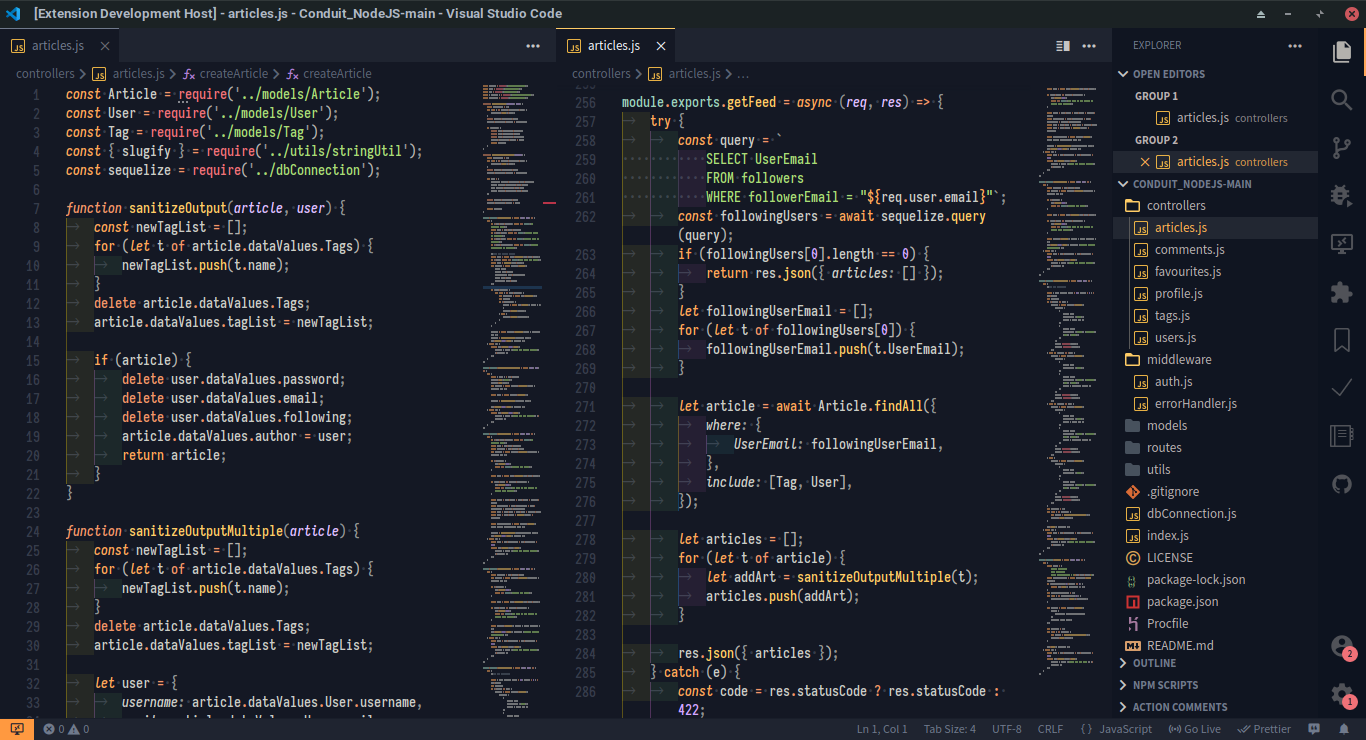
Known Issues
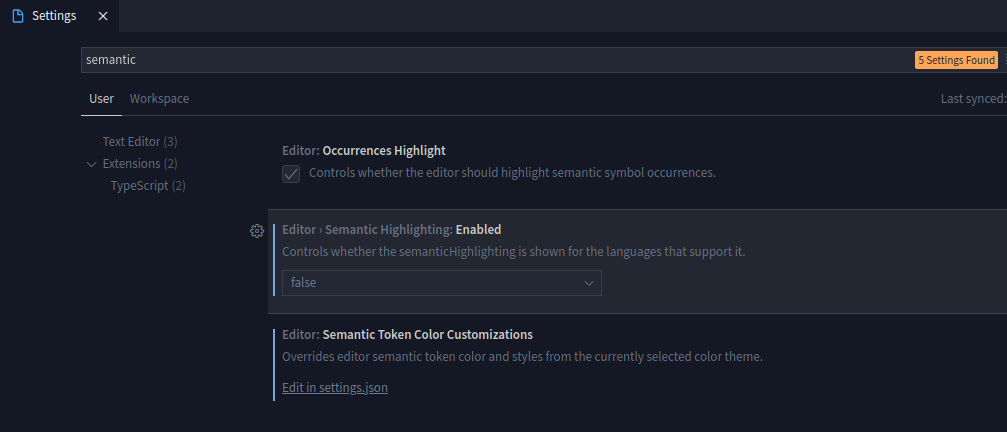
VS Code 1.50 and newer versions, bring new feature called Semantic Highlighting. Unfortunately, this feature make VS Code theme and syntax highlighting broken and unusable. You can disable this feature in VS Code Settings.
Put this line in your VS Code settings.json file.
"editor.semanticHighlighting.enabled": false
"editor.semanticTokenColorCustomizations": { "enabled": false }
Related Issue :
https://github.com/microsoft/vscode/issues/92308
Reference :
https://code.visualstudio.com/docs/getstarted/themes#_semantic-highlighting
Reference :
https://github.com/microsoft/vscode/wiki/Semantic-Highlighting-Overview
Or search in your VS Code Settings with "semantic" keyword. And disable by selecting false option from Editor > Semantic Highlighting: Enabled dropdown setting.
Mayukai Theme for Semantic Highlighting VS Code
If you still want use Semantic Highlighting in VS Code 1.45.x and newer versions. You can use Mayukai Theme that specially designed for Semantic Highlighting. Just select Mayukai Semantic Mirage Theme in Color Theme Setting in your VS Code.
Miscellaneous
Mayukai theme also available in Hyper Terminal . You can download and install Mayukai Hyper Terminal Theme in this link.
Mayukai Theme work fine with other syntax highlighting extension, such as Babel JavaScript by Michael McDermott. But I recommended you to disable that extension if you find any problem with syntax coloring consistency in Mayukai Theme.
Mayukai Terminal Theme also available for Linux System, with .Xresources configuration. This configuration and how to install available in this repository Mayukai Terminal Theme.
Development…
Description from the VS Code Marketplace listing.
- color-theme
- icon-theme
- theme
README badge
Show your rank in a README or on your website. The badge updates automatically.
Charts
Images: 30d · 1y · all time · 1600×900 dark


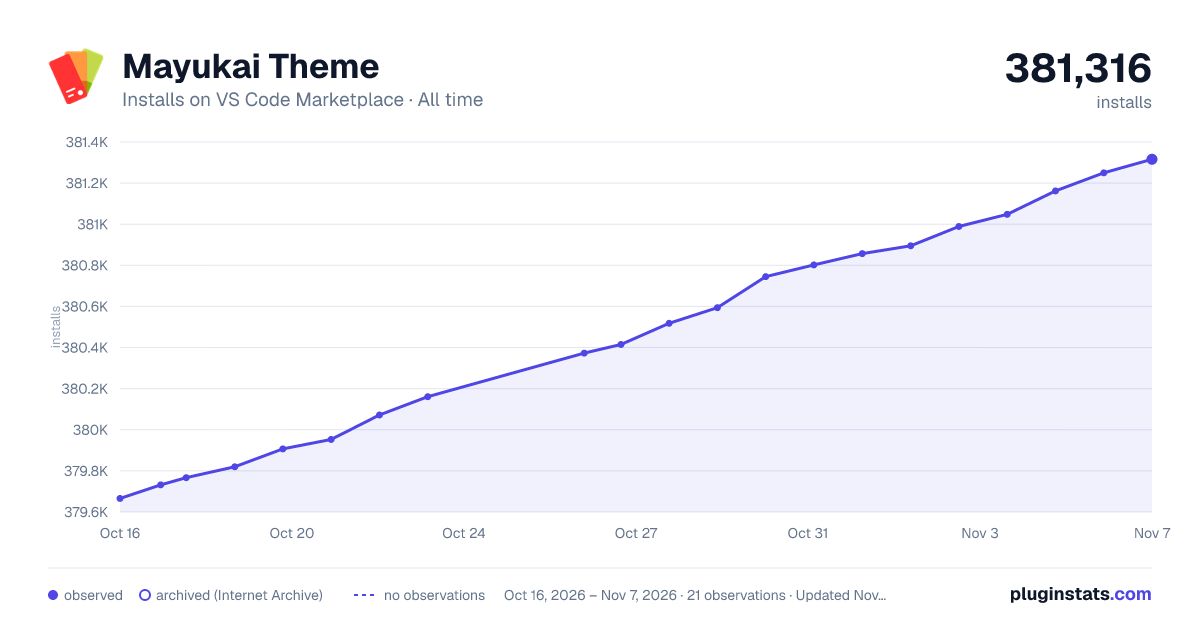

Adoption over time
7/30/90-day growth
Ranking history
Ratings over time
Listing placement
Listing placement
Filled points are observed values; hollow points come from Internet Archive snapshots of the listing page. Dashed segments span periods with no observations — values between points are not interpolated.
Each band is one page of 20. Installs on a linear scale. Placement is projected from installs, so it can differ from the marketplace's own sort order. Hover a dot to see the listing.
Recent observations
Full history (10)Similar VS Code Marketplace Themes plugins
All 20 Mayukai Theme alternativesData source
Install counts, average rating, and rating counts come from the public Visual Studio Marketplace gallery API. Installs are cumulative and exclude updates.
Listing: https://marketplace.visualstudio.com/items?itemName=GulajavaMinistudio.mayukaithemevsc. First seen Oct 16, 2026; last successful collection Oct 27, 2026. See the methodology.