 PluginStats
@iobroker/mcp-server weekly downloads statistics
By iobroker · npm · MCP servers
MCP server for ioBroker
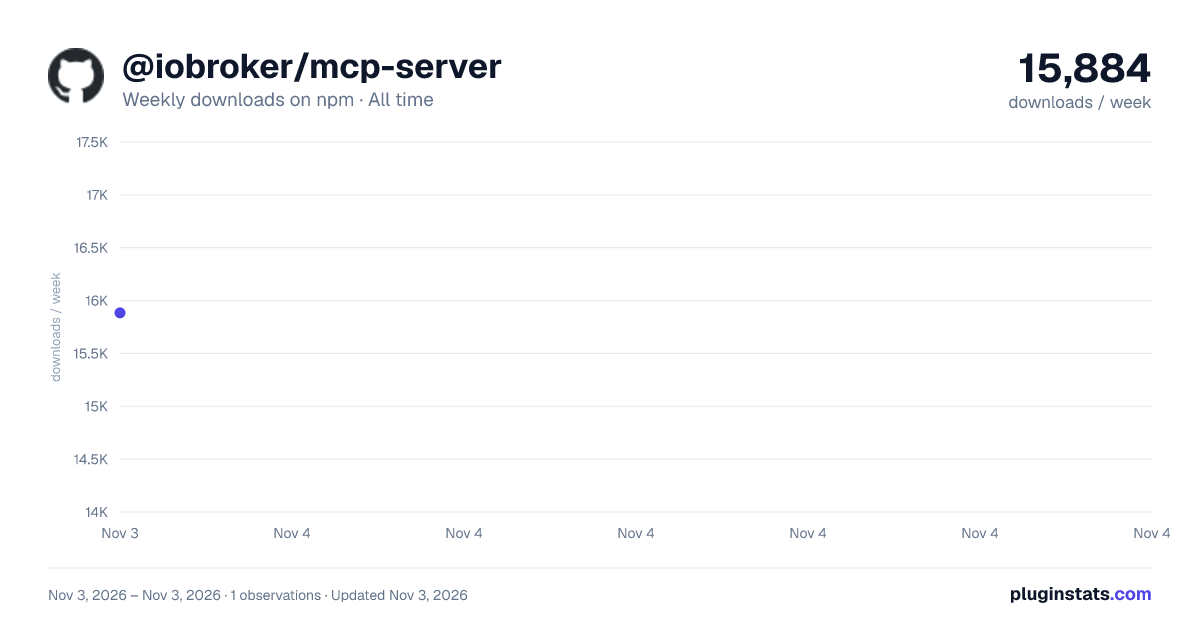
@iobroker/mcp-server has 15,884 recorded weekly downloads on npm, ranking #1069 of 2,855 tracked listings.
About @iobroker/mcp-server
@iobroker/mcp-server
MCP server for ioBroker
Description
This adapter exposes ioBroker as an MCP (Model Context Protocol) server, so MCP-capable clients (e.g. Claude Desktop) can read and control your installation through a well-defined set of tools.
Features
- MCP server over the Streamable HTTP transport (
/mcpendpoint) - Configurable HTTP/HTTPS web server
- Configurable port and bind address
- Optional authentication
- Optional SSL/TLS support
- Network diagnostics (ICMP ping / TCP probe) to troubleshoot adapter connections
- Adapter repository search to recommend installable adapters
Operating modes
The adapter can run in two ways:
-
Standalone (default) – it starts its own web server on the configured port. The MCP endpoint is
http(s)://<host>:<port>/mcp. -
Web extension – it runs inside an existing
webadapter instance and shares its web server (port, authentication, SSL). Select the target web instance in the admin configuration ("Extend WEB adapter"). The MCP endpoint is then served under the web adapter, e.g.http(s)://<host>:8082/mcp/.When a web instance is selected, the standalone server settings (port, bind address, authentication, SSL) are hidden because they are inherited from the chosen
webinstance.
Configuration
The adapter can be configured through the ioBroker admin interface using JSONConfig:
Server Configuration
- Extend WEB adapter: Select a
webinstance to run as its extension. Leave empty to run standalone. - Port: The port on which the web server will listen (default: 8093) – standalone only
- Bind Address: IP address to bind the server to (0.0.0.0 for all interfaces) – standalone only
Authentication
- Enable Authentication: When enabled (standalone mode), every request to the
/mcpendpoint must present valid ioBroker credentials, otherwise it is rejected with401 Unauthorized. When disabled, the endpoint is reachable without credentials — only use that on a trusted network or behind a reverse proxy that provides its own authentication. As a web extension the hostwebinstance's authentication applies instead, so this switch has no effect there. - Default User: The ioBroker user whose permissions MCP requests run with when authentication is
disabled (default:
admin). With authentication enabled, every session runs with the permissions of the user who logged in, and this setting is not used. All object/state reads and writes performed by the tools are executed in the name of that user, so the user's ACLs are enforced. A plain name likeoperatoris automatically expanded tosystem.user.operator. As a web extension the hostwebinstance's default user applies. A session is bound to the user that opened it: requests of another user with the same session id are answered with404 Session not found. - Enable OAuth: Offer the browser-based OAuth2 login that MCP clients such as Claude Desktop use when
a connector is added. In standalone mode this requires Enable Authentication. As a web extension
it also works, but the login is then provided by the host
webinstance, so OAuth has to be enabled there as well (web ≥ 9.1.0, "Allow third-party clients"). See below. - Public URL: The externally reachable base URL of this server, e.g.
https://iobroker.example.com. Required behind a reverse proxy — the URLs published in the OAuth discovery documents must be the ones the client can actually reach. When empty, they are derived from each incoming request. - Allow client self-registration: Let MCP clients register themselves via RFC 7591 (default: on). With this off, every client has to be registered by hand before it can connect.
Connecting an MCP client via OAuth (recommended)
With Enable OAuth on, a client only needs the MCP endpoint URL. It discovers the rest by itself, the user logs in and confirms in the browser, and the client never sees the ioBroker password:
- The client requests
/mcpand gets401with aWWW-Authenticateheader pointing at/.well-known/oauth-protected-resource/mcp(RFC 9728). - From there it finds the authorization server and registers itself (RFC 7591).
- The user's browser opens the ioBroker login and consent page, and the client redeems the resulting authorization code with PKCE (RFC 7636).
Two requirements are easy to miss:
- HTTPS is mandatory for anything but
localhost. The flow runs through the user's browser, and MCP clients refuse plainhttp://for remote hosts. Enable SSL below or put the server behind an https reverse proxy. - Set the Public URL when a reverse proxy is involved, otherwise the discovery documents advertise the internal address and the client cannot complete the flow.
Access tokens issued this way are bound to this server (RFC 8707): a token minted for some other service is
rejected with error="invalid_token", even when it belongs to a valid ioBroker user. This matters most as a
web extension, where other resources on the same web server are authorized by the same login.
As a web extension the division of labour is: the host web instance runs the login, consent and token
endpoints, and this adapter publishes the metadata for its own endpoint under
/.well-known/oauth-protected-resource/mcp and verifies the audience. Enable OAuth in both — with it off in
web, unauthenticated MCP requests are answered with a redirect to the login page, which no MCP client can
use.
Users can disconnect a client at any time; the client's tokens can be dropped via POST /oauth/revoke.
Authenticating a client without OAuth (headless clients)
Clients may also authenticate in either of two ways:…
Description from the npm listing.
- ioBroker
- mcp
- server
README badge
Show your rank in a README or on your website. The badge updates automatically.
Charts
Images: 30d · 1y · all time · 1600×900 dark



Adoption over time
7/30/90-day growth
Ranking history
Listing placement
Listing placement
Filled points are observed values; hollow points come from Internet Archive snapshots of the listing page. Dashed segments span periods with no observations — values between points are not interpolated.
Each band is one page of 20. Weekly downloads on a linear scale. Placement is projected from weekly downloads, so it can differ from the marketplace's own sort order. Hover a dot to see the listing.
Recent observations
Full history (1)Similar npm MCP servers plugins
All 20 @iobroker/mcp-server alternativesData source
Weekly downloads (trailing 7 complete days) come from the official npm downloads API. Downloads include CI and mirrors and are not equivalent to installs or users. npm publishes no ratings.
Listing: https://www.npmjs.com/package/@iobroker/mcp-server. First seen Nov 5, 2026; last successful collection Nov 5, 2026. See the methodology.