 PluginStats
@regru/webpack-babel-multi-target-plugin weekly downloads statistics
By regru · npm · Webpack plugins
A Webpack plugin that works with Babel to allow deployment of ES2015 builds targeted to modern browsers, with an ES5 fallback for legacy browsers.
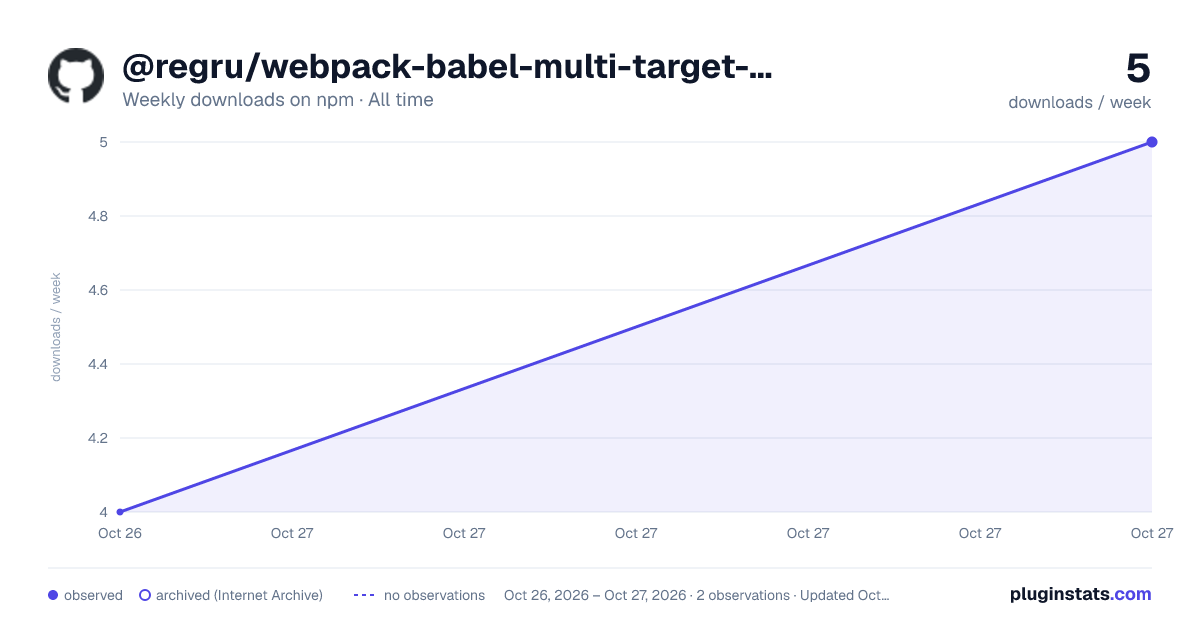
@regru/webpack-babel-multi-target-plugin has 4 recorded weekly downloads on npm, ranking #2080 of 2,644 tracked listings.
About @regru/webpack-babel-multi-target-plugin
webpack-babel-multi-target-plugin




This project, inspired by Phil Walton's article
Deploying es2015 Code in Production Today,
adds tooling to simplify the additional configuration with a
Webpack plugin, BabelMultiTargetPlugin.
Setup and Configuration

Using the plugin requires making a few small changes to your existing webpack configuration:
-
Replace any instances of
'babel-loader'withBabelMultiTargetPlugin.loader()- Do not use a
Loaderconfiguration object here - see Options Reference below for information on customizing options for'babel-loader'
- Do not use a
-
Set
resolve.mainFieldsto favor modern ES modules, which allows webpack to load the most modern source possible. There are several intersecting de-facto standards flying around, so this should cover as much as possible:
mainFields: [

  // rxjs and Angular Package Format
  // these are generally shipped as a higher ES language level than `module`
  'es2015',
  'esm2015',
  'fesm2015',

  // current leading de-facto standard - see https://github.com/rollup/rollup/wiki/pkg.module
  'module',

  // previous de-facto standard, superceded by `module`, but still in use by some packages
  'jsnext:main',

  // Angular Package Format - lower ES level
  'esm5',
  'fesm5',

  // standard package.json fields
  'browser',
  'main',
],
-
Add an instance of
BabelMultiTargetPluginto the webpack configuration'spluginsproperty -
BabelMultiTargetPlugindoes not require any configuration - but can be customized (see Options Reference below) -
Remove any
.babelrc- see Options Reference below for setting preset options -
Remove any references to
babel-loaderfrom yourpackage.json- it is a direct dependency ofwebpack-babel-multi-target-plugin, and may cause unexpected issues if there are duplicate instances due to a version mismatch -
TypeScript
- Loader rules must use
BabelMultiTargetPlugin.loader()after your compiler loader (remember, loaders are run bottom to top) - Set
tsconfigtotargetes6 or higher
- Loader rules must use
-
Vue
- Replace
'vue-loader'withBabelMultiTargetPlugin.loader('vue-loader')
- Replace
Upgrading from v1.x
- Change usages of
BabelMultiTargetPlugin.loadertoBabelMultiTargetPlugin.loader()
Usage with ES6 Dynamic Imports (including Angular "Lazy" Routes)
When using ES6's import(...) syntax, you may use Webpack's built-in chunk naming syntax to control the naming
of the resulting chunk:
import(/* webpackChunkName: "my-dynamic-import" */'./some-other-module')
When working with imports that use an expression within the import syntax, BabelMultiTargetPlugin adds the [resource]
tag to allow better control over the naming of the resulting chunk. The [resource] tag will be replaced by the
relative path of the imported module, minus the file extension.
/*
 * ./src/
 *   - plugins
 *     - a
 *       plugin.js
*      - b
*        plugin.js
 *
 */

// ./src/loader.js
import(/* webpackChunkName: "[resource]" */`./plugins/${plugin}/plugin.js`)
In the above example, the resulting chunks for the plugin files would be (depending on the target configuration):
a-plugin.js(legacy bundle for./src/plugins/a/plugin.js)a-plugin.modern.js(modern bundle for./src/plugins/a/plugin.js)b-plugin.js(legacy bundle for./src/plugins/b/plugin.js)b-plugin.modern.js(modern bundle for./src/plugins/b/plugin.js)
Naming Angular Lazy Routes
Adding the included NamedLazyChunksPlugin will allow similar human-friendly chunk naming for Angular lazy routes:
// webpack.config.js

const BabelMultiTargetPlugin = require('webpack-babel-multi-target-plugin').BabelMultiTargetPlugin
const NamedLazyChunksPlugin =  require('webpack-babel-multi-target-plugin').NamedLazyChunksPlugin

module.exports = {
  ...

  plugins: [
    new BabelMultiTargetPlugin(),
    new NamedLazyChunksPlugin(),
  ],
}
NamedLazyChunkPlugin can also be used with plain ES6 Dynamic Imports as an alternative to Webpack's chunk naming
syntax.
Configuration Defaults
BabelMultiTargetPlugin does not require any options to be set. The
default behavior is:
-
Generate "modern" and "legacy" bundles.
-
The "modern" bundle assets will have their filenames appended with
.modern, while the "legacy" bundle assets will remain the same. This enables these assets to be deployed without breaking anything since it will still have the required polyfills. -
"modern" browsers are the last 2 versions of each browser, excluding versions that don't support
<script type="module">
Options Reference…
Description from the npm listing.
- webpack
- webpack-plugin
- babel
- babel-loader
- esnext
- esmodules
- es2015
- es2016
- es2017
- es6
- es7
README badge
Show your rank in a README or on your website. The badge updates automatically.
Charts
Images: 30d · 1y · all time · 1600×900 dark



Adoption over time
7/30/90-day growth
Ranking history
Listing placement
Listing placement
Filled points are observed values; hollow points come from Internet Archive snapshots of the listing page. Dashed segments span periods with no observations — values between points are not interpolated.
Each band is one page of 20. Weekly downloads on a linear scale. Placement is projected from weekly downloads, so it can differ from the marketplace's own sort order. Hover a dot to see the listing.
Recent observations
Full history (1)Similar npm Webpack plugins plugins
All 20 @regru/webpack-babel-multi-target-plugin alternatives- 4 weekly downloads-91.3%
- 4 weekly downloads-97.8%
- 4 weekly downloads-93.5%
Data source
Weekly downloads (trailing 7 complete days) come from the official npm downloads API. Downloads include CI and mirrors and are not equivalent to installs or users. npm publishes no ratings.
Listing: https://www.npmjs.com/package/@regru/webpack-babel-multi-target-plugin. First seen Oct 28, 2026; last successful collection Oct 28, 2026. See the methodology.