 PluginStats
@aashari/mcp-server-atlassian-bitbucket weekly downloads statistics
By aashari (3 listings) · npm · MCP servers
Node.js/TypeScript MCP server for Atlassian Bitbucket. Enables AI systems (LLMs) to interact with workspaces, repositories, and pull requests via tools (list, get, comment, search). Connects AI directly to version control workflows through the standard MC
@aashari/mcp-server-atlassian-bitbucket has 11,199 recorded weekly downloads on npm, ranking #1157 of 2,855 tracked listings.
About @aashari/mcp-server-atlassian-bitbucket
Connect AI to Your Bitbucket Repositories
Transform how you work with Bitbucket by connecting Claude, Cursor AI, and other AI assistants directly to your repositories, pull requests, and code. Get instant insights, automate code reviews, and streamline your development workflow.


What You Can Do
- Ask AI about your code: "What's the latest commit in my main repository?"
- Get PR insights: "Show me all open pull requests that need review"
- Search your codebase: "Find all JavaScript files that use the authentication function"
- Review code changes: "Compare the differences between my feature branch and main"
- Manage pull requests: "Create a PR for my new-feature branch"
- Automate workflows: "Add a comment to PR #123 with the test results"
Perfect For
- Developers who want AI assistance with code reviews and repository management
- Team Leads needing quick insights into project status and pull request activity
- DevOps Engineers automating repository workflows and branch management
- Anyone who wants to interact with Bitbucket using natural language
Requirements
- Node.js 18.0.0 or higher
- Bitbucket Cloud account (not Bitbucket Server/Data Center)
- Authentication credentials: Scoped API Token (recommended) or App Password (legacy)
Quick Start
Get up and running in 2 minutes:
1. Get Your Bitbucket Credentials
IMPORTANT: Bitbucket App Passwords are being deprecated and will be removed by June 2026. We recommend using Scoped API Tokens for new setups.
Option A: Scoped API Token (Recommended - Future-Proof)
Bitbucket is deprecating app passwords. Use the new scoped API tokens instead:
- Go to Atlassian API Tokens
- Click "Create API token with scopes"
- Select "Bitbucket" as the product
- Choose the appropriate scopes:
- For read-only access:
repository,workspace - For full functionality:
repository,workspace,pullrequest
- For read-only access:
- Copy the generated token (starts with
ATATT) - Use with your Atlassian email as the username
Option B: App Password (Legacy - Will be deprecated)
Generate a Bitbucket App Password (legacy method):
- Go to Bitbucket App Passwords
- Click "Create app password"
- Give it a name like "AI Assistant"
- Select these permissions:
- Workspaces: Read
- Repositories: Read (and Write if you want AI to create PRs/comments)
- Pull Requests: Read (and Write for PR management)
2. Try It Instantly
# Set your credentials (choose one method)

# Method 1: Scoped API Token (recommended - future-proof)
export ATLASSIAN_USER_EMAIL="your.email@company.com"
export ATLASSIAN_API_TOKEN="your_scoped_api_token"  # Token starting with ATATT

# OR Method 2: Legacy App Password (will be deprecated June 2026)
export ATLASSIAN_BITBUCKET_USERNAME="your_username"
export ATLASSIAN_BITBUCKET_APP_PASSWORD="your_app_password"

# List your workspaces
npx -y @aashari/mcp-server-atlassian-bitbucket get --path "/workspaces"

# List repositories in a workspace
npx -y @aashari/mcp-server-atlassian-bitbucket get --path "/repositories/your-workspace"

# Get pull requests for a repository
npx -y @aashari/mcp-server-atlassian-bitbucket get --path "/repositories/your-workspace/your-repo/pullrequests"

# Get repository details with JMESPath filtering
npx -y @aashari/mcp-server-atlassian-bitbucket get --path "/repositories/your-workspace/your-repo" --jq "{name: name, language: language}"
Connect to AI Assistants
For Claude Desktop Users
Add this to your Claude configuration file (~/.claude/claude_desktop_config.json):
Option 1: Scoped API Token (recommended - future-proof)
{
  "mcpServers": {
    "bitbucket": {
      "command": "npx",
      "args": ["-y", "@aashari/mcp-server-atlassian-bitbucket"],
      "env": {
        "ATLASSIAN_USER_EMAIL": "your.email@company.com",
        "ATLASSIAN_API_TOKEN": "your_scoped_api_token"
      }
    }
  }
}
Option 2: Legacy App Password (will be deprecated June 2026)
{
  "mcpServers": {
    "bitbucket": {
      "command": "npx",
      "args": ["-y", "@aashari/mcp-server-atlassian-bitbucket"],
      "env": {
        "ATLASSIAN_BITBUCKET_USERNAME": "your_username",
        "ATLASSIAN_BITBUCKET_APP_PASSWORD": "your_app_password"
      }
    }
  }
}
Restart Claude Desktop, and you'll see the bitbucket server in the status bar.
For Other AI Assistants
Most AI assistants support MCP. You can either:
Option 1: Use npx (recommended - always latest version):
Configure your AI assistant to run: npx -y @aashari/mcp-server-atlassian-bitbucket
Option 2: Install globally:
npm install -g @aashari/mcp-server-atlassian-bitbucket
Then configure your AI assistant to use the MCP server with STDIO transport.
Supported AI assistants:
- Claude Desktop (official support)
- Cursor AI
- Continue.dev
- Cline
- Any MCP-compatible client
Alternative: Configuration File
Create ~/.mcp/configs.json for system-wide configuration:
Option 1: Scoped API Token (recommended - future-proof)
{
  "bitbucket": {
    "environments": {
      "ATLASSIAN_USER_EMAIL": "your.email@company.com",
      "ATLASSIAN_API_TOKEN": "your_scoped_api_token",
      "BITBUCKET_DEFAULT_WORKSPACE": "your_main_workspace"
    }
  }
}
```…
Description from the npm listing.
- mcp
- typescript
- claude
- anthropic
- ai
- atlassian
- bitbucket
- repository
- version-control
- pull-request
- server
- model-context-protocol
- tools
- resources
- tooling
- ai-integration
- mcp-server
- llm
- ai-connector
- external-tools
README badge
Show your rank in a README or on your website. The badge updates automatically.
Charts
Images: 30d · 1y · all time · 1600×900 dark


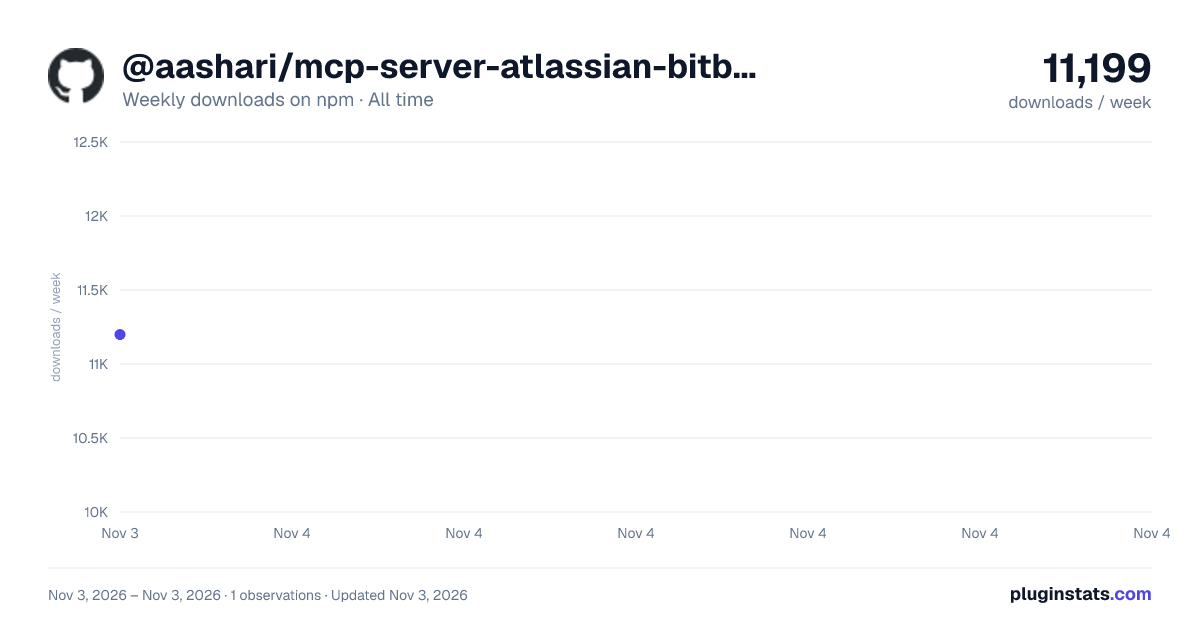

Adoption over time
7/30/90-day growth
Ranking history
Listing placement
Listing placement
Filled points are observed values; hollow points come from Internet Archive snapshots of the listing page. Dashed segments span periods with no observations — values between points are not interpolated.
Each band is one page of 20. Weekly downloads on a linear scale. Placement is projected from weekly downloads, so it can differ from the marketplace's own sort order. Hover a dot to see the listing.
Recent observations
Full history (1)Similar npm MCP servers plugins
All 20 @aashari/mcp-server-atlassian-bitbucket alternatives- 11.3K weekly downloads—
- 11.7K weekly downloads-66.3%
Data source
Weekly downloads (trailing 7 complete days) come from the official npm downloads API. Downloads include CI and mirrors and are not equivalent to installs or users. npm publishes no ratings.
Listing: https://www.npmjs.com/package/@aashari/mcp-server-atlassian-bitbucket. First seen Nov 5, 2026; last successful collection Nov 5, 2026. See the methodology.