 PluginStats
Topview AI extension: Turn Your Product Into Viral Videos users statistics
Convert any URL into engaging videos in a few clicks. Boost your content strategy with Topview AI — perfect for social media!
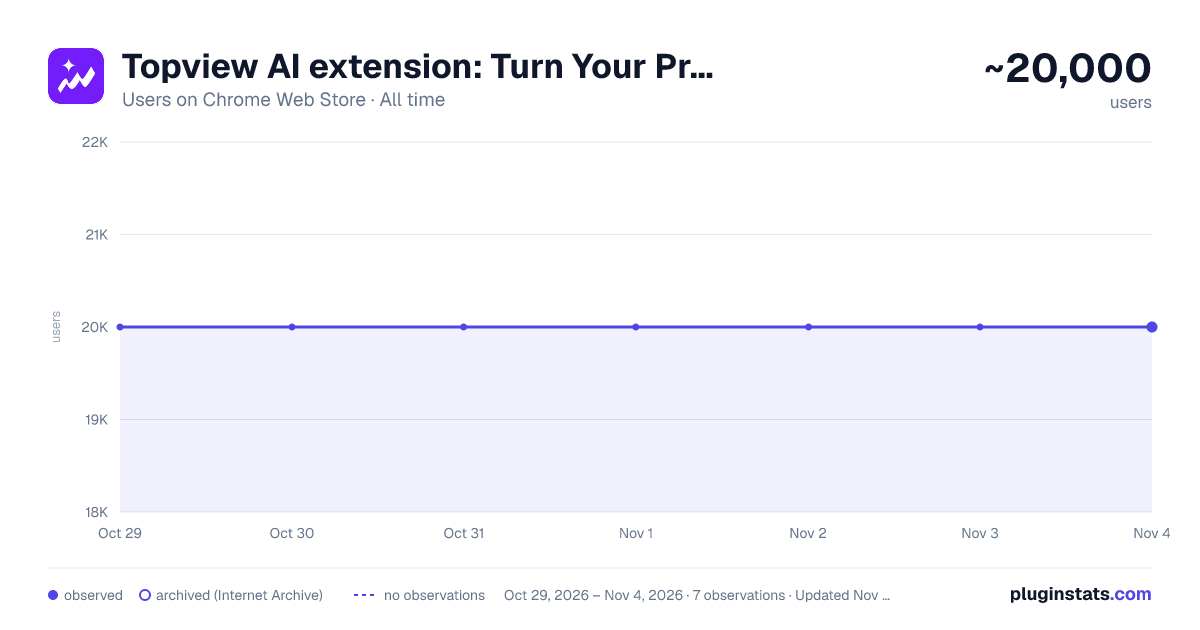
Topview AI extension: Turn Your Product Into Viral Videos has approximately 20,000 recorded users on Chrome Web Store, ranking #432 of 5,223 tracked listings.
Rating: 4.00 / 5 from 25 ratings
About Topview AI extension: Turn Your Product Into Viral Videos
Convert any URL into engaging videos in a few clicks. Boost your content strategy with Topview AI — perfect for social media!
Convert any URL into engaging videos in a few clicks. Boost your content strategy with Topview AI - perfect for social media!
Effortlessly convert any URL into engaging videos in just a few clicks. Enhance your content strategy with Topview.ai - perfect for social media sharing!
Topview.AI's Viral Video Agent helps you instantly convert any product into scroll-stopping social videos. No video editing skills needed. Perfect for e-commerce, marketers, and anyone who wants their product to go viral!
🔹 Why use it Leveraging Topview AI technology for video creation offers several key benefits: 🌟 Create Product demo, or video, or ads in minutes, not hours. 🌟 Easy to use UI, no editing skill needed. Generate a video with several clicks, AI does everything for you. 🌟 Save time & money, create a video or ads without a camera. 🌟 And get more converting by instantly engaging hook. 🌟 Publish Agent video to TikTok, Instagram, and more social media platform in one click.
🔹 Key features 🌟 Viral Video Agent: Recreate viral videos for your product. 🌟 Avatar 4: Create life like talking avatars from a photo and script. 🌟 Product Avatar: Create an avatar interacting with your product using one image.
🔹 What for: 🌟 Amazon/Shopify/shoppee/aliexpress URL to Video: extract product info from your website, download images & videos, make a video base on the webpage. 🌟 Landing Page to video 🌟 Website to video 🌟 Article to video: rewrite engaging script from article, and generate videos base on the images from article and the stock AI avatar
🔹 How to Use the Extension to Convert a URL to Video with AI
- Navigate to the website you want to create a video from, and click on the Topview extension icon in the top right corner of your browser.
- Hit the "Convert Webpage to Video" button to let the AI analyze the webpage content.
- After the analysis is complete, simply generate the video with one click.
We can help u to make video creation from any webpage quick and easy.
Description from the Chrome Web Store listing.
README badge
Show your rank in a README or on your website. The badge updates automatically.
Charts
Images: 30d · 1y · all time · 1600×900 dark
Adoption over time
7/30/90-day growth
Ranking history
Ratings over time
Listing placement
Listing placement
Filled points are observed values; hollow points come from Internet Archive snapshots of the listing page. Dashed segments span periods with no observations — values between points are not interpolated.
Each band is one page of 20. Users on a linear scale. Placement is projected from users, so it can differ from the marketplace's own sort order. Hover a dot to see the listing.
Recent observations
Full history (1)Similar Chrome Web Store Tools plugins
All 20 Topview AI extension: Turn Your Product Into Viral Videos alternatives



Data source
Covers every Chrome Web Store extension with at least 100 users, found through the store's public sitemap. User counts are read from public listing pages. The 10% most-used extensions are refreshed daily, the next 40% weekly and the next 40% monthly; the least-used 10% are not refreshed. Google displays rounded user counts (and caps the display at 10,000,000+), so small changes may not be visible. Rating counts above 1,000 are rounded (e.g. 1.6K).
Listing: https://chromewebstore.google.com/detail/topview-ai-extension-turn/ekgpeagdnmojiophbfpdaahimmfibpfm. First seen Oct 29, 2026; last successful collection Oct 29, 2026. See the methodology.