 PluginStats
Claude AI RTL Transformer users statistics
By shaloml · Chrome Web Store · Workflow & Planning
AUTO/RTL/LTR direction control for Claude AI. Floating panel plus per-block toggles for Hebrew & Arabic speakers.
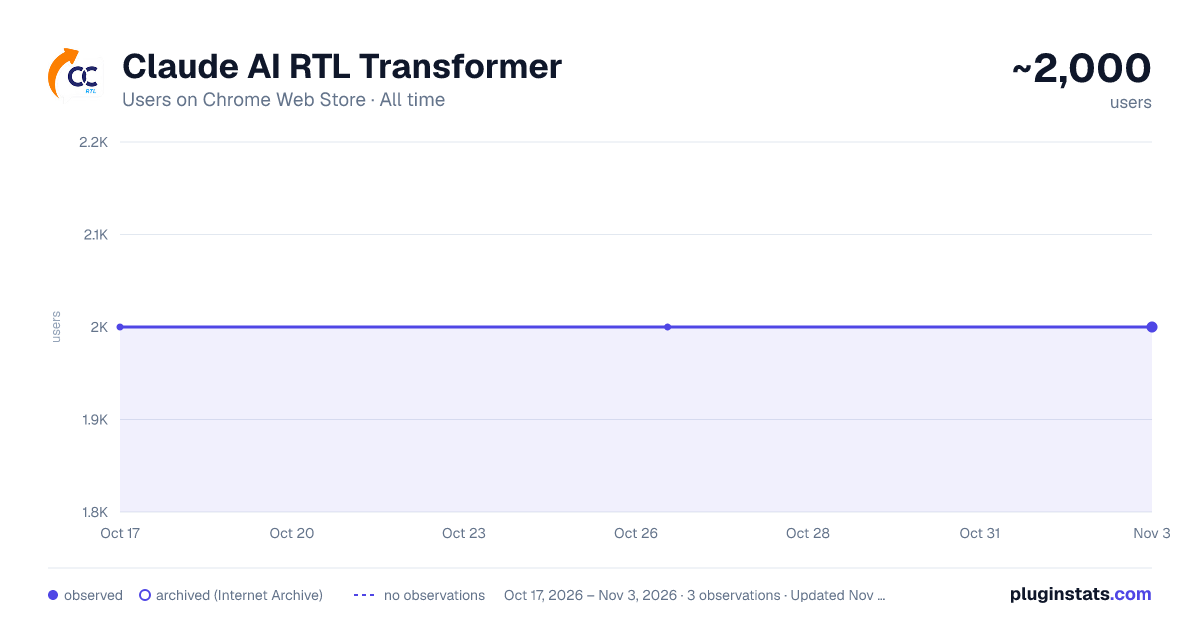
Claude AI RTL Transformer has approximately 2,000 recorded users on Chrome Web Store, ranking #598 of 2,495 tracked listings.
Rating: 4.10 / 5 from 22 ratings
About Claude AI RTL Transformer
AUTO/RTL/LTR direction control for Claude AI. Floating panel plus per-block toggles for Hebrew & Arabic speakers.
Write Hebrew or Arabic to Claude and it comes out backwards. Ask for code and the code comes out backwards too. This extension fixes both, and mostly it does it without you having to touch anything.
WHAT YOU GET
A small floating panel sits at the top of every Claude page with three modes: AUTO, RTL and LTR. Drag it wherever you like — it stays there, and it remembers which mode you chose.
AUTO — THE ONE YOU'LL ACTUALLY USE
AUTO is the default, and for a normal mixed conversation it is the whole product.
Every paragraph works out its own direction from the first real letter in it. A Hebrew paragraph reads right-to-left. An English one reads left-to-right. Code stays left-to-right, always. The sidebar and Claude's own interface stay put.
Crucially, each paragraph makes that decision once and then locks it. Claude's answers stream in a word at a time, and a naive approach flips the text back and forth while you are trying to read it. That does not happen here.
So: you type in Hebrew, Claude answers in Hebrew with an English code block in the middle, and every part of it reads correctly. You didn't click anything.
RTL — WHEN YOU WANT THE WHOLE THING MIRRORED
RTL mode flips the entire interface right-to-left, sidebar and all, the way a Hebrew or Arabic interface should look. Code blocks still read left-to-right, because code always should.
LTR — OFF
Claude exactly as it ships.
WHEN AUTO GETS IT WRONG
It happens — a paragraph that opens with a number, a quote, a stray English word. So every code block, the chat input, and preview cards carry their own small button in the corner. Hover the block and it fades in; click it and just that block flips. Nothing else on the page moves.
The buttons are placed to stay out of Claude's way: they never sit on top of the copy button or the send button, and they don't push the layout around.
IT ALSO WORKS EVERYWHERE ELSE
Click the toolbar icon on any other website and the whole page flips to right-to-left. Click again and it goes back to exactly how it was. Simple, and useful more often than you'd expect.
PRIVACY
The extension reads nothing, collects nothing, and sends nothing anywhere. There is no account, no analytics, no remote code. The only things it stores are your chosen mode and where you dragged the panel, and those live in your own browser.
It has standing permission for claude.ai and for no other site. On other websites it uses activeTab, which means it can only touch a page at the moment you click the icon on it — never in the background, never a site you didn't ask it about.
PERMISSIONS, PLAINLY
• claude.ai access — so the panel is already there when you open Claude, instead of making you click the icon on every single page load. • activeTab — the plain right-to-left flip on other sites, only on the tab you just clicked. • scripting — reaches Claude tabs you already had open when the extension installed or updated, so you don't have to reload them by hand.
UPGRADING FROM VERSION 2?
Version 3 needs permission to run on claude.ai automatically — that is what puts the panel there without a click. Chrome always disables an extension that widens its permissions until you approve the change, so after updating you may find this one greyed out.
Nothing is broken. Open the puzzle-piece menu in your toolbar and switch it back on.
Open source, Apache 3.0: https://github.com/shaloml/rtl-chatgpt Questions or bugs: shaloml@gmail.com
Description from the Chrome Web Store listing.
README badge
Show your rank in a README or on your website. The badge updates automatically.
Charts
Images: 30d · 1y · all time · 1600×900 dark
Adoption over time
7/30/90-day growth
Ranking history
Ratings over time
Listing placement
Listing placement
Filled points are observed values; hollow points come from Internet Archive snapshots of the listing page. Dashed segments span periods with no observations — values between points are not interpolated.
Each band is one page of 20. Users on a linear scale. Placement is projected from users, so it can differ from the marketplace's own sort order. Hover a dot to see the listing.
Recent observations
Full history (1)Similar Chrome Web Store Workflow & Planning plugins
All 20 Claude AI RTL Transformer alternatives



Data source
Covers every Chrome Web Store extension with at least 100 users, found through the store's public sitemap. User counts are read from public listing pages. The 10% most-used extensions are refreshed daily, the next 40% weekly and the next 40% monthly; the least-used 10% are not refreshed. Google displays rounded user counts (and caps the display at 10,000,000+), so small changes may not be visible. Rating counts above 1,000 are rounded (e.g. 1.6K).
Listing: https://chromewebstore.google.com/detail/claude-ai-rtl-transformer/pcnpnpaipomdildpaehlnmlbiiaagdid. First seen Oct 17, 2026; last successful collection Oct 17, 2026. See the methodology.