 PluginStats
Doodstream Downloader users statistics
By KALINGAM · Chrome Web Store · Tools
Download Doodstream Videos With Just One Click And Enjoy Them Offline Whenever You Want!
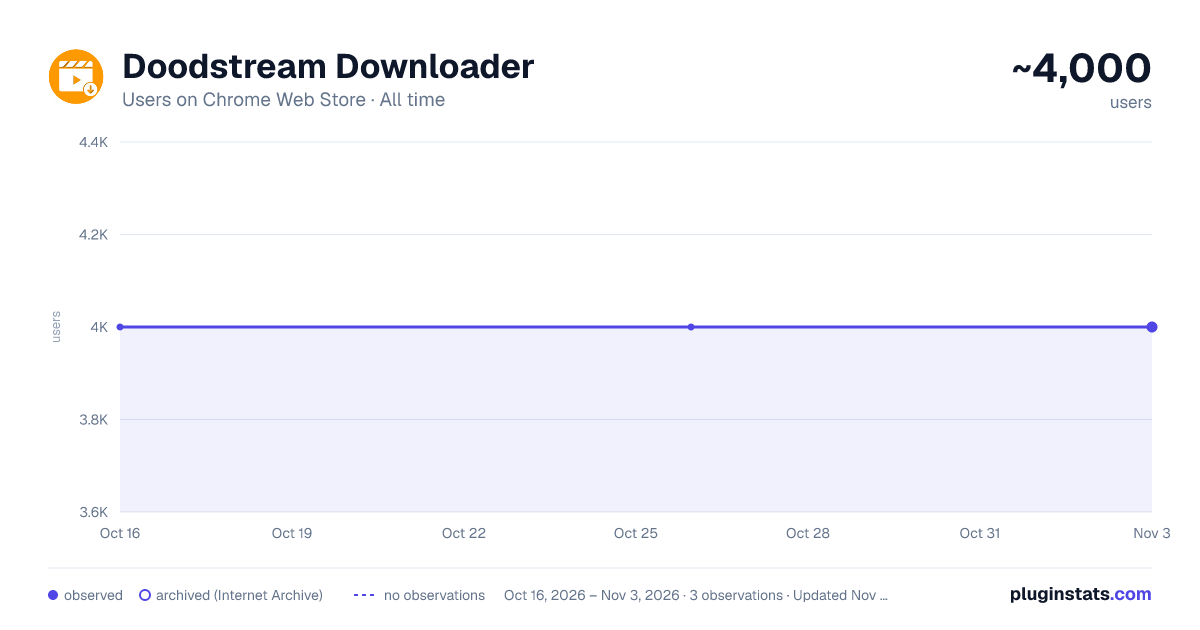
Doodstream Downloader has approximately 4,000 recorded users on Chrome Web Store, ranking #383 of 2,033 tracked listings.
Rating: 4.40 / 5 from 13 ratings
About Doodstream Downloader
Download Doodstream Videos With Just One Click And Enjoy Them Offline Whenever You Want!
Overview Doodstream Downloader is a powerful, lightweight Chrome extension designed to help users easily download videos from Doodstream directly to their local devices. Whether you want to save your favorite videos for offline viewing or back up important content, this extension provides a simple one-click solution that seamlessly integrates into your browsing experience.
With an intuitive interface and streamlined functionality, Doodstream Downloader makes video downloading faster and more convenient than ever before.
Key Features ⚡ One-Click Downloading Effortlessly download Doodstream-hosted videos with a single click. No complicated setups or unnecessary steps—just click the button, and the video starts downloading immediately.
🌍 Offline Video Access Downloaded videos are saved directly to your device, allowing you to access them offline at any time. Enjoy your videos while traveling, without worrying about internet connectivity.
🖥️ Clean and Simple User Interface The extension provides a user-friendly interface that is easy to navigate. You don’t need any technical expertise to operate this extension. Just visit a Doodstream video page, click the download button, and you're done!
🚀 Fast and Reliable Doodstream Downloader ensures fast download speeds without compromising video quality. Whether you're downloading short clips or long videos, the extension efficiently handles the download process.
🔒 Privacy-Conscious We respect your privacy. The Doodstream Downloader does not track your browsing activity or collect any personal data. It only interacts with Doodstream pages for the sole purpose of downloading videos.
🔧 Customizable Future versions of the extension may include customizable features such as video quality selection (HD, SD), download location options, and more. Stay tuned for updates!
How It Works
Install the Extension:
- Add the Extension to Chrome:
- Visit the Chrome Web Store and search for Doodstream Downloader.
- On the extension page, click the Add to Chrome button.
- A pop-up will appear. Click Add Extension to confirm.
- Access the Extension:
- Once the extension is added, you'll see the Doodstream Downloader icon in your Chrome toolbar (top-right corner). If it doesn't appear right away:
- Click the puzzle icon (🧩) in the toolbar.
- Find Doodstream Downloader in the list and pin it for easier access by clicking the pin icon next to it.
- Find a Doodstream Video:
- Navigate to a video hosted on Doodstream.
- Download the Video:
- Click the Doodstream Downloader icon in your Chrome toolbar.
- The extension will automatically detect the video on the page and display a "Download" button.
- Click the "Download" button to save the video to your device.
- Access the Downloaded Videos:
- Once the video has finished downloading, you can find it in your browser’s Downloads folder or your system’s default download location.
Additional Tips:
- Permissions: The extension requires permission to access the active tab to detect Doodstream videos. Make sure you approve this permission when installing the extension.
- Compatibility: The Doodstream Downloader is optimized for Chrome and works on any Doodstream-hosted video pages.
- Troubleshooting: If the download button doesn’t appear, try refreshing the page or checking that the video is hosted on Doodstream.
Enjoy easy and efficient video downloading with Doodstream Downloader!
Feel free to modify any part of the text to better fit your style or specific needs!
Description from the Chrome Web Store listing.
README badge
Show your rank in a README or on your website. The badge updates automatically.
Charts
Images: 30d · 1y · all time · 1600×900 dark
Adoption over time
7/30/90-day growth
Ranking history
Ratings over time
Listing placement
Listing placement
Filled points are observed values; hollow points come from Internet Archive snapshots of the listing page. Dashed segments span periods with no observations — values between points are not interpolated.
Each band is one page of 20. Users on a linear scale. Placement is projected from users, so it can differ from the marketplace's own sort order. Hover a dot to see the listing.
Recent observations
Full history (1)Similar Chrome Web Store Tools plugins
All 20 Doodstream Downloader alternatives



Data source
Covers every Chrome Web Store extension with at least 100 users, found through the store's public sitemap. User counts are read from public listing pages. The 10% most-used extensions are refreshed daily, the next 40% weekly and the next 40% monthly; the least-used 10% are not refreshed. Google displays rounded user counts (and caps the display at 10,000,000+), so small changes may not be visible. Rating counts above 1,000 are rounded (e.g. 1.6K).
Listing: https://chromewebstore.google.com/detail/doodstream-downloader/jckpiknpndkjajhfdmohflabomkjdamd. First seen Oct 16, 2026; last successful collection Oct 16, 2026. See the methodology.