 PluginStats
Image to PDF Converter : Save as Pdf users statistics
Chrome Web Store · Workflow & Planning
Save the current web page as a PDF file, view local PDFs, and convert image formats offline.
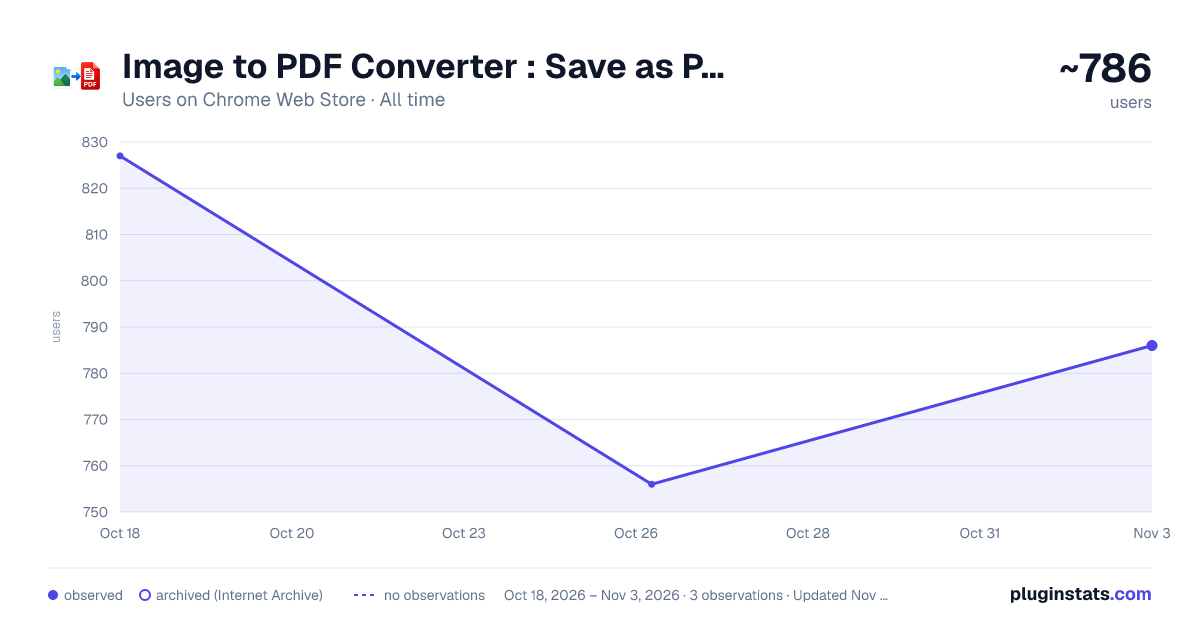
Image to PDF Converter : Save as Pdf has approximately 827 recorded users on Chrome Web Store, ranking #993 of 2,495 tracked listings.
Rating: 4.80 / 5 from 41 ratings
About Image to PDF Converter : Save as Pdf
Save the current web page as a PDF file, view local PDFs, and convert image formats offline.
Save web pages, view local documents, and convert image formats directly in Chrome.
This extension provides a simple way to save the current web page for offline use, open local documents in your browser, and convert images between common formats such as PNG, JPEG, and WebP.
Features
-
Save Current Page Create a document version of the page you are viewing using Chrome's built-in capabilities. The original layout, images, and links are preserved whenever possible.
-
View Local Documents Open compatible files stored on your computer directly in your browser without installing additional software.
-
Image Format Conversion Convert images between PNG, JPEG, and WebP formats locally on your device. Files are processed in your browser and downloaded immediately after conversion.
-
Quick Access to Additional Utilities The extension includes convenient links to external document and image utilities when more advanced processing is needed.
Privacy First
All core extension features operate locally in your browser. Files used with built-in tools are processed on your device and are not uploaded by the extension.
Why Use This Extension?
- Simple and easy to use
- Lightweight design
- Fast local processing
- No account required
- Convenient access from the browser toolbar
Common Uses
- Save articles and reference material for later reading
- Keep copies of receipts, reports, and web content
- Convert images for sharing or compatibility
- Open local files directly in Chrome
This extension is designed to provide a straightforward workflow for saving web content, viewing local files, and converting images without unnecessary complexity.
Description from the Chrome Web Store listing.
README badge
Show your rank in a README or on your website. The badge updates automatically.
Charts
Images: 30d · 1y · all time · 1600×900 dark
Adoption over time
7/30/90-day growth
Ranking history
Ratings over time
Listing placement
Listing placement
Filled points are observed values; hollow points come from Internet Archive snapshots of the listing page. Dashed segments span periods with no observations — values between points are not interpolated.
Each band is one page of 20. Users on a linear scale. Placement is projected from users, so it can differ from the marketplace's own sort order. Hover a dot to see the listing.
Recent observations
Full history (1)Similar Chrome Web Store Workflow & Planning plugins
All 20 Image to PDF Converter : Save as Pdf alternatives



Data source
Covers every Chrome Web Store extension with at least 100 users, found through the store's public sitemap. User counts are read from public listing pages. The 10% most-used extensions are refreshed daily, the next 40% weekly and the next 40% monthly; the least-used 10% are not refreshed. Google displays rounded user counts (and caps the display at 10,000,000+), so small changes may not be visible. Rating counts above 1,000 are rounded (e.g. 1.6K).
Listing: https://chromewebstore.google.com/detail/image-to-pdf-converter-sa/nacepffoagohneignhnpcapjandkcelh. First seen Oct 18, 2026; last successful collection Oct 18, 2026. See the methodology.