 PluginStats
Delete Google Photos users statistics
By Max Podres · Chrome Web Store · Tools
Easily delete Google Photos! Delete all Google Photos fast: erase pics, clear storage and free up space when storage full.
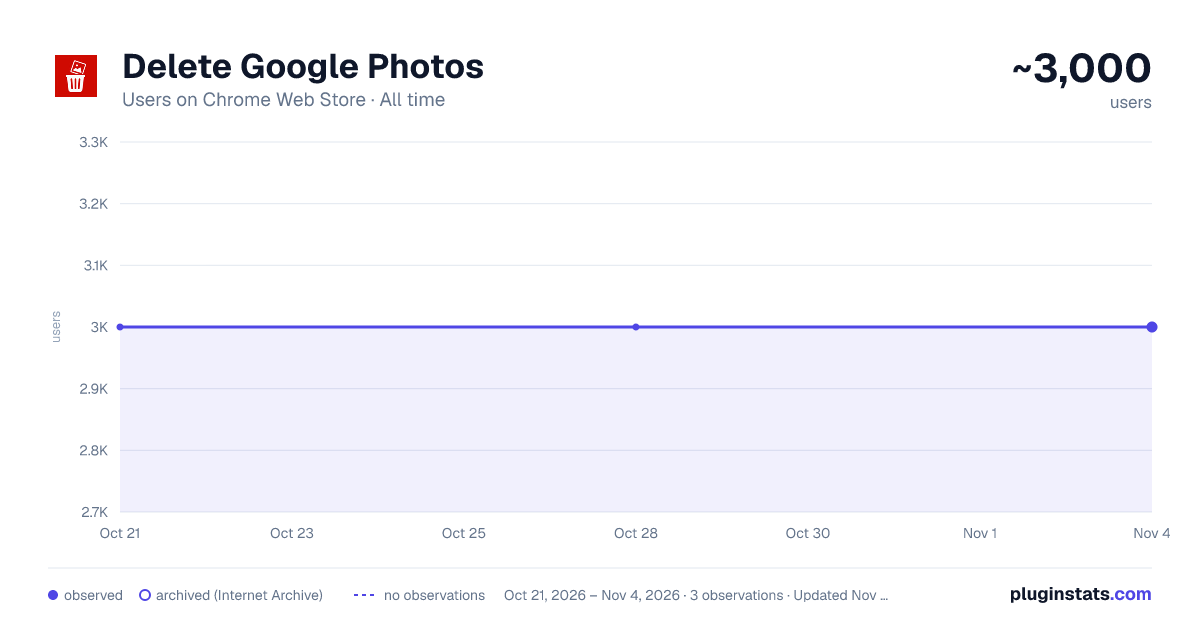
Delete Google Photos has approximately 3,000 recorded users on Chrome Web Store, ranking #653 of 2,952 tracked listings.
Rating: 4.80 / 5 from 48 ratings
About Delete Google Photos
Easily delete Google Photos! Delete all Google Photos fast: erase pics, clear storage and free up space when storage full.
Need to delete Google Photos quickly and effortlessly? You're in the right place. This powerful Chrome extension is designed for one thing only — to save your time and sanity by automating the process of deleting thousands of pics from your account in just a few clicks. No more endless scrolling or selecting images one by one. ✅ If you've been searching for how to delete all Google Photos or how to delete photos from Google Photos, this tool will do exactly that. Whether you're looking to remove all Google Photos or simply clean up your gallery, this is your ultimate solution.
📷 Why people choose our extension to delete photos from Google Photos:
- Instant bulk deletion
- User-friendly interface
- Fast processing
- Works directly in your browser
- Saves hours of manual work
Over time, pics in your account can become cluttered with duplicates, screenshots, or low-quality images. Whether you're organizing your memories or your Google Photos storage is full, this extension helps you regain control. Say goodbye to unnecessary clutter and hello to a clean, optimized cloud gallery. ✨ With this Chrome extension, you can: ➤ Delete all Google Photos in one go ➤ Select pics by date or album ➤ Clean up your account without hassle ➤ Free up space on your account immediately ➤ Prevent running into the dreaded storage full message
Many users wonder how to delete all photos from Google Photos without spending hours on it. The app solves this by automating the selection and deletion process. It's perfect for: • Individuals switching to new storage services • Freelancers and creators needing to clear old project files • People whose Gmail storage is full or approaching its limit • Parents managing thousands of family pics • Anyone tired of confusing deletion process
📌 Step-by-step simplicity: 1️⃣ Install the extension 2️⃣ Log into your account 3️⃣ Launch the tool 4️⃣ Choose delete all from Google Photos or a custom range 5️⃣ Sit back and relax
📲 How it works: ➤ Install the Chrome extension ➤ Open your account ➤ Select the scope: all, by date, or album ➤ Click the delete button and let it run ➤ Done!
Many people search how to delete photos in Google Photos or how to delete all photos Google without finding a fast and effective solution. This tool is made specifically for those real-world problems. If you’ve typed how to delete photos on Google Photos into your search bar before, you know how frustrating manual deletion can be. 📦 This tool helps when your: • Gmail storage full • Google storage full • Gmail out of storage alert appears • Google Photos delete all photos function seems missing • You’re trying to bulk delete pics quickly
🌐 Perfect for users who frequently run into: ▸ Google Photos delete all not working ▸ No clear option to delete all photos on Google Photos ▸ Need to erase photos from Google Photos for privacy ▸ Want to clear Google Photos for a fresh start ▸ Don’t want to manually remove all Google Photos
🧹 Want to know how to clean up pics the smart way? Here’s what sets us apart:
- Removes pics in batches or entirely
- Supports mass delete Google Photos options
- Helps you reclaim storage in minutes
- Prevents overcharges from your account's plan
- Keeps your pics library organized and light
Tired of guessing how to delete pic from Google Photos or trying to understand how to erase photos from Google Photos one at a time? You're not alone. Our users report saving hours every month using this extension to manage and clear pics. 🧠 It's not just about space — it's about peace of mind. Use the tool when you're: ➤ Migrating to another storage platform ➤ Concerned about privacy ➤ Cleaning up after travel or events ➤ Organizing work-related visuals ➤ Running into Gmail storage full warnings
🚀 Our extension is constantly updated to handle changes in website's layout and functionality. Whether you're on a personal account or using workspace tools, the extension remains fast and reliable. 📊 Statistics show that over 80% of users experience increased storage efficiency and better performance after running the full delete process with this extension.
To recap, this Chrome extension is ideal for: • Those wondering how to delete Google Photos quickly • Users needing to delete all from Google Photos now • People overwhelmed with a full cloud library • Those trying to find how to clear Gmail storage caused by large pic backups • Anyone wanting to mass delete Google Photos the smart way
Maximize your productivity, reclaim your storage space, and regain peace of mind with just a few clicks. No complicated settings, no confusing steps—just fast, secure, and efficient deletion. Whether you're trying to delete all photos Google, clean up, or deal with Gmail storage full, this tool is your one-click fix. 🚀 Ready to simplify your digital life? Try the ultimate extension to delete all Google Photos today.
Description from the Chrome Web Store listing.
README badge
Show your rank in a README or on your website. The badge updates automatically.
Charts
Images: 30d · 1y · all time · 1600×900 dark
Adoption over time
7/30/90-day growth
Ranking history
Ratings over time
Listing placement
Listing placement
Filled points are observed values; hollow points come from Internet Archive snapshots of the listing page. Dashed segments span periods with no observations — values between points are not interpolated.
Each band is one page of 20. Users on a linear scale. Placement is projected from users, so it can differ from the marketplace's own sort order. Hover a dot to see the listing.
Recent observations
Full history (1)Similar Chrome Web Store Tools plugins
All 20 Delete Google Photos alternatives



Data source
Covers every Chrome Web Store extension with at least 100 users, found through the store's public sitemap. User counts are read from public listing pages. The 10% most-used extensions are refreshed daily, the next 40% weekly and the next 40% monthly; the least-used 10% are not refreshed. Google displays rounded user counts (and caps the display at 10,000,000+), so small changes may not be visible. Rating counts above 1,000 are rounded (e.g. 1.6K).
Listing: https://chromewebstore.google.com/detail/delete-google-photos/eopapfppdnbiabhoaedoebkficbmdbpk. First seen Oct 21, 2026; last successful collection Oct 21, 2026. See the methodology.