 PluginStats
SheetKeys users statistics
By Phil Crosby · Chrome Web Store · Tools
SheetKeys adds powerful keyboard shortcuts to Google Sheets, in the spirit of the Vim text editor.
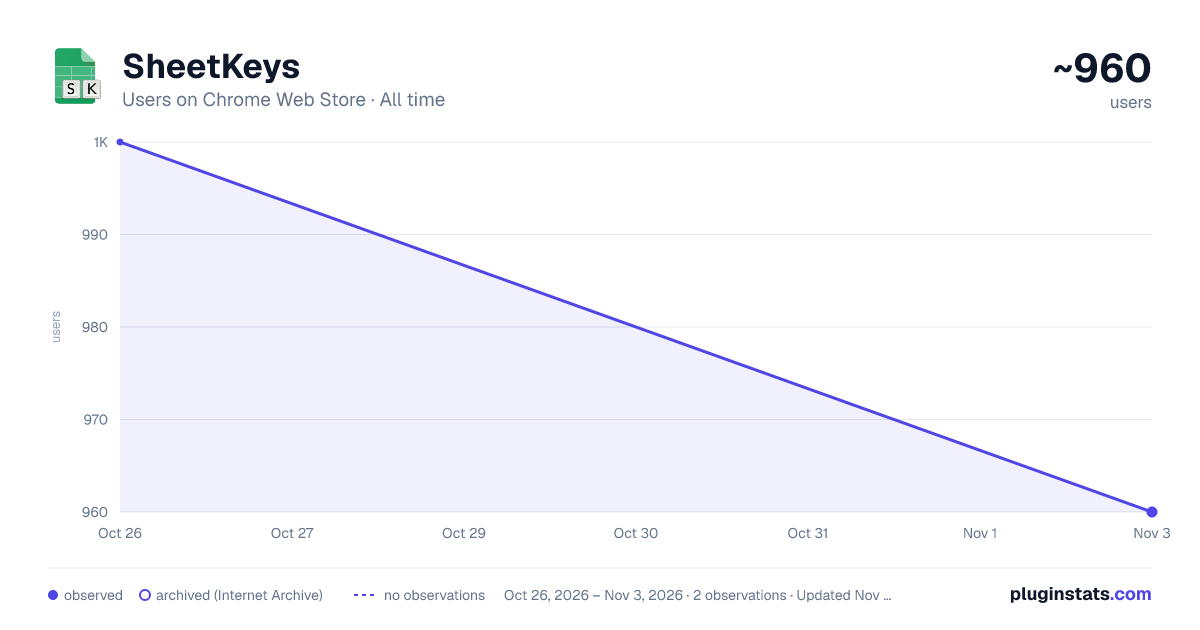
SheetKeys has approximately 1,000 recorded users on Chrome Web Store, ranking #1716 of 4,880 tracked listings.
Rating: 4.90 / 5 from 26 ratings
About SheetKeys
SheetKeys adds powerful keyboard shortcuts to Google Sheets, in the spirit of the Vim text editor.
If you are a project manager, programmer, finance person, or just someone who uses spreadsheets a lot, this can greatly increase your efficiency in Google Sheets.
After installing, you can see and customize all of the keyboard mappings by typing "?" while on a Google Sheets page.
Here is a partial list of shortcuts, and their default key assignments:
Movement:
j Move cursor down k Move cursor up h Move cursor left l Move cursor right
<C-J> Move rows down <C-K> Move rows up <C-H> Move columns left <C-L> Move columns right
<C-d> Scroll half page down <C-u> Scroll half page up g,g Scroll to the top of the sheet G Scroll to the bottom of the sheet
Selection:
v Begin selecting cells V Begin selecting rows A-v Begin selecting columns
Editing:
i Edit cell a Append to cell (edit but, starting at the end) u Undo <C-r> Redo
o Insert a row below the cursor and edit it O Insert a row above the cursor and edit it s Insert a row below the cursor S Insert a row above the cursor
d,d Delete the current row (or selected rows/columns) x Delete cell contents y,y Copy the current row (or selected rows/columns) y,c Copy cells p Paste
Formatting:
;,a,l Align left ;,a,c Align center ;,a,r Align right ;,w,w Wrap cell ;,w,w Overflow the cell ;,w,c Clip the cell
Other: ? Show the help dialog ;,w,f Toggle full screen ;o Open URL in cell in a new tab
Description from the Chrome Web Store listing.
README badge
Show your rank in a README or on your website. The badge updates automatically.
Charts
Images: 30d · 1y · all time · 1600×900 dark
Adoption over time
7/30/90-day growth
Ranking history
Ratings over time
Listing placement
Listing placement
Filled points are observed values; hollow points come from Internet Archive snapshots of the listing page. Dashed segments span periods with no observations — values between points are not interpolated.
Each band is one page of 20. Users on a linear scale. Placement is projected from users, so it can differ from the marketplace's own sort order. Hover a dot to see the listing.
Recent observations
Full history (1)Similar Chrome Web Store Tools plugins
All 20 SheetKeys alternatives



Data source
Covers every Chrome Web Store extension with at least 100 users, found through the store's public sitemap. User counts are read from public listing pages. The 10% most-used extensions are refreshed daily, the next 40% weekly and the next 40% monthly; the least-used 10% are not refreshed. Google displays rounded user counts (and caps the display at 10,000,000+), so small changes may not be visible. Rating counts above 1,000 are rounded (e.g. 1.6K).
Listing: https://chromewebstore.google.com/detail/sheetkeys/dnckajfoijllhbnfdhdklcfpckcbonhi. First seen Oct 26, 2026; last successful collection Oct 26, 2026. See the methodology.