 PluginStats
ZeroBg by TAS users statistics
By TAS TRACKER · Chrome Web Store · Tools
ZeroBg - Bulk Background Removal Tool
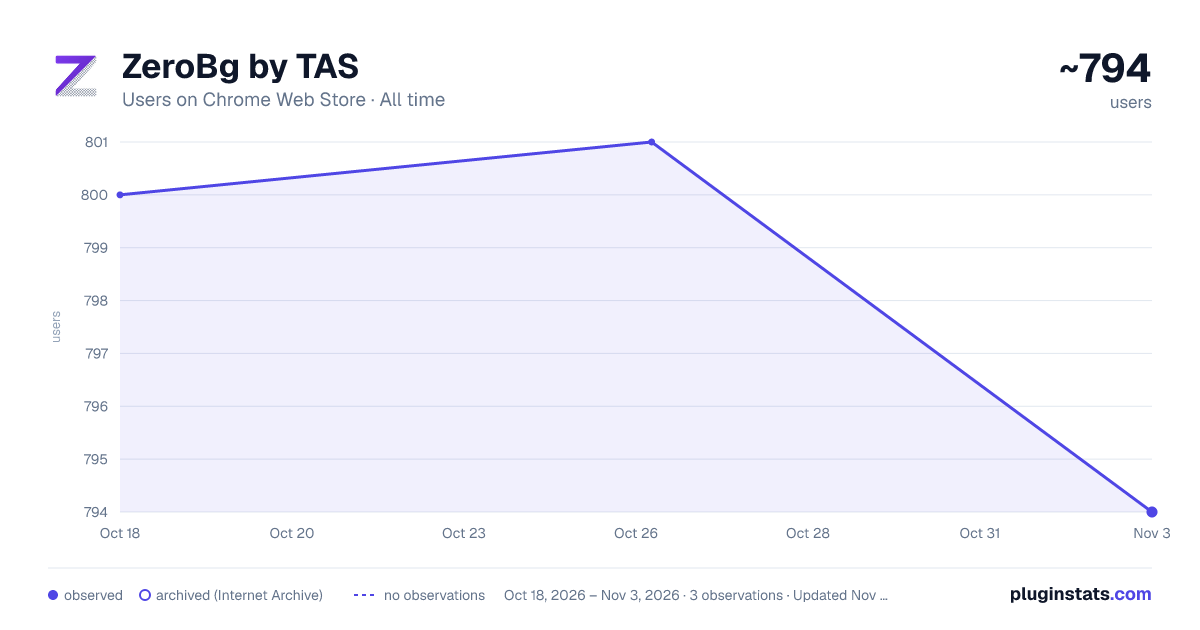
ZeroBg by TAS has approximately 800 recorded users on Chrome Web Store, ranking #828 of 2,033 tracked listings.
Rating: 4.00 / 5 from 4 ratings
About ZeroBg by TAS
ZeroBg - Bulk Background Removal Tool
ZeroBg automates Canva's built-in background removal feature for bulk image processing. Instead of manually clicking through each image, ZeroBg handles the entire workflow automatically.
✨ WHAT IT DOES:
Opens each image in your Canva folder automatically Clicks the "BG Remover" button for you Downloads the processed image with transparent background Optionally deletes the original from the folder (configurable) Moves to the next image and repeats ⚡ KEY FEATURES:
One-Click Bulk Processing — Process an entire folder of images with a single click Accurate Progress Tracking — Shows total folder count (not just visible items) with a real-time progress bar Smart Duplicate Detection — Automatically skips images already processed within the last hour Instant Offline Detection — Immediately stops and displays a clear warning when network disconnects Auto-Cleanup Toggle — Choose whether to delete processed originals or keep everything Sound Notifications — Optional completion sound to alert you when done (configurable in settings) Resume-Friendly — Tracks processed files so you can stop and continue later without reprocessing Stop Anytime — Cancel processing at any point with the Stop button 📋 HOW TO USE:
Open Canva and go to Projects Create a new folder (or open an existing one) Upload the images you want to remove backgrounds from Click the ZeroBg extension icon Configure settings if needed (auto-delete, sound notifications) Press "Start Automation" Wait while ZeroBg processes each image automatically ⚙️ SETTINGS:
Auto-Delete Processed Images — Toggle ON to remove originals after processing (tracks progress visually) Sound on Completion — Toggle ON to hear a notification when all images are done ⚠️ REQUIREMENTS:
Canva Pro subscription required (uses Canva's BG Remover feature) Works only on Canva folder pages (canva.com) 💡 PERFECT FOR:
Stock photo contributors creating transparent PNGs E-commerce sellers preparing product photos Graphic designers processing client assets Anyone batch-processing images for web or print Made with ❤️ by TAS
Description from the Chrome Web Store listing.
README badge
Show your rank in a README or on your website. The badge updates automatically.
Charts
Images: 30d · 1y · all time · 1600×900 dark
Adoption over time
7/30/90-day growth
Ranking history
Ratings over time
Listing placement
Listing placement
Filled points are observed values; hollow points come from Internet Archive snapshots of the listing page. Dashed segments span periods with no observations — values between points are not interpolated.
Each band is one page of 20. Users on a linear scale. Placement is projected from users, so it can differ from the marketplace's own sort order. Hover a dot to see the listing.
Recent observations
Full history (1)Similar Chrome Web Store Tools plugins
All 20 ZeroBg by TAS alternatives



Data source
Covers every Chrome Web Store extension with at least 100 users, found through the store's public sitemap. User counts are read from public listing pages. The 10% most-used extensions are refreshed daily, the next 40% weekly and the next 40% monthly; the least-used 10% are not refreshed. Google displays rounded user counts (and caps the display at 10,000,000+), so small changes may not be visible. Rating counts above 1,000 are rounded (e.g. 1.6K).
Listing: https://chromewebstore.google.com/detail/zerobg-by-tas/mppieahlmconacfiikhglpecokjcffmm. First seen Oct 18, 2026; last successful collection Oct 18, 2026. See the methodology.