 PluginStats
Threads Video Downloader - Bulk Download & Sort Feeds users statistics
By h80112 · Chrome Web Store · Tools
Sort and filter Threads feeds, profiles, search, and saved posts. Export post data to Excel or bulk download videos and images.
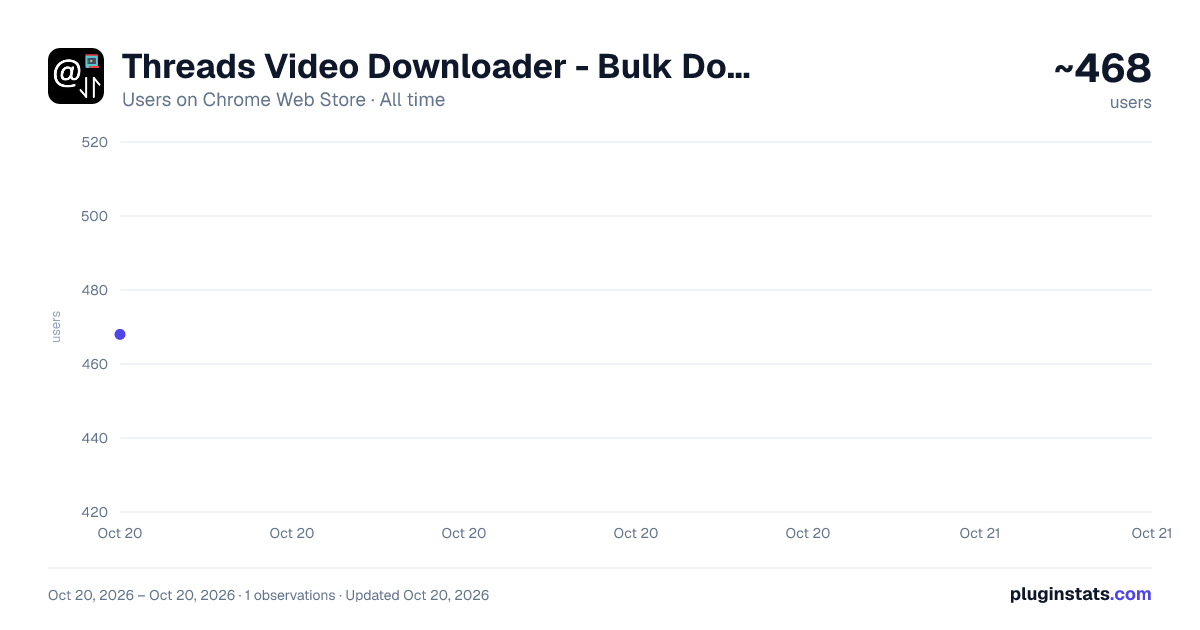
Threads Video Downloader - Bulk Download & Sort Feeds has approximately 468 recorded users on Chrome Web Store, ranking #1529 of 2,952 tracked listings.
Rating: 4.20 / 5 from 5 ratings
About Threads Video Downloader - Bulk Download & Sort Feeds
Sort and filter Threads feeds, profiles, search, and saved posts. Export post data to Excel or bulk download videos and images.
Overview
Threads Video Downloader is an all-in-one browser extension for creators, marketers, researchers, and anyone who wants to save Threads media and understand post performance. It brings media downloads, post filtering, sorting, engagement analysis, and Excel exports together in one streamlined workflow.
Browse Threads as usual, then review posts from feeds, profile pages, search results, and saved content in the side panel. Find relevant posts, export structured data, or download videos, images, and carousel media without opening every post individually.
✨ Key Features
▪️ 📥 Bulk Media Downloads (PRO)
Download HD images, HD videos, and complete carousel media from Threads in bulk, including posts that mix multiple images and videos.
Note: Single-post downloads are free and unlimited. Bulk downloads and Excel exports include 3 shared free uses; continued access requires Pro. This feature helps creators and marketing teams archive content faster.
▪️ 🔍 Smart Content Filtering & Sorting
Dynamically sort posts by Likes, Comments, Reposts, Shares, Quotes, publish date, or Engagement Rate. Combine sorting with date filters to find the posts most relevant to your research.
▪️ 📊 Side Panel Post Metrics
Review available Likes, Comments, Reposts, Shares, Quotes, publish dates, and Engagement Rate (ER) in the side panel while browsing Threads. Compare posts without opening each one individually.
▪️ 📤 Structured Excel Reports (PRO)
Export your filtered and sorted results to an XLSX workbook with thumbnails, post and profile links, captions, dates, engagement metrics, media URLs, and other available post details.
▪️ 🧮 Custom Engagement Rate Overlay
Display Likes, Comments, and Engagement Rate directly on the native Threads interface. Customize the metric weights to match your business model. The default formula is:
Engagement Rate = (Comments × 4 + Reposts × 1 + Shares × 1 + Quotes × 1) ÷ Likes
ER is calculated only when a post has at least one Like.
▪️ ⏬ Auto-Scroll & Post Loading
Use the auto-scroll controls to move through the current Threads page. As more posts load, the extension adds them to the side panel for review, sorting, filtering, export, or download.
▪️ 🧭 Support Across Threads Pages
Works across Home, Search results, For You, Following, profiles, Saved content, and other supported Threads views as you browse.
How to Use:
- Install the Threads Video Downloader extension.
- Open Threads and browse a feed, profile, search result, or saved posts.
- Open the extension to review posts from the current Threads tab.
- Use Auto Scroll when you want to load more posts.
- Filter or sort the posts, or export the current results to Excel.
- Download individual media files, media from all posts, or media from filtered posts.
Good to Know
- Threads may require you to sign in, limit visible content, or change page behavior over time. If posts stop appearing in the side panel, refresh the page and confirm that they are visible in your browser.
- You are responsible for complying with Threads' Terms of Use, applicable laws, and any agreements that govern your access to content and media.
Is it free? Yes, it's free! You can access the basic features or upgrade to get more features.
Feedback We’re here to help! Reach out to us at help@extensionsgod.com for any inquiries or feedback.
Data Privacy
- Post processing, sorting, exporting, and media download actions run in your browser. Downloaded files are saved through your browser's normal download flow.
Disclaimer
- Threads and all related marks are trademarks of their respective owners. This extension is independently developed and is not affiliated with or endorsed by Threads or Meta.
Description from the Chrome Web Store listing.
README badge
Show your rank in a README or on your website. The badge updates automatically.
Charts
Images: 30d · 1y · all time · 1600×900 dark
Adoption over time
7/30/90-day growth
Ranking history
Ratings over time
Listing placement
Listing placement
Filled points are observed values; hollow points come from Internet Archive snapshots of the listing page. Dashed segments span periods with no observations — values between points are not interpolated.
Each band is one page of 20. Users on a linear scale. Placement is projected from users, so it can differ from the marketplace's own sort order. Hover a dot to see the listing.
Recent observations
Full history (1)Similar Chrome Web Store Tools plugins
All 20 Threads Video Downloader - Bulk Download & Sort Feeds alternatives



Data source
Covers every Chrome Web Store extension with at least 100 users, found through the store's public sitemap. User counts are read from public listing pages. The 10% most-used extensions are refreshed daily, the next 40% weekly and the next 40% monthly; the least-used 10% are not refreshed. Google displays rounded user counts (and caps the display at 10,000,000+), so small changes may not be visible. Rating counts above 1,000 are rounded (e.g. 1.6K).
Listing: https://chromewebstore.google.com/detail/threads-video-downloader/hjhjlobabjopaagffhcnmlicoegeejho. First seen Oct 20, 2026; last successful collection Oct 20, 2026. See the methodology.