 PluginStats
Accessibility Screen Reader users statistics
By alexburgosuk · Chrome Web Store · Accessibility
A comprehensive screen reader extension for web accessibility with voice navigation and on-screen text display
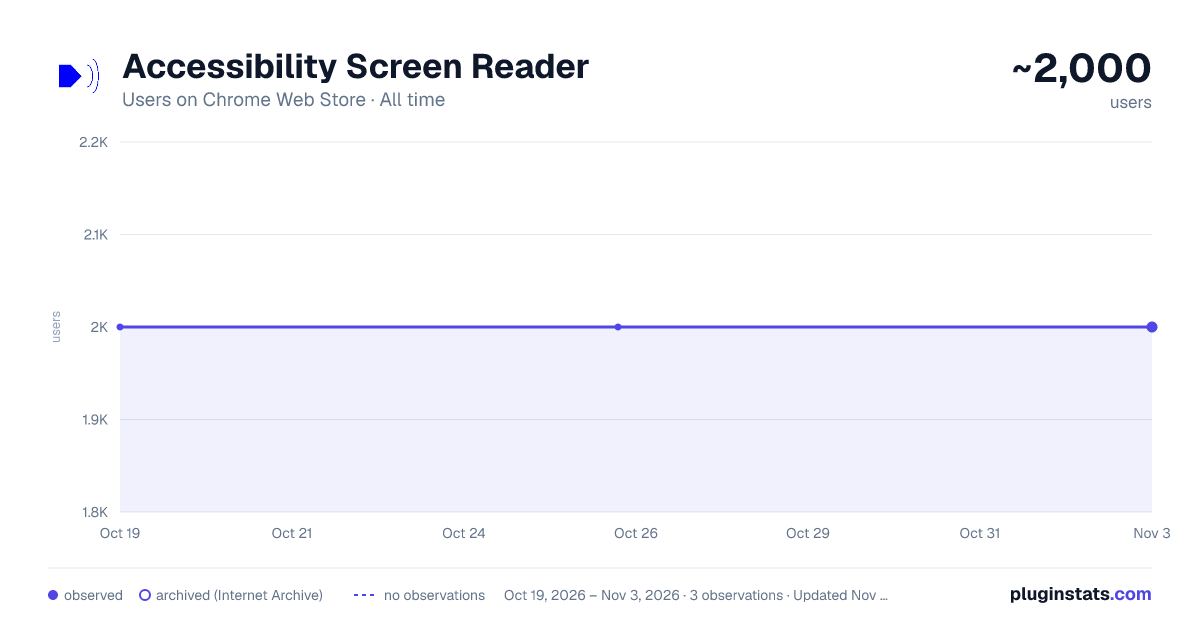
Accessibility Screen Reader has approximately 2,000 recorded users on Chrome Web Store, ranking #536 of 2,033 tracked listings.
Rating: 3.00 / 5 from 7 ratings
About Accessibility Screen Reader
A comprehensive screen reader extension for web accessibility with voice navigation and on-screen text display
🔊 Text-to-Speech Capabilities
- Chrome TTS API integration with Web Speech API fallback
- Customizable voice selection from available system voices
- Adjustable speech rate (0.1x - 3.0x speed)
- Pitch control (0.1 - 2.0 range)
- Volume control (0% - 100%)
📝 On-Screen Text Display
- Floating window that shows spoken content in real-time
- Remains visible while the screen reader is active
- High contrast design for improved readability
- Toggleable via settings in the popup interface
🎯 Element Detection & Announcement
- Automatic element type detection (buttons, links, headings, forms, etc.)
- Smart text extraction from labels, ARIA attributes, and content
- State announcement (checked/unchecked, expanded/collapsed, selected)
- Page load summaries with element counts
✨ Visual Highlighting
- Dynamic element highlighting with customizable styles
- Focus indicators with smooth transitions
- Hover highlighting for interactive elements
- CSS-based styling that doesn't interfere with page layout
⌨️ Keyboard Navigation Shortcuts
- Ctrl+H: Navigate between headings (h1-h6)
- Ctrl+L: Navigate between links
- Ctrl+B: Navigate between buttons
- Ctrl+F: Navigate between form fields
- Ctrl+I: Navigate between images
- Ctrl+P: Navigate between paragraphs
- Ctrl+T: Navigate between tables
- Ctrl+M: Toggle screen reader on/off
Ideal for:
- People with visual impairments
- Users who prefer voice interaction
- Developers testing the accessibility of their websites
- Anyone who wants a more accessible web experience
Description from the Chrome Web Store listing.
README badge
Show your rank in a README or on your website. The badge updates automatically.
Charts
Images: 30d · 1y · all time · 1600×900 dark
Adoption over time
7/30/90-day growth
Ranking history
Ratings over time
Listing placement
Listing placement
Filled points are observed values; hollow points come from Internet Archive snapshots of the listing page. Dashed segments span periods with no observations — values between points are not interpolated.
Each band is one page of 20. Users on a linear scale. Placement is projected from users, so it can differ from the marketplace's own sort order. Hover a dot to see the listing.
Recent observations
Full history (1)Similar Chrome Web Store Accessibility plugins
All 20 Accessibility Screen Reader alternatives



Data source
Covers every Chrome Web Store extension with at least 100 users, found through the store's public sitemap. User counts are read from public listing pages. The 10% most-used extensions are refreshed daily, the next 40% weekly and the next 40% monthly; the least-used 10% are not refreshed. Google displays rounded user counts (and caps the display at 10,000,000+), so small changes may not be visible. Rating counts above 1,000 are rounded (e.g. 1.6K).
Listing: https://chromewebstore.google.com/detail/accessibility-screen-read/bgbbiljbhllbddmafaaooonjkjlhijnb. First seen Oct 19, 2026; last successful collection Oct 19, 2026. See the methodology.