 PluginStats
Suno Tracks Exporter users statistics
Browse, search, preview, select, and export M4A audio and metadata from your Suno workspaces and playlists.
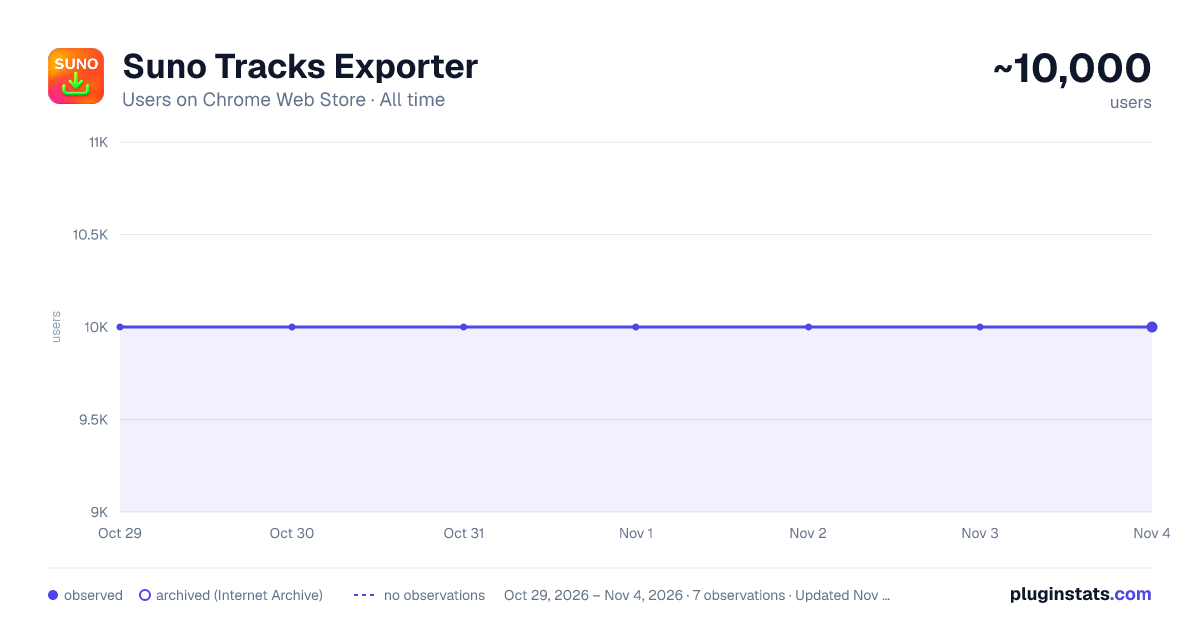
Suno Tracks Exporter has approximately 10,000 recorded users on Chrome Web Store, ranking #650 of 5,223 tracked listings.
Rating: 3.90 / 5 from 106 ratings
About Suno Tracks Exporter
Browse, search, preview, select, and export M4A audio and metadata from your Suno workspaces and playlists.
SUNO TRACKS EXPORTER
Browse, search, preview, select, and export tracks from your Suno library in one organized workspace.
Suno Tracks Exporter is an independent library-management companion for creators with large Suno libraries. It brings workspaces and playlists into a fast file-explorer-style interface, makes it easy to find a track, and provides controlled M4A and metadata export tools.
This extension is not affiliated with, endorsed by, or sponsored by Suno, Inc. Use it only with your own account and content you are authorized to access.
WHAT YOU CAN DO
Fast library browser
- Browse all available workspaces and playlists from one interface.
- Workspaces are ordered by the newest known clip, so recent projects appear first.
- Expand only the workspace you need; cached data makes repeat visits faster.
- Refresh one workspace or the entire library when you need current information.
Search and filters
- Search loaded tracks by title, track ID, workspace, tags, or model.
- Combine text search with Stem, Upload, Liked, Not Liked, and download-history filters.
- Filtering is performed from an in-memory index and is designed for libraries containing thousands of tracks.
- Your selection remains intact when tracks are hidden by a search or filter. The toolbar reports selected tracks that are currently hidden.
Powerful multi-selection
- Select an individual track with its checkbox.
- Select a continuous range by selecting the first track, holding Shift, and selecting the last track.
- Select or clear an entire workspace, even while that workspace is collapsed.
- The All Workspaces checkbox also includes eligible tracks inside collapsed workspaces.
- Duplicate appearances of the same track are treated as one song for bulk operations.
- Selection is preserved while filtering and after a successful workspace refresh whenever the track still exists.
Creation-session grouping
- Group tracks by the local time in which they were created: Night, Morning, Afternoon, or Evening.
- Sessions are grouped by calendar date and six-hour time period.
- Select every matching track from a session with one session checkbox.
- Session groups are ordered newest first. Tracks without a usable creation date appear in an Unknown group.
Track information and previews
- Each row displays the track title, model used, tags, and track ID.
- Open the redesigned Track Details dialog to view creation time, play count, workspace, tags, prompt, model, artwork, and ID.
- Preview one track at a time directly from its cover image.
- Previews start at a low volume and use a temporary, size-limited audio buffer that is released automatically.
M4A and metadata exports
- Export selected available audio as M4A with companion TXT metadata sidecars.
- Download metadata without audio as TXT files; multi-track metadata exports are packaged as a ZIP.
- Choose whether filenames include the workspace name and a short track UUID.
- Download status is recorded only after Chrome reports that a download completed.
- Interrupted or cancelled downloads are not marked complete.
IMPORTANT SUNO DOWNLOAD POLICY NOTICE
Suno changed its download rules effective September 3, 2026. According to Suno's current Help Center and pricing information:
- Pro plans receive 20 song downloads per month.
- Premier plans receive 60 song downloads per month.
- Eligible Free accounts may have trial downloads. Accounts created before September 3, 2026 may have up to seven lifetime trial downloads; availability for newer accounts may differ.
- Monthly Pro and Premier downloads reset each month and unused monthly downloads do not roll over.
- Suno states that one song counts once regardless of format, repeat downloads of that same song do not count again, failed or interrupted downloads do not count, and stems from the same song are included with that song.
- MP3 is available through Suno on all plans. WAV is available through Suno on the web for Pro and Premier subscribers. Availability can vary by song, feature, plan, and device.
- Suno Studio workflows are described by Suno as not subject to the normal download limit.
- Suno states that commercial-use rights depend on obtaining a permitted download under the applicable plan and terms. Trial downloads are for personal, non-commercial use.
Suno's current Terms of Service also state that copies must be obtained through download channels made available by Suno and prohibit recording or stream-ripping. The M4A export and preview functionality in this independent extension is not an official Suno download channel, does not grant or prove commercial-use rights, and is not represented as unlimited or quota-free under Suno's current policy. Review Suno's current Terms, Help Center, account page, and plan limits before using any export feature.
To reduce accidental use of official Suno download allocations, this release keeps the extension's MP3 and WAV download controls disabled. You can still browse, search, select, preview, and export metadata. Features and eligibility may change if Suno changes its service or policies.
HOW TO USE
Open your library
- Install Suno Tracks Exporter from the Chrome Web Store.
- Visit suno.com and sign in to your account.
- Click the extension icon and choose Open Tracks Exporter.
- If a session is not detected, open your Suno Library, then use Extract Session from Page in the popup.
- Wait for the workspace list and cached track information to load.
Find tracks quickly
- Type a title, ID, workspace name, tag, or model into the search box.
- Enable any Hide filters you want to combine with the search.
- Clear the search or filters to return to the complete loaded view.
- Expand a workspace if its tracks have not been loaded yet. Search scope is limited to tracks already loaded into the browser.…
Description from the Chrome Web Store listing.
README badge
Show your rank in a README or on your website. The badge updates automatically.
Charts
Images: 30d · 1y · all time · 1600×900 dark
Adoption over time
7/30/90-day growth
Ranking history
Ratings over time
Listing placement
Listing placement
Filled points are observed values; hollow points come from Internet Archive snapshots of the listing page. Dashed segments span periods with no observations — values between points are not interpolated.
Each band is one page of 20. Users on a linear scale. Placement is projected from users, so it can differ from the marketplace's own sort order. Hover a dot to see the listing.
Recent observations
Full history (1)Similar Chrome Web Store Tools plugins
All 20 Suno Tracks Exporter alternatives



Data source
Covers every Chrome Web Store extension with at least 100 users, found through the store's public sitemap. User counts are read from public listing pages. The 10% most-used extensions are refreshed daily, the next 40% weekly and the next 40% monthly; the least-used 10% are not refreshed. Google displays rounded user counts (and caps the display at 10,000,000+), so small changes may not be visible. Rating counts above 1,000 are rounded (e.g. 1.6K).
Listing: https://chromewebstore.google.com/detail/suno-tracks-exporter/pooodjgdoajgkhcnjfabfbdifeakoocm. First seen Oct 29, 2026; last successful collection Oct 29, 2026. See the methodology.