 PluginStats
SLKService SSO Downloader users statistics
Batch download contribution reports and receipts from SSO e-Service.
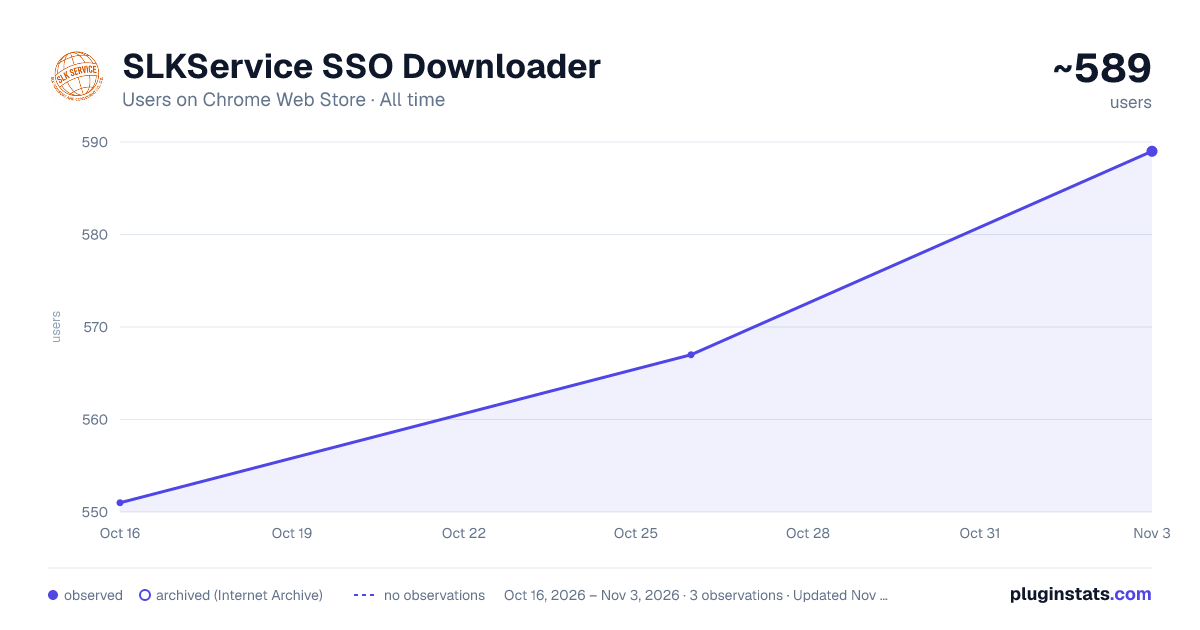
SLKService SSO Downloader has approximately 551 recorded users on Chrome Web Store, ranking #1626 of 3,404 tracked listings.
About SLKService SSO Downloader
Batch download contribution reports and receipts from SSO e-Service.
SLKService SSO Downloader helps authorized employers and staff download contribution reports and electronic receipts from Thailand’s Social Security Office (SSO) e-Service in batches.
Key features: • Works conveniently from the Chrome Side Panel. • Detects available transaction records after the user signs in to SSO e-Service. • Automatically selects the SSO 1-10 contribution transaction type. • Displays up to 100 transaction records per page. • Filters records by contribution year. • Supports batch downloading of SSO 1-10 contribution reports and electronic receipts. • Lets users select all records, clear selections, or select records that have not been downloaded. • Organizes downloaded documents by employer account number, year, and document type. • Uses meaningful filenames containing transaction, receipt, year, and contribution-period information. • Keeps filter settings and download history locally in the user’s browser.
The extension does not request, read, or store the user’s SSO username or password. Transaction information is processed locally and is used only to perform downloads requested by the user. No employer or transaction information is transmitted to servers operated by the extension developer.
Requirements: • Google Chrome version 116 or later. • A valid SSO e-Service account. • Authorization to access and download the selected employer’s documents.
SLKService SSO Downloader is an independent productivity tool. It is not affiliated with, endorsed by, or operated by Thailand’s Social Security Office. Access to SSO e-Service and its documents remains subject to the terms, permissions, and availability of the official SSO system.
Description from the Chrome Web Store listing.
README badge
Show your rank in a README or on your website. The badge updates automatically.
Charts
Images: 30d · 1y · all time · 1600×900 dark
Adoption over time
7/30/90-day growth
Ranking history
Ratings over time
Listing placement
Listing placement
Filled points are observed values; hollow points come from Internet Archive snapshots of the listing page. Dashed segments span periods with no observations — values between points are not interpolated.
Each band is one page of 20. Users on a linear scale. Placement is projected from users, so it can differ from the marketplace's own sort order. Hover a dot to see the listing.
Recent observations
Full history (1)Similar Chrome Web Store Tools plugins
All 20 SLKService SSO Downloader alternatives



Data source
Covers every Chrome Web Store extension with at least 100 users, found through the store's public sitemap. User counts are read from public listing pages. The 10% most-used extensions are refreshed daily, the next 40% weekly and the next 40% monthly; the least-used 10% are not refreshed. Google displays rounded user counts (and caps the display at 10,000,000+), so small changes may not be visible. Rating counts above 1,000 are rounded (e.g. 1.6K).
Listing: https://chromewebstore.google.com/detail/slkservice-sso-downloader/jcmppdmgckfgfmaodabahffcimdijnjj. First seen Oct 16, 2026; last successful collection Oct 16, 2026. See the methodology.