 PluginStats
Rumi: Join the Watch Network users statistics
By Rumi · Chrome Web Store · Entertainment
Run in-browser AI using your GPU to validate media watched.
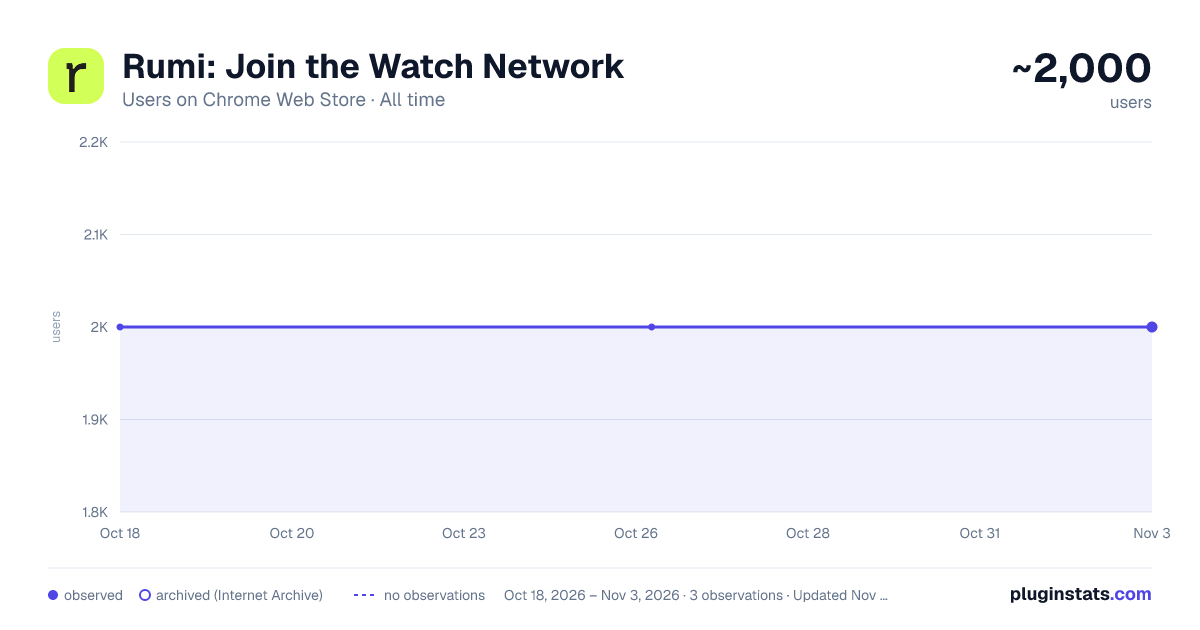
Rumi: Join the Watch Network has approximately 2,000 recorded users on Chrome Web Store, ranking #713 of 2,952 tracked listings.
Rating: 4.90 / 5 from 83 ratings
About Rumi: Join the Watch Network
Run in-browser AI using your GPU to validate media watched.
Overview
Rumi is a free Chrome extension that gives you points for the minutes you stream on desktop. Add it to Chrome, start a session, and watch as usual. Every minute earns a point. Everything runs on your computer using on-device AI. No raw audio or video leaves your device. Rumi is built privacy-first, designed for people who want their attention to count for more.
Key Features of Rumi:
- Earn points as you stream: One point per minute of verified watch time.
- On-device AI: All analysis happens locally on your computer.
- Simple session control: Start and stop anytime from the Rumi icon.
- Privacy first: No raw audio or video leaves your device. No cross-site tracking.
- Early access: This is the first step in building the world’s real-time attention signal.
How to Get Started with Rumi:
- Install the Rumi extension from the Chrome Web Store.
- Open the extension, register with your email or sign in with Google.
- Start a session, stream as usual, and let Rumi do the rest.
Why Use Rumi:
- Earn points while you stream: Get credit for every verified minute you watch.
- On-device AI: All analysis happens locally on your computer.
- Privacy first: No raw audio or video ever leaves your device.
- Simple control: Start or stop anytime with ease.
Instructions for Using Rumi:
- Tap Add to Chrome to install the extension.
- Navigate to a supported video platform.
- Click the Rumi icon and start watching.
- Come back anytime to check your progress.
Frequently Asked Questions: Q: Does Rumi store my video history or login credentials? A: No. Rumi only tracks the session indexing progress you’ve authorized and keeps your personal data private. Q: What streaming platforms does Rumi support? A: Rumi supports a growing list of platforms. Check the extension settings for the most up-to-date list. Q: Can I use Rumi across multiple tabs? A: Indexing works one tab at a time to ensure high-quality capture. You can switch tabs anytime while your session runs.
Need Help or Have Feedback? Reach out anytime at hello@rumilabs.io, or on x at x.com/rumilabs.io
Start with Rumi and make your attention count. Every session strengthens a new signal of what culture is watching.
Description from the Chrome Web Store listing.
README badge
Show your rank in a README or on your website. The badge updates automatically.
Charts
Images: 30d · 1y · all time · 1600×900 dark
Adoption over time
7/30/90-day growth
Ranking history
Ratings over time
Listing placement
Listing placement
Filled points are observed values; hollow points come from Internet Archive snapshots of the listing page. Dashed segments span periods with no observations — values between points are not interpolated.
Each band is one page of 20. Users on a linear scale. Placement is projected from users, so it can differ from the marketplace's own sort order. Hover a dot to see the listing.
Recent observations
Full history (1)Similar Chrome Web Store Entertainment plugins
All 20 Rumi: Join the Watch Network alternatives



Data source
Covers every Chrome Web Store extension with at least 100 users, found through the store's public sitemap. User counts are read from public listing pages. The 10% most-used extensions are refreshed daily, the next 40% weekly and the next 40% monthly; the least-used 10% are not refreshed. Google displays rounded user counts (and caps the display at 10,000,000+), so small changes may not be visible. Rating counts above 1,000 are rounded (e.g. 1.6K).
Listing: https://chromewebstore.google.com/detail/rumi-join-the-watch-netwo/bfjmeipiilcbaacfdpbaomjenijihgba. First seen Oct 18, 2026; last successful collection Oct 18, 2026. See the methodology.