 PluginStats
Free Adblocker for Chrome by 1Click VPN users statistics
Chrome Web Store · Accessibility
Get the free adblocker for Chrome by 1Click VPN. Block ads, skip video ads, and hide cookie banners.
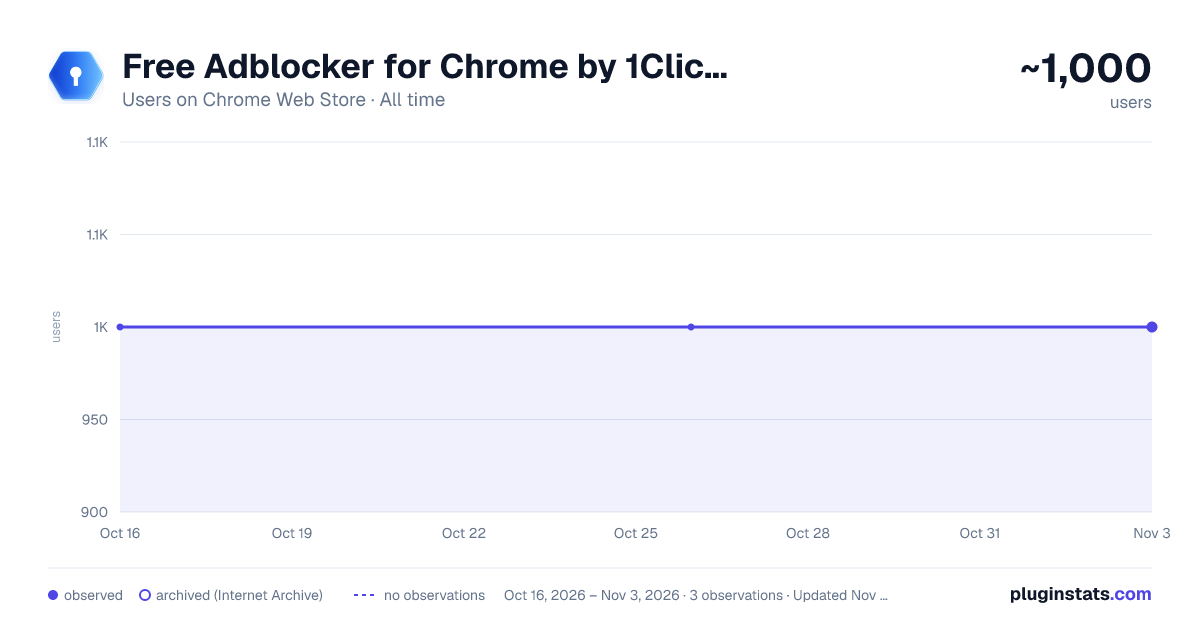
Free Adblocker for Chrome by 1Click VPN has approximately 1,000 recorded users on Chrome Web Store, ranking #847 of 2,952 tracked listings.
Rating: 4.60 / 5 from 10 ratings
About Free Adblocker for Chrome by 1Click VPN
Get the free adblocker for Chrome by 1Click VPN. Block ads, skip video ads, and hide cookie banners.
1Click Ad blocker is a free adblocker for Chrome that blocks ads, popups, and video ads on every websites you visit. Get a free ad blocker and cookie banner blocker in one extension. Block ads, block popups, and hide annoying cookie banners while you browse.
With 1Click Ad blocker, you get advanced ad blocking features for free like anti-phishing and anti-malware checks to help detect unsafe websites and malicious ads. Turn ad blocking on or off for any website, choose what to hide, and skip video ads, Twitch ads and block YouTube ads.
⭐ Why Choose 1Click Adblocker?
Free adblocker with built in popup and pop-under blocking, as well as video ad blocking.
Block cookie consent banners automatically.
Advanced anti-phishing and anti-malware protection with warnings about potentially unsafe websites and malicious ads.
Adblocker features:
🚫 Block Ads Block unwanted ads, annoying popups and reduce distractions on the websites. Turn ad blocking on or off for a specific website with a single click.
🍪 Cookie Banner Blocker Automatically hide cookie consent banners on websites you visit. Reduce repetitive notices without manually closing on every website.
▶️ Block Video Ads
Block or skip video ads while you watch videos and live streams. 1click free ad blocker for Chrome blocks all type of video ads, including Twitch ads and YouTube ads.
🪟 Popup blocker Block popups and pop under ads that interrupt your browsing and cover the content you want to see, or even worse open unwanted tabs.
🎯 Block Page Elements Select an unwanted website element, preview your changes, and apply them. You can review your blocked elements and remove individual entries whenever you want.
🛡️ Anti-Phishing and Anti-Malware Optional website security checks help detect potentially harmful websites and malicious ads using advanced anti-phishing and anti-malware filters.
⚠️ Clear Warnings and Notifications When a potentially unsafe website is detected, 1Click Adblocker shows a warning before you continue browsing. Choose to leave the page or proceed at your own risk.
⚙️ Simple Ad Block Controls Manage blocking for each website and turn website security checks on or off. Choose where to block ads and which page elements to hide.
How does it work?
Add 1Click Adblocker to Chrome and turn on ad blocking. The extension automatically blocks ads while you browse, helps skip video ads, and hides cookie banners. To hide an additional page element, open the extension and select “Block element.”
Enable “Check website security” to receive warnings about potentially unsafe pages.
All the features above are free to use. Install 1Click Adblocker and get more control over your browsing.
Description from the Chrome Web Store listing.
README badge
Show your rank in a README or on your website. The badge updates automatically.
Charts
Images: 30d · 1y · all time · 1600×900 dark
Adoption over time
7/30/90-day growth
Ranking history
Ratings over time
Listing placement
Listing placement
Filled points are observed values; hollow points come from Internet Archive snapshots of the listing page. Dashed segments span periods with no observations — values between points are not interpolated.
Each band is one page of 20. Users on a linear scale. Placement is projected from users, so it can differ from the marketplace's own sort order. Hover a dot to see the listing.
Recent observations
Full history (1)Similar Chrome Web Store Accessibility plugins
All 20 Free Adblocker for Chrome by 1Click VPN alternatives



Data source
Covers every Chrome Web Store extension with at least 100 users, found through the store's public sitemap. User counts are read from public listing pages. The 10% most-used extensions are refreshed daily, the next 40% weekly and the next 40% monthly; the least-used 10% are not refreshed. Google displays rounded user counts (and caps the display at 10,000,000+), so small changes may not be visible. Rating counts above 1,000 are rounded (e.g. 1.6K).
Listing: https://chromewebstore.google.com/detail/free-adblocker-for-chrome/mbldcheoicbafcgjleicogoognpjkije. First seen Oct 16, 2026; last successful collection Oct 16, 2026. See the methodology.