 PluginStats
Interpreter - Live Captions & Translation for Interpreters users statistics
Live captions and translation in Chrome's side panel, right beside your call. Made for phone and video interpreters.
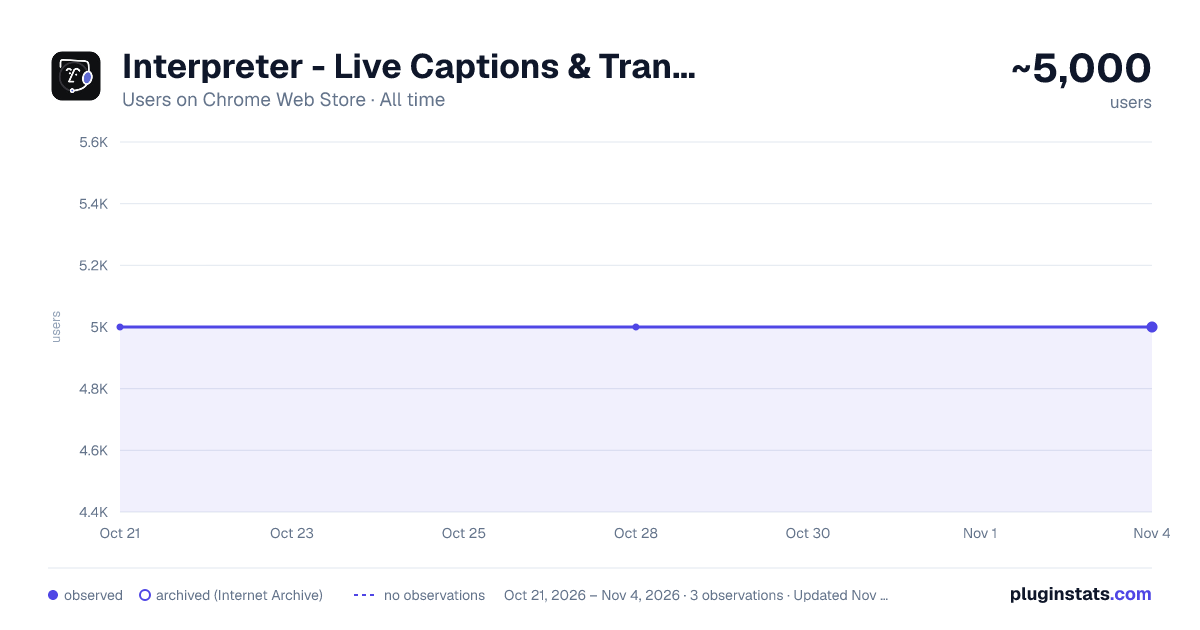
Interpreter - Live Captions & Translation for Interpreters has approximately 5,000 recorded users on Chrome Web Store, ranking #513 of 2,952 tracked listings.
Rating: 4.70 / 5 from 85 ratings
About Interpreter - Live Captions & Translation for Interpreters
Live captions and translation in Chrome's side panel, right beside your call. Made for phone and video interpreters.
Live captions and translation, right beside your call.
Interpreter shows what each person on your call says as they say it, translated when you need it, in Chrome’s side panel. Your interpreting platform stays open beside it, so you never switch windows mid-call.
Made for professional interpreters on phone (OPI) and video (VRI) calls: medical, legal, insurance and government.
WHAT CHANGES ON YOUR NEXT CALL • Check details without interrupting. Names, numbers, doses and addresses stay on screen, so you confirm them at a glance. • Find the right word in seconds. Press Ctrl+K (⌘K on Mac) and type a term, or click any caption to translate it. The call keeps going. • Hold less in your head. Captions and notes carry the details, so your attention stays on the message.
WHAT’S INSIDE • Live translate: read both languages as people speak. • Captions only: captions without automatic translation. Click a caption or select a phrase to translate just that part. • Quick lookup: a translation with an example and alternatives, without leaving the call. Press Ctrl+K (⌘K). • Notes: a notes window over your captions. Press Ctrl+M (⌘M). • Protocols: save the lines you say on every call, like your introduction, and bring one up with Ctrl+P (⌘P). • Tracker: a call timer logs each call by job and shows what it earned. Download your calls as PDF, Excel, CSV or Google Sheets. • Speaker colors: each person’s lines get their own color, so you know who said what. • Reading aids: Pinyin for Chinese, Romaji for Japanese, Harakat for Arabic. • Pause: press Space to pause or resume. Paused time isn’t charged.
Protocols and Tracker are optional. Turn them on from their pages in the sidebar.
YOU CHOOSE THE AUDIO Capture the current tab, your whole system, your microphone, or both. Tab audio starts from the tab you chose in the extension. Chrome opens a source picker only for system audio.
PRIVACY Interpreter does not save audio, captions, or translations. HIPAA compliant, SOC 2 Type II audited, GDPR compliant. How we protect your data: https://useinterpreter.com/trust/
PRICING 20 minutes free. No credit card. After that, pay as you go at $0.45 an hour, or pick a monthly plan. Only the time you’re capturing counts.
The same account works in the web app, the Mac and Windows app, and the Android app.
Questions? https://useinterpreter.com/help/ · Community on Telegram: https://t.me/useinterpreter
Description from the Chrome Web Store listing.
README badge
Show your rank in a README or on your website. The badge updates automatically.
Charts
Images: 30d · 1y · all time · 1600×900 dark
Adoption over time
7/30/90-day growth
Ranking history
Ratings over time
Listing placement
Listing placement
Filled points are observed values; hollow points come from Internet Archive snapshots of the listing page. Dashed segments span periods with no observations — values between points are not interpolated.
Each band is one page of 20. Users on a linear scale. Placement is projected from users, so it can differ from the marketplace's own sort order. Hover a dot to see the listing.
Recent observations
Full history (1)Similar Chrome Web Store Tools plugins
All 20 Interpreter - Live Captions & Translation for Interpreters alternatives



Data source
Covers every Chrome Web Store extension with at least 100 users, found through the store's public sitemap. User counts are read from public listing pages. The 10% most-used extensions are refreshed daily, the next 40% weekly and the next 40% monthly; the least-used 10% are not refreshed. Google displays rounded user counts (and caps the display at 10,000,000+), so small changes may not be visible. Rating counts above 1,000 are rounded (e.g. 1.6K).
Listing: https://chromewebstore.google.com/detail/interpreter-live-captions/epbomcnippkcohealfpchmllmkhghmdb. First seen Oct 21, 2026; last successful collection Oct 21, 2026. See the methodology.